

TL;DR: A local VPS improves trading by significantly reducing latency and increasing operational uptime. It offers a reliable, secure environment suited for multi-account management and automated strategies. Choosing the correct VPS location is crucial for optimal performance and low-latency execution.
A local virtual private server (VPS) is defined as a dedicated computing environment hosted in a data center, running your trading platform continuously without relying on your home PC or internet connection. The local VPS trading benefits are most visible in two areas: execution latency and operational uptime. Forex traders running MetaTrader 4 or MetaTrader 5 on a home machine face unpredictable delays, power interruptions, and forced Windows updates that can knock an expert advisor offline mid-session. A VPS eliminates those variables entirely. Mt4copier, which has served 3,000+ traders since 2010, is built specifically to run on a local Windows VPS for exactly this reason.
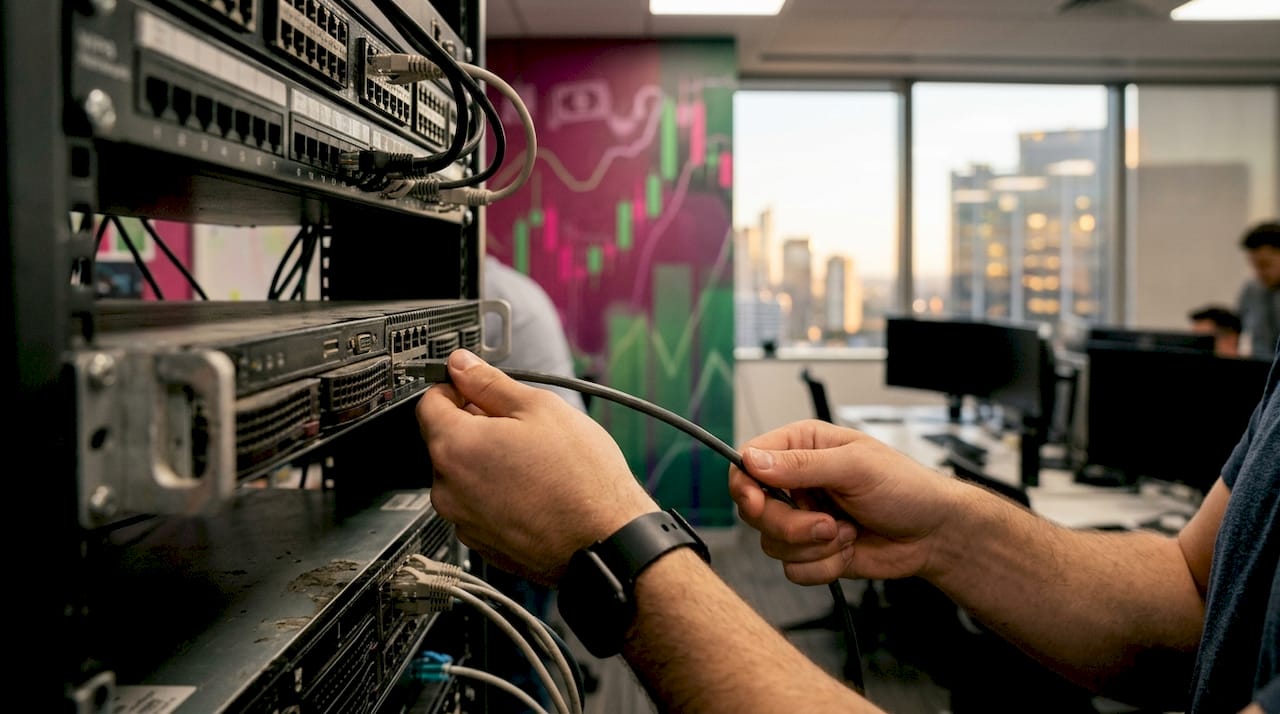
Hands connecting Ethernet cable to VPS server
1. How local VPS reduces execution latency
Latency is the time between your platform sending an order and the broker’s server receiving it. At home, that round trip typically runs 50–150ms. Colocated near broker servers, a VPS can cut that to under 5ms. That difference is not trivial. A 15ms gap can mean a worse fill price on a fast-moving pair, especially for scalpers and algorithmic traders.
The reason for the improvement is physical. A VPS hosted in the same data center as your broker uses direct fiber cross-connects rather than public internet routing. Public internet traffic hops through multiple routers and switches, each adding delay and introducing the risk of packet loss. A direct cross-connect removes most of those hops entirely.
Geographic location matters here. Chicago VPS providers colocate within 1–5ms of CME matching engines, while a VPS in New York or Dallas can add 15–30ms of latency. If your broker routes orders through the CME Aurora, Illinois facility, a Chicago-based VPS is the correct choice. Choosing the wrong city can cost you more latency than staying on a home PC in the same metro area as your broker.
- Round-trip latency at home: 50–150ms
- Round-trip latency on a colocated VPS: under 5ms
- Latency penalty for a non-optimal VPS city: 15–30ms additional
2. Ensuring uninterrupted trading with VPS uptime
A VPS provides 99.9% uptime with redundant power and network infrastructure. That translates to less than 9 hours of downtime per year, and most of that downtime is scheduled during off-market hours. A home PC cannot match that record.
Home machines fail in ways that are hard to predict. Windows Update reboots your machine at 3 a.m. Your power strip trips during a thunderstorm. Your internet provider drops the connection for 20 minutes. Each of those events can close a running trade at the wrong price or leave an expert advisor offline during a news spike.
A VPS runs your trading platform 24 hours a day, 7 days a week, independently from your local device. You can shut down your laptop, travel, or lose power at home, and your MT4 or MT5 terminal keeps running on the VPS without interruption.
- Disable automatic Windows Updates on the VPS and schedule them manually during weekend market closures.
- Turn off sleep mode and screen savers in Windows power settings.
- Set your trading terminal to auto-restart on crash using Windows Task Scheduler.
- Keep your local terminal open in read-only mode for monitoring, while the VPS handles all execution.
Pro Tip: Keep your home terminal connected to the VPS via Remote Desktop in view-only mode. You get a live dashboard without risking accidental order entries from two active terminals.
3. Security advantages of using a local VPS
A VPS is an isolated environment. It runs only the software you install, which means no browser toolbars, no family members downloading files, and no background apps competing for resources or introducing malware. That isolation reduces hacking risk compared to a shared home PC significantly.
The most common security mistake traders make is leaving the default Remote Desktop Protocol (RDP) password unchanged. Automated bots scan the internet for open RDP ports constantly, and a weak password is all they need.
- Change the default RDP port from 3389 to a non-standard port.
- Use a strong, unique password with at least 16 characters.
- Enable Windows Firewall and whitelist only your home IP address for RDP access.
- Do not install a VPN on the VPS. Prop firms flag changing IP addresses as suspicious activity, and VPN use can trigger automatic bans.
- Install only trading software. Every additional application is an additional attack surface.
Pro Tip: Use a forex trading security checklist before you deploy any capital on a new VPS. Locking down the environment first takes 30 minutes and prevents problems that can take days to fix.
4. Scalability and multi-account management on a VPS
Running multiple MT4 or MT5 terminals on a single VPS is one of the strongest arguments for local VPS setup for prop trading. Each terminal needs its own installation directory and its own broker login. A well-resourced VPS handles this without conflict.
A typical VPS for multi-account trading needs at least 4 CPU cores and 8–16GB of RAM. Professional prop trading setups colocated in the same data center as the broker report trade copy replication latency under 2ms using shared memory, according to industry infrastructure guides. Cloud-based routing, by comparison, runs 20–100ms. That gap matters when you are copying trades across 10 or more accounts simultaneously.
| Setup type | Typical RAM | Accounts supported | Copy latency |
|---|---|---|---|
| Entry-level VPS | 4GB | 2–4 accounts | 10–30ms |
| Mid-range VPS | 8GB | 5–10 accounts | 5–15ms |
| Professional VPS | 16GB | 10–15 accounts | Under 5ms |
Mt4copier runs entirely on the local machine or VPS with no cloud routing. All trade data stays on one IP address, which matters for prop firm compliance. The software supports 1-second-or-faster local execution and eight money management modes, making it well suited for multi-account trade copying on a single VPS.
One practical issue traders overlook is startup load. Launching 10 MT4 terminals simultaneously can spike CPU usage and cause login failures. Staggered startup scripts that delay each terminal launch by several seconds solve this problem cleanly.
5. Choosing the right VPS location and configuration
The single most important decision in a local VPS setup is matching your VPS data center to your broker’s execution hub. Your broker’s server location is usually listed in the MetaTrader terminal under “Help > About” or visible in the server address. If your broker routes through Equinix NY4 in New Jersey, a New York area VPS is correct. If they route through CME in Aurora, Illinois, choose Chicago.
Geographic proximity to your broker’s hub is the primary factor in latency reduction. Everything else, including RAM and CPU, is secondary to location.
For configuration, match your VPS specs to your trading style:
- Scalping or high-frequency EAs: 4 cores, 16GB RAM, SSD storage, VPS within 5ms of broker server.
- Algorithmic swing trading: 2–4 cores, 8GB RAM, SSD storage, location less critical.
- Multi-account copying with Mt4copier: 4 cores, 8–16GB RAM, same data center as broker preferred.
Installing trading terminals in separate directories on the VPS prevents file conflicts when running multiple broker accounts. Disable all non-essential Windows features, including Cortana, Windows Search indexing, and visual effects, to free up CPU and RAM for trading software. A clean Windows Server installation uses fewer background resources than a standard Windows desktop build.
Pro Tip: Ask your VPS provider for a latency test to your broker’s server before committing to a plan. Most reputable providers will run a ping test on request. A result above 10ms to your broker’s server means you should look at a different data center.
Key takeaways
A local VPS is the most reliable infrastructure choice for forex traders running automated strategies or managing multiple accounts, because it removes latency, uptime, and security risks that a home PC cannot eliminate.
| Point | Details |
|---|---|
| Latency drops sharply on a colocated VPS | Round-trip execution time falls from 50–150ms at home to under 5ms near broker servers. |
| VPS uptime exceeds 99.9% annually | Less than 9 hours of downtime per year, mostly scheduled during off-market hours. |
| RDP security is the top priority | Change the default password and port before deploying any capital on a new VPS. |
| Location determines latency more than hardware | Match your VPS data center to your broker’s execution hub for the lowest possible delay. |
| Multi-account setups need staggered startups | Delayed terminal launches prevent CPU spikes and login failures when running 10+ accounts. |
Why I think most traders underestimate the location decision
Most traders shopping for a VPS focus on RAM and price. Those matter, but they are not the variable that determines whether fills improve. Location is. A high-spec VPS in the wrong data center can produce worse latency than a budget VPS in the correct one. If a broker routes through Equinix NY4 in New Jersey, a Dallas VPS works against the trader regardless of its specs.
The second area traders consistently get wrong is security. The VPS goes live, MT4 gets installed, and trading starts before the RDP password or firewall settings are touched. Bots scan newly provisioned IPs within hours. A compromised VPS does not just lose trades. It can expose broker credentials and account balances.
The reliability case for VPS becomes clear once a trader experiences it directly: fewer 3 a.m. disconnection alerts, an EA that simply keeps running. The first week on a properly configured VPS, where the EA runs without interruption, is the moment most traders get convinced.
For new traders, the practical path is to run a single-account VPS in the correct location alongside the home setup for 30 days, then compare execution quality. The data settles the decision. Past results do not guarantee future performance, but infrastructure quality is a controllable variable worth fixing first.
Mt4copier and VPS: built to work together
Mt4copier is designed to run on a local Windows VPS, not in the cloud. All trade replication happens on one machine, one IP address, with no external routing. That architecture is exactly what prop firm traders need to avoid IP-based compliance flags.
If you are setting up a VPS for the first time, the VPS security guide on the Mt4copier site covers RDP hardening, password management, and firewall configuration in one place. For traders ready to run Mt4copier on their VPS, the installation walkthrough covers MT4, MT5, and DXTrade setups step by step. Mt4copier has been active since 2010 with 491 Trustpilot reviews and a 7-day free trial. The infrastructure is already built for VPS. You just need to connect it.
FAQ
What are the main local VPS trading benefits for forex traders?
A local VPS delivers sub-5ms execution latency when colocated near your broker’s server, 99.9%+ uptime, and an isolated environment that eliminates home PC failure modes like power outages and forced reboots.
How much does a professional VPS for prop trading cost?
Professional VPS setups for prop trading typically run $80–150 per month for 4 cores and 16GB RAM, supporting 10–15 accounts reliably.
Why should I avoid using a VPN on my trading VPS?
Prop firms flag changing IP addresses as suspicious. A dedicated static IP on a KVM-based VPS keeps your connection consistent and avoids automated compliance bans.
How do I prevent CPU spikes when running multiple MT4 terminals on a VPS?
Use batch startup scripts that delay each terminal launch by several seconds. This prevents simultaneous resource spikes and reduces login failures under load.
Does VPS location really affect trade execution quality?
Yes. A VPS in the wrong city can add 15–30ms of unnecessary latency. Matching your VPS data center to your broker’s execution hub is the single highest-impact configuration decision you can make.
