

TL;DR: Local trade copying executes trades directly on your own machine or VPS, offering lower latency and credential control, while cloud trade copying routes signals through third-party servers, providing easier setup but higher delays. For speed-sensitive strategies and prop firm accounts, local copying’s speed and security advantages make it the more reliable choice for most prop firm setups, though traders should verify their firm’s specific rules before committing. Conversely, cloud solutions suit beginners, swing traders, and those prioritizing convenience over milliseconds of execution.
Local trade copying is defined as the execution of replicated trades directly on a trader’s own computer or VPS, while cloud trade copying routes those same signals through remote third-party servers before reaching the broker. Explaining local vs cloud trade copying comes down to one core variable: where execution happens. Local copiers like Mt4copier run an Expert Advisor directly on your machine, keeping credentials off external servers and achieving 1-second or faster copying under normal market conditions. Cloud-based services such as TradeSyncer and Social Trader Tools handle execution on their infrastructure, removing the need for an always-on PC but adding measurable delay between signal and fill.
How do local trade copiers work?
A local trade copier installs as an Expert Advisor on MetaTrader 4 or MetaTrader 5. It reads the master account’s open positions and pushes identical orders to one or more slave accounts, including DXTrade accounts, running on the same machine or VPS. No signal leaves your network. No third party touches your login credentials.

Hands typing local trade copying commands
The speed advantage is significant. Local EA copiers average roughly 142ms end-to-end latency compared to 470ms for cloud solutions. That 328ms gap is invisible during a slow swing trade but decisive during a news spike when spreads widen in milliseconds.
Local trade copying advantages include:
- Sub-50ms execution on a well-configured VPS near your broker’s server
- Full credential control since no login data leaves your machine
- Granular risk management including partial closes, drawdown caps, and lot scaling per account
- No recurring software fees beyond a modest VPS cost of roughly $10 to $30 per month
The trade-off is operational. Local setup takes 30 to 60 minutes and requires managing multiple MetaTrader terminals, configuring account mapping, and keeping the VPS online 24/5. That is not a burden for experienced traders, but it is a real consideration for anyone new to VPS management.
Pro Tip: Place your VPS in the same data center as your broker’s servers. Brokers using Equinix NY4 or LD4 facilities will show measurably lower order-to-fill times when your VPS shares that location.
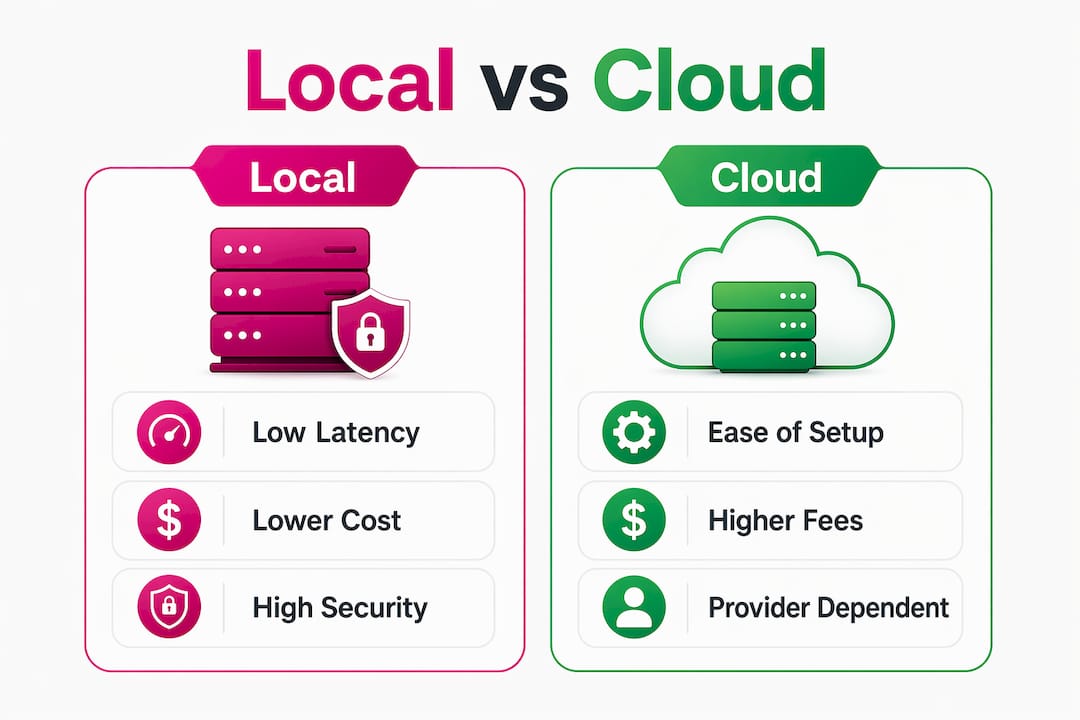
Infographic comparing local and cloud trade copying features
What are cloud trade copiers and their key benefits?
A cloud trade copier executes on third-party servers via API integration, meaning your PC can be off entirely. You connect your broker account to the cloud platform, configure lot sizing and risk rules through a web dashboard, and the service handles the rest. TradeSyncer, for example, offers sub-100ms cloud latency with built-in risk guardrails and support for futures accounts, which makes it appealing for traders scaling across multiple prop firm accounts without IT overhead.
Cloud trade copying benefits are real and worth naming clearly:
- Zero local hardware dependency since the service runs whether your PC is on or off
- Fast setup, typically around 10 minutes versus 30 to 60 for local installs
- Accessible dashboard requiring no MetaTrader configuration knowledge
- Automatic updates managed by the provider, not the trader
The limitations are equally concrete. Cloud monthly fees range from $30 to $150+ depending on the number of accounts, and those costs compound over time. More critically, cloud service outages can interrupt active trades with no fallback on the trader’s side. You are dependent on the provider’s uptime SLA, not your own infrastructure.
Pro Tip: Before committing to any cloud copier, test it during a high-volatility session like a Non-Farm Payrolls release. Latency spikes during those windows reveal real-world performance that demo conditions never show.
Cloud solutions suit swing traders, signal followers, and account managers who prioritize ease of management over execution precision. They are a poor fit for scalpers or prop firm traders where milliseconds and IP consistency matter.
What does latency data reveal about local vs cloud copying?
The numbers on local vs cloud trading solutions are not close. TradingViewCopier’s 2026 measurements show local EA copiers running at approximately 142ms end-to-end versus 470ms for cloud alternatives. Local is roughly three times faster at the signal-to-fill level.
| Metric | Local copier | Cloud copier |
|---|---|---|
| Average end-to-end latency | ~142ms | ~470ms |
| Typical signal-to-order time | Under 50ms | 200 to 500ms |
| Best-case latency (optimized VPS) | Under 2ms | 5 to 15ms |
| Setup time | 30 to 60 minutes | ~10 minutes |
The best-case figures are telling. Tradecopia, a locally installed copier, averages 1.6ms latency in optimized conditions. Typical cloud solutions average 5 to 15ms at their best. For scalpers entering and exiting within seconds, that difference compounds across dozens of trades per session.
TradingViewCopier’s 2026 measurements note that cloud latency during news events widens effective spreads and increases slippage relative to local execution, where the 330ms gap is most consequential.
Network latency directly affects the fill price a slave account receives. When the master account enters at 1.0850 and the cloud signal arrives 470ms later, the market may have moved to 1.0853. That three-pip gap is not a rounding error for a scalper targeting five pips per trade.
For prop firm traders, the latency question extends beyond speed. Many prop firms flag accounts that show unusual IP patterns or execution behavior. A local copier running on one VPS with one IP address presents a consistent, single-origin execution profile. Cloud routing introduces variable IP addresses and server-side execution patterns that some prop firm risk teams scrutinize.
Risk management features like drawdown caps, automatic partial closes, and emergency flattening are also better supported on local copiers because the EA has direct terminal control. Cloud platforms implement these features through API calls, which adds another latency layer at the worst possible moment.
How do costs and security compare between local and cloud?
Cost analysis favors local copying for traders running more than two or three accounts over a 12-month horizon. A VPS costs $10 to $30 per month. Mt4copier’s subscription adds a modest recurring fee that covers MT4, MT5, and DXTrade copying under one plan. Cloud services charge $30 to $150+ monthly, and that figure scales with account count. A trader managing six slave accounts on a cloud platform at $80 per month spends $960 per year on copying alone.
Security is the less-discussed but equally important difference. Local copiers keep credentials on your machine, meaning your broker login never leaves your VPS. Cloud copiers require you to share those credentials with a third-party server. That is not inherently dangerous, but it is a real exposure. On-premise solutions consistently outperform cloud on credential isolation and data sovereignty, particularly when regulatory or broker compliance is a concern.
Operational complexity breaks down like this:
- Local: Requires VPS selection, MetaTrader installation, EA configuration, and ongoing uptime monitoring. One-time learning curve, then largely stable.
- Cloud: Requires account connection via API key or broker credentials, dashboard configuration, and trust in the provider’s security practices. Lower initial effort, ongoing dependency.
The downtime risk profile also differs. Cloud outages depend on provider SLA and are outside your control. Local downtime depends on your VPS provider and internet connection, both of which you select and can upgrade. A quality VPS from providers like Vultr or Contabo offers 99.9% uptime guarantees, which is comparable to most cloud copier platforms.
Which method suits your trading style?
Choosing between local and cloud trade copying is not a universal decision. It depends on your trading frequency, technical comfort, account structure, and broker requirements.
- Scalpers and news traders need local execution. The 330ms latency gap between cloud and local is the difference between a clean fill and a slipped entry during a volatility spike.
- Prop firm traders benefit from local copying because it maintains a single IP address and avoids cloud-routing patterns that some prop firm risk systems flag.
- Swing traders and signal followers can use cloud solutions effectively. Trades held for hours or days are not sensitive to a 300ms execution difference.
- Beginners managing one or two accounts may prefer cloud for its simpler setup, then migrate to local as their account count and trading frequency grow.
- Account managers with six or more client accounts will find local copying more cost-effective and controllable, particularly when each account requires different lot sizing or risk parameters.
Many experienced traders run hybrid setups: a locally installed master EA generates signals, and a local copier distributes those signals to multiple slave accounts on the same VPS. This approach combines the speed of local execution with the flexibility of multi-account management, without any cloud dependency.
Pro Tip: Always test your copying setup on a demo account for at least one full trading week before going live. Verify that lot scaling, partial closes, and stop-loss copying all behave as expected across every slave account.
Choosing the right trade copier also means accounting for platform compatibility. Not every cloud service supports MT4, MT5, and DXTrade simultaneously. Mt4copier covers all three under a single subscription, which matters for traders who use multiple broker platforms.
Key takeaways
Local trade copying outperforms cloud copying on latency, security, and long-term cost for traders running multiple accounts or latency-sensitive strategies.
| Point | Details |
|---|---|
| Latency gap is decisive | Local copiers average 142ms vs 470ms for cloud, a 3x speed advantage that matters for scalpers and news traders. |
| Security favors local | Credentials stay on your machine with local copying; cloud solutions require sharing login data with third-party servers. |
| Cost advantage shifts over time | Cloud fees of $30 to $150+ monthly exceed local VPS plus software costs for traders managing more than two accounts. |
| Cloud suits low-frequency traders | Swing traders and beginners benefit from cloud’s simpler setup and zero hardware dependency. |
| Hybrid setups offer balance | Running a local master EA with local slave copying combines speed and flexibility without cloud routing risk. |
Why I favor local copying for serious forex work
For traders running time-sensitive strategies or managing funded accounts with strict drawdown rules, local copying addresses the constraints that cloud solutions cannot fully resolve. The 330ms latency gap between cloud and local is not theoretical: during a Non-Farm Payrolls release, a fill at 470ms is a materially different trade than one at 142ms. That gap compounds across a month of active trading.
Traders managing six or more accounts will also find local copying more cost-effective. Cloud monthly fees at the multi-account tier exceed local VPS plus software costs within the first few months. The setup curve for a local install is a one-time investment, not an ongoing burden.
Mt4copier has run on Windows VPS environments since 2010 with a step-by-step installation process. The lot sizing controls, partial close handling, and per-account risk parameters it provides are not replicated at the same granularity by cloud solutions currently available.
Cloud options are improving, but the credential exposure and compounding monthly fees remain real factors for traders who have run the 12-month numbers.
Test on a demo account before committing. Verify that lot scaling, partial closes, and stop-loss copying behave as expected across every slave account.
See local trade copying in action with Mt4copier
Mt4copier has served 3,000+ traders since 2010 with locally installed trade copying across MT4, MT5, and DXTrade. Every trade stays on your machine, on one IP address, with no cloud routing between your master and slave accounts.
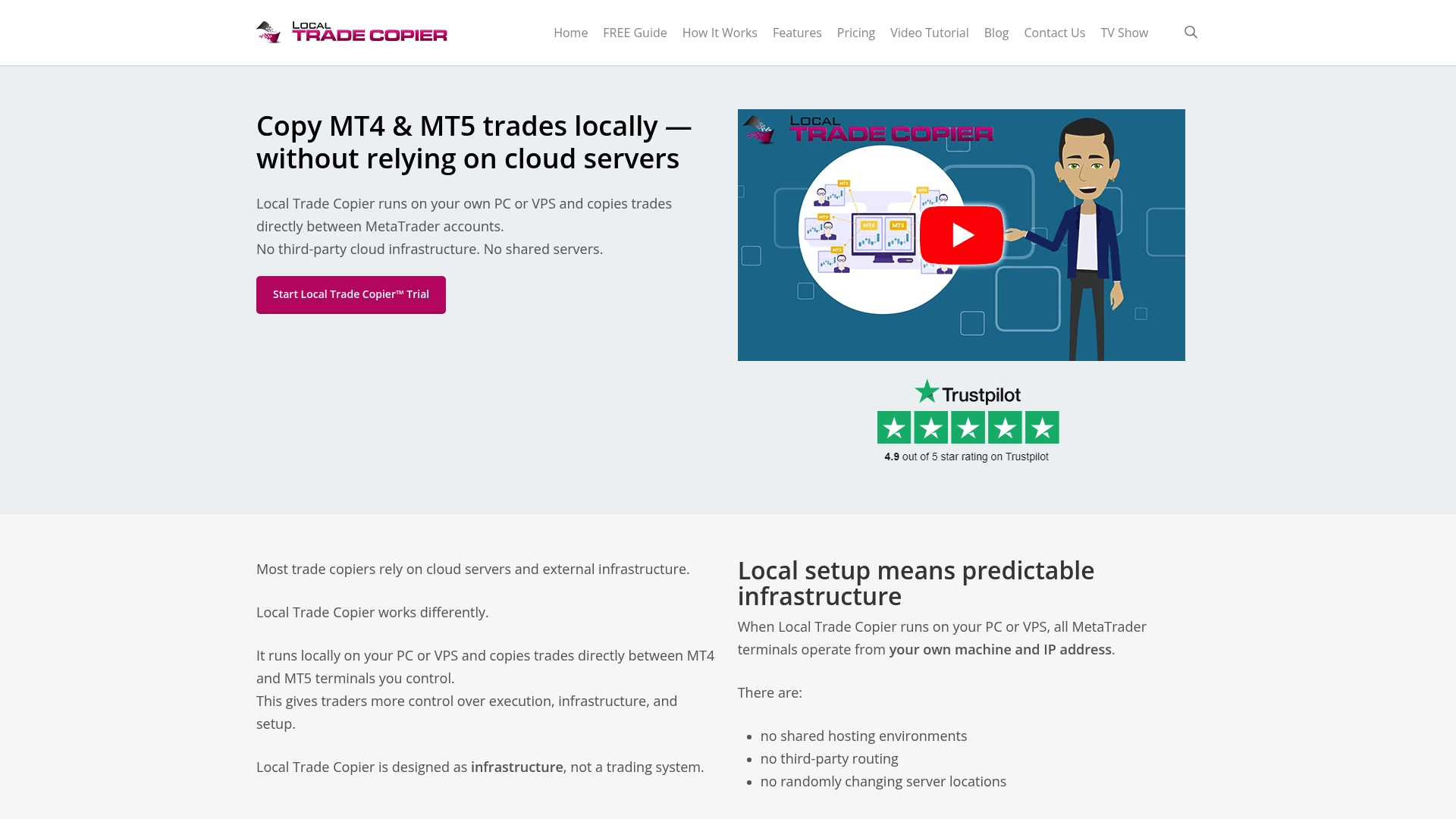
If you are evaluating local versus cloud options, the demo video shows exactly how Mt4copier handles multi-account copying, lot scaling, and partial closes in real time. For traders ready to set up, the step-by-step installation guide covers MT4 and MT5 configuration on any Windows VPS. A 7-day free trial is included with every subscription, so you can verify performance on your own accounts before committing.
FAQ
What is the main difference between local and cloud trade copying?
Local trade copying executes on your own PC or VPS with no external routing, while cloud trade copying processes signals on third-party servers. The primary practical difference is latency: local averages 142ms versus 470ms for cloud.
Is cloud trade copying better for beginners?
Cloud copiers are easier to set up, typically taking around 10 minutes versus 30 to 60 minutes for local installs, making them more accessible for beginners. However, the monthly fees and credential exposure are trade-offs worth understanding before committing.
Does local trade copying work for prop firm accounts?
Local copying is the preferred method for prop firm traders because it maintains a single IP address and keeps execution on-machine, avoiding the variable IP patterns that cloud routing can introduce. Direct terminal control also supports stricter drawdown and lot compliance.
How much does local trade copying cost compared to cloud?
A local setup typically costs $10 to $30 per month for a VPS plus a software subscription, while cloud copiers charge $30 to $150+ monthly depending on account count. For traders managing more than two or three accounts, local copying is consistently more cost-effective over a 12-month period.
Can I use both local and cloud trade copying together?
Yes. Many traders run a hybrid setup where a local EA generates signals on the master account and a local copier distributes those signals to multiple slave accounts, combining execution speed with multi-account flexibility and no cloud dependency.
Recommended
- The Definitive Guide to Forex Trade Copying
- Trade copying best practices for efficient forex management
- Multi-Asset Trade Copying Examples for Traders in 2026
