
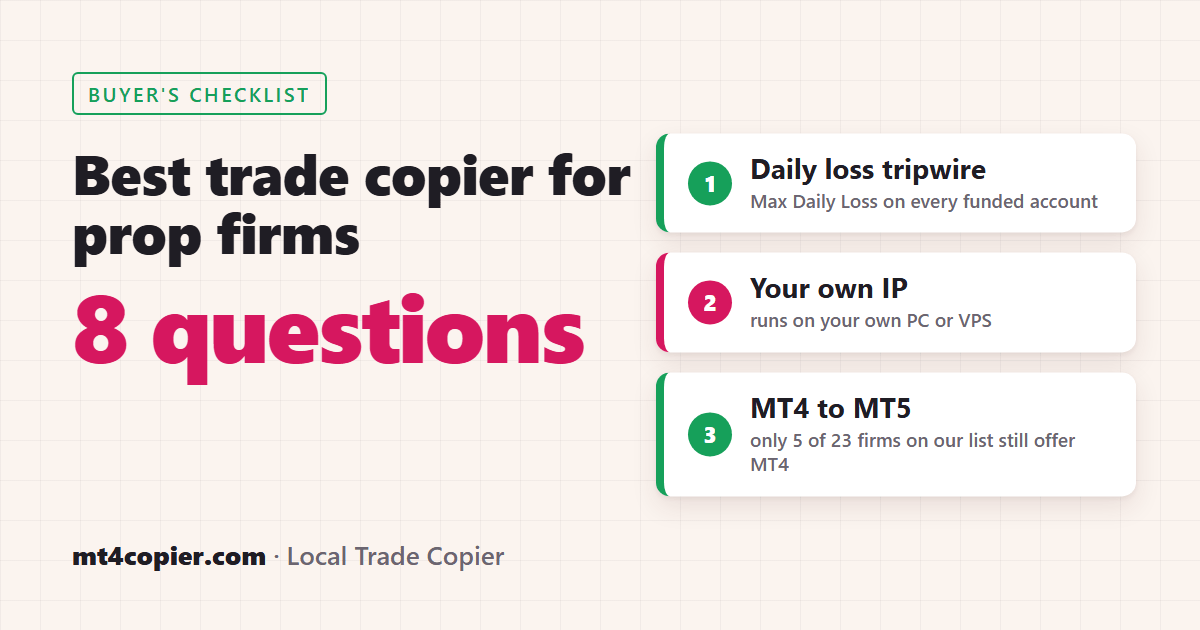
Short answer: The best trade copier for prop firms is one your firm allows. It runs on a computer you control, and it guards each funded account’s own limits: lot size, daily loss and trade count. Ask the 8 questions below before you buy. For each one, you’ll see how Local Trade Copier (LTC) by Algonexis Technologies, mt4copier.com, answers it, and where no copier can help.
Updated November 2026 for Local Trade Copier 3.1.10.
Here’s the uncomfortable truth about funded accounts: the copier is rarely what fails them. A missed daily limit does. So does a lot size meant for a bigger account, or a rule nobody read. A good copier makes those mistakes hard to make.
The 8 questions at a glance
| Question | What to look for | Local Trade Copier |
|---|---|---|
| 1. Does my firm allow copiers? | A clear yes in the firm’s own rules | Prop firm list of 23 firms, included with every paid plan |
| 2. Where does it run? | Your own PC or VPS, and your IP | Runs locally; each terminal connects from your computer’s IP |
| 3. How is each account sized? | Sizing per account | AA by balance (default), or Risk Per Trade in % or money |
| 4. Can it stop at my daily loss? | A loss tripwire per account | Max Daily Loss: closes all trades, then pauses until tomorrow or stops |
| 5. Can it cap trades and lots? | Limits per account and per pair | MaxTrades, LimitTradeCountPerPair, MaxLotSizeAllowed |
| 6. MT4 to MT5? | Both directions, plus netting and FIFO | All four directions; MT5 netting master since 3.1.10 |
| 7. How are copies placed? | Control over execution | Standard or Manual-Like Entry, random delays and SL/TP offsets |
| 8. What does the next account cost? | No fee per account | Unlimited accounts per PC or VPS, from €29 a month |
1. Does your firm allow trade copiers at all?
Start here, because no copier makes a banned practice allowed, ours included. Firms differ, and they change their rules quietly.
Our list “MetaTrader Prop Firms That Allow Trade Copiers and EAs” comes with every paid Local Trade Copier plan. In November 2026 it tracks 23 firms:
- 16 allow trade copiers;
- 7 allow them only with conditions.
Firms usually ban copying someone else’s trades to a funded account. Before you connect anything, read your firm’s rules on copying, EAs, hedging and account limits. The Definitive Guide chapter on prop firm rules lists what to ask the firm.
2. Where does the copier run, and whose IP do your accounts trade from?
A cloud copier logs in to your accounts from its own servers, and it needs the password of every account.
A local copier runs where your MetaTrader terminals already run:
- Local Trade Copier runs on your own Windows PC or VPS.
- LTC Server goes on the account you trade, and LTC Client on each funded account.
- Each terminal connects straight to its broker from that computer’s IP address.
- Your passwords stay in your own MetaTrader terminals.
- Copies usually open in about a second.
Use a PC or a VPS that’s only yours, so every account trades from an IP that’s yours alone.
3. How is each account sized?
A $200K account and a $25K account shouldn’t trade the same lots.
- By balance (the default): LTC Client sizes each copy from that account’s own balance. The mode is called AA (Auto-Adjust to account size).
- By fixed risk: choose Risk Per Trade (%) or Risk Per Trade (Money). The copy is sized from the master’s stop loss, and it waits until the master trade has one.
- New in 3.1.10: the loss at the stop loss comes from MetaTrader’s real profit and loss calculation.
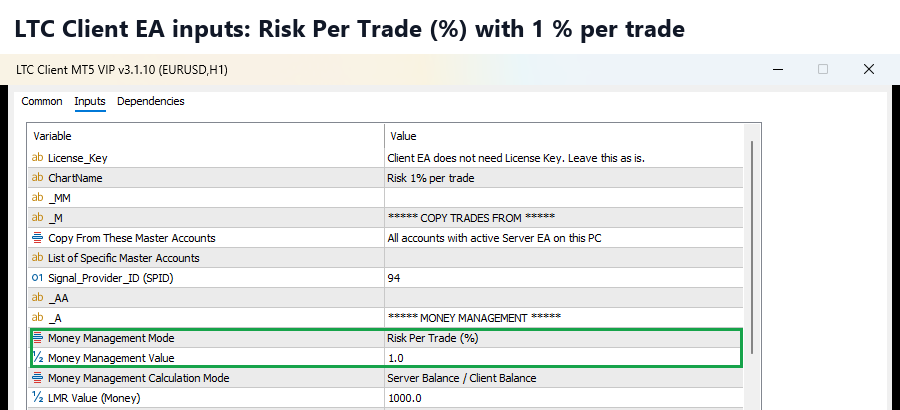
Risk Per Trade (%) set to 1 % per trade in LTC Client 3.1.10.
LTC Client has 8 money management modes in total, set per account. They’re explained in lot size and risk.
4. Can it stop at your daily loss limit?
This is the setting that saves accounts. In LTC Client, set “If MDL violated, do this:” and “Max Daily Loss (MDL) (%)”.
When an account’s loss for the day reaches your limit, a % of the day’s starting balance:
- LTC Client closes every trade on that account, including the ones you opened by hand.
- Then it waits until tomorrow, or stops completely. Your choice.

Max Daily Loss in LTC Client 3.1.10: close all trades and pause until tomorrow at a 4 % daily loss.
Set it below the firm’s limit, for example 4 % on a 5 % account, and check how your firm counts its daily loss. “Close & Stop if Equity below X” adds a hard floor under the account’s equity. See how Max Daily Loss works, with a real test.
5. Can it cap trade count and lot size per account?
- LimitTradeCountPerPair, for example
EURUSD=1, allows at most one open position per symbol. With IfPairLimitReached (new in 3.1.10), extra trades are delayed or ignored. See copy only one trade per pair. - MaxTrades sets the most positions and pending orders LTC manages on the account.
- MinLotSizeAllowed and MaxLotSizeAllowed set lot limits per account. By default, a trade outside them is skipped.
These help when a firm caps lots or open positions. They also help when you simply want one trade per pair on a small account.
6. Does it copy MT4 to MT5, and handle netting and FIFO accounts?
MT4 is getting rare at prop firms. All 23 firms on our list offer MT5, and only 5 still offer MT4.
- Every direction: Local Trade Copier copies MT4 to MT5, MT5 to MT4, MT4 to MT4 and MT5 to MT5 under one subscription. Your MT4 tools can keep running while the funded account trades on MT5.
- Account type: LTC Client MT5 detects netting and hedging accounts by itself.
- Netting masters: since 3.1.10, an MT5 netting account can be the master.
- Netting and US FIFO clients: since 3.1.8, they follow the master’s closes, partial closes and SL/TP.
7. How does it place the copies?
A standard copy is placed by an Expert Advisor, and MetaTrader records it that way.
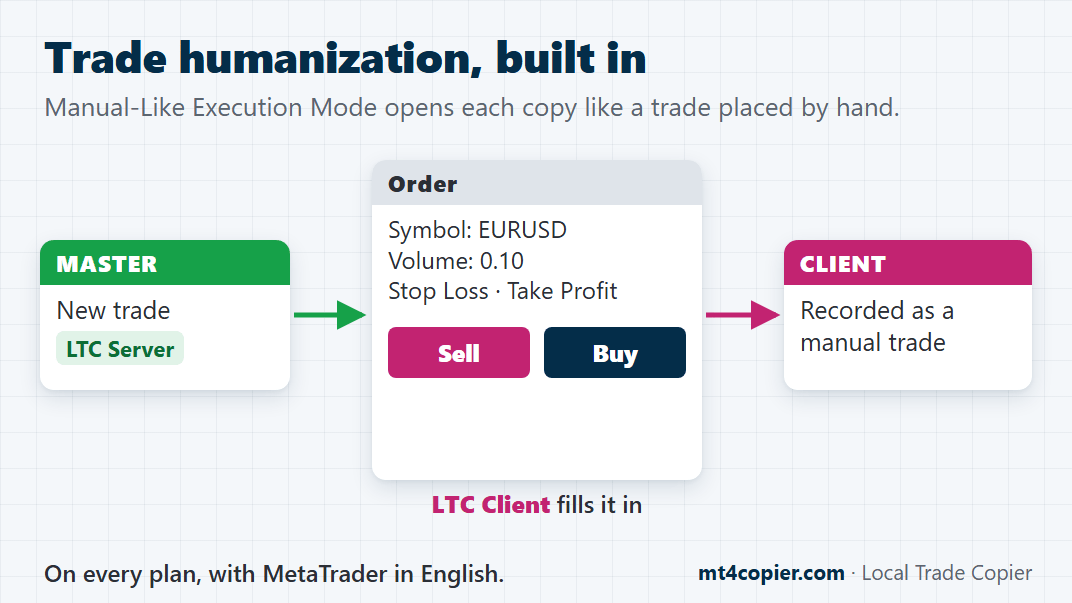
Switch LTC Client’s ExecutionMode to Manual-Like Entry Execution to change that. It’s also called Manual-Like Execution Mode, or what traders call trade humanization:
- LTC Client fills in MetaTrader’s New Order window for each copy, just as you would by hand.
- MetaTrader records it as a manual trade.
- The copy opens about 2–5 seconds after the master.
- Manual-Like copies market trades only. A master’s pending order is copied at market once it fills, and SplitLots is off.
- Random open and close delays (in seconds) and a random SL/TP offset (in points) can be set per account.

ExecutionMode = Manual-Like Entry Execution in LTC Client 3.1.10.
Manual-Like changes how a trade is placed, not what an account’s rules allow. It doesn’t guarantee compliance with any broker or prop firm rule.
We don’t sell Local Trade Copier as “undetectable”. We sell control: your machine, your IP and your execution.
8. What does the next funded account cost?
Most cloud copiers charge per account, so every new challenge adds a fee. Local Trade Copier charges per computer, and every plan allows unlimited MT4 and MT5 accounts:
- PERSONAL: €29 a month for 1 PC or VPS;
- MANAGER: €89 a month for 5;
- VIP: €199 a month for 15.
Yearly plans get 2 months free. Add a funded account, and your bill stays the same.
What a trade copier can’t do for you
- Pass a challenge. The strategy is still yours.
- Change a firm’s rules, or guarantee that you comply with them.
One limit of Local Trade Copier itself: it copies between terminals on the same PC or VPS, not between different computers.
For the full setup, with 5 prop firm hacks you can set up today, see the prop firm trade copier page.
FAQ
Is copy trading allowed at prop firms?
Often, with conditions. Our November 2026 list covers 23 MetaTrader prop firms. 16 allow trade copiers, and 7 allow them only with conditions. Read your own firm’s rules before you copy.
Can the prop firm see that trades are copied?
Assume yes. A firm sees your trades, their timing and where they come from. Local Trade Copier doesn’t hide copying, so use it where your firm allows copiers. Manual-Like Entry changes how a copy is placed, not what the rules allow.
Can I copy one trade to accounts at several prop firms?
Yes, technically. Run one LTC Server on your master and one LTC Client per funded account, at one firm or several, on the same PC or VPS. Whether each firm allows it depends on its rules.
How many funded accounts can I copy to?
As many as your PC or VPS can run. Every plan allows unlimited MT4 and MT5 accounts. Plans differ only in the number of computers. As a guide, our pricing FAQ suggests 2 CPU cores and 4 GB RAM for up to 4 terminals, 6 cores and 16 GB for up to 25, and 20 cores and 32 GB for up to 150.
Does it work with MT5-only prop firms?
Yes. You can trade on MT4 and copy to MT5, or copy MT5 to MT5.
Local Trade Copier has been developed since 2010. More than 15,000 licences have been sold to buyers in 140+ countries, and it has 500+ reviews on Trustpilot and Forex Peace Army combined. Test it on your own demo accounts first: try Local Trade Copier free for 7 days.
