
Subscribe
—
Stop placing the same trade on every account by hand
Copy Trades to Multiple MT4 & MT5 Accounts: Trade Once, Every Account Follows
- Place your trade once, on one master account. Every client account copies it, usually in about 1 second.
- Every account gets its own lot size, no calculator needed: scaled to its balance by default, or a fixed lot, a multiplier or a risk %.
- Mix MT4 and MT5 any way you like, at one broker or at many.
- No per-account fees: unlimited accounts on every plan. The only limit is your computer’s CPU and RAM.
- Runs on your own Windows PC or VPS, so no copy service ever gets your account passwords. No cloud copy server in between.
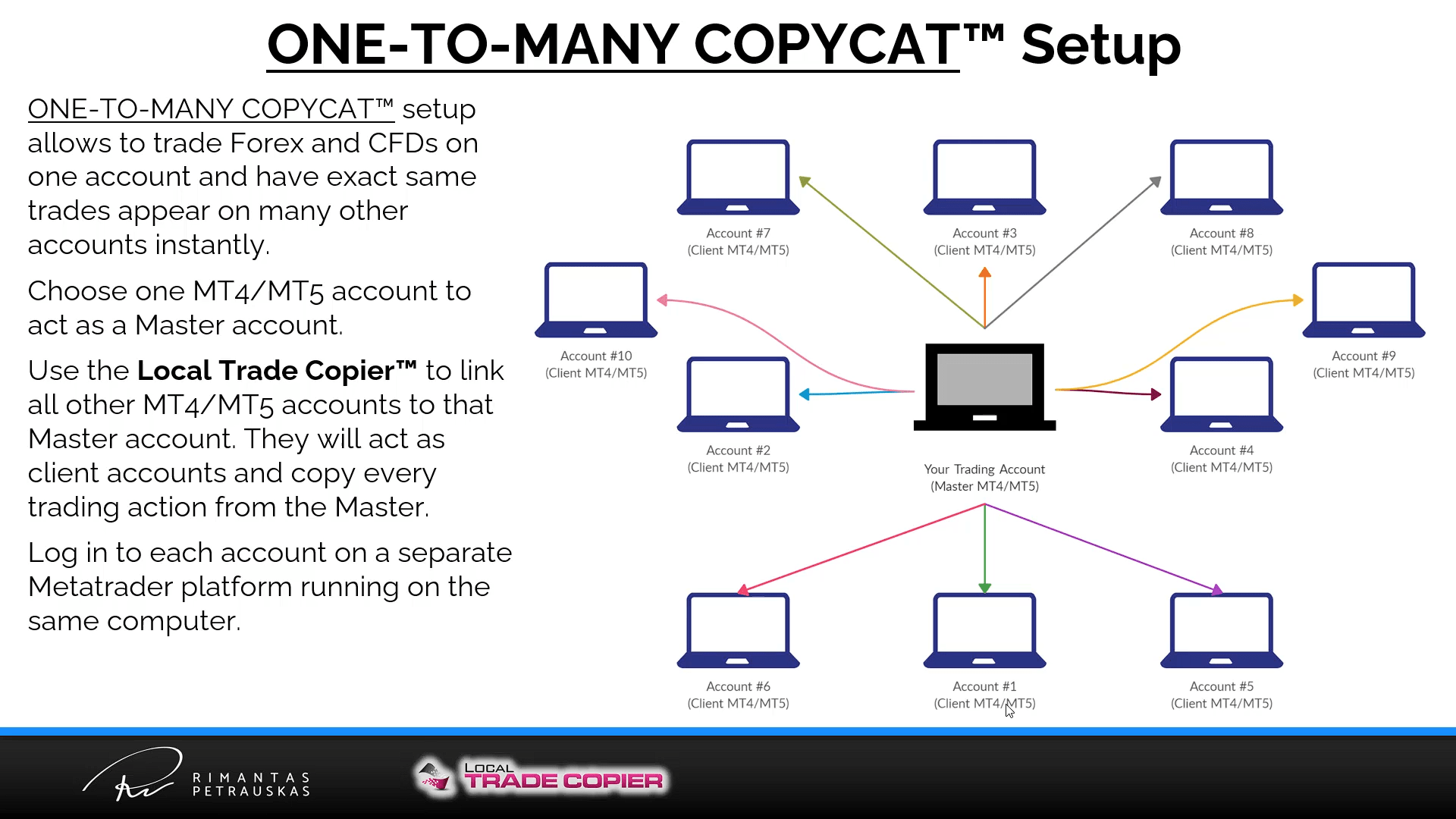
ONE-TO-MANY COPYCAT™: you trade one master account, and any number of client accounts follow, all on one computer.
How one trade reaches all your accounts
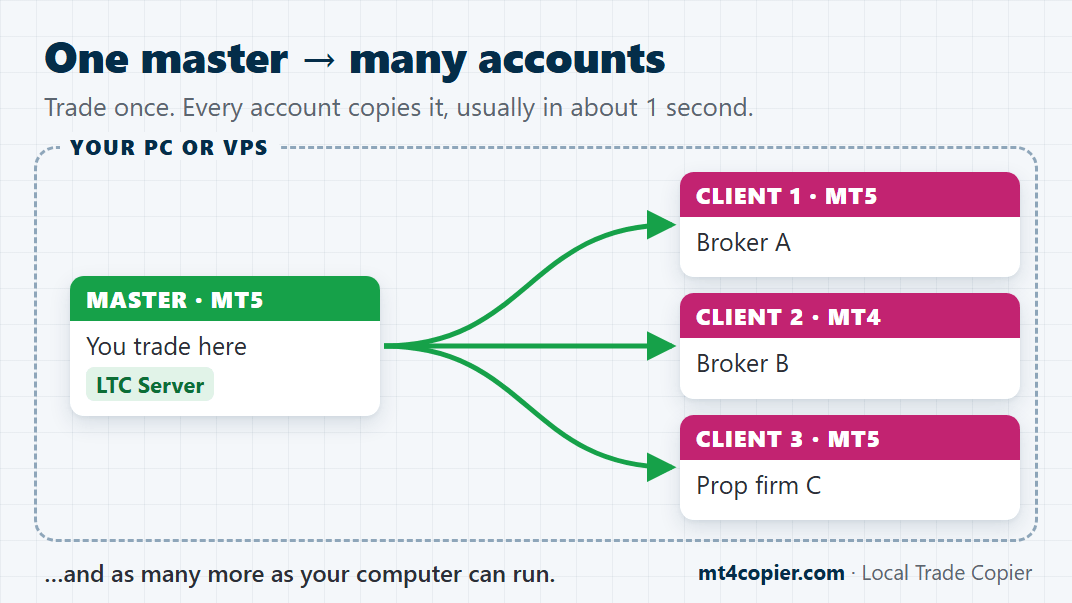
Every account runs in its own MetaTrader terminal on one Windows PC or VPS. LTC Server, on one chart of your master account, reads its trades. LTC Client, on one chart of each client account, copies them. Here’s what every client account copies:
- new trades and pending orders
- closes and partial closes
- stop loss and take profit changes, and moved pending orders
- trades your Expert Advisors open, and trades you place in the MT4/MT5 mobile app (just keep the master logged in on your PC or VPS)
That’s the point: Local Trade Copier passes each trade from terminal to terminal, right there on your computer. No cloud server between your accounts, and no third party holding your passwords.
Set it up in 4 steps. Then just trade.
1. Open one terminal per account
Run one MetaTrader 4 or MetaTrader 5 terminal for each account, the master and every client, on the same Windows PC or VPS. MT4 and MT5 mix freely.
2. Install LTC Server and LTC Client
Install LTC Server into the master’s terminal and LTC Client into every client terminal (you can select several folders at once). In each terminal, allow algo trading and DLL imports once.
3. Start LTC Server on the master
Attach LTC Server to one chart of the master account and enter your license key. One chart is all it needs: it picks up trades on every symbol, not only the symbol of its chart.
4. Start LTC Client on each client
Attach LTC Client to one chart in each client account, on a symbol named the way that broker names it (for example EURUSD.m). Pick a lot mode, then place a test pending order on the master, far from the price, and watch it appear in every client account.
Want to see it step by step? Follow the Quick Start guide, with screenshots of every step. All your accounts on MT5? See how to copy trades between MT5 accounts.
Each account trades its own lot size, automatically
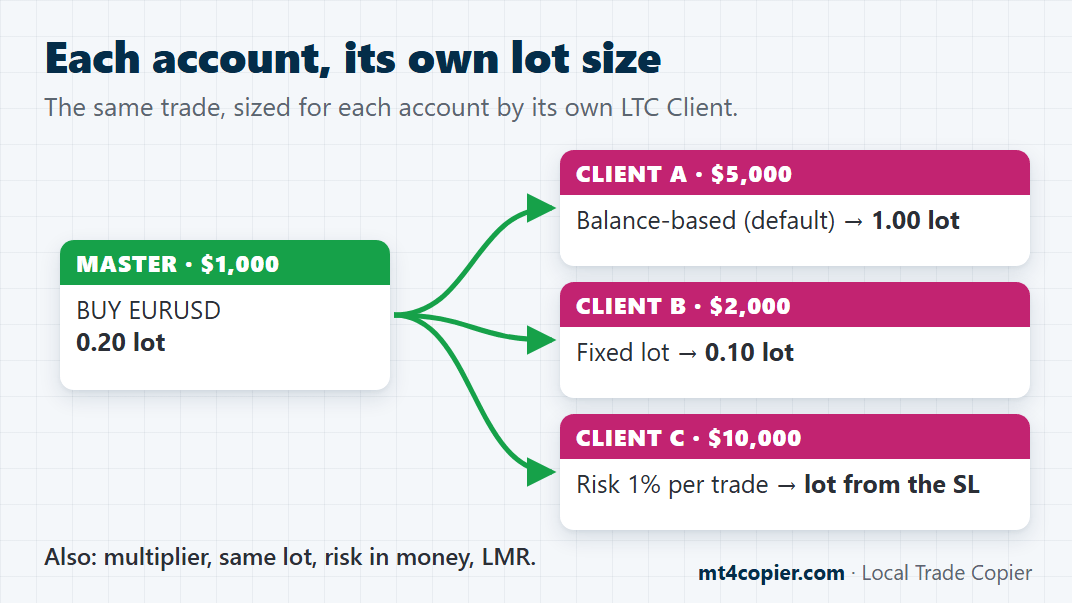
Every LTC Client has its own Money Management Mode. Big account, small account, brand-new account: each one follows the master its own way.
| Lot mode | What the client account gets |
|---|---|
| AA (Auto-Adjust to account size), the default Good for: The same % risk on every account, big or small | The master’s lot, scaled by the two account balances. A 0.20 lot on a $1,000 master becomes 1.00 lot on a $5,000 client. |
| Fixed Lot Size Good for: Testing on a small or new account | Always the lot size you set, for example 0.10. |
| Multiply by X Good for: Accounts of a similar size, with more or less risk | The master’s lot times X, for example × 0.5 for half the size. |
| Risk Per Trade (%) Good for: A master that always trades with a stop loss | A lot size that would lose X% of the client account if the stop loss is hit. No stop loss on the master trade yet? LTC Client waits and copies it as soon as the master sets one. |
Plus 4 more modes: Same lot size as on the master account, AAM (Auto-Adjust and Multiply by X), Risk Per Trade (Money) and LMR (Lot Money Ratio). Every lot is rounded to the client broker’s lot step, minimum and maximum. Built-in safety check (since version 3.1.8): if a copy would need more than 2 times its calculated lot just to reach the broker’s minimum lot, LTC Client skips it instead of opening an oversized trade (MaxMinLotUpsize = 2.0). All 8 modes with examples: money management settings.
How many accounts can one PC or VPS run?
As many as your computer can handle. There’s no account limit on any plan. Each account runs in its own MetaTrader terminal, so your CPU and RAM set the limit. As a guide:
1 CPU core, 4 GB RAM
about 4 terminals
6 cores, 16 GB RAM
about 25 terminals
20 cores, 32 GB RAM
about 150 terminals
Leave some headroom: keep CPU and RAM use below 70%. Running more than one PC or VPS? Your plan sets how many can run Local Trade Copier at the same time: Personal 1, Manager 5, VIP 15. See the plans.
How fast are the copies?
Usually about 1 second from your trade on the master to the copy on every client. Everything happens on one computer, so your trades take no detour through a cloud server.
Out of the box, LTC Server checks your master account every 400 ms and LTC Client checks for new trades every 100 ms (the SyncRate setting). Leave both at their defaults: going lower only loads your CPU. The rest comes down to your computer, your internet connection and the client broker’s execution.
And by default, trades are copied at any price (Deviation Type = “Copy at any price”), so a fast market doesn’t hold your copies back.
In their words
Traders who stopped placing every trade by hand
“I am tired of executing the same positions on multiple accounts…”
CJ Anderson runs 5 accounts. With Local Trade Copier, he said goodbye to placing the same trade on each one by hand. He won’t give his account passwords to websites he can’t trust, so Local Trade Copier runs on his own machine.
Local Trade Copier was “a crucial part of it all”.
Davy, a prop trader, said it after he passed a $25,000 prop firm evaluation. He got his funded account in September 2023.
More than 100 lots, spread over many accounts.
Ahmed Salah Mohamed, a money manager in Egypt, does it for his clients with Local Trade Copier. He says the trades go through at nearly the same price, and the manual work is gone.
Read what more traders say on Trustpilot and Forex Peace Army.
Trading prop firm accounts?
Trade once, and all your other prop accounts follow, from your own PC or VPS and your own IP address. See the prop firm-friendly trade copier →
More ways to put your accounts to work
Who is using Local Trade Copier™?

Account Managers

Prop Firm Traders

Trading Coaches

Robot & Algorithmic Traders

Rated Excellent on Trustpilot & Forex Peace Army

Prop Firm Friendly

Developed since 2010

Runs on your own PC or VPS – no cloud
Trade once. Let the copier do the rest.
What Local Trade Copier™ can do for you
Six jobs it takes off your hands.
Trade once, and every account follows: your own, prop firm and demo accounts, each with its own lot size.
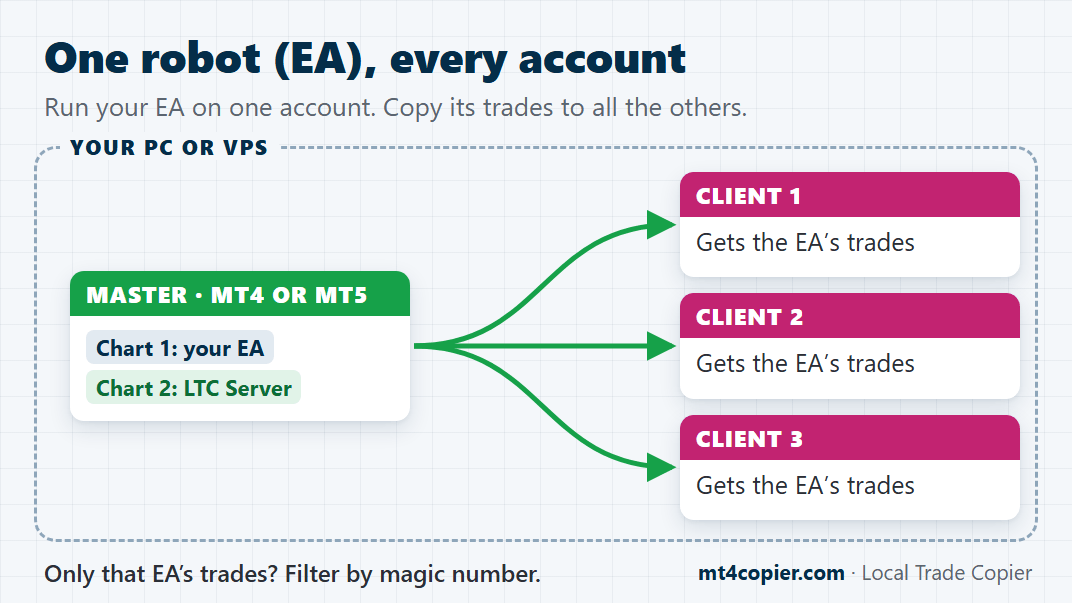
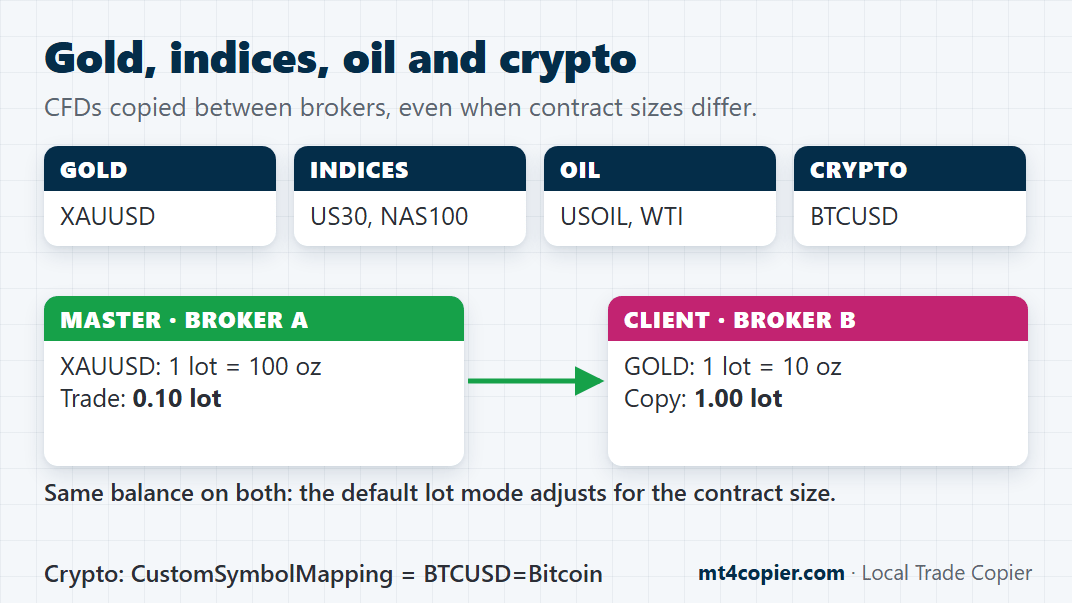
Copy forex, gold, indices, oil and crypto CFDs between brokers, even when they name the symbols differently.
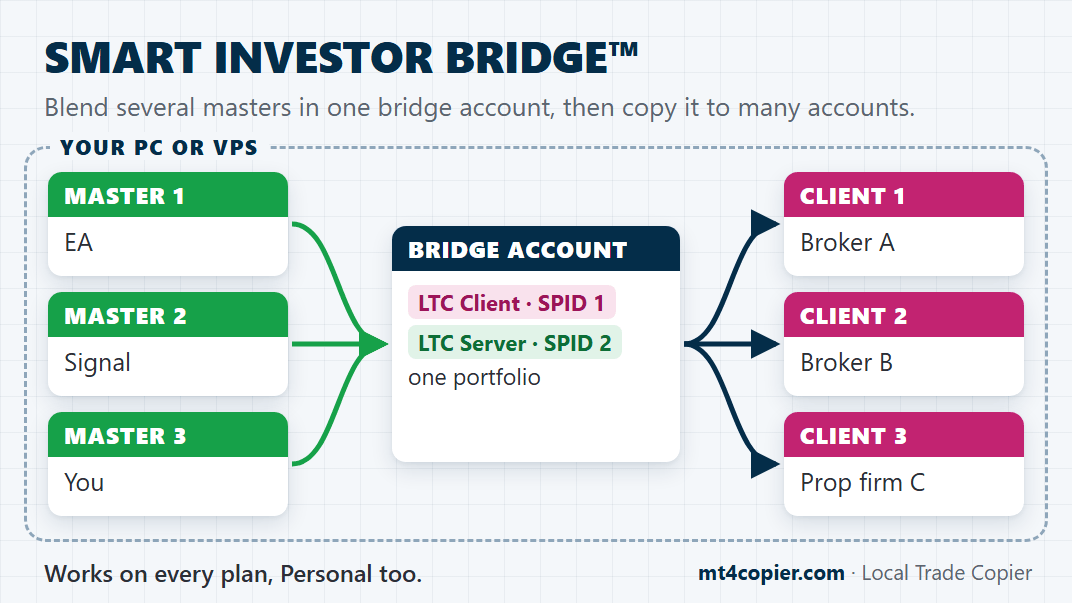
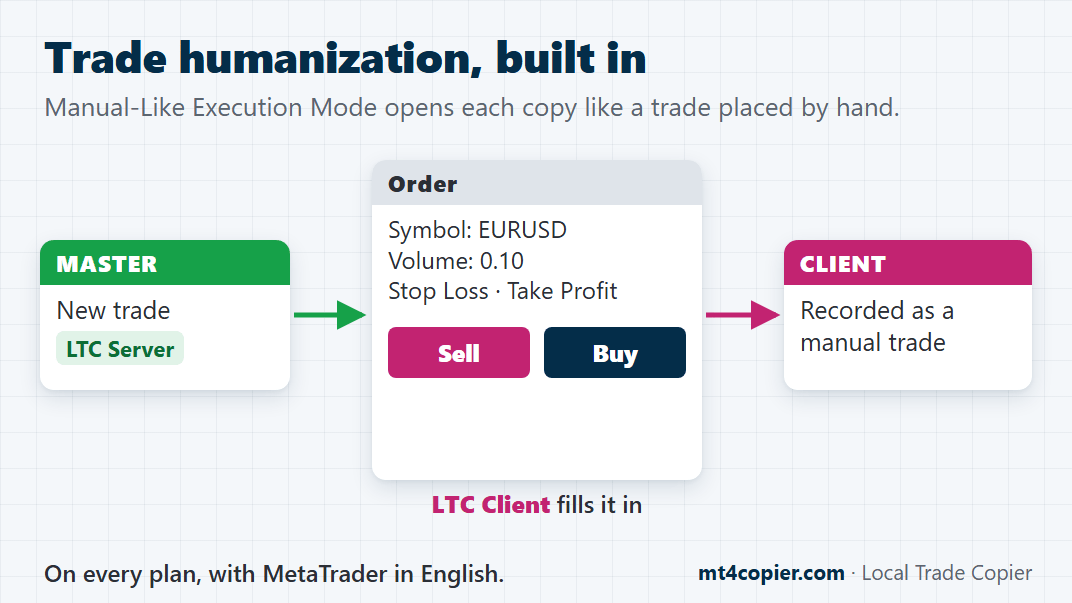
Trade humanization, reverse copying, and everything on your own PC or VPS, with no cloud in between.
Here’s the deal: one PC or VPS, every account on it, one price

PERSONAL plan
€29
/ month · only ~€1.00 per day
- 1 PC/VPS
- Unlimited accounts per PC/VPS
- About €0.03 per account per day
- MT5 & MT4 trade copier software
- Installs on your PC or VPS
- No contracts. Cancel anytime.
- No per-account fee.
- 100% privacy (your account passwords and trades are private)
- Unlimited license transfer between devices
- Regular support by email (Monday to Friday)
- Software updates
- Step-by-step installation guide
- Video tutorials
You are subscribing to a monthly payment plan with automatic monthly payments. Your initial charge will be €29.00. After 1 month, you will be charged €29.00 each month until you cancel the subscription.
Plus 3 bonuses to get you up and running faster

BONUS: Trade Copier Hacking Secrets™
(Value €1,000.00)
Rimantas, who created Local Trade Copier, used to run group calls with users. Real setups, real questions, real fixes. Trade Copier Hacking Secrets™ is every one of those calls, recorded. It takes you from “it copies” to “it runs my whole setup”: powerful setups, hidden features, troubleshooting, and the workflows advanced users run. You skip the trial and error.
The recordings walk you through each setup step by step, including:
- ONE-TO-MANY COPYCAT™ Setup
- MANY-TO-ONE COPYCAT™ Setup
- SMART INVESTOR BRIDGE™ Setup
- Unlock Any Forex Robot™

BONUS: MT4-to-MT5 Copy Method
(Value €100.00)
Your prop firm only offers MT5, but your tools run on MT4? This 1-hour video shows you how to keep your MT4 setup and still trade the MT5 account: copy trades from MT4 to MT5 with Local Trade Copier, size them safely, handle the account differences and avoid the common copying mistakes. No coding. No rebuilding.

BONUS: List of Top Forex Prop Firms Using MetaTrader™ That Allow Trade Copier and Automated Trading
(Value €200.00)
Which prop firms let you use a trade copier and Expert Advisors? Finding out can take hours of reading rules pages. This Google Sheet lists top Forex prop firms on MetaTrader that allow trade copiers and automated trading by Expert Advisors, in one place.
Don’t take our word for it
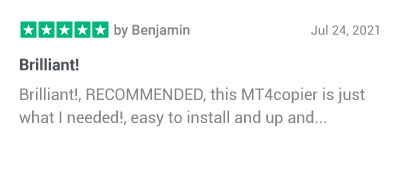
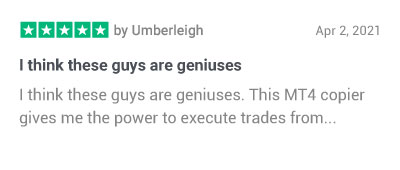
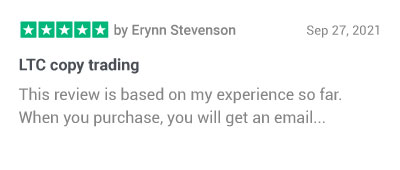
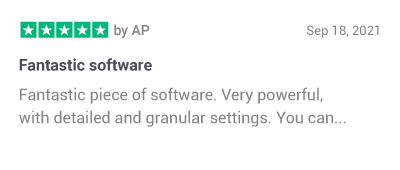
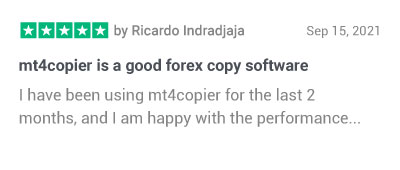
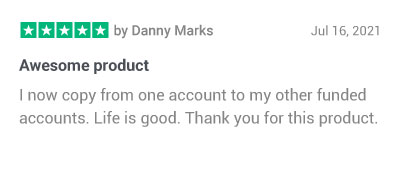
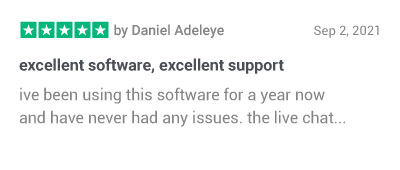
10,000+ licenses sold since 2010, to traders in 100+ countries

How it works
Game-changing features
No fluff. Here’s what it actually does.

MetaTrader 4/5 Integration
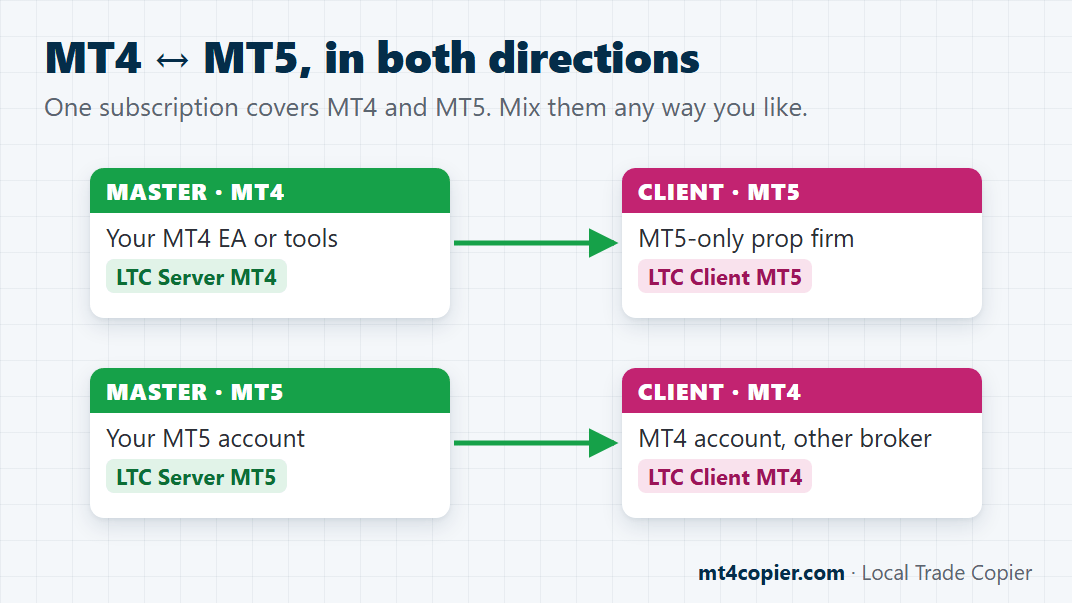
Local Trade Copier™ links MT4 and MT5, two of the world’s most popular trading platforms, so you can copy trades in any direction: MT4 to MT5, MT5 to MT4, MT4 to MT4 and MT5 to MT5. Both versions come in the same download.

Manual-Like Execution Mode
What traders call trade humanization, built into every plan. LTC Client opens each copy through MetaTrader’s order window, the way you’d place it by hand, so MetaTrader records it as a manual trade, not “placed by expert”. It can even set your SL and TP on entry.

Real-Time Synchronization
Personal accounts at one broker or several, client accounts, prop firm accounts, or all three at once: trade the master, and every account follows automatically, usually in about 1 second.

Auto Lot Size Scaling
Keep your risk and reward management on point with auto-scaling. The software can calculate the lot size based on each account’s balance, big or small, eliminating the need for calculators or spreadsheets.

Unlock Licensed EAs and Forex Robots
Unlock Any Forex Robot™ is a legal way to get one EA’s trades on all your accounts: the EA runs on the one account it’s registered to, and Local Trade Copier copies its trades to all the others. Filter by magic number to choose which EA’s trades each account gets. No more spending thousands on an extra EA license for every account.

Multi-Strategy Diversification
Don’t bet everything on one strategy. With the MANY-TO-ONE COPYCAT™ setup, each strategy trades on its own master account, and one client account copies them all, straight out of the box. Swap a weak strategy for a better one anytime.

Simple to Start and Use
Set up and get started in minutes. Local Trade Copier™ is created to be trader-friendly. You don’t need to be a tech genius to run and operate it.

Optimized for Your Computer
Every plan includes unlimited MT4 and MT5 accounts. Each account runs in its own MetaTrader terminal, so your computer’s CPU and RAM set the limit: as a guide, 1 CPU core and 4 GB RAM run about 4 terminals, 6 cores and 16 GB about 25, and 20 cores and 32 GB about 150. Keep CPU and RAM below 70% for the fastest copies.

Easy-to-Follow Manual
Local Trade Copier™ comes with a well-documented set of step-by-step guides and tutorials that you can easily follow to help you master the software and maximize its potential.

Customer Success Support
Stuck? We’ve got your back. Our support team helps you by email, Monday to Friday, usually within 24–48 hours. Send screenshots of your LTC settings and the logs from the Experts tab, and you get help even faster.
Straight answers
Frequently asked questions
What is a trade copier?
A trade copier is software that repeats the trades from one trading account on other accounts, automatically. You trade once, and every connected account follows. Local Trade Copier (LTC) by Algonexis Technologies does this for MetaTrader 4 and 5, on your own PC or VPS.
How does copy trading work?
You trade on your master account as usual. LTC Server, an Expert Advisor on the master, picks up each trade. LTC Client, an Expert Advisor on every follower account, opens the copy, sized by the rules you set for that account. When the master trade is changed or closed, the copies follow.
Can I use Local Trade Copier on prop firm accounts?
Yes. Many customers copy one master account to several prop firm accounts, often at different firms. You trade once, and every challenge and funded account follows, each sized by the rules you set for it.
Local Trade Copier runs on your own PC or VPS, so your accounts trade from your own IP address and nothing logs in to them from a provider’s servers. More about prop firm accounts.
Is Local Trade Copier undetectable?
Here’s what it does: Local Trade Copier keeps your whole setup on your own Windows PC or VPS. Every MetaTrader terminal logs in to its broker directly from your own IP address, and no third-party copy server sits in between.
Want each copy placed the way you’d place it by hand? Turn on Manual-Like Execution Mode (what traders call trade humanization), included on every plan. LTC Client opens each copy through MetaTrader’s order window, so MetaTrader records it as a manual trade, not “placed by expert”. We don’t sell it as “undetectable”. We sell control: your machine, your IP and your execution, set up your way.
I can’t purchase the platform because of an error. What can I do?
Send us the error message through the Contact Us page. We reply by email, Monday to Friday, usually within 24–48 hours.
Is there a free trial?
Yes. Start your free 7-day trial of Local Trade Copier™ here.
When will I get the software?
Right after payment. The download link comes to your inbox by email, so check your Spam/Junk folder too. Nothing after 60 minutes? Contact customer support here.
What’s included in the Local Trade Copier™ package?
Inside the Local Trade Copier™ package, you’ll find:
- Local Trade Copier™ for MetaTrader 4
- Local Trade Copier™ for MetaTrader 5
- Documentation
You get both versions, so you can copy trades from MT4 to MT5 and back.
Plus these free resources on this website:
Are PERSONAL, MANAGER and VIP the only plans available?
Yes, and every one of them copies to unlimited MT4 and MT5 accounts. PERSONAL runs on 1 PC/VPS, MANAGER on 5 and VIP on 15, billed monthly or yearly. See the plans. Need 20 or more licenses? Contact us for a custom offer.
Does Local Trade Copier™ work on MetaTrader 4 & MetaTrader 5?
Yes. When you buy Local Trade Copier™, one subscription gets you both versions. You don’t buy MT4 and MT5 separately.
Inside you’ll find:
- Local Trade Copier™ for MetaTrader 4
- Local Trade Copier™ for MetaTrader 5
- Documentation
MT4 and MT5 are built differently, so each version is its own program. You still pay once.
Does Local Trade Copier™ work on a Mac?
Yes, through Wine. Many customers run MetaTrader 4 or 5 with Local Trade Copier on a Mac using Wine, which runs Windows apps on macOS without installing Windows.
Prefer to skip Wine? Rent a VPS server for about $25 a month. Your MetaTrader terminals then run online around the clock, and you reach them from your Mac, tablet or phone.
Can I also copy trades from MT5 to MT4 and from MT4 to MT5?
Yes. Local Trade Copier™ works with MetaTrader 4 and MetaTrader 5, and you can copy Forex, Gold, CFD, and Stock trades from “MT4 to MT5” and “MT5 to MT4”.
One difference comes from MetaTrader itself: MT4 has no “BUY STOP-LIMIT” and “SELL STOP-LIMIT” orders, so MT5 Stop Limit orders are not copied to MT4 accounts. The regular pending orders (“BUY STOP”, “SELL STOP”, “BUY LIMIT” and “SELL LIMIT”) copy both ways.
Are there any known limitations in the Local Trade Copier?
So far, there is one limitation. Local Trade Copier for MT5 works only with MetaTrader 5 hedging accounts on the server side. It does not work with Master accounts that are MT5 Netting accounts, but we’re working on this and doing our best to bring this functionality as soon as possible.
If the MT5 Netting account is on the client side, the copier will work fine. Apart from this, there are no other known limitations for the Local Trade Copier software. So, you can use the platform to improve your day trading strategy using the other options available.
Does it really work on unlimited MetaTrader accounts?
Yes. Your license limits the number of computers, not accounts. The real limit is your computer or VPS: a powerful one runs dozens of MT4 and MT5 terminals with Local Trade Copier.
We recommend VPS servers from VpsForexTrader (affiliate link) because they optimize their virtual private servers specifically for our software and MetaTrader.
For up to 4x MetaTrader 4/5 terminals, choose the VPS PLAN FX-1 LD, which has a 1x CPU core and 4096 MB RAM.
For up to 25x MetaTrader 4/5 terminals, choose the DEDICATED SERVER FX-1 LD from the “Dedicated servers” page. It has 6x CPU cores and 16 GB RAM.
For up to 150x MetaTrader 4/5 terminals, choose DEDICATED SERVER FX-4 LD from the “Dedicated servers” page. It has 20x CPU cores and 32 GB RAM.
Important: Every virtual private server counts as one computer when activating your Local Trade Copier™ license, no matter how many LTC instances you run inside.
How is the license limited to computers?
Each license works on a set number of computers or VPSs at the same time, depending on your plan.
You can move it to another computer as often as you like, and install it on as many as you want. Just don’t run it on more computers at the same time than your plan allows.
Example: with a 1-computer license, LTC runs on one computer at a time.
Will I get access to after-purchase customer support?
Tutorials, videos, and detailed instruction manuals
Local Trade Copier™ comes with step-by-step instructions, in-depth tutorials with screenshots, videos, and a quick start guide.
You can start copying trades in five minutes with the default settings. For an advanced setup, the instruction manual explains every parameter.
- Local Trade Copier™ Quick-Start Guide
- Local Trade Copier™ installation (video tutorial)
- Local Trade Copier™ in-depth tutorials
- Local Trade Copier™ video tutorials
- Local Trade Copier™ instruction manuals
Customer support by email address
Email support@ea-coder.com or use the Contact Us page. We reply by email, Monday to Friday, usually within 24–48 hours. Want help faster? Send your license key, screenshots of your LTC settings, and the log files from the Experts tab of both the master and the client.
Can I share my Local Trade Copier™ license with a friend?
Better than sharing: buy one for them. You can buy Local Trade Copier for a friend or a client anytime, and they run it on their own computer with every feature of their plan. The more people join the party, the better 🙂
Can I transfer my license to another desktop computer?
You can transfer the license to another computer/VPS as many times as you like and install it on many desktop computers. Just avoid using LTC simultaneously on more devices than your license allows.
Can I upgrade to a better license later?
Yes, anytime. Just contact support, and we’ll upgrade your plan on our end within 24 hours. Your license key stays the same.
Or cancel your current plan and buy the bigger one yourself. Then you get a new license key.
Your trades. Your computer. Your rules.