

Most prop firms restrict trading around high-impact news releases, typically banning new entries, modifications, and sometimes exits within a window of two to ten minutes before and after the event. Exceptions depend on the firm and the account type you hold. Read your specific terms before the next Non-Farm Payrolls or FOMC release, and use the checklist further down to lock down pending orders and automation ahead of time.
TL;DR:
- Most prop firms restrict trading two to ten minutes around high-impact news releases, with some firms extending the window to five or ten minutes.
- Restrictions apply to opening new positions, modifying stops and targets, and sometimes closing trades during the restricted period, often including automated trading and pending orders.
- Evaluation accounts usually face the strictest bans, while some funded or veteran accounts may receive exemptions depending on the firm’s policy.
- Violations are detected through timestamp checks and can lead to warnings, evaluation failures, or account restrictions, especially if time-zone misalignments occur.
- Traders should cancel pending orders, disable automated scripts, and log actions ahead of scheduled releases to avoid accidental violations.
Understanding News Trading Restrictions and Why Firms Enforce Them
A restricted window is a defined stretch of time around a scheduled economic release during which certain trade actions are off-limits. Depending on the firm, that might mean no opening new positions, no modifying stops or targets, and occasionally no closing trades either. Some firms carve out exceptions for specific instruments not tied to the release, while others apply a blanket freeze across the board.
The reasoning holds up. Spreads widen sharply in the seconds around a major release, slippage spikes, and fills often land well past where a stop was placed. A trader with a controlled 20-pip risk plan can end up eating a loss several times that size purely on execution failure, not on being wrong about direction. Myfxbook’s breakdown of news trading rules ties this volatility directly to why funding providers built these rules in the first place.
The logic mirrors what happens at the exchange level. FINRA’s guidance on trading halts and suspensions describes how regulators pause trading to protect orderly information flow during material news. Prop firms aren’t regulators, but they’re solving a similar problem at the account level:
- Preventing execution chaos from distorting evaluation outcomes
- Limiting exposure to fills that land far outside intended risk
- Keeping instrument-specific volatility (a rate decision hitting USD pairs, a CPI print moving indices) from skewing results unfairly
What Prop Firm News Trading Rules Typically Look Like
Policy language varies, but the shapes repeat. A common structure bans trading two minutes before and after a release; stricter firms extend that to five or ten minutes. MyFundedFutures’ published policy shows windows phrased exactly this way, sometimes framed as “10-minute window (5 min before and after)” depending on the account tier.
Instrument scoping matters just as much as the time window. A firm might restrict only USD pairs during Non-Farm Payrolls, or lock down major indices and USD crosses during an FOMC statement, while leaving unrelated pairs untouched. Typical treatment includes:
- Pending orders: often prohibited from triggering inside the window, even if placed well before it
- Stop-loss/take-profit fills: some firms treat a fill inside the window as a violation regardless of when the order was originally set
- Automated entries: EAs and bots that fire during the window are frequently flagged the same as manual trades
That pending-order trap catches more traders off guard than any other rule, precisely because the order sits dormant until the market moves.
Account Stage and Account Type Change the Rules Significantly
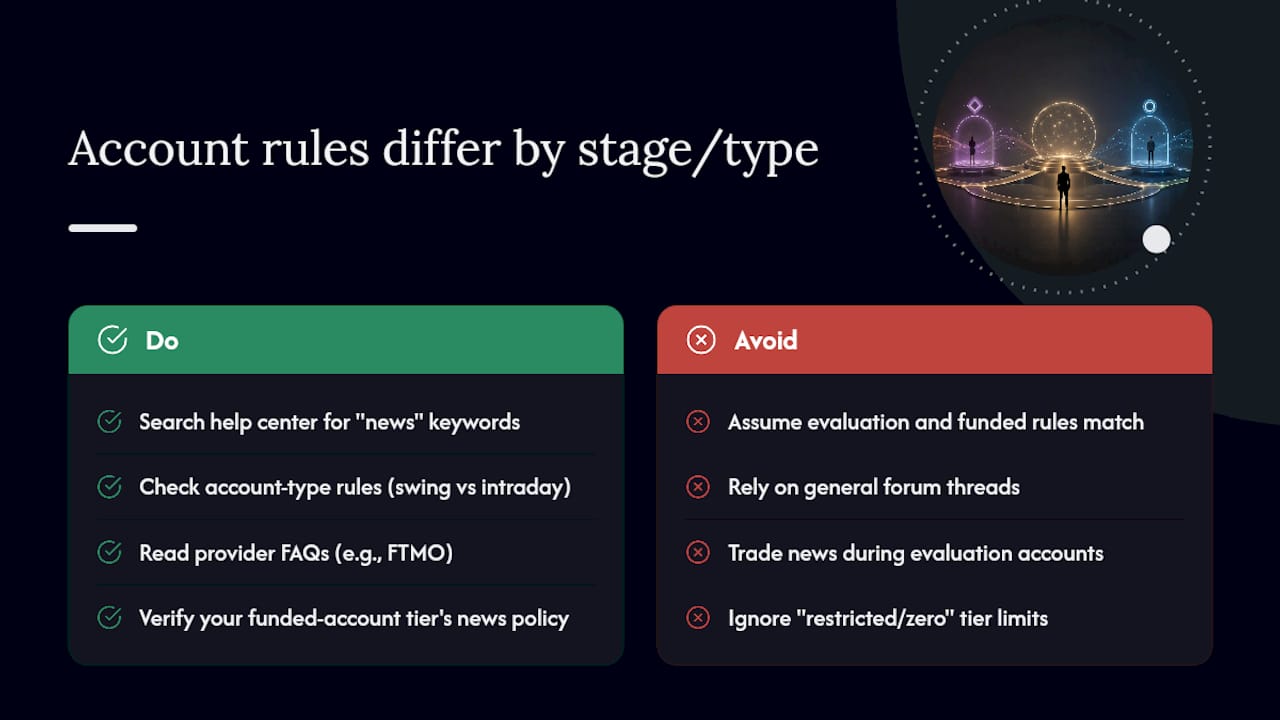
Evaluation accounts almost always carry the tightest restrictions. Firms have more to lose from a lucky, high-variance news trade skewing a challenge outcome, so they close the door on it entirely during the qualifying phase. Funded accounts sometimes loosen slightly, but rarely disappear altogether.
Account type adds another layer. Swing accounts, built for holding positions across sessions, often carry different news and weekend rules than standard intraday accounts. Some providers offer a restricted or “zero” account tier with no news trading allowed under any circumstance, while advanced or veteran-qualified accounts occasionally earn an exemption. FTMO’s FAQ on news trading is a good example of a firm spelling out exactly which account types permit it and which don’t.
The fastest way to check your own situation: search your provider’s help center for “news,” “restricted,” or “high-impact,” rather than assuming your account matches what a general forum thread describes.
How Firms Catch Violations and What Happens Next
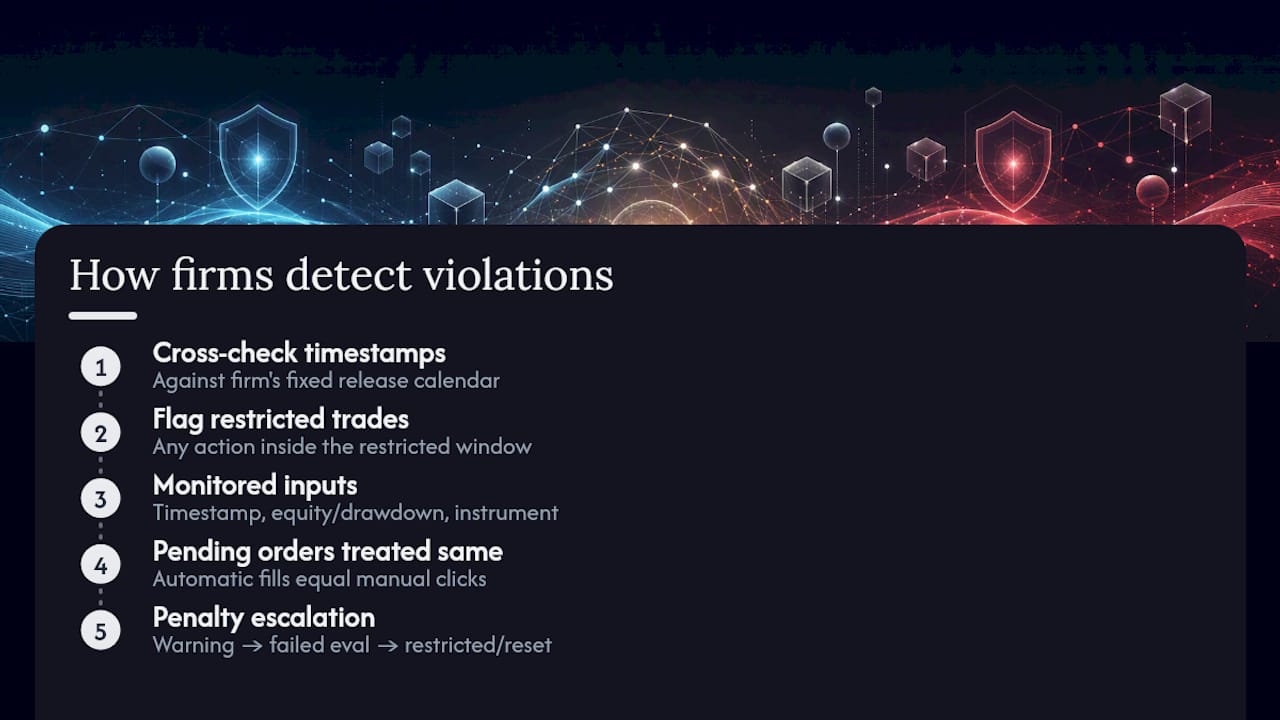
Detection isn’t manual guesswork. Firms cross-reference execution timestamps against a fixed release calendar, flagging any open, close, modification, or SL/TP fill that lands inside the restricted window. Time-zone misalignment between your platform and the firm’s server clock is one of the most common reasons traders get flagged for something they didn’t think they did.
Monitoring systems typically combine three data points: the precise timestamp of the action, the account’s equity or drawdown movement around that timestamp, and whether the instrument traded matches a restricted list for that release. A pending order that triggers automatically counts the same as a manual click in most systems, which is exactly why FundingPips recommends canceling pending orders ahead of any red-folder event.
Penalties escalate depending on severity and firm policy: a first flag might mean a warning, but repeated or clear violations commonly result in a failed evaluation, a restricted account, or a forced account reset.
A Practical Checklist to Avoid Accidental Violations
Most violations aren’t intentional. They come from a stale calendar, a forgotten pending order, or an EA left running. A short pre-release routine closes most of that gap.
- Check an economic calendar for traders the night before and mark every high-impact (“red-folder”) release for your traded instruments.
- Confirm your platform’s time zone against the release time listed by your provider. This one step prevents most accidental flags.
- Cancel all pending orders that could trigger inside the restricted window, even ones placed days earlier.
- Disable EAs and automated scripts manually before the window opens, rather than trusting a built-in filter to catch it.
- Reduce or flatten positions if your firm’s policy requires it, not just avoid opening new ones.
- Log your actions around each release so you have a record if a flag ever gets disputed.
Pro Tip: Build in a personal buffer wider than the firm’s stated window, roughly 10 to 15 minutes on each side. It absorbs small time-zone errors and slow reaction time, and it’s cheap insurance against a flag you didn’t see coming.
Traders running strategies across multiple accounts can lean on time-based filters and scheduling tools built into platforms like MT4 Trade Copier’s time range filters to automate part of this routine rather than relying on memory alone. Test any new control in a demo environment before trusting it on a live account.
Weekend Holding and Gap Risk: A Separate Problem
Weekend gaps are a different risk category from intraday news volatility, and firms treat them that way. Forex markets close Friday evening and reopen Sunday evening, and anything can happen to a currency pair in that gap: a surprise geopolitical event, a central bank statement, a shift in risk sentiment with zero liquidity to absorb it. Macro Staq’s explainer on gap risk makes the key point plainly: a gap can jump straight past a stop-loss order, filling you at a price far worse than intended.
That’s why many firms warn about or cap weekend exposure specifically, separate from their news-window rules. Practical ways to manage it:
- Reduce position size before the weekly close, especially on leveraged instruments
- Use options for genuine gap protection where your broker offers them, since a standard stop won’t hold
- Avoid holding highly leveraged positions into a close when a scheduled catalyst (an election, a summit, an economic report) lands over the weekend
Past performance, and no sizing rule eliminates gap risk entirely. It only reduces how much damage one bad Monday open can do.
A Practitioner’s Take on Copying Trades Around News Windows
Multi-account traders run into a specific version of this problem that solo traders don’t. A pending order copied across five funded accounts doesn’t just risk one violation, it risks five simultaneously. An EA left active on a master account can reactivate replicated trades on client accounts the moment a release hits, even if you manually paused the master.
Cloud-based copying tools add another wrinkle: routing trades through third-party servers can create IP patterns that some prop firms flag during compliance review, regardless of intent. Local, on-machine execution with per-account filters sidesteps both problems by keeping every decision, and every IP address, on hardware you control. The Local Trade Copier’s guide to copying mechanics covers this operational layer in more depth for traders managing several accounts at once.
— Rimantas
Reducing News-Window Risk Across Multiple Accounts
If you’re managing several funded or personal accounts, the operational risk during a news window multiplies with every account you add. Mt4copier runs entirely on your local machine or VPS, which means every trade replication happens under one IP address instead of routing through a third-party cloud server that some firms scrutinize during compliance checks.

The practical value shows up in the details: sub-0.5-second local execution, per-account lot sizing across 18 risk configurations, and controls that let you cancel pending orders or disable copying to specific accounts before a scheduled release rather than scrambling across five open terminals. You can see exactly how the software handles orders waiting on stop-loss or take-profit triggers, which matters directly for staying compliant during restricted windows. It supports MT4, MT5, and DXTrade under one subscription. Mt4copier is trade replication software only. It copies existing trades and carries no market logic, strategy layer, or outcome influence, and past results do not guarantee future performance. If you want to see the filtering controls in action before committing, the installation guide and a 7-day free trial are the fastest way to check whether it fits your setup.
Where to Verify Policy Details Yourself
Rules vary by firm and change over time, so verify current terms directly. Start with FINRA’s overview of trading halts for the regulatory framing, then check representative prop-firm policies like MyFundedFutures’ news trading rules and FundingPips’ help center for real-world wording, and consult Macro Staq’s gap risk explainer for weekend mechanics.
Sources
- News Trading Policy — MyFundedFutures help center
- News Trading & Weekend Holding — FundingPips Help Center
- News Trading Rules: Why They Exist & How to Avoid Violations — Myfxbook
- Gap risk: Signals, regimes & market impact — Macro Staq
- Trading halts, delays, and suspensions — FINRA
Recommended
- Prop Firm IP Detection: How Funded Traders Get Flagged
- Prop trading best practices: Multi-account copying in 2026
