
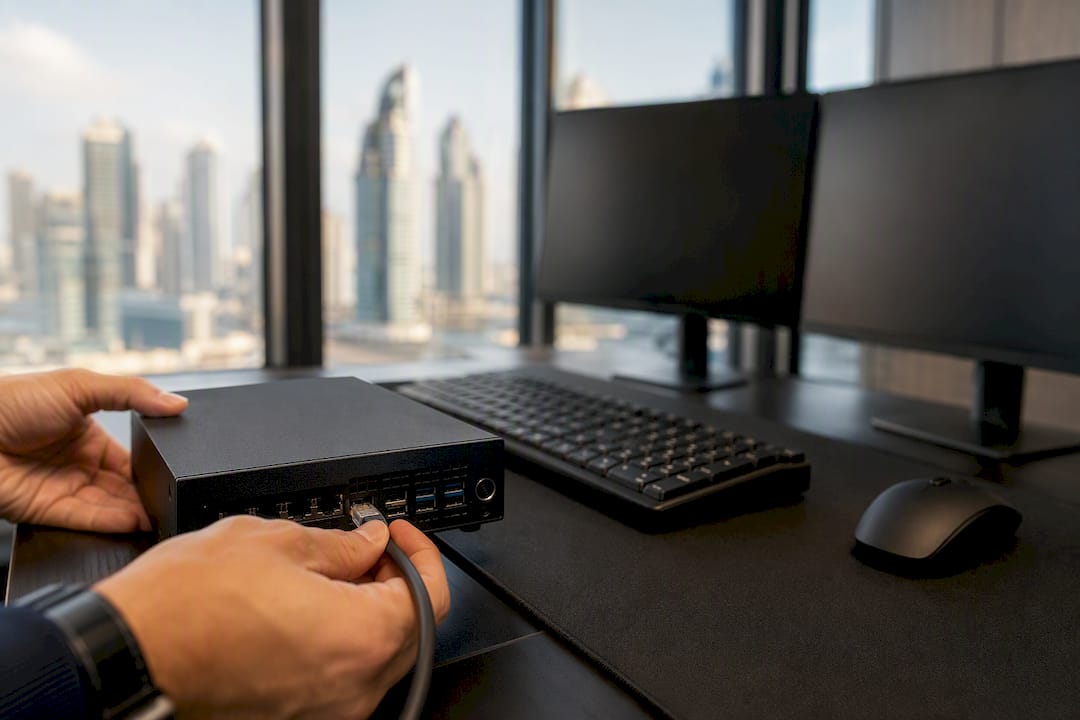
If you want to copy only robot trades, a locally installed trade copier is the most reliable route, because it filters trades by EA origin at the source, executes in under a second on the same machine, and keeps you clear of the cloud-routing risk that worries prop firms. Hosted and social copy platforms are built around human traders sharing signals. They can copy an EA’s output, but most were never designed to isolate one, and that gap shows up the moment your master account mixes manual trades with robot trades.
The rationale is mechanical, not theoretical. A local copier reads trade tickets directly off the terminal, checks the magic number or EA ID attached to each order, and only forwards trades that match as detailed in How it works · SafeFly. No round trip to a remote server, no ambiguity about which trade came from which source.
Before you allocate real capital, run through this:
- Test on a demo account first, using the same broker and symbol set you plan to trade live.
- Turn on EA-only filters (magic number or EA ID matching) so manual trades on the master never get copied.
- Verify symbol mapping between master and client accounts, especially if brokers use different suffixes.
- Start with a small lot allocation on one client account before scaling to multiple accounts.
Key Takeaways
A locally installed trade copier with magic number filtering is the most reliable way to copy only robot trades, because it detects EA origin directly and executes without cloud latency.
| Point | Details |
|---|---|
| Filter by EA origin | Use magic number or EA ID matching to exclude manual trades from replication. |
| Test on demo first | Run at least a week of demo trading to confirm filtering and symbol mapping work correctly. |
| Watch execution risk | Latency, slippage, and partial fills can distort copied results; monitor them continuously. |
| Check broker constraints | Confirm minimum lot sizes, netting rules, and prop-firm routing policies before going live. |
| Local Trade Copier fits EA-only use cases | It runs locally with sub-0.5-second execution, EA filtering, and per-account lot scaling for multi-account setups. |
What Does It Mean to Copy Only Robot Trades?
Copying only robot trades means the copier links a master account to one or more client accounts and replicates exclusively the orders opened by an automated system, an Expert Advisor or trading robot, while ignoring anything placed by hand. That’s a narrower job than general copy trading, which as a category replicates a master account’s trades proportionally regardless of who or what placed them.
The distinction matters because EA and human trading behave differently at the execution level. A human trader might adjust a stop loss mid-trade, close early on a hunch, or open a discretionary hedge. Mirror trading and standard copy trading replicate all of that. EA-only copying needs to detect trade origin and selectively skip anything that didn’t come from the tagged robot.
A concrete example: an EA running on MT4 opens a series of scalping trades tagged with magic number 88421. The trader running that same account also manually closes a losing position by hand during a news event. A properly configured EA-only copier replicates the scalping trades to every client account but ignores the manual close entirely, because that ticket carries no matching EA ID.
- Copy trading: replicates all master trades, human or automated, proportionally.
- Mirror trading: often replicates strategy signals rather than live account tickets.
- Robot-only copying: filters by trade origin (magic number, EA ID) before replicating anything.
How Do Different Platforms Handle Robot-Only Copying?
Three broad approaches exist, and each handles EA filtering with a different level of precision.
Local, on-machine copiers run entirely on your Windows PC or VPS. They read trade data directly from the terminal, which means near-instant detection and forwarding. Because everything happens on one machine, you get direct access to ticket-level data, including magic numbers, which makes EA-origin filtering straightforward. Local Trade Copier, for instance, documents sub-0.5-second execution built specifically around this kind of dense, multi-order EA flow.
Broker or hosted copy services route trades through a central server. They’re built primarily for social and human copy trading, where the goal is letting followers discover and mirror a trader’s public track record. Deriv’s own guidance on evaluating copy trading providers focuses on performance history and drawdown consistency, useful when picking a human trader to follow, less useful when your only goal is isolating one EA’s output. Many hosted platforms also lack granular EA-ID filtering because that was never the use case they were designed around, as Vantage Markets’ copy trading platform shows with its emphasis on broad asset coverage and low entry barriers over origin-level filtering.
API and bridge solutions sit in between. They give developers flexible order routing between platforms, useful for cross-platform setups, but they require custom development work to build in EA-origin detection and symbol mapping. Not a plug-and-play option for most retail traders.
| Factor | Local copier | Hosted/broker service | API/bridge |
|---|---|---|---|
| Execution latency / routing | Local, sub-second | Server-routed, variable | Depends on build |
| EA-origin filtering (magic number) | Built-in, direct | Often limited or absent | Requires custom logic |
| Multi-account scalability | Strong, per-account lot rules | Varies by broker | Strong but developer-dependent |
| Platform compatibility | MT4, MT5, DXTrade | Broker-specific | Flexible, needs coding |
| Setup effort | Moderate, one-time | Low | High |
What Features Do You Need to Copy Only EA Trades?
Not every copier that claims “trade replication” can actually isolate robot trades from manual ones. Before you commit to a tool, confirm it has these controls.
Filtering, at the trade level. Magic number or EA ID matching is non-negotiable, since it’s the only reliable way to confirm a trade’s origin. Ticket-origin checking backs this up by cross-referencing the order type and source. You also want order-type filters (market versus limit), symbol mapping with suffix handling for brokers that append letters to symbol names, and minimum-lot or volume scaling so a $500 client account doesn’t get force-fed a 1.0 lot order meant for a $50,000 master.
Risk and operational controls. A global stop-copy switch lets you halt replication instantly if something looks wrong. Per-account lot scaling adjusts position size to each client’s balance automatically. A cap on maximum open trades prevents runaway exposure if an EA misfires. Latency monitoring flags when execution starts to lag, before it costs you money.
Support features that matter more than they sound. Demo mode lets you validate the whole chain without risking capital. Detailed logging gives you a record to audit after the fact, essential when something doesn’t copy as expected. Filtering that distinguishes already-open trades from new trades avoids re-copying a position you already have live. Automatic reconnection handles the inevitable VPS restart or connection drop without silently missing trades.
- Magic number / EA ID filtering
- Ticket-origin checking
- Symbol mapping and suffix handling
- Min-lot and volume scaling
- Global stop-copy switch
- Detailed trade logs
Pro Tip: Run a two-week demo period where you deliberately place a few manual trades on the master account alongside the EA’s automated ones. If any manual trade shows up on a client account, your filter configuration is wrong, and you want to find that out before real money is involved, not after.
Watch for two common pitfalls during testing: symbol suffix mismatches (your broker labels gold “XAUUSD” while your client account’s broker uses “XAUUSD.a”) and netting versus hedging account differences, which change how partial closes and multiple positions on the same symbol get handled.
How Do You Set Up a Robot-Only Copy Workflow?
Getting from zero to a working EA-only setup follows a fairly consistent sequence, whether you’re copying to one client account or a dozen.
Preparation first. Pick the master account running your EA, choose a local copier compatible with your platform (MT4, MT5, or DXTrade), and make sure every client account has the same symbols available under the master, even if the naming differs slightly. Set up your VPS or dedicated PC before installing anything. If you’re running this for a prop firm account, running everything on one machine with one IP address is often a requirement, not a preference.
- Install the copier software on the machine hosting your master EA.
- Configure the EA to tag every trade with a consistent magic number.
- Enable EA-only filtering in the copier so trades without that tag get ignored.
- Set lot-scaling rules per client account, based on account balance or a fixed ratio.
- Map symbols between master and client accounts, accounting for broker suffix differences.
- Set global stop-copy limits as a safety net.
- Run the full setup on a demo account for at least a week before going live.
Once it’s running, stress-test it deliberately rather than assuming it works.
- Simulate rapid-fire trades to see how the copier handles multiple orders in quick succession.
- Check for slippage and partial fills between master and client executions.
- Confirm stop-loss and take-profit levels replicate exactly, not approximately.
- Test behavior during a low-liquidity period, like the hour after a major news release.
- Measure actual execution latency rather than trusting the marketing number.
Even a well-built setup runs into the same handful of issues repeatedly. Symbol suffix mismatches cause trades to fail silently, so double-check exact symbol names on both accounts. Minimum lot rejections happen when a client account’s broker enforces a higher minimum than your scaling rule produces, usually solved by adjusting the scaling formula or excluding that client from very small trades. Tickets showing manual origin despite coming from the EA usually mean the magic number isn’t set correctly in the EA’s code. Reconnection errors after a VPS reboot are why automatic reconnection isn’t optional. Guides like how the forex copier works across multiple MT4 accounts walk through this exact chain in more technical detail.
What Risks and Rules Should You Know Before Going Live?
Execution risk is the one people underestimate most. Latency, slippage, and partial fills don’t just create small discrepancies. They can compound across dozens of trades a day if your EA trades frequently, distorting how closely a client account’s results track the master. Execution timing differences are a documented factor in copy trading generally, and they apply just as much to EA replication as to human-trader copying.

Broker-side constraints add another layer. Minimum lot sizes vary by broker, and a scaling formula that works for one client account might get rejected on another. FIFO and netting rules differ by jurisdiction and broker, and they change how partial closes on the same symbol get handled, sometimes in ways that surprise traders running MT4 accounts with netting restrictions. Some prop firms explicitly restrict how trades can be routed or replicated, so check your firm’s rules before setting up cross-account copying.
On the regulatory side, this article describes trade-replication software, not an investment strategy or a signal service. Past results do not guarantee future performance. Nothing about copying an EA’s trades changes the underlying risk of the strategy itself, and no copier adds market logic or improves outcomes.
Practical risk controls worth building into every setup:
- Start every new configuration on a demo account, no exceptions.
- Limit live allocation until you’ve watched at least a few weeks of consistent replication.
- Set stop-copy thresholds so a malfunctioning EA can’t drain multiple accounts at once.
- Keep detailed logs and check them regularly, not just when something looks wrong.
Why Local Execution Fits Robot-Only Copying Best
Local execution solves the specific problem EA-only copying creates: you need to know, with certainty, which trades came from the robot and which didn’t, and you need that decision made fast enough that it doesn’t introduce its own lag.
Running the copier on the same machine or VPS as the master terminal removes the network hop that a cloud-routed service can’t avoid. Local Trade Copier is built around exactly this model, running entirely on a local Windows machine or VPS with no cloud routing, which keeps trade data on one machine, one IP address, with no external server latency.
That local design shows up in a few practical use cases. Prop-style traders running the same EA across multiple funded accounts need each account to execute independently without exposing every account to the same external IP, since some funding programs treat shared external routing as a red flag. EA developers validating live behavior across accounts benefit from seeing execution differences in near real time rather than through a delayed dashboard. Retail traders running one EA license across several personal accounts want isolated replication that doesn’t accidentally mix in a manual trade made on the master for testing purposes.
Local Trade Copier documents fast-execution configurations built to handle dense EA order flows, including replicating multiple orders within a single second, which matters when an EA fires off several trades in quick succession rather than one at a time.
The product’s demo video and setup documentation walk through EA filtering and troubleshooting directly, which matters if you’re the type of trader who wants to verify a claim before trusting it with a funded account. To be clear, none of this makes any trading strategy more profitable. Past results do not guarantee future performance. This is trade-replication software, full stop, not a system that improves what the underlying EA does.
- Built for local execution, not cloud-routed replication
- Direct EA-origin filtering via magic number and ticket checks
- Documentation covering setup, filtering, and troubleshooting
When I’d Pick a Local Copier vs a Hosted Service
If EA fidelity, latency, and precise filtering are what you care about, a local copier wins that comparison every time. It reads ticket data directly and executes on the same machine, no guessing involved.
Hosted or broker-run copy services still make sense in one scenario: you want social discovery, a public leaderboard of traders to follow, and you’re fine trading a human’s judgment rather than a coded system. That’s a different job entirely.
Whichever path you pick, test it on demo first and keep watching the logs after you go live. Configuration drift happens quietly, and nobody notices until a trade goes missing.
Getting Started With Local Trade Copier for EA-Only Replication
Local Trade Copier is built around the exact filtering problem this article covers: isolating trades that come from a robot, not a person, and replicating them across accounts without adding network lag. It handles EA-only replication across MT4, MT5, and DXTrade, with magic number filtering, per-account lot scaling among its 18 lot-sizing options, and execution designed to run in under half a second because everything happens on one machine.

Start with the free 7-day trial and run your master EA on a demo account before touching live capital. The installation guide walks through setup on a PC, VPS, or Mac through Wine, and the demo video shows the EA filtering process end to end so you can confirm your magic number tags are working before you scale to multiple client accounts. Once you’re running on a VPS, review the security best practices for protecting account credentials and minimizing exposure. Enable detailed logging from day one, verify ticket-origin filtering catches manual trades correctly, and only then move to a small live allocation.
Frequently Asked Questions
Can a copier tell the difference between a manual trade and an EA trade on the same account?
Yes, if it checks the magic number or EA ID attached to each ticket. Without that filter, a copier replicates every trade on the master account regardless of who or what placed it.
Do I need a VPS to copy only robot trades reliably?
A VPS isn’t strictly required, but it keeps the copier and master EA running continuously without depending on your home internet or PC uptime, which matters for prop firm accounts that expect consistent execution.
Will copying robot trades improve my results?
No. Trade replication software copies existing trades; it has no strategy logic of its own. Past results do not guarantee future performance, and no copier changes the underlying performance of the EA being copied.
What’s the biggest technical mistake traders make when setting up robot-only copying?
Skipping demo testing. Symbol suffix mismatches, minimum lot rejections, and incorrect magic number tags almost always show up during testing, not after weeks of live trading, if you actually test first.
This article is general information, not a substitute for advice from a qualified financial advisor. Consult a qualified financial professional about your own circumstances before acting on anything here.
Sources
- Copy trading
- What new traders should know about copy trading
- Copy Trading For Beginners 2026 | Tutorial and How to Start
Recommended
- Manual Trade Copying Workflow: A Step-by-Step Guide
- Copy Trades MT4 to MT5: Complete Setup Guide (2026)
- Trading Bot Setup Tips for Smarter Forex Automation
