

TL;DR:
- Securing trade copiers is essential as they expose login credentials and trading signals.
- Local setups offer lower latency and better security by keeping all data on one machine.
- Proper configuration and ongoing monitoring are vital to prevent duplicate trades, symbol mismatches, and exposure risks.
Most traders spend hours comparing lot sizing options, execution speed, and platform compatibility when shopping for a trade copier. Almost no one asks the security question until something goes wrong. An unsecured copier can expose your login credentials, fire duplicate trades across multiple accounts, or introduce just enough latency to turn a winning entry into a losing one. If you manage more than one MT4, MT5, or DXTrade account, the security of your copying setup is not a side concern. It is the foundation everything else depends on.
Key Takeaways
| Point | Details |
|---|---|
| Security defines performance | Account safety and trade execution quality depend on robust copier security, not just features. |
| Local setups minimize risk | Installing copiers locally on secure servers cuts latency and reduces credential exposure. |
| Duplicate and mismatches are preventable | Using order tracking and strict configuration helps avoid duplicated or mismatched trades. |
| Credential discipline is essential | Limiting master account access to investor credentials protects against unwanted account actions. |
What is a trade copier and how does it work?
A trade copier is software that detects a trade event on one account, the master, and replicates it to one or more follower accounts automatically. No manual re-entry, no switching between terminals, no clipboard tricks. The copier reads the master’s open positions and order flow, applies your configured lot sizing rules, and pushes the same trade to every follower account in the set.
Most modern copiers are built as Expert Advisors (EAs), which are programs that run directly inside MetaTrader. The EA sits on the master account, watches for new trades, performs risk checks, and sends the signal to follower EAs on the receiving accounts. This architecture matters for security because where that signal travels determines how exposed your data and accounts actually are.
Here is what separates local from cloud-based copying at the mechanics level:
| Feature | Local copier | Cloud copier |
|---|---|---|
| — | — | — |
| Signal path | Same machine memory | External server |
| Latency | Under 1ms local vs. 50-100ms cloud | 50-100ms or more |
| Credential exposure | Contained on one machine | Transmitted off-machine |
| IP address risk | Single IP for all accounts | Multiple or shared IPs |
| Dependency | Your machine or VPS | Third-party uptime |
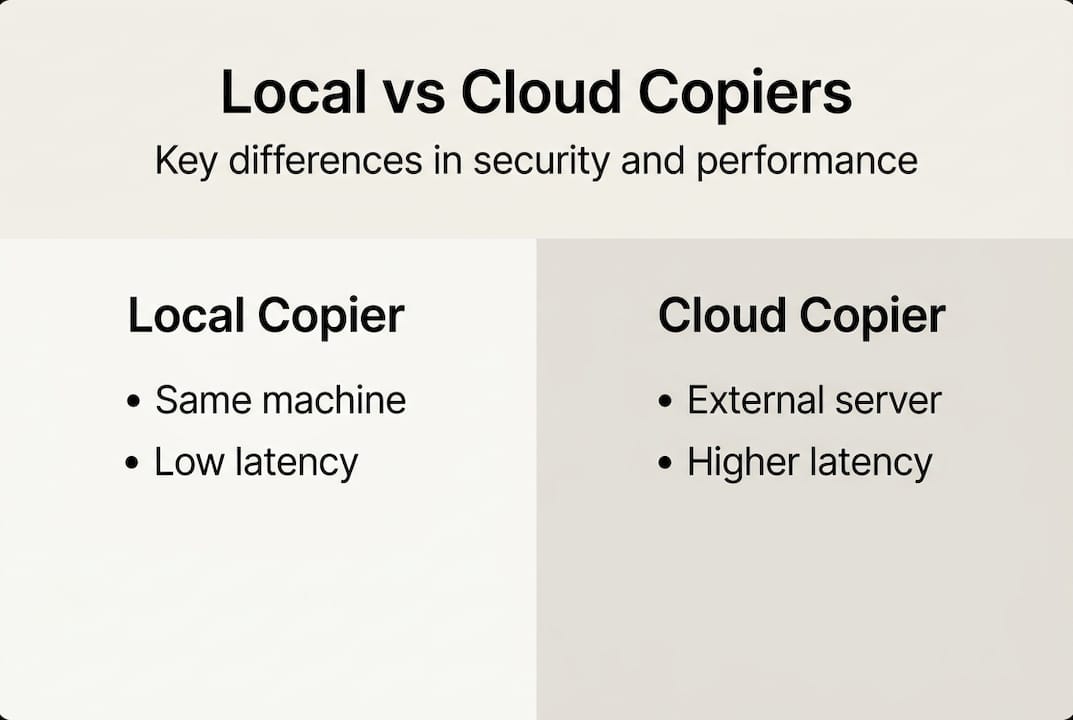
Infographic comparing local and cloud copiers
Local setups keep the signal path on one machine, which eliminates network hops and the 50 to 100 milliseconds of round-trip delay that cloud routing adds.
Key components of any copier setup include:
- Master account: The source of all trade signals
- Follower accounts: The recipients of those signals, each with their own lot size rules
- EA programs: The engine running on each terminal to detect and execute signals
- Symbol mapping: A configuration layer matching instruments across different broker naming conventions
- Risk management layer: Controls for lot scaling, drawdown limits, and position filters
For a deeper look at how MetaTrader platforms handle this process, the MetaTrader trade copying guide walks through the full workflow. Security in this context means locking down every one of these components, not just the login screen.
Trade copier security risks: What can go wrong?
The risks in a poorly secured copier setup are more varied than most traders expect. They fall into three broad categories: credential exposure, trade execution errors, and configuration failures.
Credential exposure is the most obvious risk. If your copier requires full trading credentials for the master account, and those credentials pass through a third-party cloud server, you have handed sensitive access to a system you do not control. A data breach on that server is not your fault, but the losses in your account still are.

Trader securing account credentials at home
Trade execution errors are subtler. Edge cases like duplicate trades, symbol mismatches, slippage from high-latency paths, and MT4/MT5 hedging versus netting mode differences can each cause unintended positions to stack up across your accounts. A duplicate trade triggered by a reconnection event can double your risk exposure in seconds.
Configuration failures are the most common cause of real-world losses. Traders set up a copier once, test it briefly, and never revisit the settings. Broker symbol names change. Account types switch from hedging to netting. A new funded account gets added without checking whether the lot scaling rules still make sense.
Here is a direct comparison of risk profiles:
| Risk factor | Local VPS setup | Cloud setup |
|---|---|---|
| Credential in transit | No | Yes |
| Duplicate trade exposure | Low (order ID tracking) | Higher |
| Slippage from latency | Minimal | Moderate to high |
| Symbol mismatch risk | Manageable locally | Harder to audit |
| Unauthorized access vector | Machine-level only | Remote server |
The most common configuration mistakes that lead to account damage include:
- Using full trading credentials instead of investor-only access for the master account
- Skipping symbol mapping when copying between brokers with different naming conventions
- Failing to set cooldown periods that prevent duplicate orders during reconnections
- Not accounting for hedging versus netting differences between MT4 and MT5 accounts
- Running the copier on an unsecured or shared Windows machine without a password
Pro Tip: Always use investor credentials (read-only access) for your master account when your copier supports it. This means even if the credential is exposed, no one can place or close trades using it.
For a full breakdown of how these risks are addressed in practice, the trade copier safety improvements page covers specific mitigations for both prop firm and retail setups.
Security features every trade copier should have
Not every copier includes these safeguards out of the box. Knowing what to look for before you commit to a setup will save you significant headaches later.
Order ID tracking and cooldown logic prevent the same trade from firing twice. When a copier reconnects after a brief disconnect, it needs a way to recognize trades it has already copied. Without this, every reconnection event becomes a potential duplicate order.
Symbol mapping allows you to define equivalent instruments across brokers that use different naming conventions. EURUSD on one broker might appear as EUR/USD or EURUSDm on another. Without correct mapping, trades either fail silently or open the wrong instrument.
Hedging and netting awareness matters because MT4 uses a hedging model (multiple positions in the same symbol are allowed) while MT5 defaults to netting (positions offset each other). A copier that ignores this will misinterpret your master account’s position state and replicate incorrectly.
Other critical features to evaluate:
- Encrypted or local credential storage: Credentials should never leave your machine in plaintext
- Activity logging: A clear record of every copy event, failure, and reconnection for post-trade audits
- Access controls: Password protection on the machine running the copier, not just the trading accounts
- Lot scaling per account: Automatic resizing based on account balance so each follower gets appropriate exposure
- Fail-safe position limits: Hard caps on maximum lot size or open position count per follower account
Pro Tip: Before going live on a new setup, run the copier in a demo environment for at least 48 hours across different market sessions. Reconnection events, spread widening, and volatility spikes behave differently than calm-market testing reveals.
As local copiers for multi-account management are preferred for both security and low latency, the practical recommendation is clear: install on a dedicated Windows VPS that sits close to your broker’s servers, use investor passwords wherever the platform allows, and treat cloud routing as a last resort rather than a convenience.
For traders who want to see these features working in a real setup, the trade copier demo shows the configuration workflow in detail. If you are evaluating secure multi-account management options, comparing feature sets side by side is the fastest way to identify gaps.
Best practices for secure, low-latency trade copying
Setting up a secure copier environment is a process, not a one-time task. Here is a practical sequence that covers both installation and ongoing management.
Step-by-step setup for secure, low-latency copying:
- Choose a local EA-based copier that runs entirely on your machine, with no cloud routing involved
- Install on a dedicated Windows VPS located geographically close to your primary broker’s servers
- Configure investor-only credentials on the master account before connecting the copier
- Map all symbols manually for each broker pair in your setup, including suffix and prefix variations
- Set order ID tracking and cooldown intervals to prevent duplicate trades on reconnection
- Define per-account lot scaling rules based on each follower’s current balance
- Enable activity logging so every copy event is recorded with timestamps
- Test across at least two full trading sessions before running live
For latency specifically, proximity to your broker’s server is the single biggest lever you can pull. A VPS in the same data center as your broker can bring round-trip latency down to under a millisecond. The latency advantage local setups achieve over cloud routing makes a measurable difference during news events and fast market conditions, because the signal never leaves the machine.
Ongoing security maintenance checklist:
- Monthly: Review activity logs for unexpected copy failures or unusual trade patterns
- After any broker change: Re-verify symbol mappings and account mode (hedging vs. netting)
- After any software update: Re-test all fail-safes in a demo environment before going live
- Quarterly: Rotate machine-level passwords and review which accounts still have active copier access
- Any time you add a new follower account: Verify lot scaling rules before enabling live copying
The trade copier installation guide covers the technical steps for first-time setup in detail. The key insight is that latency and security are not competing priorities. A well-configured local setup gives you both, because the same architecture that keeps your data on one machine also eliminates the network hops that cause execution delays.
Why conventional wisdom on trade copier security falls short
Most advice on trade copier security stops at
Recommended
- Trade copying best practices for efficient forex management
- Forex signal copying: secure multi-account management
- Prop trading best practices: Multi-account copying in 2026
- Trade Copier for MT4 & MT5
