
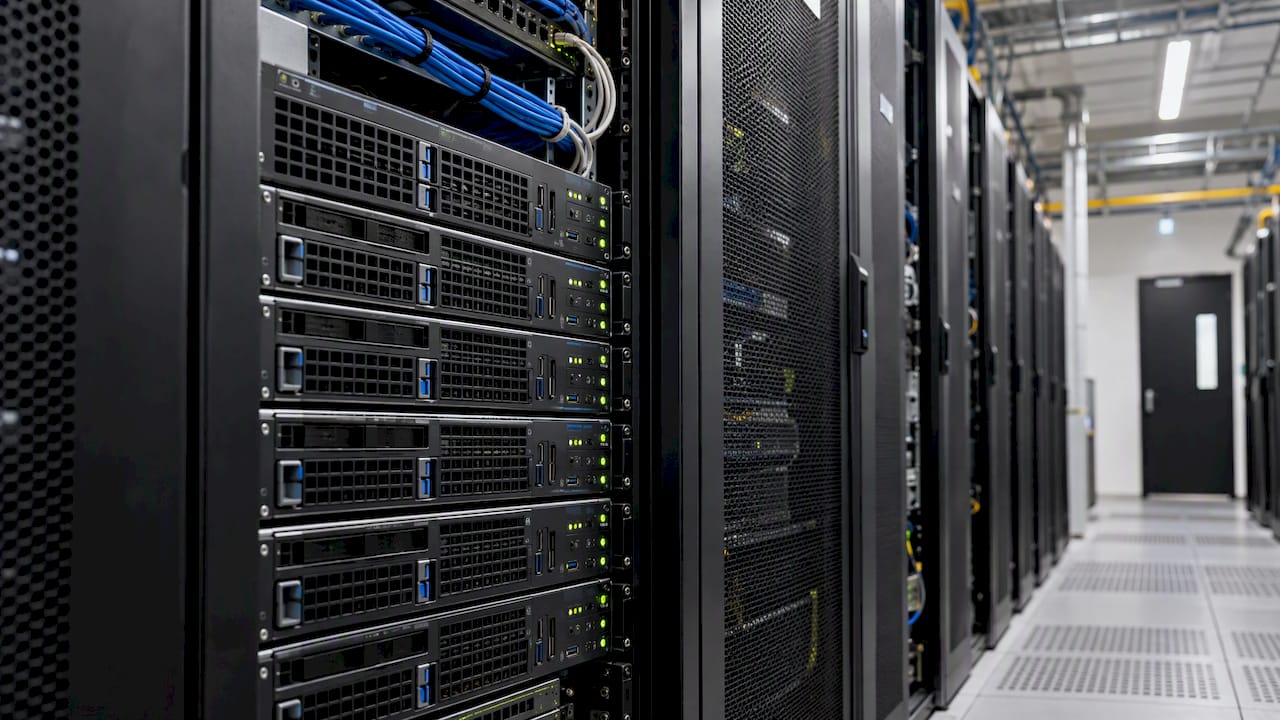
For one or two MetaTrader terminals, a Windows Server VPS with 2 vCPU cores, 4 GB of RAM and a fast SSD is a comfortable starting point. Add roughly 1 to 2 GB of RAM per extra terminal. Pick a data center close to your broker’s servers, because location often matters more than raw hardware. The rest of this guide shows where those numbers come from and how to adjust them for your setup.
TL;DR
- MT4 uses about 300 to 500 MB of RAM per terminal and MT5 about 500 to 800 MB, before Windows itself takes its share.
- Plan on 4 GB of RAM as a practical floor for Windows Server with more than one terminal.
- MT4 favors high clock speed over many cores. Plan on 2 vCPU cores, and more if you run four or more terminals.
- Distance to your broker’s server and the provider’s oversubscription policy affect execution more than extra gigabytes do.
- MetaQuotes’ own hosting costs USD 15 per month, and independent forex VPS plans typically run USD 15 to USD 50.
What a MetaTrader VPS actually does
A VPS is a Windows machine in a data center that stays on when your home computer is off. You install MT4 or MT5 on it, log in to your broker account, attach your Expert Advisors and leave it running. You connect by remote desktop only when you need to change something.
There are two broad options. MetaTrader’s built-in virtual hosting is a managed service run from the terminal itself. A general-purpose Windows VPS from an independent provider is a full remote desktop, which gives you freedom to install other software. That matters if you want to run several terminals or a trade copier next to them.
Official minimums versus what works
The published minimums for MetaTrader are modest. Desktop MT5 runs on a dual-core processor and roughly 1 to 2 GB of RAM according to one provider’s summary of the baseline requirements. Those figures describe a terminal on a normal PC with the rest of the system idle. A server is different. It runs the operating system, remote desktop sessions, your terminals and every chart you left open, all around the clock.
The numbers worth planning around come from measured usage:
| Resource | Practical figure | Notes |
|---|---|---|
| RAM per MT4 terminal | 300 to 500 MB | With charts and EAs loaded |
| RAM per MT5 terminal | 500 to 800 MB | Rises with symbols and history |
| Windows Server at idle | 1 to 1.5 GB | Leaves little room on a 2 GB plan |
| CPU | 2 vCPU cores | 4 or more for four or more terminals |
| Storage | SSD, NVMe if offered | Disk speed helps history sync |
The RAM figures are from FXVPS’s guide to running multiple terminals. One caveat: another sizing guide puts Windows at 800 MB to 1.2 GB on a VPS, so expect some spread depending on the Windows version and how it is configured.
RAM: where most plans run out first
RAM is the first limit you hit. Windows Server takes 1 to 1.5 GB just to sit there, so a 2 GB plan leaves very little. FXVPS reports that a 2 GB plan typically supports only one or two MT4 terminals or a single MT5 terminal. It recommends 8 GB for four to six MT5 terminals.
A simple way to size it:
- Start with 1.5 GB for Windows.
- Add 400 MB for each MT4 terminal or 700 MB for each MT5 terminal, using the upper end of the ranges.
- Add a margin of at least 25 percent so the system never has to swap memory to disk.
Two MT5 terminals come to about 2.9 GB, plus the margin, which lands you on 4 GB. Four MT5 terminals come to about 4.3 GB before the margin, which is why 8 GB is the sensible tier. Running out of memory shows up as a sluggish remote desktop, delayed chart updates and terminals that close without warning.
CPU: clock speed before core count
MT4 is single-threaded, so one fast core does more for it than several slow ones. QuantVPS notes that MT4 benefits most from a high clock, around 3.7 GHz or more. MT5 can use several threads during strategy testing, but live trading still rewards frequency. The same source suggests at least 2 vCPU cores, and 4 or more once you run four or more terminals. Heavy setups with ten or more terminals typically use 6 to 8 cores.
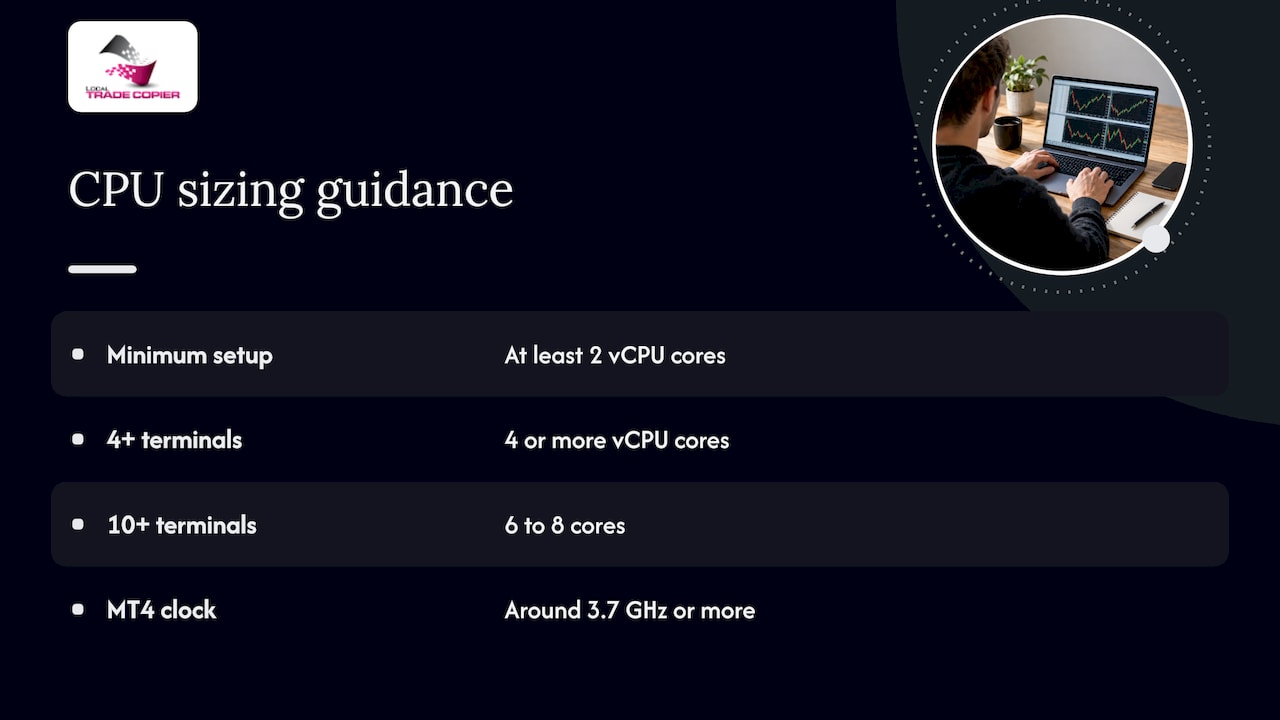
When you compare plans, read the CPU line carefully. A 2 vCPU plan at a high clock is a better fit for a handful of terminals than a 6 vCPU plan at a low clock.
Storage, bandwidth and Windows version
MetaTrader itself is small, but history data grows. Each terminal keeps its own history folder, logs and charts. A 40 to 60 GB SSD is enough for most individual setups. The cheapest plans sometimes use slow disks, and that slows terminal startup and history sync.
For bandwidth, trading traffic is light. Look instead for a stable, unmetered connection and a provider that publishes its uptime commitment. Choose a recent Windows Server edition with the desktop experience, since MT4 and MT5 are Windows applications and the remote desktop needs a graphical session.
Location beats specs
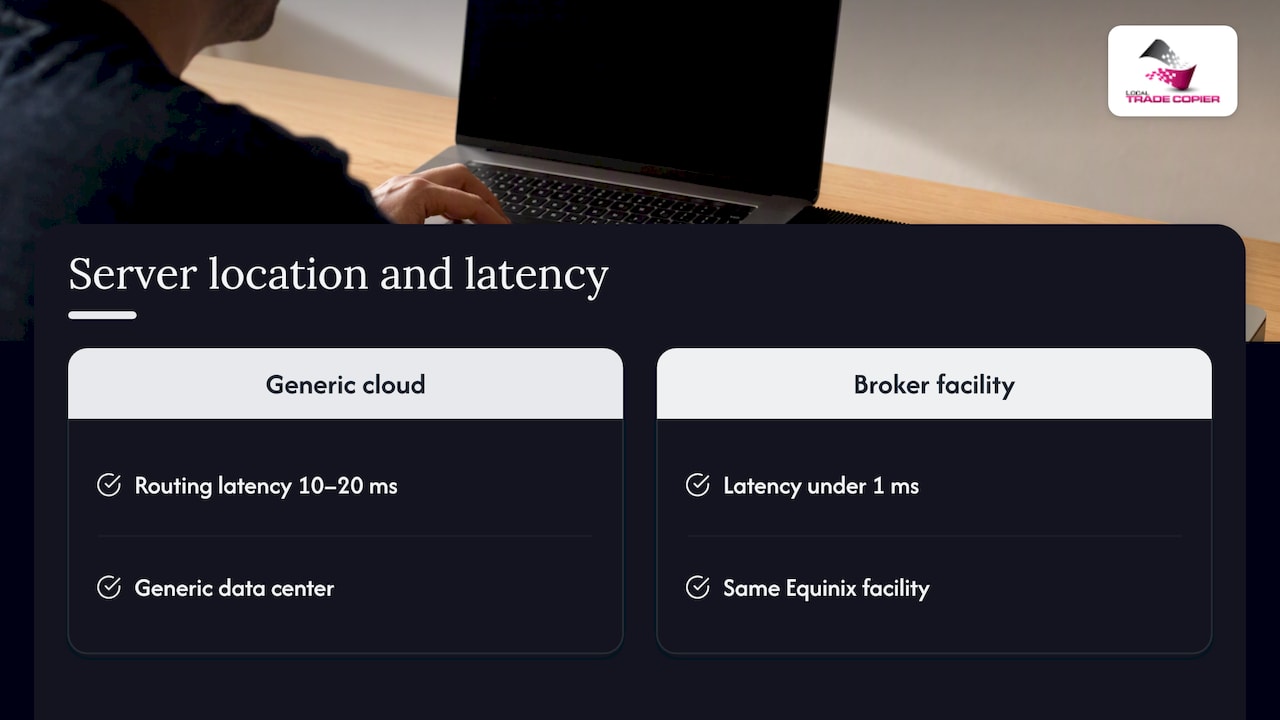
The mistake infrastructure specialists see most often is buying more CPU and RAM while ignoring where the server sits. Broker Champion’s VPS guide explains that a generic cloud region can add 10 to 20 ms of routing latency. A modest machine in the same Equinix facility as the broker, such as NY4 for New York or LD4 for London, can deliver under 1 ms.
If you trade with a US broker, ask your broker where its trade servers are hosted, then ask the VPS provider for the specific building name, not just the city. A “New York” server in a generic data center is not the same thing as a rack in NY4. For a deeper look at how to choose the location, see how to choose a broker VPS location, and for the case against measuring only ping, testing real broker fills is a useful habit. Past results do not guarantee future performance, and a faster connection does not change what your strategy does. It only shortens the path your orders take.
How much this matters depends on how you trade. If you hold positions for days, a few milliseconds will not change your experience. If you scalp or copy trades between accounts during news, latency and steal time matter far more.
Oversubscription: the hidden spec
Budget plans often share one physical core among many customers. When several of them need the CPU at once, such as during a news spike, your terminal waits for its turn. Broker Champion’s guide calls this CPU steal and says it can delay order execution. Before you buy, ask whether the CPU and RAM are dedicated or shared. One published checklist treats dedicated resources and a compensated uptime guarantee as non-negotiable.
What a MetaTrader VPS costs
MetaQuotes lists its own virtual hosting at USD 15 per month. Independent forex VPS providers typically charge USD 15 to USD 50 a month depending on resources and hardware. Some brokers also run sponsored VPS programs that make hosting free once you meet a monthly trading volume requirement. Check the conditions first, because chasing volume to keep a free server can cost you more than the server would.
| Setup | Typical RAM | Typical CPU | Budget direction |
|---|---|---|---|
| 1 to 2 MT4 terminals | 2 to 4 GB | 1 to 2 vCPU | Lower end of USD 15 to 50 |
| 2 to 3 MT5 terminals | 4 GB | 2 vCPU | Mid-range |
| 4 to 6 MT5 terminals | 8 GB | 4 vCPU | Upper range |
The tiers combine the sources above. Prices vary by provider and change often, so confirm current rates on the provider’s own page.
Keep the terminal lean
Hardware is only half of the picture. Terminal housekeeping often stabilizes a struggling server faster than an upgrade does. QuantVPS points out that many traders leave hundreds of symbols in Market Watch, which makes the terminal stream live data for assets the EA never trades. Hide the unused symbols and limit the maximum bars in charts.
A few more habits help:
- Close charts you do not use. Each open chart costs memory.
- Install each terminal in its own folder, and consider portable mode so every terminal keeps its data in one place.
- Stagger startups by 30 to 60 seconds after a reboot. FXVPS explains that logging in, syncing history and loading indicators across several terminals at once spikes CPU and network use.
- Watch real usage for a week before upsizing. A tool that tracks CPU, RAM and disk metrics shows you how close to the ceiling you really run.
Perspective: sizing a VPS around a trade copier
We have built Local Trade Copier since 2010, and the VPS question comes up in almost every support conversation. Our view is simple: size for the number of terminals first, then for latency, and only then for headroom.
A copier changes the math in one way. It runs inside MetaTrader as an Expert Advisor, so each master and each client account you attach is another terminal, with its own RAM bill. Because everything runs on one machine with one IP address, there is no cloud routing in between. Copied orders are handed from terminal to terminal on the same server, which is why we describe execution as under one second. That design is also why we tell people to leave spare memory. A copier that waits on a starved terminal is only as quick as that terminal.
Our practical advice for individual traders:
- Count your terminals before you pick a plan, and use the upper RAM figures.
- Treat 4 GB as the floor for anything beyond a single terminal.
- Choose the data center near your broker, and use the same VPS for all the accounts you copy between so they share one location.
- Keep trade copying separate from any judgment about results. The software replicates trades that already exist and adds no strategy of its own.
If you run funded accounts at firms that restrict automation, the same VPS can host our manual-like entry mode, which makes copied orders look like they were placed by hand. Check each firm’s rules before you use any automation.
— Rimantas
Running Local Trade Copier on your VPS
If you plan to copy trades between accounts on a server, the Local Trade Copier plans start at 29 € per month for PERSONAL, with MANAGER at 89 € per month and VIP at 199 € per month. Annual billing is 290 €, 890 € and 1990 € respectively. Every plan includes both the MT4 and MT5 components, and you can start with a 7-day free trial. Follow the installation guide for MT4 and MT5 once your server is ready. For the wider picture on running a server, our guide to local VPS trading benefits covers the reasons to keep everything on one machine.
A quick checklist before you buy
- Windows Server with a graphical desktop, current edition.
- At least 4 GB of RAM if you run more than one terminal.
- 2 or more vCPU cores at a high clock speed.
- SSD or NVMe storage of 40 GB or more.
- The exact data center name, near your broker’s servers.
- A written answer on dedicated versus shared CPU.
- A published uptime commitment.
FAQ
How much RAM does a MetaTrader VPS need?
A single MT4 terminal uses about 300 to 500 MB and an MT5 terminal 500 to 800 MB, according to FXVPS. Windows Server adds 1 to 1.5 GB. That makes 4 GB the sensible starting point for more than one terminal.
How much does an MT5 VPS cost?
MetaQuotes’ virtual hosting costs USD 15 per month. Independent forex VPS providers typically charge USD 15 to USD 50 a month depending on resources. Prices change, so check the provider’s page before you commit.
Is a MetaTrader VPS free?
Sometimes. Some brokers sponsor hosting if you meet a monthly volume requirement, as described by MetaQuotes. Read the terms, since the requirement and fees differ by broker.
Does CPU or RAM matter more for MT4?
Both count, but MT4 is single-threaded, so clock speed matters more than core count, per QuantVPS. RAM decides how many terminals fit. Clock speed decides how snappy each one feels.
Sources
- How MetaTrader VPS works, MetaQuotes
- Running Multiple MT4/MT5 Terminals on VPS, FXVPS
- Complete Guide to Running Multiple EAs on One VPS, FXVPS
- Run Multiple MT5 Terminals on One VPS, QuantVPS
- VPS for Forex Traders: 2026 Hosting Setup Guide, Broker Champion
- Best MT5 VPS Providers for Metatrader 5 Hosting
- Choosing VPS Specifications for MetaTrader 5
- Which Trading Strategies Fit on a 2 GB VPS?
- Broker Execution Speed for Retail Traders
- Best hardware monitoring software, Tempered
