

TL;DR: Running a live trade room with a copier involves copying trades from a master account to multiple followers in real time. Proper hardware separation and automated risk controls ensure reliable operation and compliance during high-volatility sessions. Proper setup includes dedicated machines, minimal overlays, and thorough dry runs to prevent errors and technical issues.
Running a live trade room with a copier means copying trades from one master account to multiple follower accounts in real time, without manual re-entry on each terminal. The industry term for this setup is multi-account trade replication, and it combines two distinct disciplines: live streaming your analysis and automating trade execution across accounts. Done right, it removes the bottleneck of switching between terminals while keeping every follower account in sync. This guide covers the hardware baseline, software configuration, workflow best practices, and troubleshooting steps you need to run a professional setup in 2026.
What hardware and software do you need to run a live trade room with copier?
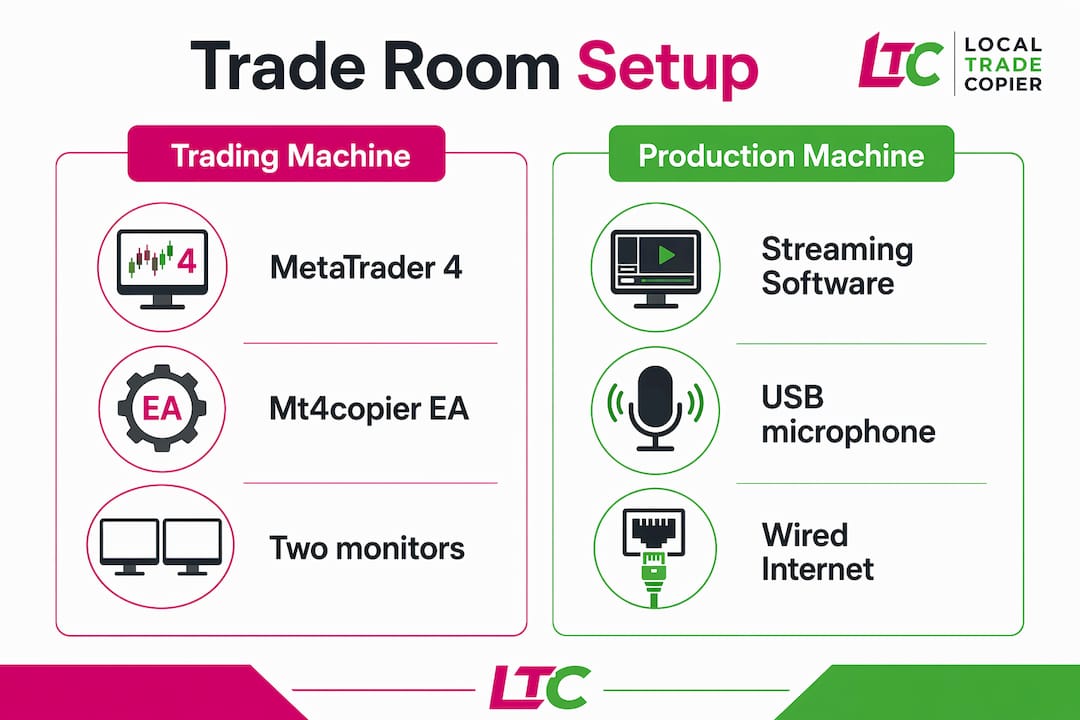
Infographic comparing trading and production hardware/software
The hardware baseline for a professional live trade room is two monitors, a USB microphone, and a wired internet connection. Chart prioritization at 50% or more of your primary screen, with session levels and disclaimers on secondary panels, is the accepted standard for high-trust streams. A wired connection removes the packet loss risk that wireless introduces during volatile market sessions.
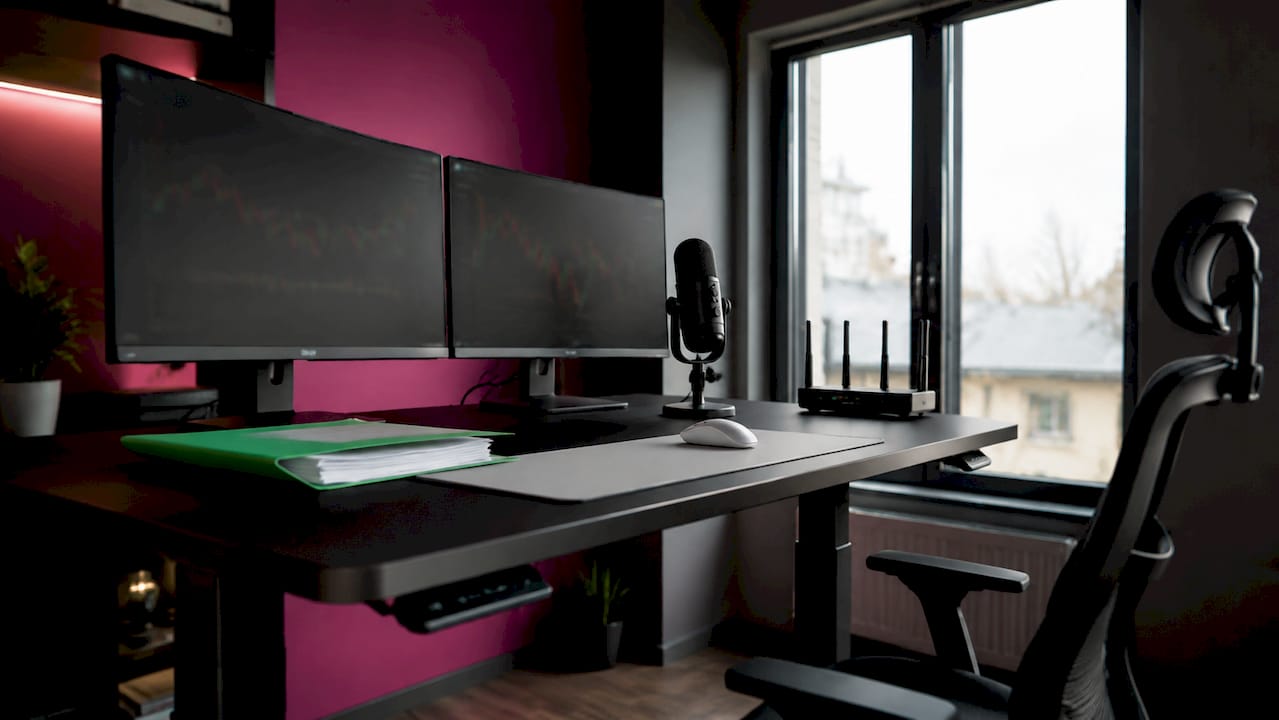
Dual monitor trading and streaming hardware setup
The most important hardware decision is separation. Running streaming and trading on the same machine creates a direct conflict: encoding video consumes CPU and RAM that your trading terminals need for order execution. Browser-based tools alone can cause chart freezes during fast market moves. The fix is a dedicated trading machine for MetaTrader and your copier software, and a separate production machine for OBS, overlays, and your microphone feed.
| Component | Trading machine | Production machine |
|---|---|---|
| Primary software | MetaTrader 4 / MT5, Mt4copier | OBS Studio, browser, overlays |
| Internet | Wired, low-latency | Wired or wireless acceptable |
| RAM minimum | 8 GB | 8 GB |
| Monitors | 1–2 for charts | 1 for stream preview |
| Microphone | Not required | USB mic required |
Trade copier software itself comes in two categories: locally installed Expert Advisors that run on your Windows machine or VPS, and cloud-routed services that relay orders through an external server. Local execution keeps all trade data on one IP address, which matters for prop firm accounts, because no account logs in from a cloud copier’s shared servers. Mt4copier runs entirely on a local Windows machine or VPS, covering MT4, MT5, and DXTrade accounts under one subscription.
How do you install and configure trade copier software for live accounts?
Basic cloud copiers configure within 15 minutes; local high-performance setups require synchronization testing and dry runs before going live. The gap between those two timelines is where most traders run into problems. Skipping the dry run phase is the single most common cause of missed trades on day one.
Follow these steps to install and configure Mt4copier for a live trade room:
- Install the Expert Advisor files on your Windows machine or VPS using the step-by-step installation guide for MT4 or MT5.
- Assign the master role to the account that generates your signals. Open the EA settings and set the account type to “Sender.”
- Assign the follower role to each client account. Set each to “Receiver” and point it to the same local file path as the master.
- Configure lot sizing per account. Mt4copier offers eight money management modes, including automatic scaling based on each follower account’s balance.
- Set execution mode. Choose whether follower accounts open trades immediately on master entry or wait for stop loss and take profit levels to be confirmed.
- Run a demo dry run for at least one full trading session. Watch for latency between master order placement and follower execution.
- Check synchronization logs after the dry run. Any rejected orders will appear with error codes you can resolve before going live.
- Test a disconnect scenario. Close the master terminal and reopen it. Confirm that follower accounts do not open orphaned positions.
Pro Tip: Run your dry run during a high-volatility session, such as the London or New York open. If your setup handles that without latency issues, it will handle quieter sessions with no problem.
Mt4copier executes locally, completing trade replication in about 1 second under normal market conditions. That reliability comes from running on the same machine rather than routing through an external server. You can watch a live demo of the setup before committing to the configuration process.
How do you organize your live trade room workflow for effective management?
Screen layout is not a cosmetic decision. Clean, minimal overlays increase viewer trust by communicating key levels and bias without overwhelming the viewer. Excessive animations and crowded panels pull attention away from the trade setup, which undermines the credibility of your room.
Practical layout rules for a professional live trade room:
- Primary monitor: Active chart at 50% or more of screen space, with price levels and bias clearly labeled.
- Secondary monitor: Follower account terminals, copier status panel, and risk dashboard.
- Overlay design: Session times, key levels, and a risk disclaimer. Nothing else.
- Scene management: Use OBS scene switching to move between analysis view and order entry view without exposing your broker login screen.
- Copier status: Keep the Mt4copier panel visible on your secondary monitor at all times during the session.
Risk management inside the copier software is as important as your screen layout. Modern trade copiers automate compliance by enforcing daily loss limits through auto-close features. This is critical when managing multiple prop firm accounts, where a single manual error can trigger a rule violation and disqualify the account.
Pro Tip: Set your copier’s daily drawdown limit 10–15% below your prop firm’s actual limit. That buffer gives you time to react if the market moves fast before the auto-close triggers.
Separating trade execution from streaming operations also protects your viewers. Over-engineering the production stack reduces trading reliability. Keep your charting and execution tools lightweight and isolated so that a streaming hiccup never affects order flow.
What are common issues when running a live trading room with a trade copier?
Most problems in a live trade room fall into four categories: latency, disconnects, system overload, and compliance errors. Each has a specific cause and a specific fix.
- Latency between master and follower orders. The most common cause is running Mt4copier on a slow VPS or a machine with high background CPU usage. Close unnecessary applications and check your VPS specs against the minimum requirements.
- Rejected follower orders. These usually mean a lot size mismatch. Prop firm copiers must handle lot size and risk per follower account independently, not just mirror the master order. Review each follower account’s lot scaling settings individually.
- Chart freezing during volatility. This is a hardware separation problem. Browser-based tools consume memory and cause freezes when the market moves fast. Move all browser activity to your production machine.
- Disconnects during live sessions. Set MetaTrader to auto-reconnect and keep a mobile hotspot ready as a backup internet source. Test the failover before your first live session.
- Compliance violations on prop accounts. Risk automation within trade copiers, such as auto-liquidation on drawdown, is a critical requirement for prop firm traders to maintain funding eligibility. Enable every available auto-stop feature in Mt4copier and verify the settings match each firm’s rules.
For persistent copy failures, the troubleshooting guide for when Mt4copier does not copy trades covers the most common error codes and their fixes. Regular maintenance, meaning weekly log reviews and monthly VPS restarts, prevents most issues from reaching a live session.
Key Takeaways
Running a live trade room with a trade copier requires hardware separation, correct account role configuration, automated risk controls, and clean stream design to operate reliably across multiple accounts.
| Point | Details |
|---|---|
| Separate your machines | Use one machine for trading and Mt4copier, a second for streaming and overlays. |
| Configure lot sizing per account | Set independent lot scaling for each follower account to avoid rejected orders and compliance violations. |
| Automate risk controls | Enable daily loss limits and auto-close features in your copier before going live. |
| Keep overlays minimal | Clean, uncluttered stream layouts build viewer trust and reduce distraction during trade execution. |
| Run a dry run first | Test your full setup during a high-volatility session before your first live trade room broadcast. |
What I learned from running live trade rooms the hard way
Running everything on one machine is the most common first-time mistake in live trade room setup. With MetaTrader, OBS, the copier EA, and browser tabs all competing for the same resources, performance holds during quiet sessions. High-volatility events like NFP releases expose the flaw: charts freeze, master orders execute, and follower accounts miss the trade entirely. Hardware separation is not a preference. It is a requirement.
Manual lot size configuration introduces a second category of failure. Adjusting settings for each follower account after every session change is tedious and produces calculation errors over time. Switching to automatic balance-based lot scaling inside Mt4copier eliminates that error class. The copier handles the math; the trader handles the analysis. That division of labor is what makes a live trade room sustainable over months, not just days.
The compliance layer is the area most live trade room guides skip. Prop firm rules are not forgiving. One manual error on a funded account can end a challenge. Enabling the auto-stop and drawdown controls inside Mt4copier converts a manual compliance task into an automated safeguard. Setting limits conservatively adds a buffer that absorbs fast market moves before the auto-close triggers. Past results do not guarantee future performance, but consistent risk controls increase the number of sessions available to learn from.
Mt4copier for your live trade room setup
Mt4copier has been the go-to locally installed trade copier for MT4, MT5, and DXTrade since 2010, with 15,000+ licenses sold and 500+ reviews on Trustpilot and Forex Peace Army combined backing that track record.

The software runs entirely on your Windows machine or VPS, with trade replication in about 1 second under normal market conditions, and eight money management modes. It covers MT4, MT5, and DXTrade accounts under one subscription, with a 7-day free trial to test your full setup before committing. For traders managing prop firm accounts, the execution controls introduced in version 3.0.0 add Manual-Like Entry, random entry and close delays, and the Trade Protection Requirement, which copies a trade only once it has a stop loss or take profit; each firm’s own rules still apply. You can also review the VPS and security best practices to keep your accounts protected from day one.
FAQ
What is a live trade room with a copier?
A live trade room with a copier is a setup where a trader broadcasts their analysis live while trade copier software automatically replicates their master account orders to one or more follower accounts in real time.
How long does it take to set up a trade copier for a live room?
Basic configurations take as little as 15 minutes; local setups with dry runs and compliance testing typically take up to one week for a production-ready environment.
Do I need two computers to run a live trade room?
Two machines are strongly recommended. Running streaming software and trading terminals on the same device causes chart freezes and execution delays, especially during high-volatility sessions.
How does a trade copier handle prop firm compliance?
Trade copiers automate compliance by enforcing daily loss limits and auto-close rules, removing the risk of manual errors that can disqualify a funded account.
What is the cost of professional trade copier software?
Professional multi-account trade copiers range from a one-time $200–$500 lifetime fee to monthly subscriptions of $30–$100, depending on features and account count. Mt4copier is available as a subscription with a 7-day free trial.
