

Setting up reliable local trade copier software for managing multiple MetaTrader accounts is often complicated by cloud-only designs, high recurring costs, or lack of MT4 and MT5 cross-support. Many solutions limit automation, lock key features behind opaque pricing, or depend on third-party servers that risk trade data privacy and increase latency. This comparison highlights pricing, execution method, and automation coverage across six local trade copier tools so you can match the right software to your account structure and operational requirements.
Table of Contents
- Local Trade Copier™
- Fast VPS & FinTech Services (FVFS)
- Social Trader Tools
- Fxblue
- EACopier
- Uptrader.io
- Comparative Analysis
Local Trade Copier™

At a Glance
Runs entirely on your PC or VPS, keeping all trade data on one machine and removing cloud routing and third-party servers from the execution path. That local execution drives lower recurring costs and reduces the surface for IP detection issues on prop firm accounts.
Core Features
- Local trade copying across MetaTrader 4 and MetaTrader 5 with real-time synchronization for master to client accounts.
- Automatic lot size adjustment that scales per client account balance and supports 18 configurable sizing and risk options.
- Trade filtering by time, symbol, trade type, and risk controls such as Max Daily Loss and Equity Stop.
- Support for multiple accounts and large-scale account management on a single PC or VPS.
Key Differentiator
Everything runs on a local Windows machine or VPS rather than in the cloud. That design removes cloud routing latency and the need to expose multiple external IP addresses, which matters when you must keep a single IP for funded prop firm compliance or when you want faster local execution.
Pros
- The vendor advertises up to 90% savings versus cloud-based copiers, which directly lowers ongoing costs for traders running many accounts.
- Local execution gives faster, more private operation because traffic does not route through external servers, and trade data remains on one machine.
- Supports cross-platform copying between MT4 and MT5 and handles multiple instruments and account types, so you can run mixed-terminal setups.
- Setup is well documented with guides and tutorials, so individual traders get running without a long onboarding process.
- The vendor provides ongoing updates and support, which reduces maintenance friction for multi-account managers.
Cons
- Requires a PC or VPS with MT4 or MT5 installed and some initial configuration, so traders who prefer a fully managed cloud service will find this less convenient.
Who It’s For
Individual forex traders, prop traders, account managers, and forex coaches who manage multiple MT4 or MT5 accounts and need a secure, low-cost trade replication method. It fits users who are comfortable running software on a Windows PC or VPS rather than relying on a hosted service.
Unique Value Proposition
Supports direct copying between MT4 and MT5 while keeping execution on your own machine, which changes the tradeoff between control and operational cost. For managers juggling several funded or client accounts, that means one predictable IP, no cloud routing risk, and fewer monthly fees to justify per-account setups.
Real World Use Case
A prop trading group runs the copier on a VPS to mirror a master account to dozens of client accounts in real time. Trades copy locally with automatic lot scaling, which keeps execution latency low and centralizes risk settings like Max Daily Loss across all client accounts.
Pricing
The vendor lists a € 29 / month Personal plan, with higher tiers available for managing more accounts and unlocking advanced features.
Website: https://mt4copier.com
Fast VPS & FinTech Services (FVFS)

At a Glance
According to the product data, external reviews are highly negative, citing alleged fraud, failed withdrawals, and poor customer support. Those reputation concerns are the single most important fact for any Forex trader evaluating this provider.
Core Features
- VPS hosting optimized for MetaTrader platforms to reduce latency and keep EAs running.
- Trade copying and configurable management tools for replicating trades across accounts.
- MAM support that the vendor describes as connecting MetaTrader accounts across multiple brokers.
- Mobile access via remote desktop apps and custom EA development or modification services.
Key Differentiator
FVFS claims a proprietary MAM system that links MetaTrader accounts across different brokers, allowing centralized multi-broker trade management. That architecture is aimed at traders and managers who need a single control point for accounts spread across brokers.
Pros
- Able to link accounts across brokers using the vendor’s MAM approach, which simplifies multi-broker order distribution for managers.
- Automation services include EA configuration and modification, useful for traders who want tailored robot behavior without coding it themselves.
- Mobile access via remote desktop apps makes monitoring and manual intervention possible from phones or tablets when away from a PC.
- Custom configuration options for trade copying let you tune lot sizing and routing per client or account.
Cons
- The reports above allege fraudulent behavior and withdrawal problems; those trust issues are widespread in the product data.
- The company lacks a verifiable public reputation; many pages reportedly return 404 errors and the site offers little transparent detail.
- No clear public pricing or SLA information is available on the website, which increases onboarding risk for traders with real capital at stake.
When It May Not Fit
If you require a verifiable, regulated vendor or documented client references, this provider is a poor match given the reported withdrawal and fraud concerns.
If your workflow depends on audited SLAs, clear support channels, or public uptime records, the lack of transparent documentation and reported site errors make this a risky choice.
Who It’s For
Traders and EA developers who prioritize multi-broker control and want a single touchpoint for VPS, trade copying, and EA configuration. Only consider it if you accept elevated reputational and operational risk and plan conservative testing before committing real capital.
Real World Use Case
A trade manager with accounts at three brokers wants a single interface to push expert advisor updates and replicate signals. FVFS would host MT4/MT5 on a VPS, deploy the copier and MAM, and offer remote access for tuning EAs while the manager monitors positions from a tablet.
Pricing
Product data lists pricing as not applicable and provides no public rates. The website reportedly contains missing pages and lacks clear pricing tiers, so plan to treat any engagement as informational only until you obtain written cost and support terms.
Website: https://fvfintech.com
Social Trader Tools

At a Glance
The vendor advertises trade copying latency around 50ms, a specific performance claim that underpins its cloud pitch. Social Trader Tools hosts unlimited MT4/MT5 accounts in the cloud and combines copying with signal and white-label features for brokers and providers.
Core Features
- Cloud-based account hosting for MT4/MT5 so you do not need a VPS or local terminal.
- Trade copying with configurable options and what the company describes as high-speed replication; the vendor advertises the latency figure above.
- Equity monitoring with automated alerts and automated trade closure to limit downside across follower accounts.
- Signal provider tools with flexible billing models and white-label options for branding and client management.
Key Differentiator
The clean separation from VPS setups is the platform’s real angle. Running everything in the vendor’s cloud removes installation friction and centralizes follower management. That cloud-first design pairs with white-label and signal billing features to serve providers who want hosting and monetization rolled together.
Pros
- No VPS or local software needed. Signups and onboarding run faster because accounts and copying are hosted centrally by the vendor.
- Scales to many follower accounts without per-terminal configuration, which keeps operational overhead low for signal providers.
- Automated equity monitors help stop runaway losses across dependent accounts, a practical safety net for managers.
- White-label support and built-in signal billing let brokers offer branded services and multiple monetization models without building a payments stack.
- The configurable copier and account dashboard make day-to-day monitoring and rule tweaks straightforward for operators.
Cons
- Some users report server-side execution problems and occasional lag or copying errors, which traces back to cloud processing rather than local latency.
- Customer support responsiveness varies across reports, so live trades may require patience when troubleshooting.
- The refund policy is reported as rigid by some customers, which can be an issue for short trial evaluations.
When It May Not Fit
If you need guaranteed on-machine execution to avoid any server-side routing, this cloud model is the wrong fit. If your team requires highly responsive live support during trade hours, the variable support record could be a problem. Also avoid it if a generous refund window is critical to your procurement process.
Who It’s For
Traders, signal providers, and brokers that prioritize convenience and rapid scaling of follower accounts. It suits anyone who prefers hosted copying and built-in billing rather than running multiple VPS instances or managing local copies.
Real World Use Case
A signal provider signs up, configures billing terms, and starts offering a subscription signal. Followers connect their MT4 or MT5 accounts in minutes, equity monitors run automatically, and the provider manages subscriptions and branding through the same dashboard.
Pricing
Subscription plans start at $20 per month for up to two accounts, with larger tiers and rolling options for higher capacity. Payments accept credit cards and PayPal; crypto payments are not supported.
Website: https://socialtradertools.com
Fxblue

At a Glance
Reported user feedback highlights significant failures in Fxblue’s trade copying, with some users reporting financial loss when automated copies misfired. At the same time the platform is widely used for web-based performance reporting and market data tools aimed at serious traders.
Core Features
Fxblue bundles several trader-focused utilities into one place.
- Trading Simulator for replaying market moves and testing entries.
- Trading Calculators that handle position sizing and risk math.
- Currency Strength Analysis to compare cross currency moves at a glance.
- Account Analysis tools for trade-level performance breakdowns.
- Market charts and mini calculators for quick reference.
Key Differentiator
Fxblue’s marketing materials emphasize a broad set of market data and reporting tools that it says are used by leading trading companies. That positioning makes the site less about order routing and more about deep, web-based analysis and consolidated account reports.
Pros
- Generates thorough web reports that break down equity curves and trade statistics, useful when you need printable or client-ready summaries.
- Real-time market tools are plentiful, including mini charts and sentiment measures that speed intraday checks.
- The account analysis suite surfaces trade-level metrics that many brokers’ native reports omit, which helps when auditing trader behavior.
- The platform is commonly adopted by trading firms for reporting purposes, a point referenced in vendor materials above that supports its reporting focus.
- A wide selection of calculators and a trading simulator mean you can run quick what-if checks without leaving the browser.
Cons
- Trade copying is a major weakness; user reports point to repeated failures and errors that have caused financial loss.
- The UI and overall user experience feel dated to some users, which raises friction for newcomers and slows routine tasks.
- Reported copying bugs make Fxblue risky as a primary execution layer rather than a secondary analysis tool.
When It May Not Fit
If you need reliable, production-grade trade replication, Fxblue is the wrong choice because of its high failure risk for copying. If modern UX and quick onboarding matter to your desk, the older interface will slow adoption and increase support overhead.
Who It’s For
Professional traders and trading companies seeking detailed performance analysis, account reporting, and market reference tools. Use Fxblue for oversight and reporting rather than primary trade execution or mission critical order mirroring.
Real World Use Case
A proprietary trading desk runs Fxblue alongside its execution systems. Traders feed fills into Fxblue for consolidated performance reports and pairwise currency strength checks. Management uses the generated web reports to compare trader returns and to document month‑end reviews.
Pricing
Not applicable — informational only. The product data classifies Fxblue as an analytics and market data resource rather than a priced trade execution service.
Website: https://fxblue.com
EACopier

At a Glance
Plans start at $4.99 per month and top out at $19.99 monthly for higher tiers, a very low entry price for trade copying. The vendor positions EACopier as built specifically for MetaTrader 5 synchronization with an emphasis on speed and security. Public user reviews, however, report widespread failures, refund problems, and poor support.
Core Features
- MetaTrader 5 synchronization that aims to replicate orders across multiple MT5 accounts.
- API key setup and a secure dashboard for connecting and managing linked accounts.
- Automatic order synchronization with multiple subscription tiers so you can match capacity to need.
Key Differentiator
That MT5-only focus is the central claim: EACopier narrows scope to MetaTrader 5 rather than supporting MT4 or other terminals. For traders who exclusively run MT5 strategies, that narrow scope promises less internal complexity than multi-protocol copiers.
Pros
- Offers automated cross-account replication for traders who run multiple MT5 terminals. Setup is described as straightforward compared with manual scripts.
- Flexible plans let a solo trader pick the Starter tier while a manager can choose higher throughput tiers without feature lockouts.
- Secure dashboard management keeps API keys and connections behind a single control plane, which reduces the number of places you store credentials.
- Low monthly pricing makes it inexpensive to trial the service before committing to larger client loads.
Cons
- Multiple user reports claim the software does not work reliably in real trading. Those reports include instances of failed copies and stalled connections.
- Several reviewers allege nonresponsive support and difficulty obtaining refunds after payment disputes.
- The product only supports MetaTrader 5, so traders using MT4 or mixed environments will need a different tool.
When It May Not Fit
If you run MT4 accounts, need guaranteed uptime for funded accounts, or require proven, well documented customer service, EACopier is a risky match. Avoid it for mission critical setups where failed copies cost capital or violate prop firm rules.
Who It’s For
Forex traders and small account managers who exclusively use MetaTrader 5 and want a low-cost trade replication option to test across multiple accounts. Exercise caution and validate stability on a demo environment before moving to live capital.
Real World Use Case
A retail trader running a single licensed EA on MT5 wants the same entries across three funded accounts. They use EACopier to mirror orders from the master MT5 terminal to clients, test on demo accounts for several weeks, then move to live once reliability is proven.
Pricing
EACopier lists monthly tiers from $4.99 up to $19.99 depending on plan and throughput. The vendor shows a low per-month entry point which makes small-scale testing affordable.
Website: https://eacopier.com
Uptrader.io

At a Glance
The site requires Cloudflare verification before any product pages are visible, and the publicly accessible content provides almost no functional detail. That access gate is the single most concrete signal you get before deciding whether to investigate further.
Core Features
- Security verification process enforced via Cloudflare, which controls initial access and content delivery.
- A multi-section site structure that appears to include pages for features, integrations, products, and use cases, though the pages are not readable without verification.
- A name and site structure that imply focus on automation and integration for trading systems, but this is inferred rather than documented.
Key Differentiator
Available information does not surface a clear product differentiator. The only distinguishable characteristic is the security-first access flow that hides product detail behind a verification step. That access pattern may reflect a privacy or compliance posture rather than a functional advantage.
Pros
-
The visible security layer reduces casual scraping and exposes the vendors choice to prioritize protected access. That may matter if you need a vendor with a privacy-conscious setup.
-
The site layout suggests multiple capability areas, so the platform could bundle automation, integrations, and product pages under one roof if the content becomes available.
-
The vendor name and site hints point at automation for trading workflows, which aligns with common needs among traders who run multi-account or API-driven setups.
-
Because public information is sparse, there is limited noise from reviews and marketing claims; you can approach discovery calls with direct, specific questions rather than unpacking broad promises.
Cons
-
Core functionality, technical specs, and user workflows are not documented publicly, making technical evaluation impossible without vendor contact.
-
The Cloudflare verification step adds friction; some technical teams will find it slows initial testing and screening.
-
No user reviews or case studies are available to validate reliability, uptime, or integration quality.
-
Pricing and licensing details are not published, so budget planning requires direct outreach.
When It May Not Fit
If you need immediate, transparent product documentation before evaluating vendors this will not fit. Teams that require public API docs, SDKs, or example integrations to run a proof of concept will struggle here.
If your procurement process mandates published pricing, SLAs, or third-party audit statements, the current site posture forces extra procurement friction and additional vendor vetting steps.
Who It’s For
Tech-savvy traders, automation engineers, and developers willing to run a short discovery process and ask direct technical questions. This is best for teams comfortable evaluating a product behind a verification wall rather than off a public spec sheet.
Real World Use Case
A developer for a prop trading operation wants an automation layer that sits behind controlled access. They contact the vendor, validate authentication methods, then request a small integration sandbox. The platforms security-first approach could match internal compliance needs if the vendor documents API behavior after verification.
Pricing
No pricing information is published. The product entry lists pricing as not applicable and appears informational only, so expect to request a quote or schedule a demo to learn licensing terms.
Website: https://uptrader.io
Comparative Analysis
Selecting the right local trade management software can significantly affect operational efficiency, especially for traders managing multiple accounts or operating in compliance-sensitive environments. This analysis compares and contrasts popular options, identifying key distinctions to support selecting the most appropriate solution.
Localized versus Cloud-Based Execution
The first key comparison revolves around deployment architecture. mt4copier.com operates entirely on a local machine or VPS, eliminating cloud routing and retaining all data securely within the same execution environment. This approach minimizes latency and prevents the exposure of proprietary trade information to third-party servers. In contrast, Social Trader Tools hosts trading accounts in the cloud, simplifying setup but introducing potential latency from server routing and possible interruptions stemming from cloud-based administration. Therefore, for users emphasizing low latency and private data handling, mt4copier.com holds a distinct advantage, assuming the additional operational effort of setup meets their capabilities.
Multi-Platform Versatility versus Specialized Integration
Another consideration lies in platform compatibility. mt4copier.com fully supports MetaTrader 4 and MetaTrader 5, allowing for versatile account configurations under a unified system. Conversely, EACopier focuses exclusively on MetaTrader 5, which simplifies the interface for users exclusively using this platform but limits utility for environments requiring cross-platform support. Traders managing diverse account setups would hence maximize benefits from mt4copier.com’s broader compatibility.
Pricing Models for Varied Scales of Operation
Price sensitivity often guides software choice. When compared, mt4copier.com’s starting cost of €29.00 per month for local operation ranks higher than EACopier’s minimal $4.99 monthly tier. However, the latter’s limited functional robustness and inconsistent reliability present trade-offs independent of price. For larger, established operations prioritizing consistent performance, mt4copier.com mitigates risk with its premium pricing.
Best Fit Recommendations
- For users needing flexible, cross-platform trade copying with low operation latency, mt4copier.com is a practical choice. Its features, focused on secure and efficient trade management, justify its cost for demanding operations.
- For operations focused solely on MT5 with limited scale and budget sensitivity, EACopier provides a narrow but low-cost solution.
- Brokers offering signal services interconnected via cloud may find Social Trader Tools beneficial due to integrated billing and white-label services.
Our Pick
For users requiring highly customizable trade management executed within a secure and low-latency environment, mt4copier.com emerges as the selection. Its design aligns with professional trading needs, balancing security, functionality, and cost-effectiveness. However, those pursuing simplified cloud-based setups or specific platform-focused tools might explore the alternative solutions outlined.
Local Trade Copier Software Comparison
Selecting the most suitable local trade copier software depends on comparing critical features, unique advantages, and pricing options.
| Product | Core Feature | Key Differentiator | Best for | Pricing | Notable Limitation |
|---|---|---|---|---|---|
| Local Trade Copier™ | Local trade copying across MT4 and MT5 | Runs entirely on a local machine | Multi-account management with low latency | €29/month | Initial configuration required for operation |
| EACopier | MT5 account synchronization | Focused exclusively on MetaTrader 5 | Small-scale setups needing MT5-only replication | $4.99–$19.99/month | Reported reliability and refund issues |
| Social Trader Tools | Cloud-based trade copying | Centralized hosting for follower management | Signal providers prioritizing convenience | $20/month and up | Occasional server-side latency reported |
| Fxblue | Market and account reporting tools | Detailed web-based performance analysis | Traders needing analytics over execution | Not applicable | Significant errors reported in trade copying functionality |
| Fast VPS & FinTech | Multi-account trade management | Proprietary MAM linking across brokers | Managers dealing with accounts at multiple brokers | Not disclosed | Reports of fraudulent behavior and unreliable service |
Discover Reliable Alternatives to earnforex.com Trading Software with Mt4copier
If you feel overwhelmed by unreliable trade copying platforms or cloud-based solutions that expose you to latency and IP detection risks, Mt4copier offers a powerful alternative built just for you. Its Local Trade Copier software runs entirely on your own Windows PC or VPS, delivering sub-0.5-second local execution and robust lot size management across MetaTrader 4, MetaTrader 5, and DXTrade. This setup eliminates the guesswork of cloud routing and manual re-entry, providing a secure and cost-effective way to replicate trades.
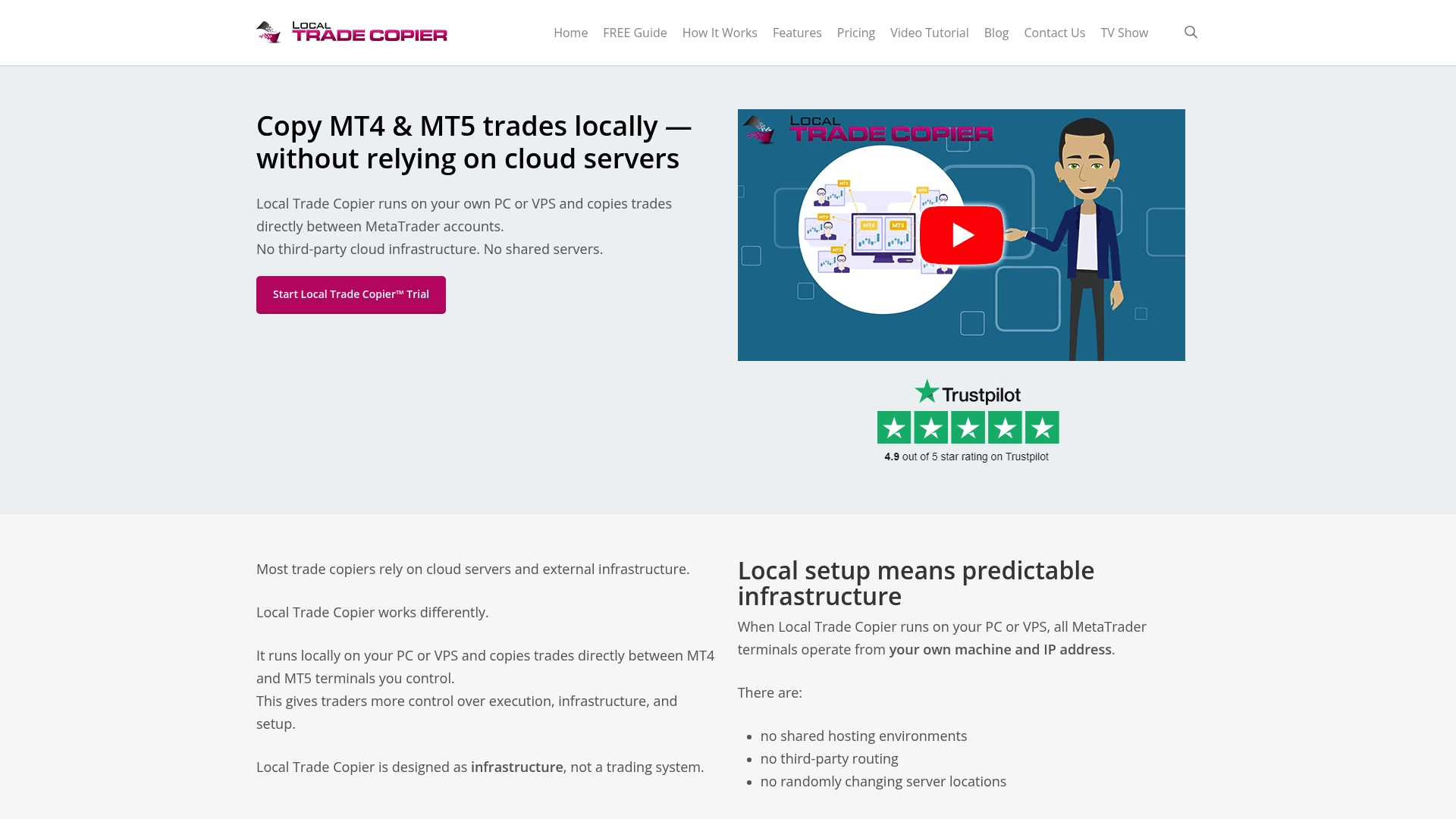
Take control of your multiple funded or client accounts with a proven copier trusted by over 3,000 users since 2010. Learn more about how Mt4copier simplifies forex trade replication on our Forex category page and explore practical tips on setup and management in our Guides section. Visit https://mt4copier.com and start a 7-day free trial to experience instant local trade copying without cloud delays or IP risks.
Frequently Asked Questions
How does Mt4copier enhance local trade copying for multiple accounts?
Mt4copier provides local trade copying across MetaTrader 4 and MetaTrader 5 with real-time synchronization. This feature allows for efficient trade management, especially for those handling various accounts on a single PC or VPS. Users can expect a streamlined way to replicate trades without any cloud delays affecting execution.
What is the difference between Mt4copier and Social Trader Tools regarding trade copying?
Social Trader Tools excels in offering cloud-based account hosting for MT4/MT5, allowing for quick onboarding and scalability without requiring local software. However, Mt4copier’s local execution minimizes latency and keeps all trade data on one machine, making it ideal for those who prioritize speed and privacy in trade execution. Users managing multiple accounts may find Mt4copier a better fit for maintaining control over trade execution.
Can I use Mt4copier if I manage a mixed environment of MT4 and MT5 accounts?
Yes, Mt4copier supports cross-platform copying between MT4 and MT5, making it suitable for users dealing with a diverse set of account types. This capability is beneficial for traders seeking flexible solutions in a multi-terminal setup. Expect effective management without needing multiple software solutions.
What should I know about the pricing model of Mt4copier?
Mt4copier offers a Personal plan starting at €29/month, which provides cost-effective trade copying compared to many cloud-based services. This low monthly rate becomes an attractive option for traders running multiple accounts, allowing for enhanced trading strategies without substantial ongoing costs.
Does Mt4copier provide ongoing support and updates for users?
Yes, Mt4copier includes ongoing updates and support, which reduces maintenance challenges for multi-account managers. This commitment to user support ensures that traders have access to the latest features and fixes, which is essential for effective trading management.
Recommended
- Top 4 ea-coder.com Alternatives 2026
- Top 5 compareforexbrokers.com Alternatives 2026
- Top 5 blog.opofinance.com Alternatives 2026
- Top 4 Tradecopy.online Alternatives 2026
