
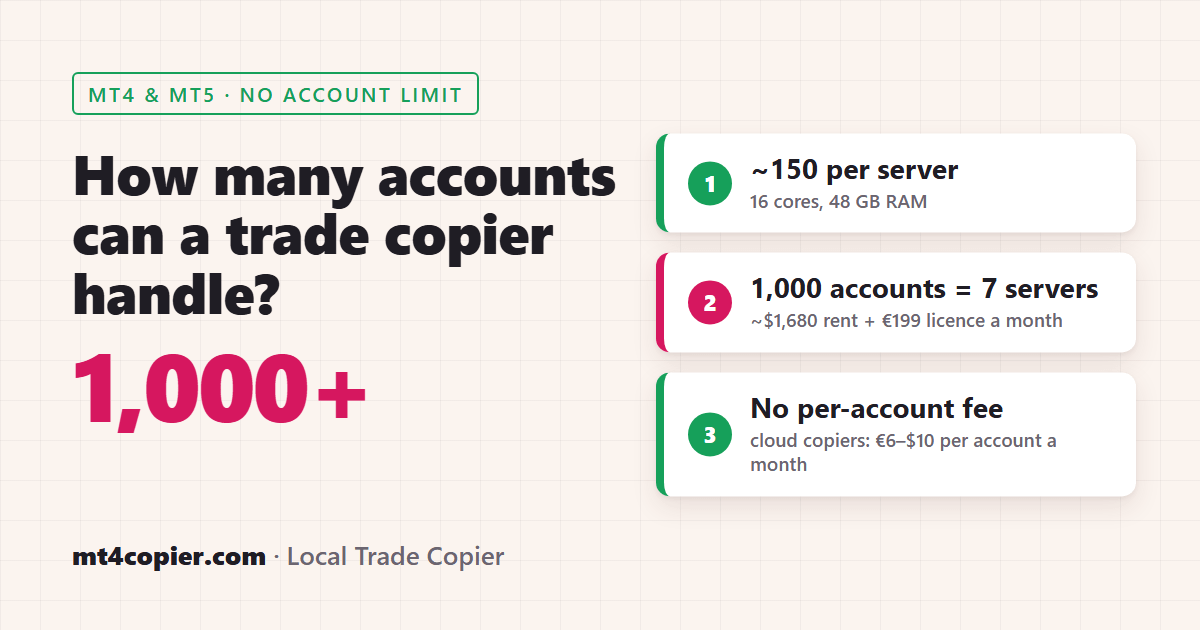
Short answer: Local Trade Copier (LTC) by Algonexis Technologies has no account limit. Every plan allows unlimited MT4 and MT5 accounts, and your computer’s CPU and RAM set the real limit, because each account runs in its own MetaTrader terminal. As a guide, a dedicated server with 16 CPU cores and 48 GB of RAM runs up to about 150 terminals. So 1,000 accounts need about 7 such servers: about $1,680 a month in server rent plus one VIP plan at €199 a month. Cloud copiers that charge per account cost €6,000–$10,000 a month for the same 1,000 accounts.
Key facts
- No account limit on any plan. The plans limit how many PCs or VPSs run LTC at the same time: Personal 1, Manager 5, VIP 15.
- One terminal per account. The master and every client account each run in their own MT4 or MT5 terminal on the same PC or VPS.
- Server size sets the limit: a small VPS runs 4–10 terminals, a dedicated server with 8 cores and 16 GB about 25, and one with 16 cores and 48 GB about 150.
- More than one server? Log the master account in on each server (the investor password is enough), and each server copies to its own client accounts.
- No per-account fee. For 1,000 accounts you pay about $1.68 per account per month in server rent plus €0.20 in licence. Cloud copiers charge €6–$10 per account.
How many accounts can one PC or VPS run?
As many terminals as its processor and memory can keep running smoothly. As an example, here are the plans of VPSForexTrader, the VPS provider we use ourselves. The capacities are the provider’s own; prices were checked on 23 November 2026 (New York, 24-month term, plus VAT; shorter terms cost more):
| Server | MetaTrader terminals | Accounts copied (1 terminal is the master) | Rent per month |
|---|---|---|---|
| Forex VPS (shared hardware) | up to 4, 7 or 10, depending on plan | up to 9 | from $25.59 (yearly billing) |
| Dedicated FX Pro: 8 cores, 16 GB RAM | up to 25 | up to 24 | $99 |
| Dedicated FX Premier: 16 cores, 48 GB RAM | up to 150 | up to 149 | $240 |
Leave headroom: keep CPU and RAM use below 70%. Each LTC Client panel shows a Computer Speed line. If it says “Slow” or “Critical”, that server is overloaded: close extra charts, or move some terminals to another server.
100, 500 or 1,000 accounts: what it costs with Local Trade Copier
Server rent (VPSForexTrader prices above) plus the LTC licence, per month:
| Client accounts | Servers | Server rent | LTC plan | LTC licence | Total per month |
|---|---|---|---|---|---|
| 24 | 1 Dedicated FX Pro | $99 | Personal (1 PC/VPS) | €29 | $99 + €29 |
| 100 | 1 Dedicated FX Premier | $240 | Personal (1 PC/VPS) | €29 | $240 + €29 |
| 500 | 4 Dedicated FX Premier | $960 | Manager (5 PCs/VPSs) | €89 | $960 + €89 |
| 1,000 | 7 Dedicated FX Premier | $1,680 | VIP (15 PCs/VPSs) | €199 | $1,680 + €199 |
At 1,000 accounts that’s about $1.68 in server rent plus €0.20 in licence per account per month. Any VPS provider works: the licence counts computers, not accounts.
Or use a powerful PC you already own
If you have a strong desktop at home, it can do the same job as a dedicated server. A PC with 16 cores and 48 GB of RAM or more is in the same class as the Dedicated FX Premier server above, so it should run a similar number of terminals. Then your only monthly cost is the Personal plan, €29 a month, plus electricity.
The catch is that copying only works while that PC is on, awake and online. A home PC sleeps, restarts for Windows updates, and loses power or internet at the wrong moment, and any trade the master opens in that time isn’t copied. Your home connection is also usually further from your broker’s trade server than a VPS in a data centre. Use a home PC for testing, or for accounts where a missed trade now and then is acceptable. Run anything that must copy around the clock on a VPS. The Manager plan (5 PCs/VPSs) covers a home PC and up to 4 VPSs.
1,000 accounts: Local Trade Copier vs cloud copiers that charge per account
Cloud copiers run on their own servers and usually charge for every account, the master included. From their own pricing pages, checked on 17 November 2026:
- Duplikium: from €9 per account per month, down to €6 per account at 1,000+ accounts. That’s €6,000+ a month for 1,000 accounts, and each master counts as a paid account.
- Traders Connect (CFD copier): $10 per account per month on the Standard plan, so $10,000 a month for 1,000 accounts.
- Social Trader Tools: $1,000 a month for 100 accounts, the largest listed plan.
- Local Trade Copier on 7 dedicated servers: $1,680 + €199 a month, less than a third of Duplikium’s price and less than a fifth of Traders Connect’s.
The trade-off: a cloud copier needs no server of your own. A local copier needs servers that you rent and look after. In return, your account passwords stay on your own machines, and the licence doesn’t grow with your account count.
How to copy one master to hundreds of accounts
- Size the first server. Pick a server for the number of accounts you have now, plus room to grow. A VPS near your broker’s trade server keeps the ping low.
- Install one terminal per account. Use a separate installation folder for each account, named by its role (for example
MT5-client-017). MT4 and MT5 mix freely. - Install LTC into all terminals at once. The LTC installer lets you select several terminal folders in one go.
- Start LTC Server on the master. Attach it to one chart of the master account. One chart is enough: it reads trades on every symbol.
- Start LTC Client on every client account. Set its inputs once, click Save on the Inputs tab to make a
.setfile, and Load that file in every other client. Then change only what differs per account, such as the lot mode. - Add the next server when the first one is full. On server 2, install a terminal for the master account and log in with the same login. The investor password is enough, because LTC Server only reads the master. Then add LTC Server there and the new client terminals with LTC Client.
- Copying from several masters? Give each master its own Signal Provider ID (SPID) in LTC Server, and tell each LTC Client which SPID to follow.
What gets harder after 20 accounts
Copying itself doesn’t get harder. Running many terminals does. Here’s what to plan for:
- Setup time. Every account needs its own terminal, login and LTC Client. With
.setfiles and a naming scheme, each new account takes a few minutes, not an hour. - Keeping track. Keep a list of every account with its broker, platform, server and lot settings. It saves you a lot of time when something needs checking.
- Watching the servers. Check Task Manager and the Computer Speed line from time to time. Turn on LTC’s e-mail or push alerts, so you hear about problems without watching the screens.
- Updates and restarts. When the server restarts, every terminal must start again and log in. Disconnect from Remote Desktop by closing the window: signing out closes MetaTrader, and copying stops.
Does copying slow down with more accounts?
Not if the server has headroom. In our VPS test (demo accounts, November 2026), trades from an MT5 master were copied in a median of about 0.8 seconds, and about 1–1.2 seconds from an MT4 master. Each LTC Client reads the master’s trades by itself, every 100 ms by default, so a new account doesn’t wait behind the others. What slows copies down is an overloaded server. That’s why the 70% headroom rule matters more than the account count.
FAQ
Is there a limit on how many accounts Local Trade Copier can copy to?
No. Every plan includes unlimited accounts. The plan only sets how many PCs or VPSs can run LTC at the same time: 1, 5 or 15.
Can one trade copier handle 1,000 accounts?
Yes, across several servers. With servers that run about 150 terminals each (16 cores, 48 GB RAM), 1,000 client accounts need about 7 of them, about $1,680 a month in rent. The master account is logged in on each server, and one VIP plan (€199 a month) covers up to 15 servers.
Can I run a trade copier on my home PC instead of a VPS?
Yes. A powerful home PC runs as many terminals as a server of the same size, and you pay only the €29 Personal plan. But copying stops whenever the PC sleeps, restarts or goes offline, so use a VPS for accounts that must be copied around the clock.
Does every account need its own MetaTrader terminal?
Yes. MetaTrader runs one account per terminal, so the master and every client each get their own terminal on the same PC or VPS.
Can I copy trades between accounts on different VPSs?
Yes, with the master account open on each VPS. Local Trade Copier copies between terminals on the same computer, so each VPS needs the master logged in (the investor password is enough) plus its own client accounts.
Can I copy from several master accounts at once?
Yes. Give each master its own Signal Provider ID (SPID), and set each client to follow the SPID you want.
Planning a big setup? Start with the 7-day trial on a few accounts, then see the plans: €29, €89 or €199 a month for 1, 5 or 15 PCs or VPSs, with unlimited accounts on each.
