
Subscribe
—
Use cases
What You Can Do With Local Trade Copier (MT4 & MT5)
Local Trade Copier (LTC) by Algonexis Technologies copies trades between MetaTrader 4 and MetaTrader 5 accounts on your own Windows PC or VPS. Traders have used it since 2010. Here is what it does, in six groups: find yours, see the plan it needs, and click through to the page that shows you how.
Jump to a use case
1. Trade once, every account follows
The #1 reason traders buy Local Trade Copier: place a trade once, and every other account copies it. No more entering the same trade by hand on account after account.
All plans
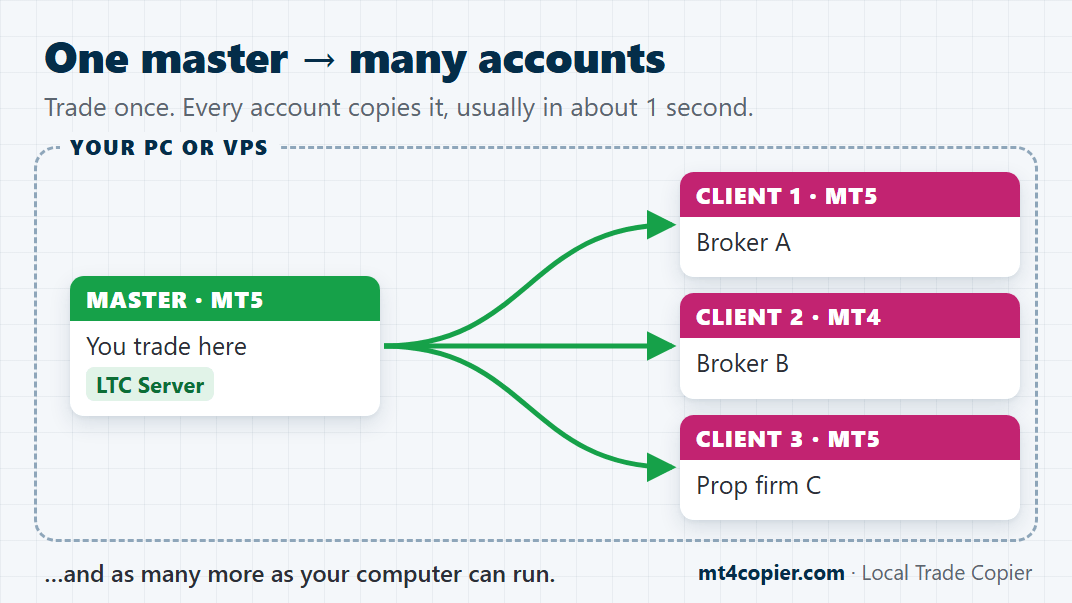
One master account → many of your accounts
Place one trade on your master account. Every client account on the same PC or VPS copies it, usually in about 1 second, with no account limit on any plan.
All plans
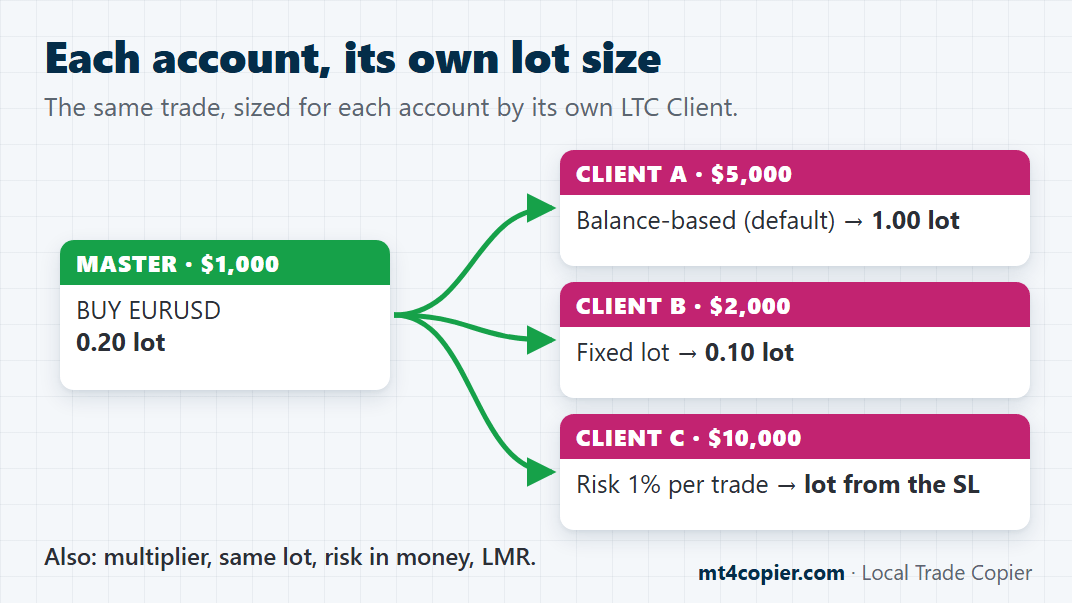
Your own lot size or risk on each account
Big account or small, each copies the same trade at its own size: scaled to its balance by default, or a fixed lot, a multiplier or a risk % per trade, set account by account.
All plans
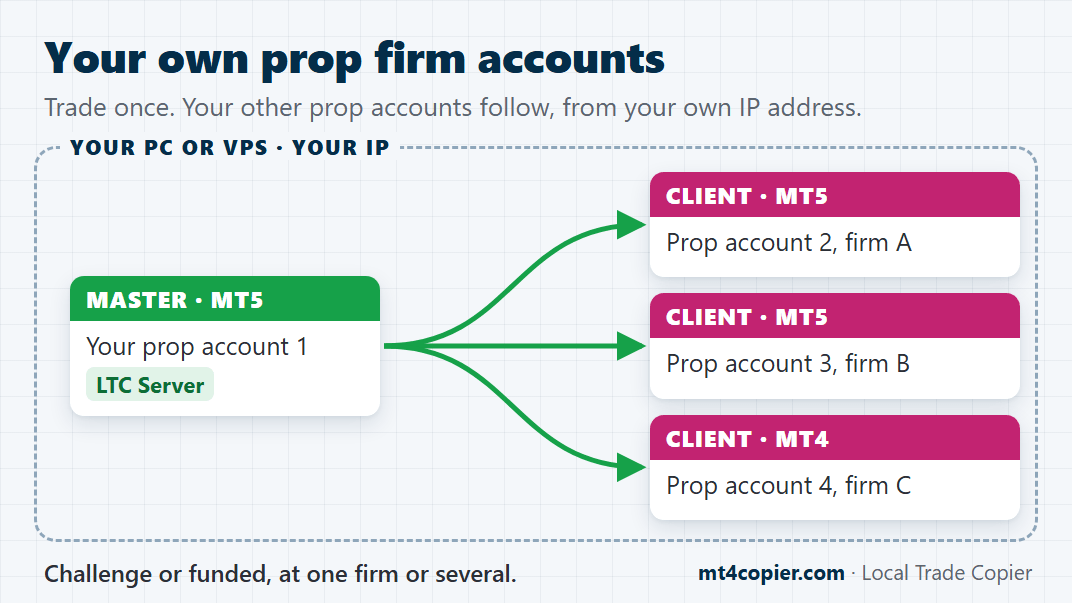
Your own prop firm accounts
Trade once, and all your other prop firm accounts follow, from your own PC or VPS and your own IP address. Challenge or funded, at one firm or several.
All plans
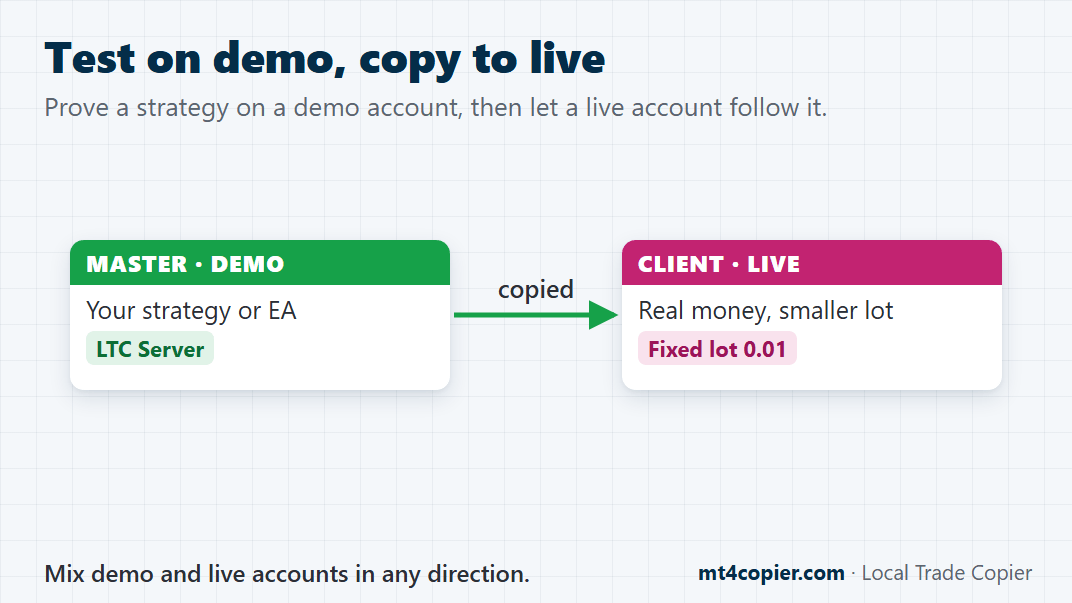
Test on demo, copy to live
Try a strategy on a demo master, then copy it to your live account with a smaller fixed lot when you’re ready. Copy demo to live, live to demo, or demo to demo.
2. MT4 and MT5
One subscription, both platforms. LTC Server and LTC Client each come in an MT4 and an MT5 version, so you can mix them any way you like.
All plans
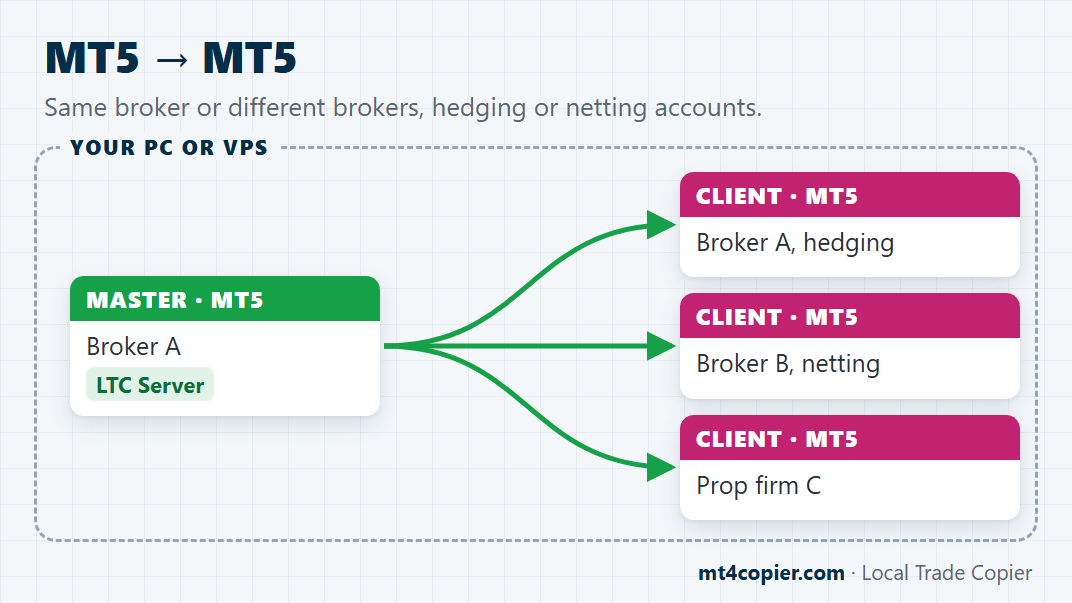
MT5 → MT5
Copy between MT5 accounts at the same broker or at different brokers. Hedging and netting accounts both work, as the master or as clients (netting masters from version 3.1.10).
All plans
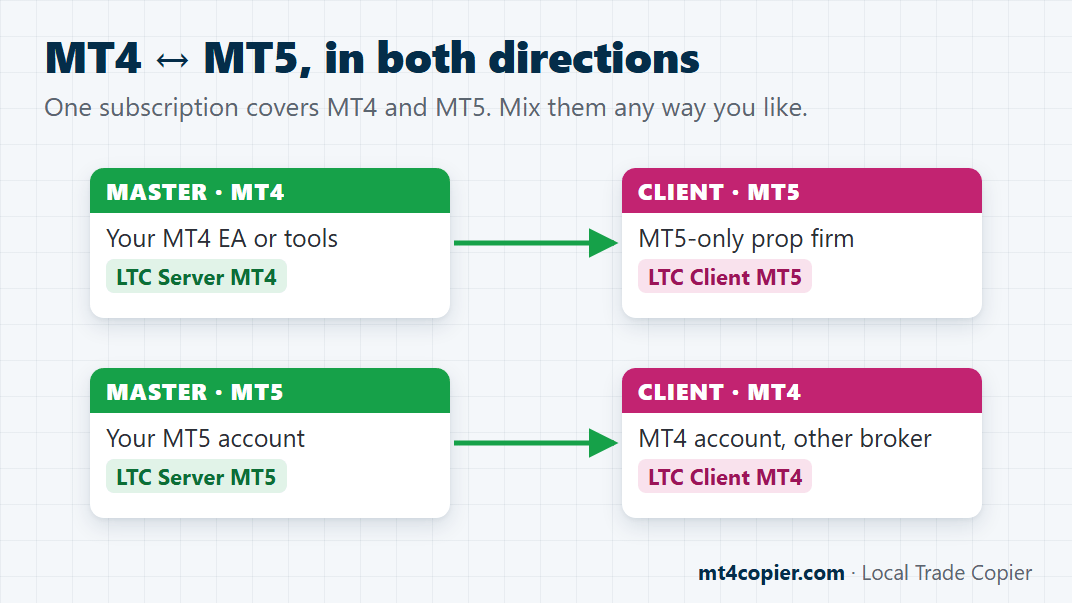
MT4 ↔ MT5, in both directions
Keep your MT4 tools and still trade an MT5-only prop account. An MT4 master copies to MT5 accounts, and an MT5 master copies to MT4 accounts.
All plans
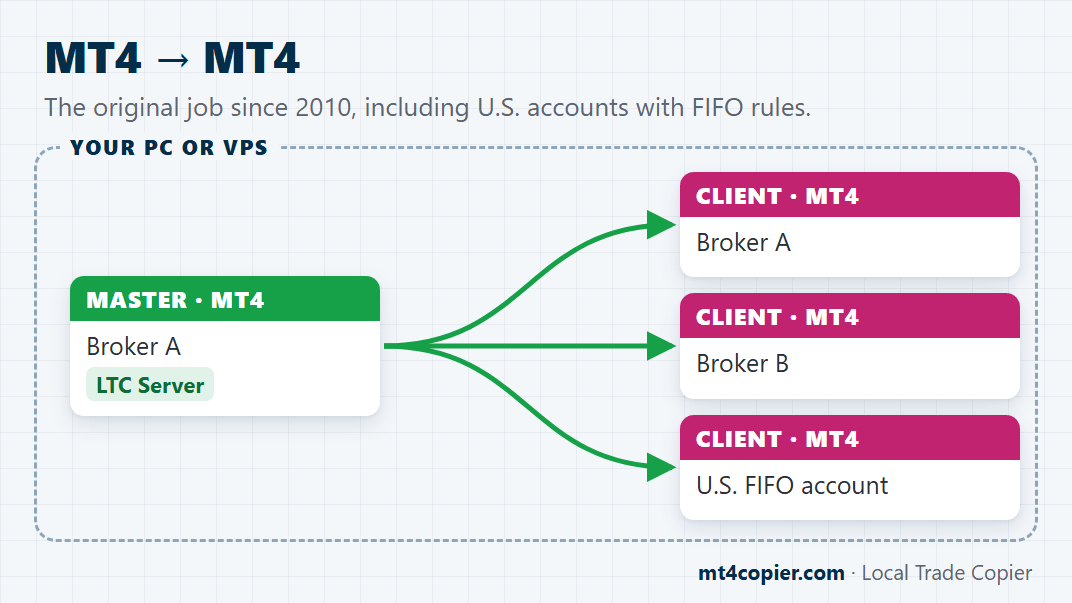
MT4 → MT4
The job it has done since 2010: copy between MT4 accounts, at the same broker or across brokers, U.S. FIFO accounts included.
3. Robots, your phone and other traders’ accounts
You don’t have to sit at the PC and trade by hand. Let a robot trade the master, trade it from your phone, or follow another trader’s account. Local Trade Copier copies whatever happens on the master.
All plans
Robots (Expert Advisors)
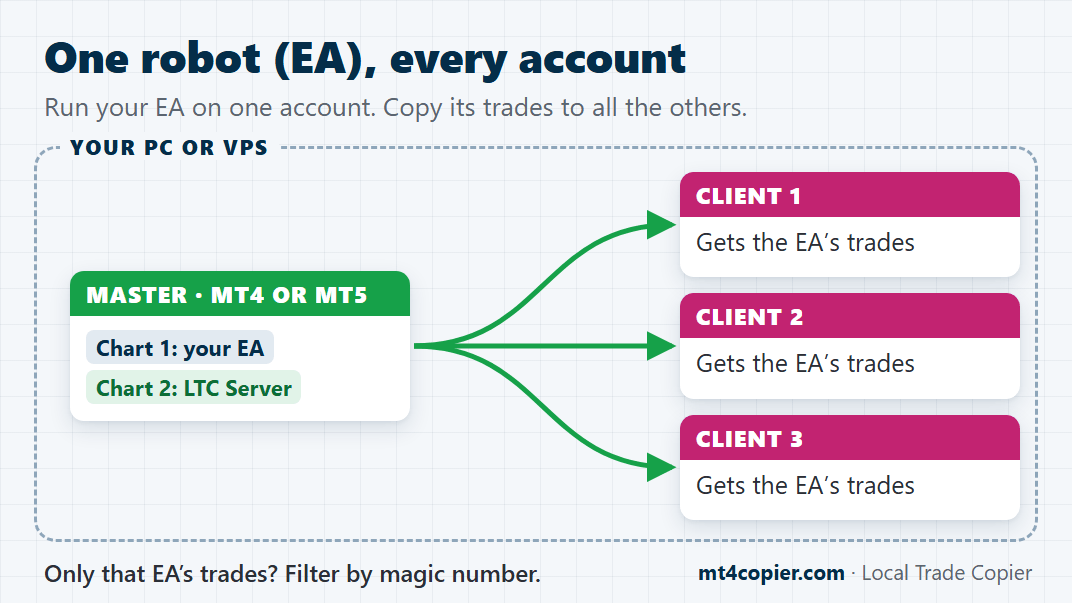
One robot, every account: run the EA on one chart of the master and LTC Server on another, and every client account gets its trades. To copy only that EA, filter by its magic number.
All plans
Trades from your phone
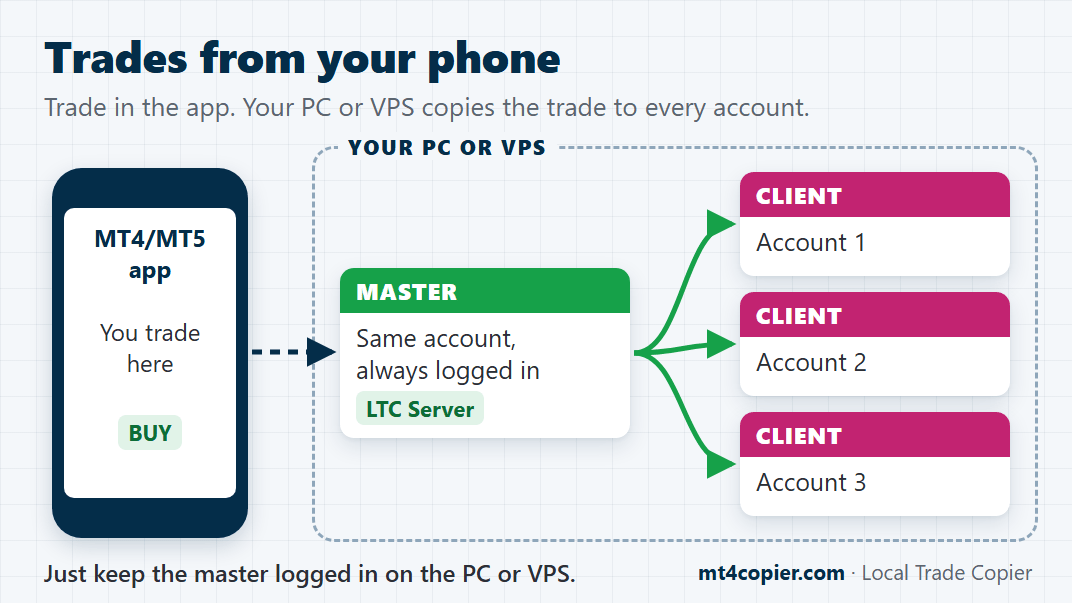
Trade your master in the MT4 or MT5 mobile app, wherever you are. Keep the same account logged in on your PC or VPS at all times, and every client account copies your trades. A VPS keeps it running even when your own computer is off.
All plans
An account you can only watch (investor password)
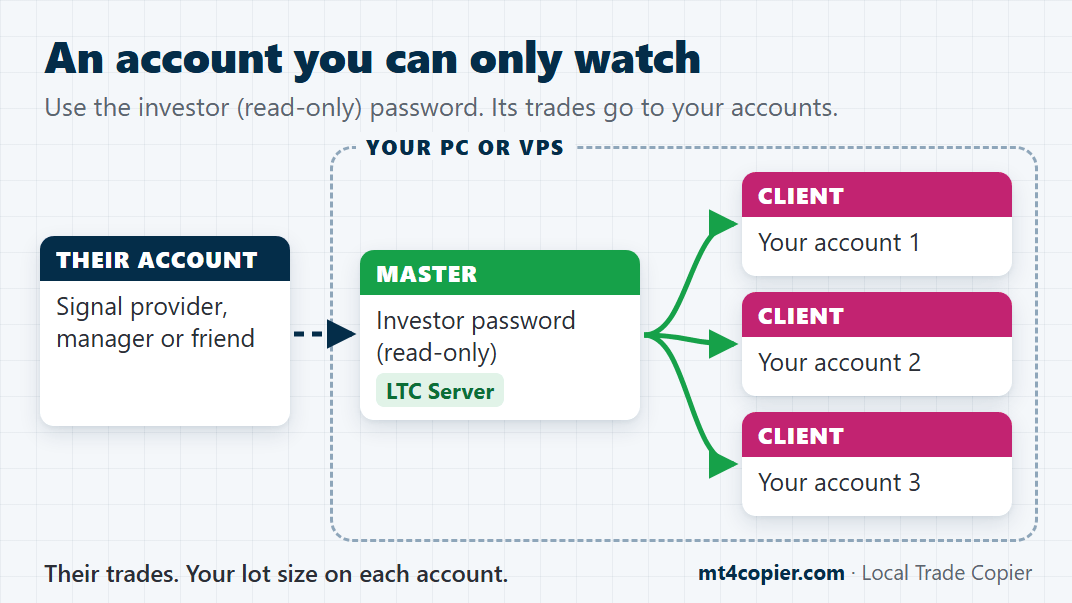
Got the investor (read-only) password from a signal provider, a fund manager or a friend? Log in with it on your PC or VPS, and their trades are copied to your accounts.
4. Brokers and markets
Your master at one broker, your clients at others? No problem. Local Trade Copier copies forex, gold, indices, oil and crypto CFDs between them, even when each broker names the symbols differently.
All plans
Different symbol names
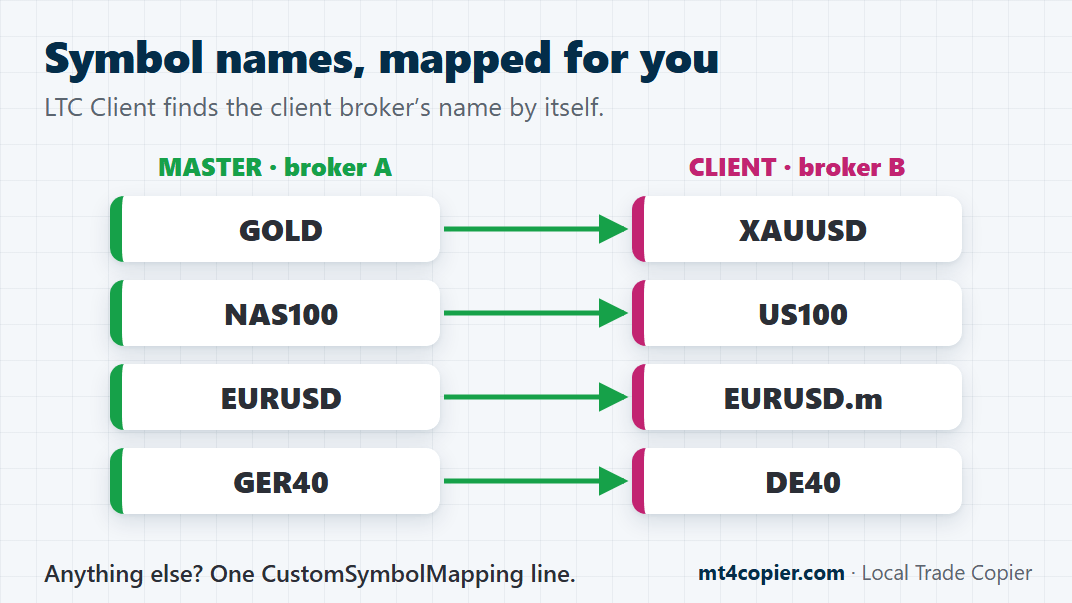
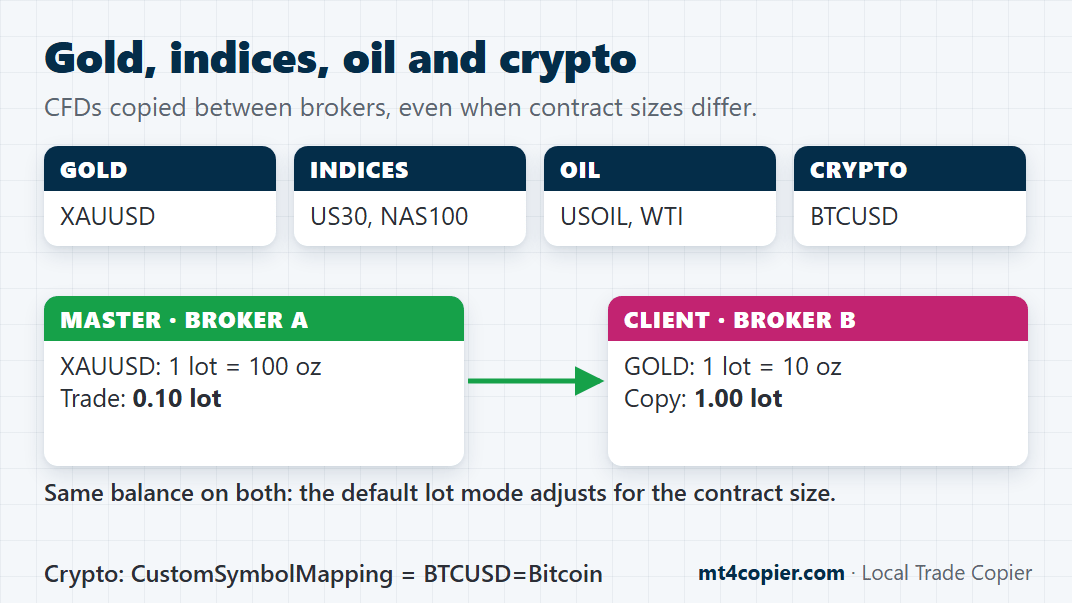
EURUSD.m at one broker, EURUSD+ at another, GOLD instead of XAUUSD? LTC Client maps prefixes, suffixes and common alternative names by itself. Anything else takes one line, for example CustomSymbolMapping = BTCUSD=Bitcoin.
All plans
Gold, indices, oil and crypto CFDs
Copy gold, indices and oil between brokers: common names such as GOLD/XAUUSD, NAS100/US100/USTEC, US30/DJ30 and USOIL/WTI match automatically, and the default lot mode adjusts for different contract sizes. Different crypto names take one CustomSymbolMapping line.
5. Several masters and clients
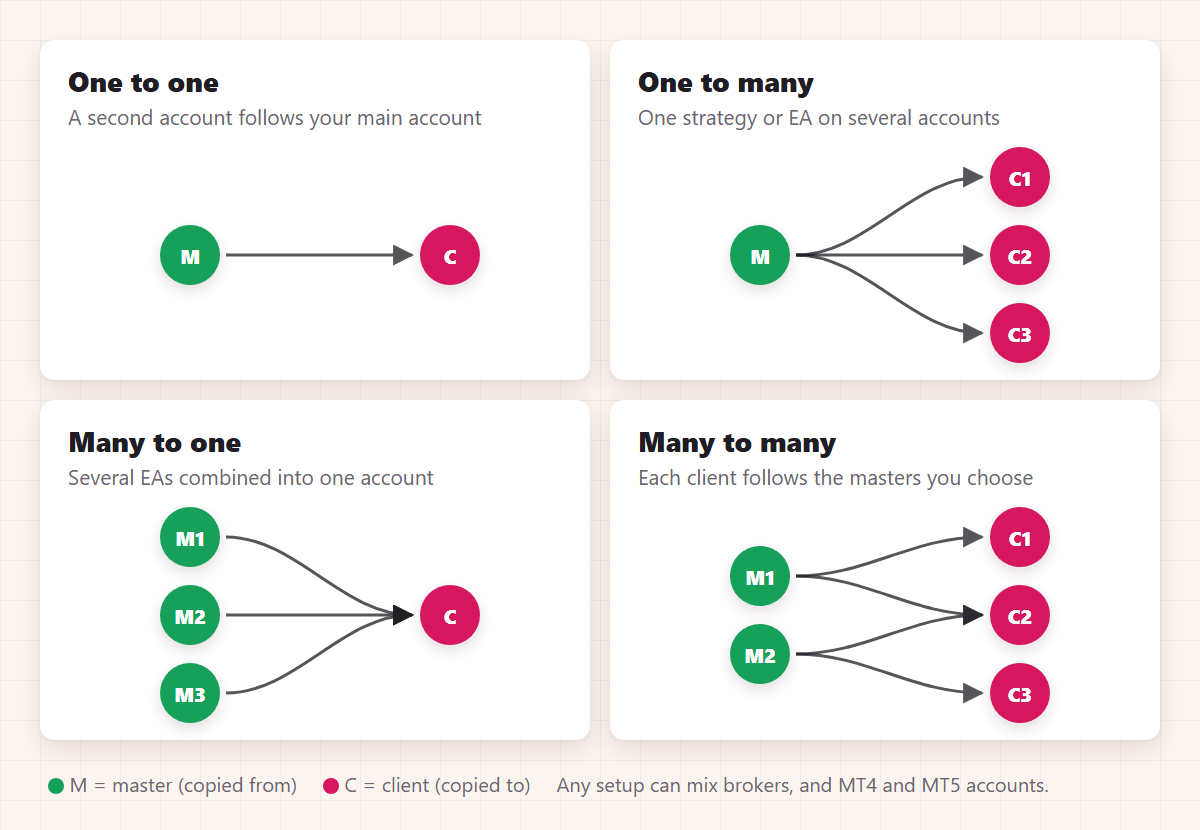
Follow several masters at once, blend them into one portfolio, or run accounts for other people, all on one PC or VPS.
All plans
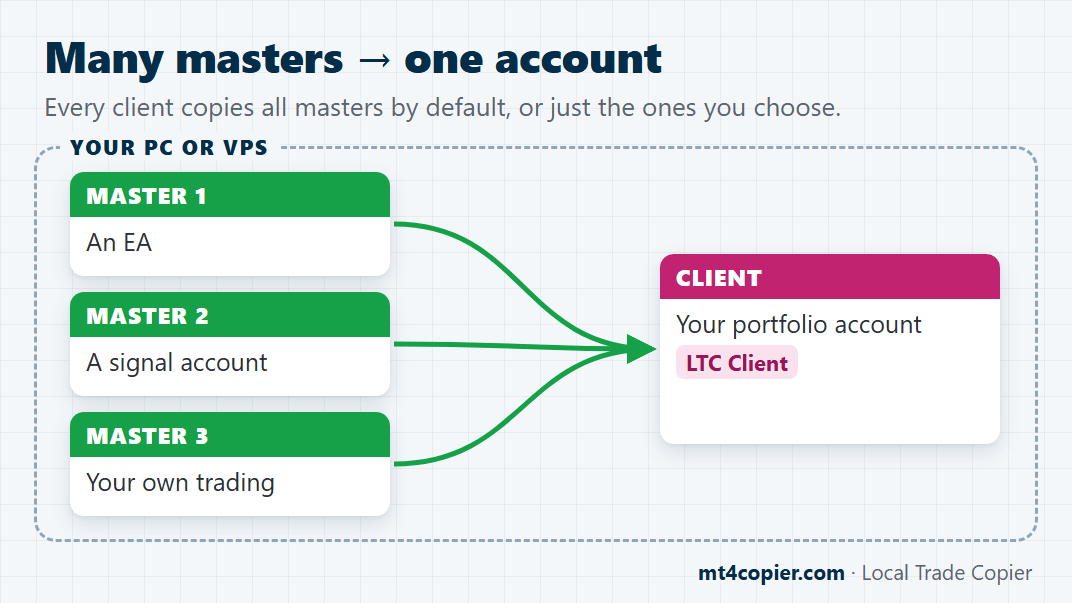
Many masters → one account
Put LTC Server on each master account, and every client copies all of them by default. Want more control? Pick which masters each client follows.
All plans
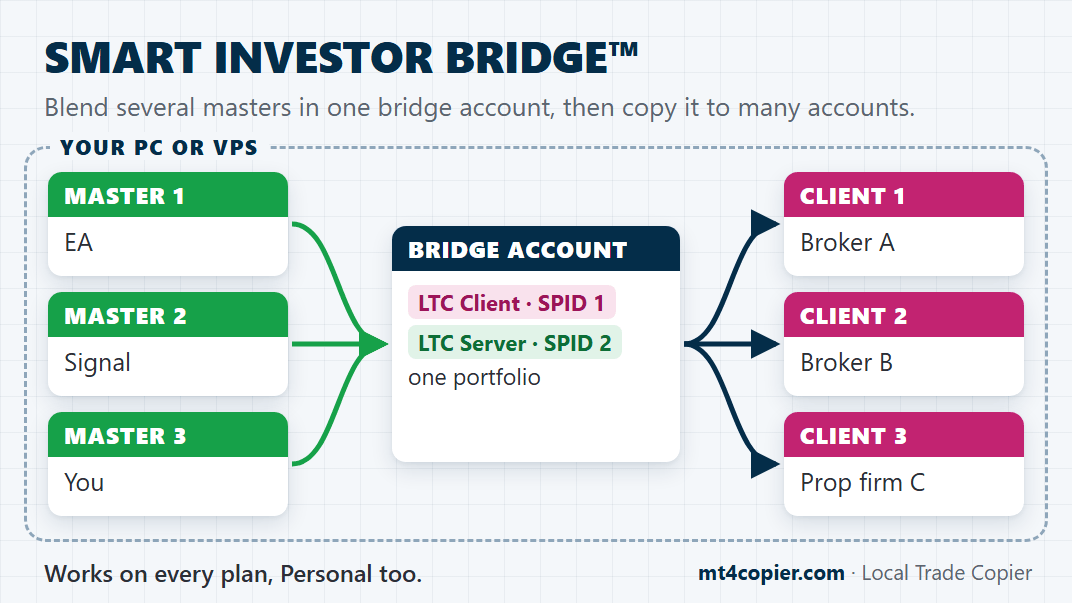
Blend masters into one portfolio (SMART INVESTOR BRIDGE™)
Combine several masters in one bridge account, then copy that whole portfolio to as many accounts as you like.
Manager & VIP
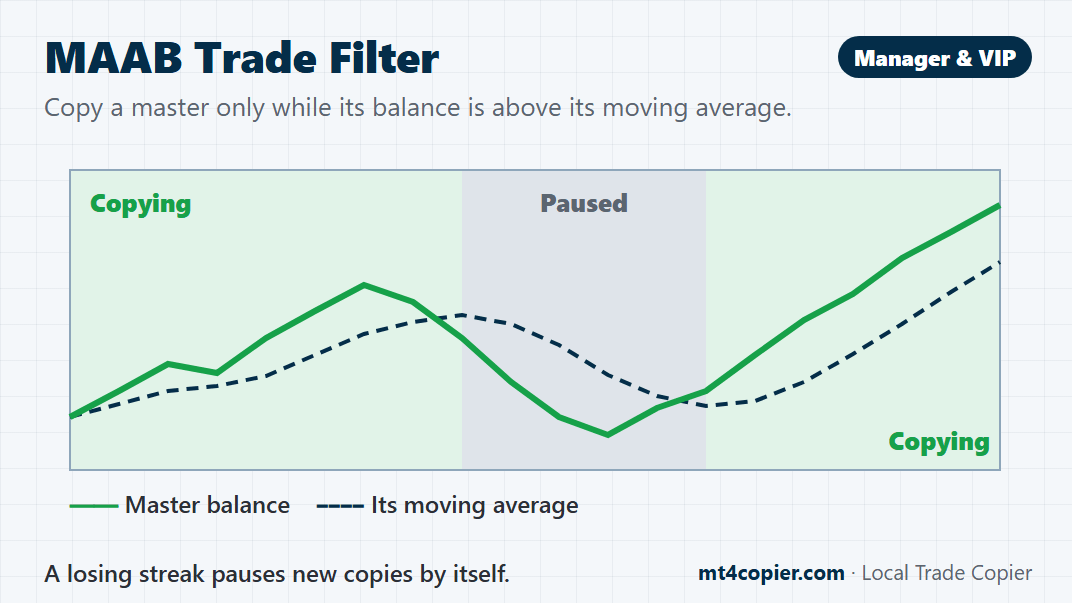
Copy a master only while it meets your conditions (MAAB Trade Filter)
Copy a master’s new trades only while its balance (or equity) is above its moving average. A losing streak pauses the copying, and copying resumes once the master is back above the average.
All plans
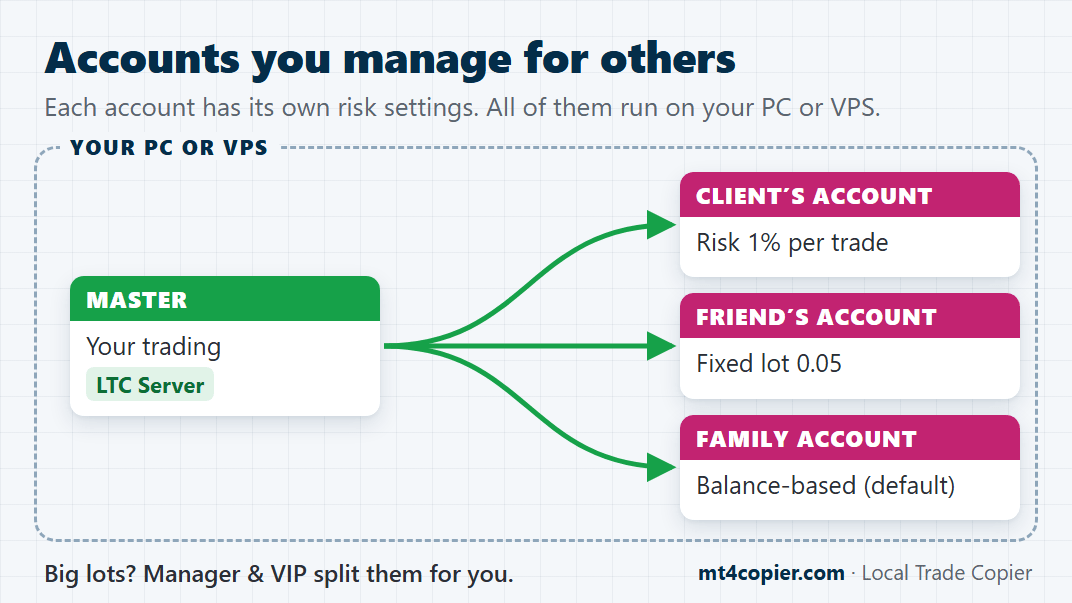
Accounts you manage for others
Clients’, friends’ or family accounts follow your trades, each with its own risk settings, all side by side on your PC or VPS. Manager and VIP add Position Size Splitting and copying across Windows user profiles.
6. How it copies
Choose how each copy lands: like a trade placed by hand, or flipped from BUY to SELL. Either way, it all runs on your own PC or VPS.
All plans
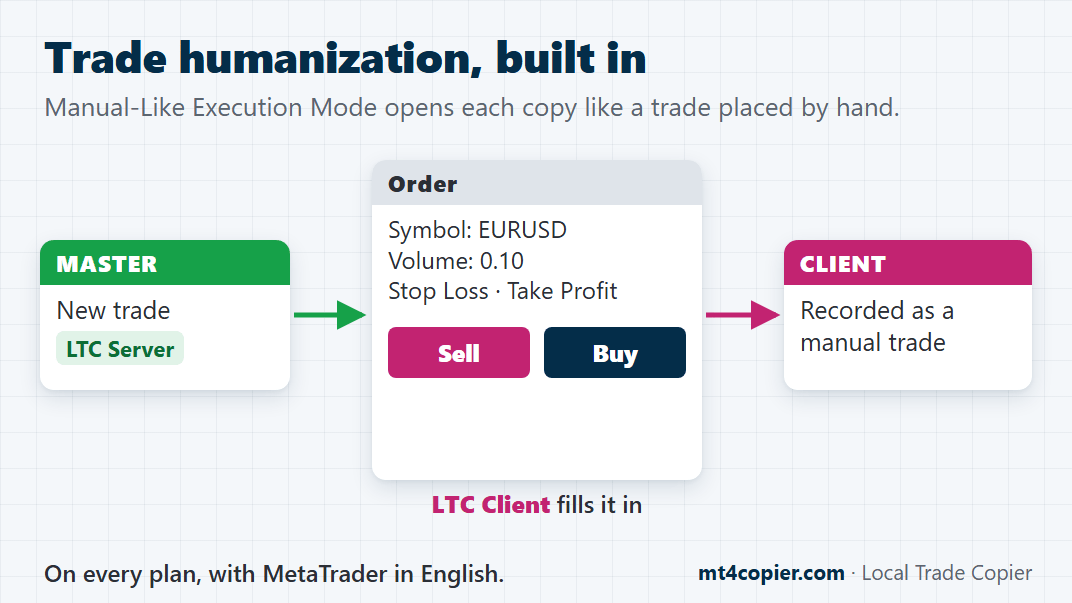
Manual-Like Execution Mode (trade humanization)
Each copy opens through MetaTrader’s New Order window, like a trade placed by hand, so MetaTrader records it as a manual trade. Just set MetaTrader to English.
All plans
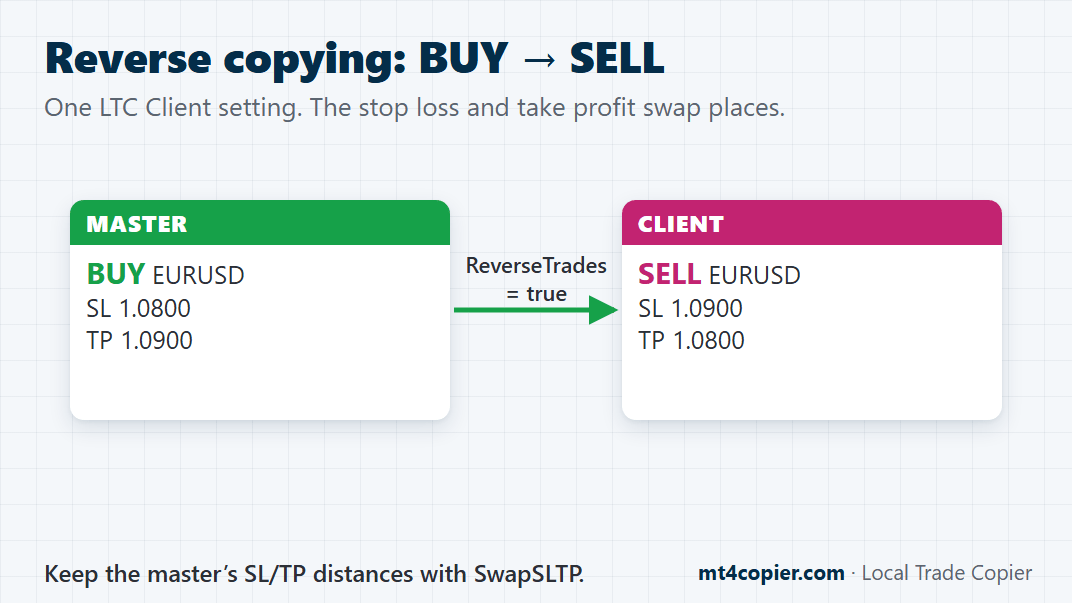
Reverse copying (BUY becomes SELL)
Flip the copies on any client account: ReverseTrades = true turns BUY trades into SELL trades and SELL into BUY, and the stop loss and take profit swap places.
All plans
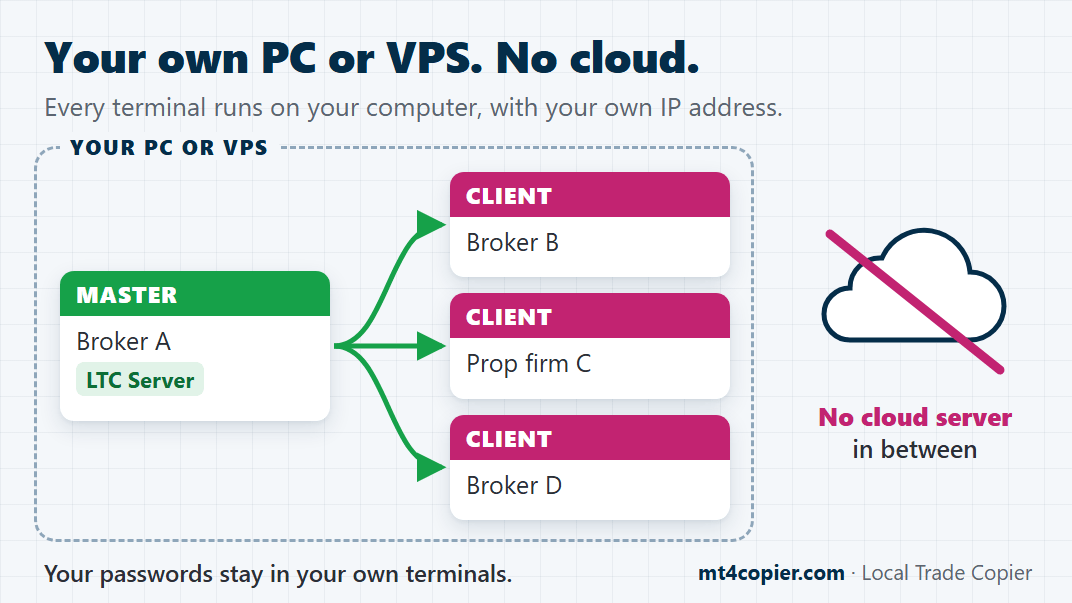
On your own PC or VPS, no cloud
No cloud server logs in to your accounts or sits between them. Every terminal runs on your own PC or VPS, on your own IP address, and your passwords stay with you.
Which plan do you need?
Every plan, Personal included, gives you unlimited MT4 and MT5 accounts per PC or VPS and every item above marked All plans.
You pay per computer, not per account, so plans differ in how many PCs or VPSs can run Local Trade Copier at the same time: Personal 1, Manager 5, VIP 15. Manager and VIP also add Position Size Splitting, Martingale Mode (MT4), the MAAB Trade Filter and copying across Windows user profiles.
Not sure which setup you need?
Tell us what you want to copy, and we’ll tell you exactly which settings to use. Prefer to do it yourself? Every step of the basic setup is in the Quick Start guide.
Your trades. Your computer. Your rules.