

Most trade copier errors come from one of five places: a symbol name that differs between brokers, a disabled algo trading permission, an account logged in with the wrong password, a lot size the receiving broker refuses, or a slow, overloaded machine. The copier usually isn’t broken. It is reporting a rule the receiving account would not accept, and the reason is almost always written in the terminal log.
This guide walks through those causes in the order we check them when a trader writes to us. It is built for individual traders running MetaTrader 4 or MetaTrader 5 on a Windows PC or VPS, whether you copy between your own accounts, manage a few accounts for other people, or replicate one strategy across several funded accounts.
TL;DR
- Open the Experts and Journal tabs in MetaTrader first. The log gives the exact reason an order was rejected.
- Symbol suffixes, disabled algo trading, and an investor (read-only) password cause most “nothing copies” cases.
- A receiver trading 0.01 lots or showing “invalid volume” usually points to minimum lot, lot step, or a missing stop loss under risk-based sizing.
- Requotes and delays can come from the broker’s side or from your machine, so test before blaming the copier.
- Past results do not guarantee future performance, and a copier replicates trades only. It never improves them.
Start with the logs, not with guesses
Before changing any setting, look at what the terminal already told you. In MetaTrader, the Experts tab at the bottom of the window shows messages from the Expert Advisor, and the Journal tab shows what the terminal and the broker server reported. A troubleshooting write-up for the Local Trade Copier EA on MQL5 makes the same point: check those two tabs first, because they contain the specific reason an order was refused.
A quick routine saves time:
- Place a small trade on the master account and note the exact time.
- Open the Experts tab on the receiver terminal and find the entry at that time.
- Copy the message text and any numeric code.
- Open the Journal tab and look for a broker-side line at the same moment.
- Match the message to a section below.
If the receiver log is empty at that time, the signal never reached it. That points to the EA not running, the wrong account role, or a terminal that is not connected. If the log shows an order attempt and a rejection, the problem is on the receiving account’s side.
Trades are not copying at all
This is the most common complaint, and the cause is usually mundane. Work through these in order.
Algo trading is switched off
MetaTrader has a global algo trading button on the toolbar, and each Expert Advisor has its own permission on the chart. If either is off, the EA loads but cannot send orders. Confirm the button is green, the chart shows the EA’s smiley or active icon, and “Allow Algo Trading” is ticked in the EA’s properties. The MQL5 troubleshooting guide lists disabled algo permissions among the leading causes of a copier that does nothing.
Some brokers also disable automated trading on specific accounts or instruments. If the log says trading by Expert Advisors is disabled on the server side, no local setting will fix it. Ask the broker whether the account type allows EAs.
The receiver is logged in with an investor password
An investor password gives read-only access. The account will connect, show prices, and even show the balance, but every order is refused. The same MQL5 guide names this as a frequent cause. Log in again with the master (trading) password, and check the title of the terminal window or the account tab to confirm it connected without a read-only warning.
Symbol names do not match
Brokers name instruments differently. One may use EURUSD, another EURUSD.m, EURUSDpro or EURUSD#. If the master trades EURUSD and the receiver only has EURUSD.m, the receiver cannot find the instrument and the order fails. Mismatched symbol naming and suffixes are listed among the typical reasons trades fail to copy.
The fix is to map symbols, either by setting the suffix handling in the copier or by entering the receiver’s exact symbol name. Also check that the symbol is visible in Market Watch on the receiver. Right-click Market Watch, choose Symbols, and enable it if it is hidden. Metals, indices and crypto CFDs are where names differ most, so test those separately from major currency pairs.
The wrong role or the wrong terminal
A copier has a sending side and a receiving side. Running the master component on the receiving terminal, or loading two masters by accident, produces silence or odd duplicates. Our installation guide for MT4 and MT5 shows which component goes where, and the master account setup and client account setup sections cover each in turn.
If you copy between MT4 and MT5, remember the two platforms need their own matching components. The MT4 to MT5 setup guide walks through the full chain.
Error 133 on an MT4 client account
If the log shows error 133, the client account is rejecting the order because trading is not allowed on it or on that symbol. We cover the causes and the fix in a dedicated page on error 133 on the MT4 client account.
Wrong lot sizes and “invalid volume”
The second big family of errors is about volume. The copier calculates a lot size for the receiver, and the receiving broker either rejects it or the result is not what you expected.
Why the receiver rejects a volume
The master and receiver are separate accounts, each with limits set by its broker. According to the MQL5 guide, a common pitfall is failing to treat them as distinct entities: minimum and maximum lot sizes and leverage must be compatible, or the copier will try to open trades the receiver’s broker refuses.
Typical triggers for an invalid volume message:
- The calculated lot falls below the broker’s minimum, for example a small receiver balance scaled against a large master.
- The result does not land on the broker’s lot step. A step of 0.01 accepts 0.03 but a step of 0.1 does not.
- A multiplier is set to zero, which produces a zero volume. Practitioners on MQL5 point to zero or negative volume results in lot calculations as a known source of this message.
- The volume exceeds the receiver’s maximum per order or per symbol.
Check the receiver’s contract specification in MetaTrader (right-click the symbol in Market Watch, then Specification) and compare minimum volume, step and maximum volume against what the copier tried to send.
The receiver always trades 0.01
If risk-based sizing should produce larger trades but the receiver sticks to 0.01, check three things. First, the receiver’s minimum lot and lot step. Second, the gap between master and receiver balances, since the formula scales from both. Third, whether the trade carries a stop loss. As the MQL5 guide notes, a missing stop loss under risk-based sizing is a frequent reason for fallback behavior, because the formula needs a stop distance to compute risk.
For small accounts, rounding decides everything. We explain how to handle it in 6 lot rounding rules for MT4, MT5 and DXTrade. For proportional setups across different balances, the four proportional lot sizing checks are the place to start.
Different account currencies
Copying from a USD account to a EUR or GBP account changes the maths behind balance-based scaling. If sizes look off by roughly an exchange rate, read copying trades between different account currencies.
Rounding differences between machines
Occasionally two identical-looking setups calculate slightly different lot sizes. Practitioners quoted in the MQL5 guide suggest testing on a fresh VPS or different hardware to find out whether the local environment is affecting calculation precision. Treat this as a diagnostic step after you have ruled out lot step and minimum issues, not as the first suspect.
Requotes, slippage and delays
A delayed copy is not always a copier fault. A trade copier sends your order to a broker, and the broker decides the price. The CFTC explains that on electronic platforms you are dealing with a dealer that controls the price, spreads and execution you see, not a registered exchange. That means frequent requotes or slow fills can reflect the broker’s liquidity or practices rather than the software.
A requote shows up in the MQL5 logs as retcode 10004. A forum thread on requote error 10004 shows how traders hit it even when the price gap looks tiny, which is typical when the broker’s quote moves between request and execution.
A simple way to tell who is slow
Run this test on a demo or a small live account you are comfortable with:
- Note the open time of a trade on the master.
- Note the open time on the receiver.
- Compare the gap against the broker-reported fill price difference.
If the copy order leaves the receiver terminal almost instantly but the fill is late or at a different price, the delay sits with the broker or the network path. If the order leaves late, look at your own machine: CPU load, too many terminals on one VPS, antivirus scanning the MetaTrader folder, or a sleeping laptop.
We have written about each side in detail: why a trade copier is slow and copies with delay, latency reduction, and infrastructure fixes that reduce copy slippage. Past results do not guarantee future performance, and execution quality varies by broker, account type and market conditions.
Cross-broker differences
When the master and receiver sit with different brokers, price feeds differ slightly, and so do stop levels, spreads and freeze levels. A stop loss that is valid on one broker can be too close to the market on the other. Our cross-broker copying guide covers these gaps.
Stops, take profits and closes that behave oddly
Sometimes trades open correctly, then something else goes wrong.
- Stop loss or take profit missing on the receiver. The receiving broker may enforce a minimum distance. Check the stop level in the symbol specification.
- Copier waits for SL or TP to be hit. Some setups intentionally let the receiver’s own stops close the trade. Our page on a copier waiting for stop loss or take profit explains when that is expected.
- Partial closes not matching. If volumes round differently, a partial close on the master may translate into a smaller or larger close on the receiver, and may leave a residual position.
- Netting and FIFO accounts. Some account types merge positions or restrict closing order. The netting and FIFO limitations page lists what to expect.
Limit orders deserve a special mention. Traders on forums describe partial fills and mismatches when limit orders are copied, which is a reminder that pending orders can fill differently on two brokers. If your strategy relies on pending orders, test them on demo before going live.
Prop firm accounts: errors that are really rule problems
Some rejections are not technical at all. Funded accounts often have rules on automated trading, copying between accounts, and the IP address trades come from. A trade that fails on a prop firm account may be blocked by the firm’s configuration rather than by a copier setting. Read your firm’s current rules before you automate anything, and ask its support if a rule is unclear.
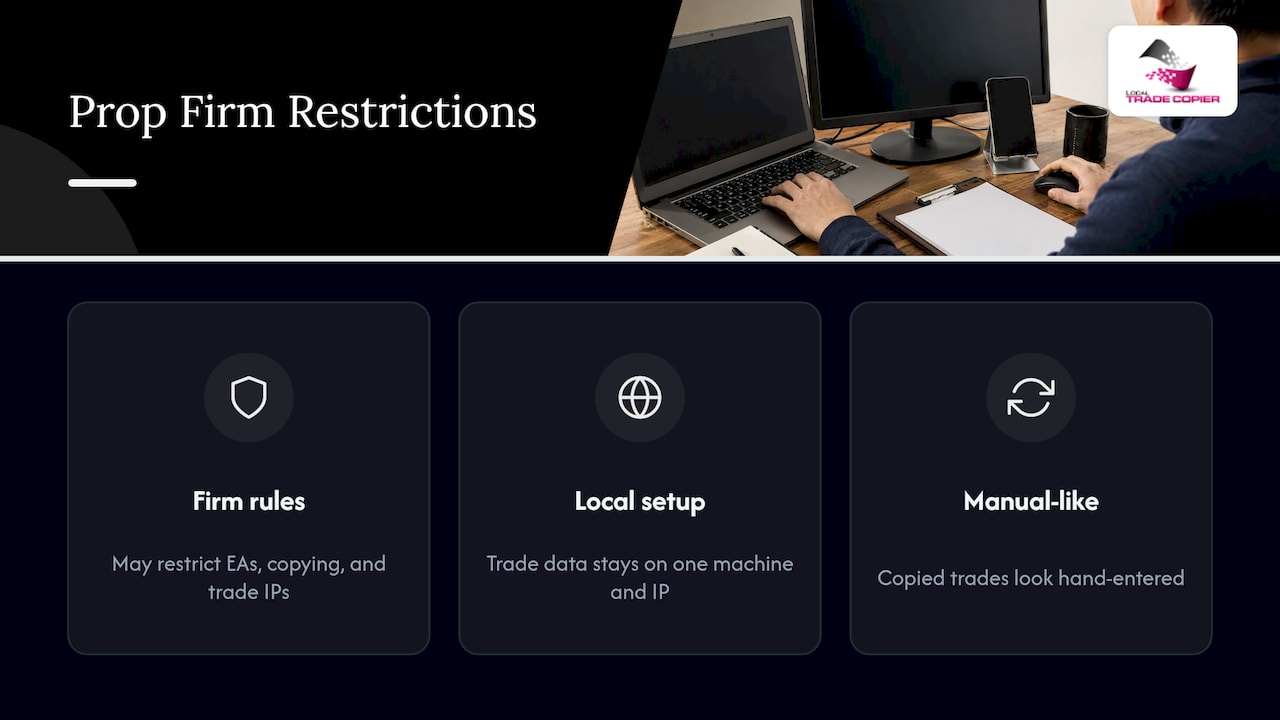
Two of our features exist for this situation. Because the software runs on your own Windows machine or VPS, all trade data stays on one machine and one IP address. And the manual-like execution mode places copied trades so they look like they were entered by hand, which matters on accounts that do not allow EA trading. Whether a given firm permits copying is always the firm’s call, so confirm it with them. More on the workflow is in our prop trading multi-account copying practices and the 3.0.0 release notes on execution controls.
A quick reference table
| Symptom | Likely cause | First check |
|---|---|---|
| Nothing copies | Algo trading off, investor password, wrong role | Toolbar button, login password, EA role |
| Some symbols copy, others do not | Suffix or hidden symbol | Market Watch and symbol mapping |
| Invalid volume | Below minimum, wrong lot step, zero multiplier | Contract specification, lot settings |
| Always 0.01 lots | Minimum lot, balance gap, no stop loss | Risk settings and stop loss presence |
| Requotes | Broker price movement or liquidity | Journal tab, broker execution |
| Late copies | Machine load or network path | Timestamps, CPU, VPS location |
| Error 133 on MT4 client | Trading not allowed for that order | Error 133 page |
Our perspective: treat the copier as a messenger
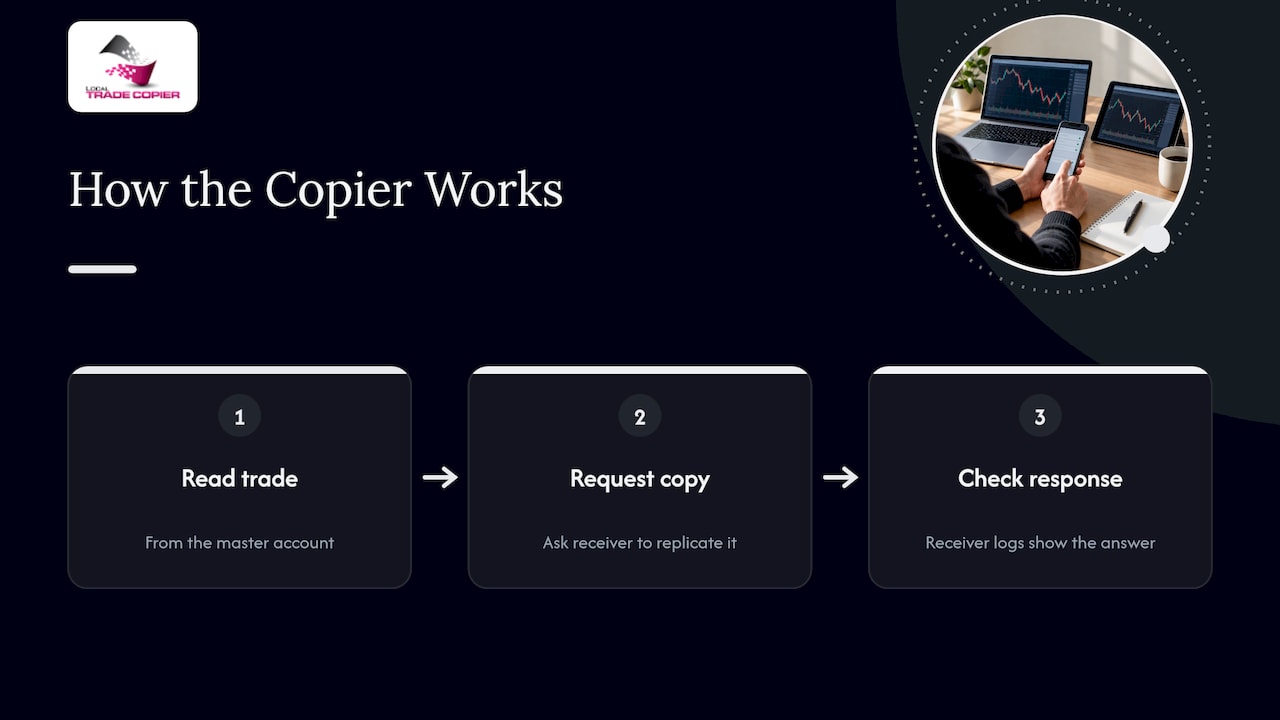
We have built Local Trade Copier since 2010, and the pattern has not changed. A copier has no market logic and no strategy layer. It reads a trade on one account and asks another account to do the same. So when something fails, the useful question is not “what is wrong with the copier?” but “what did the receiving account say when it was asked?”
That is also why we run everything locally. Nothing is routed through a cloud server, so there is one machine, one IP address and one set of logs to read. When a trader sends us a screenshot of the Experts tab, we can usually name the cause in a minute, because the log shows the answer.
Three habits prevent most errors we see. Compare contract specifications before you connect two brokers. Test every new setup with the smallest lot size on a demo or low-risk account. And change one setting at a time, so you know which change fixed or broke something. Our Chatbot Assistant can also help you match a log message to a likely fix.
No copier can promise good trading results. It replicates what you or your signal source already did, and trading forex carries a real risk of loss. Past results do not guarantee future performance.
— Rimantas
A word for traders managing other people’s money
If you copy trades to accounts that belong to other people, the legal side matters as much as the technical side. The NFA’s forex regulatory guide explains that managing others’ accounts in the U.S. can involve registration as a Commodity Trading Advisor with the CFTC, and it recommends verifying any dealer through the NFA’s BASIC database. We summarize how our local setup relates to that in US traders and CFTC/NFA registration. This is general information, not legal advice. Talk to a qualified attorney or the NFA about your own situation.
Try it with a small test
If you are comparing copiers, the cleanest test is your own accounts. Local Trade Copier includes the MT4 and MT5 components in one plan and comes with a 7-day free trial. Plans on our pricing page are Personal at €29 per month or €290 per year, Manager at €89 per month or €890 per year, and VIP at €199 per month or €1990 per year. Install it, copy a minimum-size trade, and read the logs. If you want a broader overview first, see our guide to forex trade copying software. For safer day-to-day running, read about using a VPS and strong passwords.
FAQ
Why is my trade copier not copying trades?
The usual causes are algo trading switched off, an investor password on the receiving account, or a symbol suffix the receiver does not recognize. Open the Experts and Journal tabs on the receiver and read the message logged at the moment of the trade. It normally names the reason directly.
What does “invalid volume” mean in a copier log?
It means the lot size sent to the broker is not acceptable. The volume may be under the minimum, off the lot step, over the maximum, or zero because a multiplier is set to zero. Compare the symbol’s contract specification on the receiver with your lot settings.
Is a slow copy always the copier’s fault?
No. Delays and requotes can come from your machine, your network, or the broker’s execution and liquidity. Compare open times on the master and receiver, and see whether the order left your terminal quickly. That separates a local problem from a broker-side one.
Can I copy trades to someone else’s account in the U.S.?
It can trigger registration requirements, such as CTA registration with the CFTC, depending on how you operate. Check with the NFA or a qualified attorney before copying to client accounts. We are a software provider and cannot give legal advice.
Sources
- Local Trade Copier EA MT4/5 Troubleshooting Guide, MQL5 Traders’ Blogs
- MQL5 community
- Requote Error 10004, MQL5 forum
- Forex Frauds, CFTC
- Forex Transactions: Regulatory Guide, NFA
