

A partial fill means only part of an order executed, and a correct partial fill handling copier treats each fill event incrementally rather than resending the original order volume. The copier reads CumQty and LeavesQty to know exactly what filled and what remains, and it respects the broker’s chosen fill policy (RETURN, IOC, or FOK) instead of forcing its own.
TL;DR:
- Check each symbol’s broker enabled fill mode: RETURN leaves unfilled volume active, IOC cancels it, and FOK rejects orders that cannot fill completely.
- For FIX reports, track CumQty and LeavesQty together, process every update in sequence, and copy only the increase in cumulative filled volume.
- Persist order identifiers, execution IDs, and quantity state across restarts, then reconcile copier records with broker trade history to catch missed fills.
- When accounts diverge, inspect execution reports and logs, then replay only missing volume or pause that symbol; document discrepancies if replay is unavailable.
How brokers report partial fills in MT4, MT5, and FIX
Before a copier can react to a partial fill, it has to know what signal it is watching. MetaTrader exposes this through the symbol’s fill mode, while FIX based venues expose it through Execution Report fields.
- SYMBOL_FILLING_MODE, set by the broker, determines whether ORDER_FILLING_RETURN is available for a symbol; this mode keeps unfilled volume active after a partial fill instead of canceling it.
- ORDER_FILLING_IOC cancels whatever remains unfilled immediately, while ORDER_FILLING_FOK demands the entire order fill at once or gets rejected, per the same MQL5 fill mode documentation.
- Under FIX, a partly filled order shows up in an Execution Report with OrdStatus(39)=1, and the message carries CumQty(14) for what has filled so far and LeavesQty(151) for what is still open, according to Orchimate.
One general FIX quantity relationship is that CumQty plus LeavesQty equals OrderQty. A copier that loses track of either value will eventually overcopy or undercopy a position. In practice, a market order that sweeps through several price levels can generate one Execution Report describing a partial fill followed by a second report that cancels the remainder, as Gemini’s developer documentation shows for a book sweep scenario. Each of those messages changes LeavesQty, and a copier has to process them in order, not just read the final state.
How a reliable copier should respond to a partial fill
Once the signals are clear, the copier’s job is mechanical but precise: update positions by the amount that actually changed, never by the full requested size.
- Listen for Execution Reports or the equivalent MetaTrader trade events, then compute the delta between the new CumQty and the last recorded CumQty rather than copying the headline order size, a pattern documented in FIX execution report fields.
- Check SYMBOL_FILLING_MODE before choosing a fill behavior. Attempting to force FOK or IOC on a symbol the broker has not enabled for that mode produces a rejection, not a partial fill, according to MQL5’s guide to symbol execution and filling.
- Apply lot scaling per fill event so the client’s cumulative volume tracks the master’s cumulative filled volume, including rounding to the client account’s minimum lot step.
- Persist order identifiers, CumQty, LeavesQty, and execution IDs to disk or a local database so a restart does not lose track of partially filled orders.
- Surface partial fill and rejection states clearly in logs so a trader managing multiple accounts can see at a glance which symbols are mid fill.
Pro Tip: Treat every Execution Report as a state update, not a new instruction. The copier should ask “what changed since the last message” rather than “what does this message tell me to do.”
Pending orders need particular care here too. We cover the related mechanics of copying pending orders without rejections in more detail, since pending order fills interact with the same RETURN policy requirement.
Settings and checks that prevent partial-fill mismatches
A few configuration habits catch most partial fill problems before they turn into position mismatches.
- Confirm SYMBOL_FILLING_MODE for every traded instrument before turning on automatic copying, and prefer ORDER_FILLING_RETURN where the broker permits it, since it gives the most predictable incremental behavior, per MQL5’s execution mode reference.
- Turn on persistent state storage and schedule periodic reconciliation against the broker’s own trade history to catch any fill the copier might have missed.
- Set lot scaling and rounding rules that handle the fractional leftovers a partial fill can produce, so the client account neither overcloses nor undercopies the position.
- Configure a retry with backoff for rejected order fragments, and flag any market-sweep cancellation for manual review rather than silent retry.
- Monitor execution speed and message queue health, since slower processing widens the window where a missed Execution Report causes drift. Faster local processing can shorten that window.
| Check | What it prevents | Where to look |
|---|---|---|
| SYMBOL_FILLING_MODE per symbol | Rejected orders from an unsupported fill policy | Terminal symbol specification |
| Persistent CumQty and LeavesQty storage | Lost fill state after a restart | Copier logs or local database |
| Lot scaling and rounding rules | Overclosing or undercopying on fractional fills | Copier configuration panel |
| Reconciliation against trade history | Silent drift between master and client | Broker account statement |
For a deeper look at how synchronization works across several accounts at once, see our explainer on multi-account synchronization.
Diagnosing and recovering from a sync mismatch
When a client account drifts from the master, the fix starts with reconstructing exactly what happened, not with guessing.
- Pull the Execution Report sequence (CumQty, LeavesQty, ExecID) alongside the copier’s own logs to spot any message the copier never processed, following the field structure in orchimate.org’s FIX documentation.
- Decide whether the missing volume should be replayed automatically or corrected through a manual trade. Past results do not guarantee future performance, so any discussion of outcomes from a correction should stay descriptive rather than promise a result.
- Apply the narrowest fix available: replay the incremental fill, pause copying on that symbol until the mismatch clears, adjust the lot-scaling rule if rounding caused the gap, or perform a controlled manual close and reopen to bring the accounts back in line.
- When the broker does not allow a replay, log the discrepancy in full and notify the account owner rather than leaving it undocumented.
Pro Tip: Keep every reconciliation action in an auditable log, including the before and after position size. It turns a one-off fix into a repeatable troubleshooting step the next time a partial fill causes drift.
Error codes during this process are often the fastest clue. Our notes on resolving error 133 on a client account walk through one common case tied to rejected or partially processed orders.
Why protocol-aware, stateful copying is the safer default
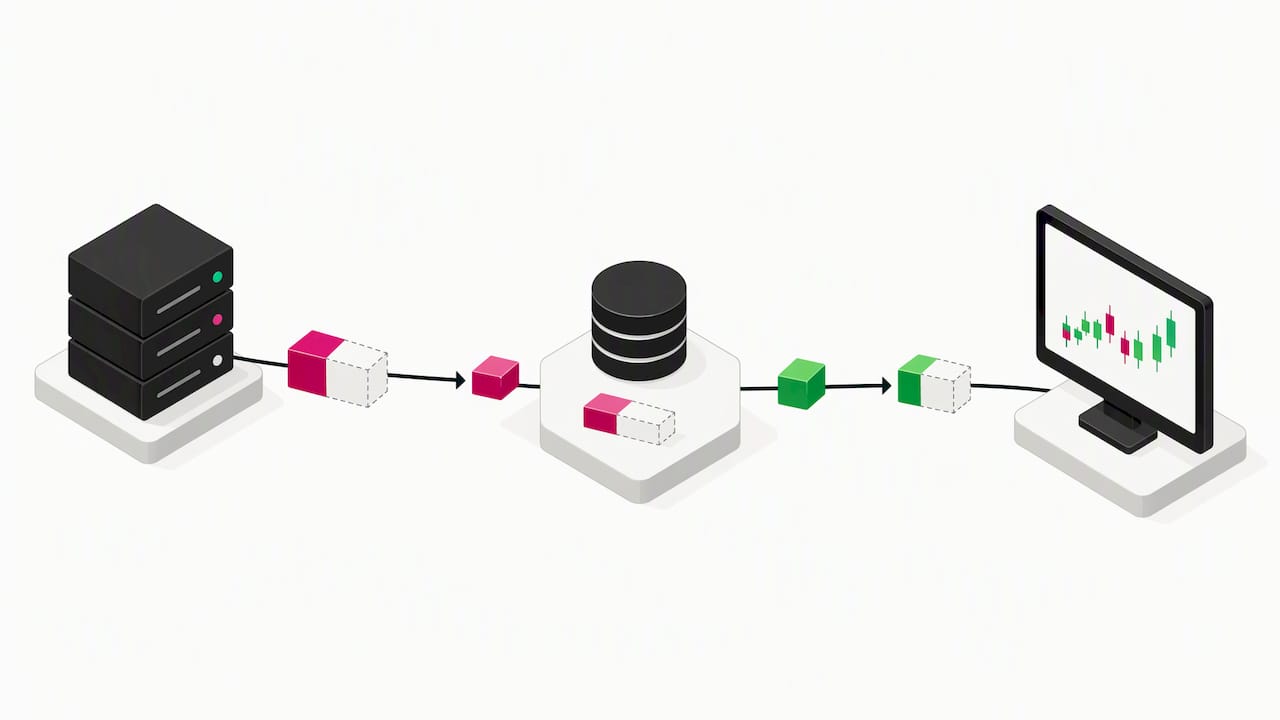
Most partial fill problems trace back to a copier that treats an order as one event instead of a sequence. The more defensible default is a copier that assumes RETURN-style behavior wherever the broker allows it, tracks CumQty and LeavesQty for every open order, and logs every state change before acting on it. Retries should be cautious rather than aggressive, since a retry that ignores LeavesQty can double-fill a position that was already closing out on its own.
Local, low-latency execution matters here too. The faster a copier can read and act on an Execution Report, the smaller the window in which a master and client account can diverge after a partial fill.
— Rimantas
How Local Trade Copier handles partial fills
We built Local Trade Copier to run locally, without relying on a remote server to catch a fill event in time. Local Trade Copier runs on your own Windows machine or VPS and is designed to process fills locally.

- Local execution keeps trade data on your machine.
- Configurable lot sizing lets you set copied trade sizes for each client account.
- A manual-like execution mode is available for copied trades on prop firm accounts. Check the relevant account rules before using it.
- Local Trade Copier supports cross-platform copying between MT4 and MT5.
If you want to see how this behaves on your own symbols and broker, the installation guide walks through setup on MT4 and MT5, and our pricing page lists the Personal, Manager, and VIP plans.
FAQ
What happens to the rest of an order after a partial fill?
What happens depends on the symbol’s fill mode: under ORDER_FILLING_RETURN the remaining volume stays active and can still fill, while IOC cancels it immediately, as described in MQL5’s fill mode documentation. FOK orders do not partially fill at all; they execute in full or get rejected.
How does a copier know an order was only partially filled?
A copier reads the OrdStatus and quantity fields in the Execution Report, where OrdStatus(39)=1 flags a partial fill and CumQty(14) plus LeavesQty(151) show exactly how much filled and how much remains, per orchimate.org’s FIX field reference. MetaTrader based copiers read the equivalent trade event data from the terminal.
Can a copier force a full fill when the broker only allows partial fills?
No. The broker’s SYMBOL_FILLING_MODE setting controls which fill policies are available for a given symbol, and a copier cannot override that choice, according to MQL5’s symbol execution guide. Requesting an unsupported policy typically results in a rejection rather than a different fill outcome.
Why would a master and client account fall out of sync after a partial fill?
One possible cause is a copier that copies the original order size instead of tracking the incremental CumQty and LeavesQty values as they change. Reconciling against the broker’s trade history and reviewing the Execution Report sequence usually reveals exactly where the mismatch started.
Does Local Trade Copier handle partial fills differently for prop firm accounts?
The manual-like execution mode is available for copied trades on prop firm accounts. Check the account rules to determine whether its use is permitted.
Sources
Recommended
- Avoid Overclosing: Partial Fills Copying for MT4/MT5/DXTrade on Windows VPS
- Copy Trades MT4 to MT5: Complete Setup Guide (2026)
