

Yes, you can run MetaTrader on Linux. Neither MT4 nor MT5 has a native Linux build, but MetaQuotes documents MT5 running on Linux through Wine, a free compatibility layer that lets Windows programs run on Unix-like systems. MT4 is supported the same way. On Ubuntu, Debian, Linux Mint or Fedora, the whole install is a short terminal script.
This guide walks through both installs, the folder paths you will need later, the problems Linux users most often hit, and what to do if you also want to copy trades between accounts.
TL;DR
- MT4 and MT5 both run on Linux through Wine. MetaQuotes publishes an install script for each platform.
- Run the script as a regular user, not with sudo, accept the Mono and Gecko prompts, then restart.
- Keep Wine and your distribution up to date. MetaQuotes says current versions improve stability and performance.
- Most crashes come from updates to Wine or system libraries, so note your working versions before upgrading.
- Our Local Trade Copier is built for a Windows PC or VPS, with a documented Wine route on Mac. Linux desktop users can pair it with a Windows VPS.
How MetaTrader works on Linux
MetaTrader is a Windows application. Wine translates Windows system calls into Linux ones, so the terminal behaves like a normal program on your desktop. You still log in to your broker, open charts, attach Expert Advisors and place orders as you would on Windows.
There is one practical consequence. Because the terminal lives inside a Wine “prefix” (a miniature Windows folder tree in your home directory), files such as Expert Advisors, indicators and logs sit in a hidden folder rather than in a familiar Program Files directory. We cover the exact paths below.
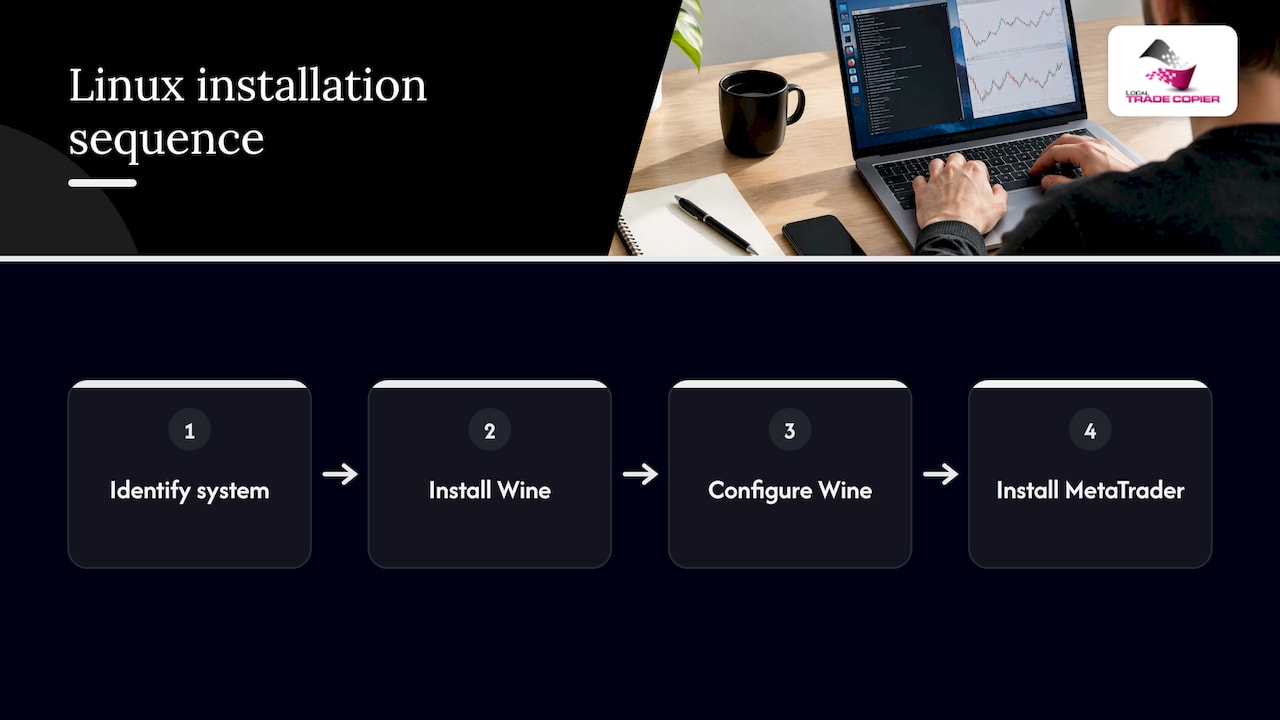
MetaQuotes also describes its Linux installer as automatic: it identifies your system, downloads and installs the latest Wine, configures it and installs MetaTrader inside it. That announcement dates from November 2023, and it is the reason the process is far shorter than it used to be, when you had to assemble Wine by hand.
What to check before you install
A few minutes of preparation prevents most failed installs.
- Distribution. MetaQuotes’ script targets Ubuntu, Debian, Linux Mint and Fedora. Other distributions can work, but you will be installing Wine yourself.
- Supported releases. A hosting guide from Hoststage lists Ubuntu 22.04 and 24.04 LTS and Debian 11 and 12 as the safest tested setups, with Wine 8.0 as a practical minimum and Wine 9.x preferred. Treat that as a practical baseline, not a MetaQuotes requirement.
- A regular user account. The script must not be run with sudo. It will ask for your password itself when it needs to install packages.
- Internet access. The script downloads Wine packages and the platform installer.
- Disk and memory. The terminal itself is light, but every extra terminal you open adds its own memory use. Plan for headroom if you want several accounts open at once.
Install MetaTrader 5 on Ubuntu
This is the official method. Open a terminal and run these three commands one at a time, as your normal user:
wget https://download.terminal.free/cdn/web/metaquotes.software.corp/mt5/mt5linux.shchmod +x mt5linux.sh./mt5linux.sh
The commands come from the MetaQuotes Linux installation page. Here is what happens next:
- The script detects your system version and downloads the matching Wine package.
- If Wine asks to install Mono or Gecko, agree. They are required for the platform to run.
- The MT5 installer starts in a Windows-style window. Click through it as usual.
- When it finishes, restart your computer, as MetaQuotes advises.
After the restart, launch MetaTrader 5 from your applications menu and log in with your broker’s server name and credentials. If your broker supplies its own installer, you can run that file through Wine instead, or copy a terminal folder you already installed elsewhere. MetaQuotes notes that either approach works for starting the platform.
Install MetaTrader 4 on Linux
MT4 follows the same pattern with its own script. On Ubuntu, MetaQuotes gives these commands:
wget https://download.terminal.free/cdn/web/metaquotes.software.corp/mt4/mt4ubuntu.shchmod +x mt4ubuntu.sh./mt4ubuntu.sh
Agree to any Mono or Gecko prompts, then finish the standard installer. MetaQuotes also publishes a Debian variant of the script on the same page, so pick the one that matches your system.
One extra tip for Ubuntu and Debian users: MT4 relies on older 32-bit libraries, and Hoststage’s guide says to add the i386 architecture before running apt update so those components can be installed. If an MT4 install fails with missing library errors, this is the first thing to check.
Where MetaTrader keeps its files on Linux
Knowing the folder layout saves time when you need to drop in an Expert Advisor or read logs.
| Platform | Default location inside Wine |
|---|---|
| MT5 | Home directory, then .mt5/drive_c/Program Files/MetaTrader 5 |
| MT4 | Home directory, then .mt4/drive_c/Program Files/MetaTrader 4 |
These paths are the defaults MetaQuotes documents for MT5 and for MT4. The leading dot makes the folder hidden, so press Ctrl+H in your file manager to see it.
The easiest way to open the data folder is from inside the terminal: choose File, then Open Data Folder. That takes you to the correct place whatever the path turns out to be. From there, Expert Advisors go in the MQL4 or MQL5 folder, under Experts.
Keeping it stable: updates, Wine versions and common errors
The most useful single piece of advice from MetaQuotes is simple: use the latest operating system and Wine versions, because timely updates improve stability and performance.
The flip side is that updates are also where Linux users report trouble. A few real examples from community threads show the pattern, and the fixes are usually small:
- Terminal closes immediately after an update. One WineHQ forum thread describes MT4 closing at startup after an update, with a Wine log line saying ntlm_auth was not found or outdated. The error itself pointed to installing winbind.
- Crash on connecting to the broker. A Manjaro forum thread describes a MetaTrader terminal crashing when it connected after a stable update, with repeated GnuTLS signature verification errors. Problems like this sit in the TLS layer that Wine uses, so they tend to follow system or Wine package updates.
- WebRequest failures in Expert Advisors. A WineHQ user reported that MT5 could not connect to a site its Expert Advisor needed, with a fatal TLS alert in the log. That thread is from 2018, so treat it as a clue about where to look, not a current diagnosis.
A routine that keeps you out of trouble:
- Before a big system or Wine upgrade, note your current Wine version with
wine --version. - Back up your terminal folder (the one inside .mt4 or .mt5). A simple copy is enough.
- Upgrade, then open the terminal and confirm it connects to your broker server.
- If it fails, read the Wine output in the terminal where you launched it. The error names usually point straight to the missing package.
- Never upgrade on a day when you rely on the terminal being available.
If you want a clean separation between accounts, you can create separate Wine prefixes, one for each terminal, using the WINEPREFIX variable. That keeps one broken profile from affecting the others.
Do Expert Advisors and broker connections work on Linux?
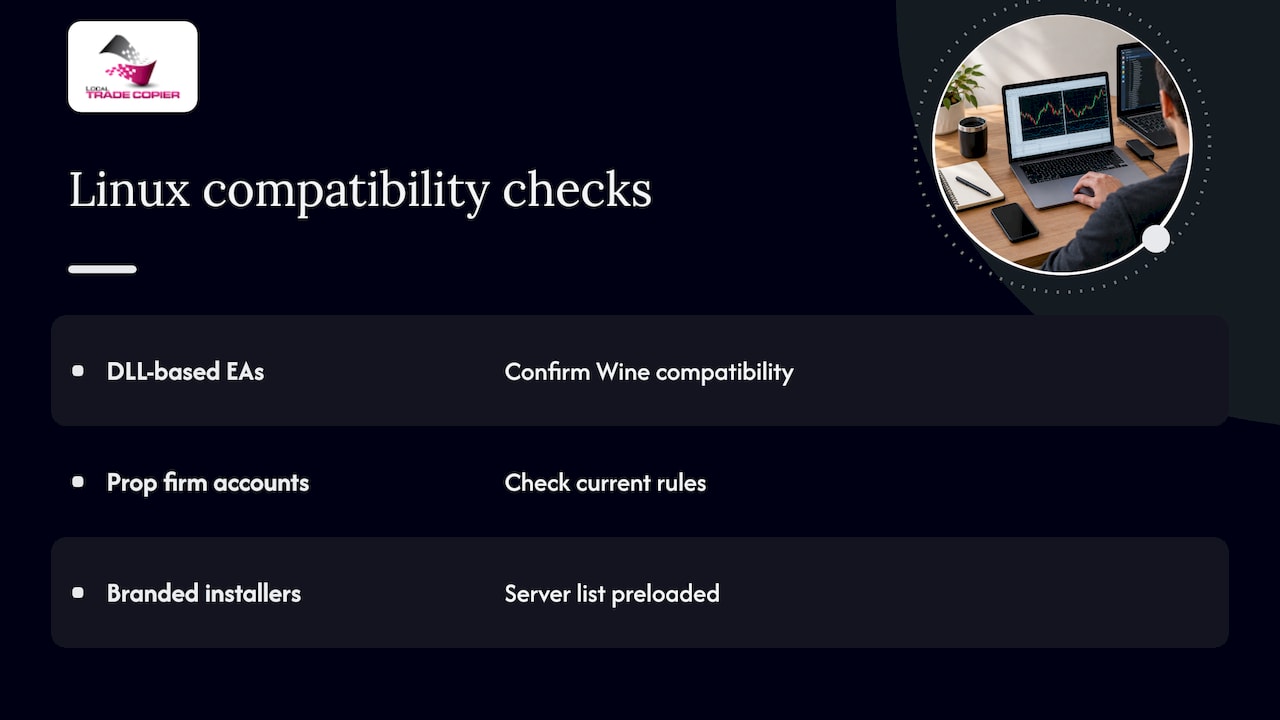
In day-to-day use, the terminal logs in to broker servers, loads charts and runs Expert Advisors much as it does on Windows. The difficulty tends to show up at the edges: WebRequest calls, custom DLLs and anything that depends on a specific Windows component. If an Expert Advisor you rely on uses a DLL, confirm with the author that it works under Wine before you depend on it.
For prop firm accounts, check the firm’s rules on the operating system, VPS use and automated tools before you set anything up. Rules differ from firm to firm and change over time, so read the current terms on the firm’s own site.
Keep your broker’s MetaTrader build in mind as well. Many brokers distribute their own branded installer with their server list preloaded. These generally run through Wine too, and some traders find that easier than the generic installer.
Copying trades when you work on Linux
Many traders who ask about MetaTrader on Linux eventually want the same thing: the same trades on more than one account. Our software, Local Trade Copier, replicates trades between MetaTrader 4 and MetaTrader 5 accounts, with configurable lot sizing per account. It is an Expert Advisor-based tool that runs on your own machine, so trade data stays local with no cloud routing. It is trade replication software only: it copies trades that already exist and has no market logic of its own.
Here is the honest compatibility picture:
- The copier is designed for a Windows PC or VPS.
- On a Mac, it can run through Wine, and we have written a setup and fixes guide for MT5 on a Mac with Wine as well as a page on Local Trade Copier on a Mac.
- If your daily desktop runs Linux, a practical setup is a Windows VPS that hosts your terminals and the copier, which you reach by remote desktop from your Linux machine. A VPS also keeps the terminals running when your own computer is off.
If you plan to run MT4 and MT5 side by side on one Windows machine or VPS, our guide to running MT4 and MT5 in parallel on one PC covers the layout. For the step-by-step on bridging platforms, see how to copy trades from MT4 to MT5.
Perspective
Since 2010 we have watched traders move their MetaTrader setups between Windows, VPS hosts and Macs, and Linux is the latest request we hear. Wine is a good answer for the terminal itself. It is the kind of tool that rewards a careful, documented setup.
Our view on trade copying is that it should be boring and local. When the copier runs on the same machine as your terminals, there is one IP address, no external server between your accounts and no cloud routing to explain. That is why we built Local Trade Copier as a locally installed tool for a Windows PC or VPS, with execution in about 1 second.
For traders who value that simplicity, a Windows VPS is a clean home for the copier, and your Linux desktop becomes the comfortable place you connect from. Our copier also includes a manual-like entry mode (trade humanization), which opens each copy through MetaTrader’s New Order window, so MetaTrader records it as a manual trade. It changes how a trade is placed, not what an account’s rules allow.
Try the copier on a Windows PC or VPS
If you manage more than one MetaTrader account and want the same trades replicated locally, Local Trade Copier includes both the MT4 and MT5 components under one plan, with a 7-day free trial. Published prices on our pricing page are:

| Plan | Monthly | Yearly |
|---|---|---|
| PERSONAL | €29 per month | €290 per year |
| MANAGER | €89 per month | €890 per year |
| VIP | €199 per month | €1,990 per year |
When you are ready, the installation guide shows the setup for MT4 and MT5, and the feature overview lists the lot and risk options. You can also watch the demo first.
FAQ
Can I run MetaTrader 5 on Linux?
Yes. MetaQuotes states that MT5 runs on Linux through Wine and provides an installation script for it. Run the script as a regular user, accept the Mono and Gecko prompts, and restart when it finishes.
Can I use MetaTrader 4 on Linux?
Yes. MetaQuotes documents MT4 on Linux with Wine as well, with separate scripts for Ubuntu and Debian. On Ubuntu and Debian, enabling 32-bit support first helps with the older libraries MT4 uses.
How do I install MetaTrader 5 on Ubuntu?
Download the official mt5linux.sh script with wget, make it executable with chmod +x, then run it without sudo. The script detects your Ubuntu version, installs a suitable Wine and launches the platform installer. Restart afterward and log in to your broker.
Where are my Expert Advisors stored on Linux?
They live inside the Wine prefix, by default under a hidden .mt4 or .mt5 folder in your home directory. The simplest route is File, then Open Data Folder, inside the terminal, and then the MQL4 or MQL5 Experts folder.
Does Local Trade Copier run on Linux?
Our copier is built for a Windows PC or VPS, and we document a Wine route for Mac. If you use Linux as your main desktop, run the copier on a Windows VPS and connect to it remotely.
Sources
- How to Install the Platform on Linux (MetaTrader 5 Help)
- Install on Linux (MetaTrader 4 Help)
- Download MetaTrader 5 for macOS and Linux (MetaQuotes release notes)
- Run MT4/MT5 on Linux: Installation Guide Using Wine (Hoststage)
- MT4 closes on start (WineHQ Forums)
- Cannot open a wine program after stable update (Manjaro Forum)
- MetaTrader 5 WebRequest TLS report (WineHQ Forums)
