

Max Lot per account is the hard ceiling a trade copier applies to every receiver account after all other lot calculations are done. If the copier’s math produces a bigger volume than the ceiling allows, the software clamps the trade down to that maximum before sending it to the broker. Use it any time receivers have different balances, different risk tolerances, or a broker-imposed volume limit. Always confirm the setting on a demo account before it touches live capital.
TL;DR:
- The Max Lot per account acts as a ceiling after all lot calculations, preventing oversized trades that could blow up smaller or risk-averse accounts.
- Setting the Max Lot should be based on a risk-first calculation using your acceptable loss per trade, stop-loss distance, and broker lot step, not on a default lot size.
- Different account sizes, currencies, and broker rules require individual Max Lot values, especially when combining scaling methods like balance-ratio or multipliers for multiple receivers.
- Testing Max Lot on a demo account with intentionally low ceilings helps ensure the setting correctly caps trade sizes before applying to live accounts.
- Common issues include lot-step mismatches and broker limits, which can cause rejections or silent order modifications; thorough log checks help diagnose these problems.
What Is Max Lot Per Account in a Trade Copier?
Max lot per account sits at the end of a chain, not the start. A copier first runs its base lot-sizing logic, then applies any scaling, and only afterward checks the result against your ceiling.
The common lot modes you configure before that ceiling even matters include:
- Fixed lot — every trade copies at the same size, regardless of account balance.
- Multiplier — the receiver’s lot is the master’s lot times a set factor.
- Balance-ratio — volume scales with the ratio between receiver and master balance.
- Risk per trade (percent or money) — lot size is derived from a defined dollar or percentage risk.
- Lots per 1,000 balance/equity — volume increases in fixed steps as the account grows.
The full order runs: base calculation, then multiplier or ratio adjustment, then the Max Lot clamp, then broker normalization for minimum lot, lot step, and maximum lot. A balance-ratio setup is where this ceiling earns its keep. Without a ceiling, that order goes out at full size. With a Max Lot of 3.0 set on that account, the copier clamps it there instead, regardless of what the ratio math produced.
Choose a Max Lot Per Account Using a Risk-First, Stepwise Method
Picking a Max Lot value by gut feeling is how accounts get blown up by a single oversized fill. Work backward from money at risk, not forward from a lot number that looked reasonable.
- Set your maximum acceptable loss per trade. Decide a dollar figure or a percentage of balance you are willing to lose if a stop is hit. A common working range is a small percentage of account balance per trade.
- Pull the instrument’s stop-loss distance and tick value. Every symbol has a different pip value depending on lot size and quote currency; check your broker’s contract specifications, not a rule of thumb from another pair.
- Compute the lot size that produces your target loss at that stop distance. Divide your monetary risk by (stop-loss distance × tick value) to get a raw lot figure.
- Round down to the broker’s lot step. If the broker trades in 0.01 increments and your math produces 2.137, round to 2.13, never up.
- Enter that rounded figure as the account’s Max Lot. This becomes your ceiling, not your default trade size.
Account size changes the math but not the logic. A micro account with a few hundred dollars might land on a Max Lot of 0.05 or 0.10. A funded prop account with strict daily-loss rules often needs a tighter ceiling than the math alone suggests, because a single clamped-but-still-large fill can eat most of the daily allowance in one trade.
Pro Tip: Calculate Max Lot from your worst-case stop-loss distance across all symbols you copy, not your average one. A tight stop on one pair and a wide stop on another will produce very different “safe” lot sizes, and the ceiling has to cover the widest case.
The ceiling exists to catch calculation errors, balance mismatches, and unexpected scaling outcomes. It is a backstop, not a substitute for setting your primary risk parameters correctly in the first place.
Configure Max Lot in Local Trade Copier: Settings to Check
Local Trade Copier lists two fields specifically for this job: Minimum Receiver Lot Size and Maximum Receiver Lot Size, both documented on the settings and inputs page. The maximum field is where your risk-first number from the previous section actually goes.
Before you touch that field, decide which Lot Size Type fits each receiver:
- Fixed for accounts you want trading identical volume regardless of what the master does.
- Multiplier for receivers that should scale directly off the master’s lot.
- Proportional or balance-ratio for accounts with meaningfully different balances than the master.
- Risk per trade for receivers where you want lot size tied to a dollar or percent risk rather than balance.
- Lots per 1,000 balance/equity for a stepped scaling approach on growing accounts.
For a group of receivers with wide balance differences, combining balance-ratio scaling with a per-account multiplier and then capping each one with its own Max Lot tends to produce more consistent risk exposure than a single global lot value applied everywhere. That last part matters: experienced multi-account operators specifically warn against a universal default when receivers differ in balance, currency, or broker rules, since one setting rarely fits every account correctly.
Local Trade Copier also handles a broker-side complication that catches people off guard: many brokers cap orders at 50 lots. The software can split a large master trade into multiple smaller positions on the receiver side so a legitimately large calculated volume still executes instead of getting rejected outright. If your receiver runs on a netting or FIFO account type, that splitting behavior interacts with how positions aggregate rather than stack individually, so check that behavior specifically for your broker before relying on it.
The software runs locally on a Windows machine or VPS, enabling rapid trade copying. Among the platform’s lot-size and risk-management options, the Max Lot field acts as a ceiling overriding other lot calculations. The trade copier has been available for several years, and the settings documentation covers the relevant fields in detail.
How Do You Test Max Lot Before Going Live?
Testing on a demo account is not optional, it is the only way to confirm the ceiling actually holds under real conditions. Run this sequence before any live money touches the setup:
- Set a deliberately low Max Lot, well below what your normal calculation would produce, then copy a large master trade and watch what the receiver actually opens.
- Record four numbers for every test: the master’s volume, the copier’s calculated volume, the final receiver volume, and any broker error message returned.
- Repeat across different balances, so you see how balance-ratio or risk-percent modes behave at both small and large account sizes.
- Vary the symbol and stop-loss distance on each test, since tick value and lot-step rules differ across instruments and brokers.
- Check the copier’s own logs alongside the MT4 or MT5 terminal logs, then adjust settings and repeat until the clamped volume matches what you expected.
| What to check | What “correct” looks like |
|---|---|
| Final receiver volume | Equals Max Lot when calculated volume exceeds it |
| Broker rejection messages | None, once lot step and min/max are respected |
| Behavior across balances | Ceiling holds consistently on both small and large accounts |
| Behavior across symbols | Stop distance and tick value differences don’t break the clamp |
Documenting each test case this way makes it far easier to tell whether an unexpected volume came from the copier’s own calculation, a broker-side rounding rule, or the broker simply enforcing its own limit downstream. The demo environment for both MT4 and MT5 is where this entire checklist should happen, start to finish, before a single live order goes out.
Common Pitfalls and Troubleshooting
Most Max Lot problems trace back to one of a handful of causes, and they’re usually easy to fix once you know where to look.
- Rounding mismatches: your calculated lot doesn’t land on the broker’s lot step, so the receiver rejects the order or silently rounds it in a way you didn’t expect. Check minimum lot and step size on every receiver broker individually, since they’re rarely identical across brokers.
- Netting versus hedging confusion: a netting account aggregates same-symbol positions instead of stacking them, which changes how your Max Lot ceiling interacts with multiple incoming signals on the same pair.
- Aggregate exposure across many receivers: a per-account Max Lot controls one account, but it says nothing about your total exposure across ten receivers copying the same master. Controls like max total lots per master and max lots per symbol exist specifically to manage that broader picture.
- Unclear broker rejection messages: most rejections trace back to lot step, minimum lot, or margin, so read the specific error text in your terminal log rather than guessing.
- Knowing when to pause: if logs show repeated clamping or rejections you didn’t anticipate, stop the copier and flatten open positions rather than letting it keep firing with settings you haven’t verified.
Pro Tip: Keep a simple spreadsheet of every receiver’s minimum lot, lot step, and your assigned Max Lot side by side. Mismatches jump out immediately when you can see all three broker rules in one place instead of checking each account’s specifications separately.
What I’ve Learned Running Multiple Copied Accounts
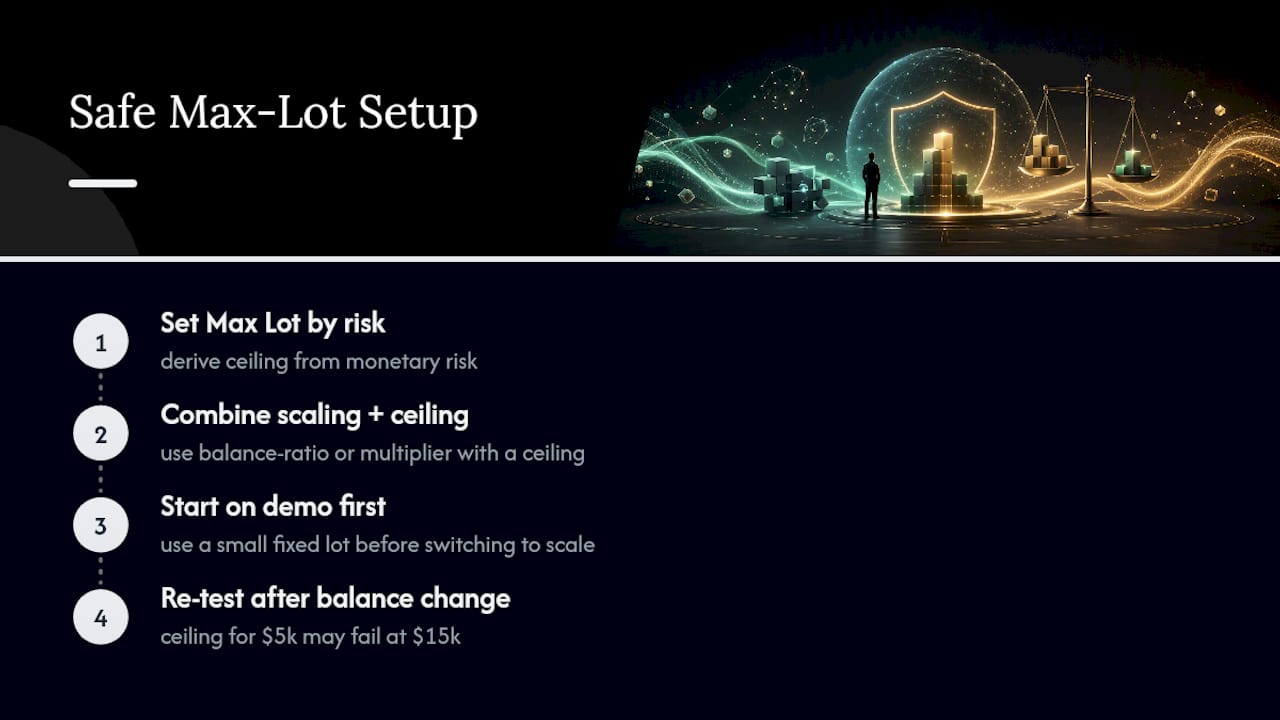
Set your Max Lot from monetary risk first, not from a lot number that felt safe. Combine scaling (balance-ratio or multiplier) with the ceiling rather than picking one or the other. Start every new configuration on demo with a small fixed lot before switching to a scaled mode. Re-test after any balance change, since a ceiling calculated for a $5,000 account stops making sense once that account grows to $15,000.
Past results do not guarantee future performance.
— Rimantas
Try Local Trade Copier’s Per-Account Lot Controls
Local Trade Copier gives you the two fields this entire guide has been about: Minimum Receiver Lot Size and Maximum Receiver Lot Size, sitting alongside 8 money management modes and risk limits you can mix per account. Execution runs locally, on your own machine or VPS, in about 1 second, with no cloud routing between master and receivers.

It replicates trades exactly as they happen on your master account. It doesn’t analyze the market, generate signals, or influence which trades get placed, and it carries no guarantee of any trading outcome. Past results do not guarantee future performance. Test your Max Lot values thoroughly on demo before applying them to funded or live accounts.
If you want to see the clamping behavior in action before installing anything, the Local Trade Copier demo video walks through the settings on both MT4 and MT5. Or start the 7-day free trial and configure your own per-account ceilings directly from the installation guide.
Primary Sources and Further Reading
- Local Trade Copier EA MT4/5© — Settings and Inputs
- MT5 Trade Copier: Max Lot Cap — Protection Against Oversized Trades
- MT5 Trade Copier: Configuring Accounts With Different Balances
Sources
- MT5 Trade Copier: Max Lot Cap — Protection Against Oversized Trades – Other – 9 September 2026 – Traders’ Blogs
- MT5 Trade Copier: How to Configure a Trade Copier for Accounts with Different Balances – Other – 7 September 2026 – Traders’ Blogs
- Local Trade Copier EA MT4/5© – Settings/Inputs
FAQ
What Does Max Lot Per Account Actually Control?
It sets the largest volume a copier will ever send to that specific receiver, overriding any larger figure produced by fixed, multiplier, balance-ratio, or risk-percent calculations.
Should Every Receiver Account Use the Same Max Lot?
No. Receivers with different balances, currencies, or broker rules need their own values, since a single global default often produces inconsistent risk across a mixed group of accounts.
How Do I Calculate a Safe Max Lot Value?
Start from your maximum acceptable monetary risk per trade, divide by the instrument’s stop-loss distance times its tick value, then round down to your broker’s lot step.
Does Local Trade Copier Support a Maximum Receiver Lot Size Setting?
Yes. It’s a dedicated field alongside Minimum Receiver Lot Size, documented on the settings and inputs page, and it works alongside 8 money management modes and risk limits.
Why Did My Copied Trade Get Rejected Even With Max Lot Set?
Usually a lot-step or minimum-lot mismatch on the receiver’s broker, not the Max Lot field itself. Check the terminal log for the exact rejection message and compare it against that broker’s lot specifications.
