

TL;DR:
- Automated trade copying significantly improves efficiency by eliminating human error, reducing latency, and ensuring trades are replicated accurately across multiple accounts. Proper setup involves configuring symbol mapping, risk filters, and deploying low-latency local architectures, with regular divergence audits to maintain high execution quality. This approach is essential for advanced traders managing multiple accounts, offering faster fills, lower slippage, and enhanced control over trade execution.
Watching a perfectly timed trade signal fire on your master account while you scramble to manually replicate it across five or ten other terminals is a genuinely painful experience. By the time your fingers catch up, the market has moved, the fill prices are different, and your carefully managed risk ratios are already off. For retail forex traders and account managers running multiple MT4, MT5, or DXTrade accounts, this scenario plays out daily. The good news is that automated trade copying has matured into a reliable, fast, and highly configurable solution, and this guide walks you through everything you need to know to put it to work immediately.
Key Takeaways
| Point | Details |
|---|---|
| Prioritize execution quality | Set order-type controls and slippage caps to cut losses from fast-moving markets. |
| Configure copier settings precisely | Properly set symbol mapping, filters, and lot thresholds for flawless trade replication. |
| Choose the right copier architecture | Local copiers are far faster than cloud-based options and better for minimizing slippage. |
| Audit for divergence and drift | Regular checks for follower slippage or execution mismatches keep setups efficient. |
| Evaluate multi-account models | Understand when pure copy trading is best and when managed structures boost efficiency. |
Understanding the barriers to trading efficiency
Trading efficiency in the forex context means executing the right trade, at the right size, at the right price, across every account, without delay. It is not just about speed. Accuracy and consistency matter just as much. A trade copied half a second late to one account and two seconds late to another creates execution drift, meaning your follower accounts get meaningfully different fills than the master.
The biggest sources of inefficiency in multi-account setups include:
- Manual order replication across multiple terminals, which introduces human error and timing gaps
- Order latency caused by cloud routing, slow networks, or overloaded VPS environments
- Slippage from delayed execution, especially during news events or volatile sessions
- Input errors such as wrong lot sizes or wrong symbols typed under pressure
- Execution drift where follower fills diverge significantly from the master fill over time
Manual replication simply does not scale. Managing two accounts manually is uncomfortable. Managing ten is effectively impossible if you expect consistent results. The cognitive load alone is enough to cause mistakes that cost real money.
“Treat execution quality as a first-class lever: minimize slippage and latency and enforce slippage caps on fast-moving orders using MT4/MT5 Maximum Deviation for market orders.”
Automating your trade flow removes the human bottleneck entirely. The copier receives the master signal and fires to all follower accounts simultaneously, with configurable lot sizing and risk filters applied per account. You can watch a video tutorial on trade copiers to see this process in action before you commit to any configuration. Understanding long-term trade automation strategies also helps you think beyond the immediate setup and plan for scalability.
Key tools and requirements for automated trade copying
Before you can optimize anything, you need the right components in place. Here is a snapshot of what a properly equipped multi-account copying environment looks like:
| Component | Purpose | Notes |
|---|---|---|
| Local trade copier software | Copies trades from master to followers | Must support MT4, MT5, DXTrade |
| MetaTrader 4 / MT5 terminals | Master and/or follower platforms | Install all on one machine |
| DXTrade account access | Follower platform for prop firm accounts | Requires API/WebRequest enabled |
| Windows PC or VPS | Runs the copier software continuously | VPS near broker reduces latency |
| Stable internet connection | Keeps terminals connected and responsive | Wired connection preferred |
Beyond the hardware and software, you need the right permissions and configurations active before copying begins:
- WebRequest permissions enabled in MT4/MT5 for the copier’s local port
- Platform compatibility confirmed between all master and follower terminal versions
- Symbol mapping configured where broker naming differs (e.g., EURUSD vs. EURUSDm)
- Account number and login credentials for each follower terminal ready to input
- Lot size and risk filters planned per account based on balance and risk profile
When implementing automated copying across MT4/MT5 and DXTrade, validate that the copier uses platform-appropriate mechanisms including MT4/MT5 WebRequest plus the DXTrade API, and that it supports multi-account copying with risk filters built in.
Pro Tip: Before configuring anything, export and save all your existing terminal profiles, account settings, and EA configurations. This gives you a clean restore point if anything needs to be reset during setup.
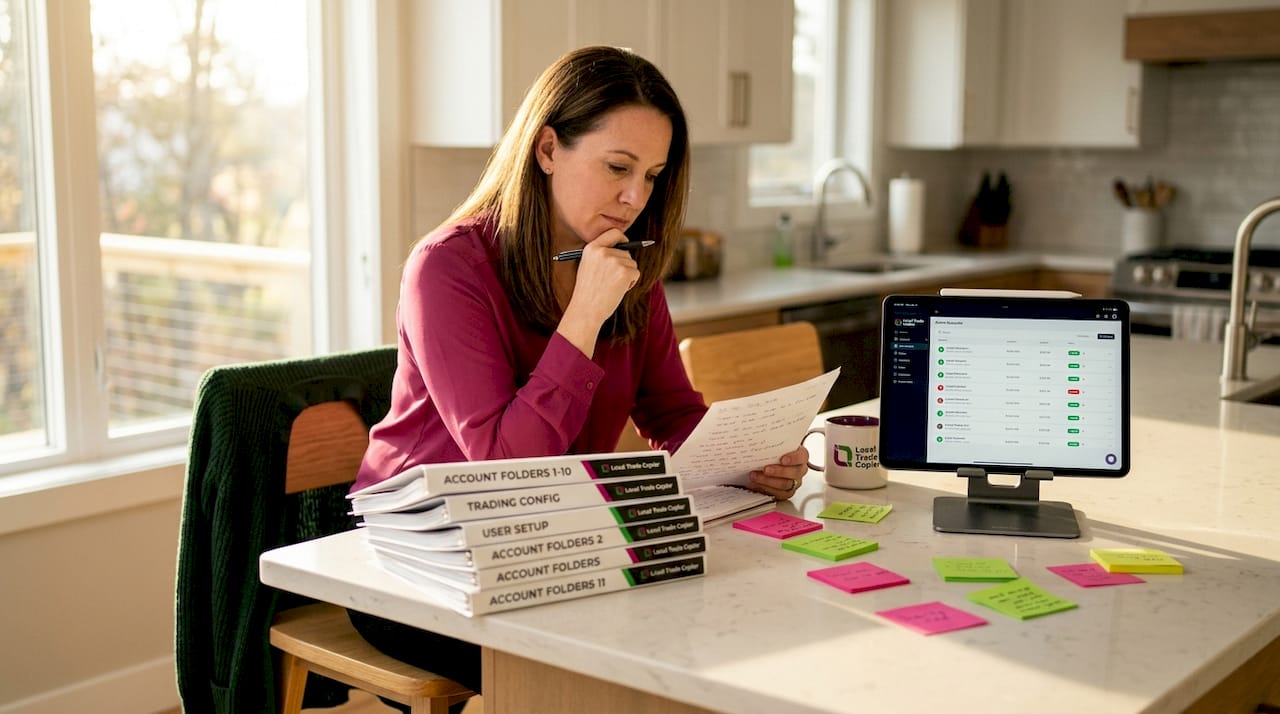
Picture a real-world scenario: an independent account manager preparing ten live client accounts for automated copying. Each account has a different balance, a different risk tolerance, and trades on a slightly different broker. Without a structured checklist of the requirements above, setup becomes chaotic and mistakes in the configuration phase carry forward into every trade. The user manual for MT4 to DXTrade copier and the trade copier installation guide are both essential reading before you touch the first terminal.
Step-by-step: Optimizing trade copying for speed and accuracy
With all tools and prerequisites in place, here is the exact sequence for getting your setup to peak performance.
- Set slippage and deviation caps. In MT4 and MT5, configure Maximum Deviation on every follower account. This prevents orders from filling at prices too far from the intended level during volatile conditions.
- Configure symbol mapping. If your master broker uses “EURUSD” and your follower broker appends a suffix like “EURUSD.r” or “EURUSDm,” map these explicitly in the copier settings. Skipping this step causes orders to be rejected silently.
- Apply lot and risk filters per account. Use fixed lot sizes, balance-proportional scaling, or risk percentage modes depending on each follower account’s profile. Advanced copiers offer 18 or more lot sizing options for this reason.
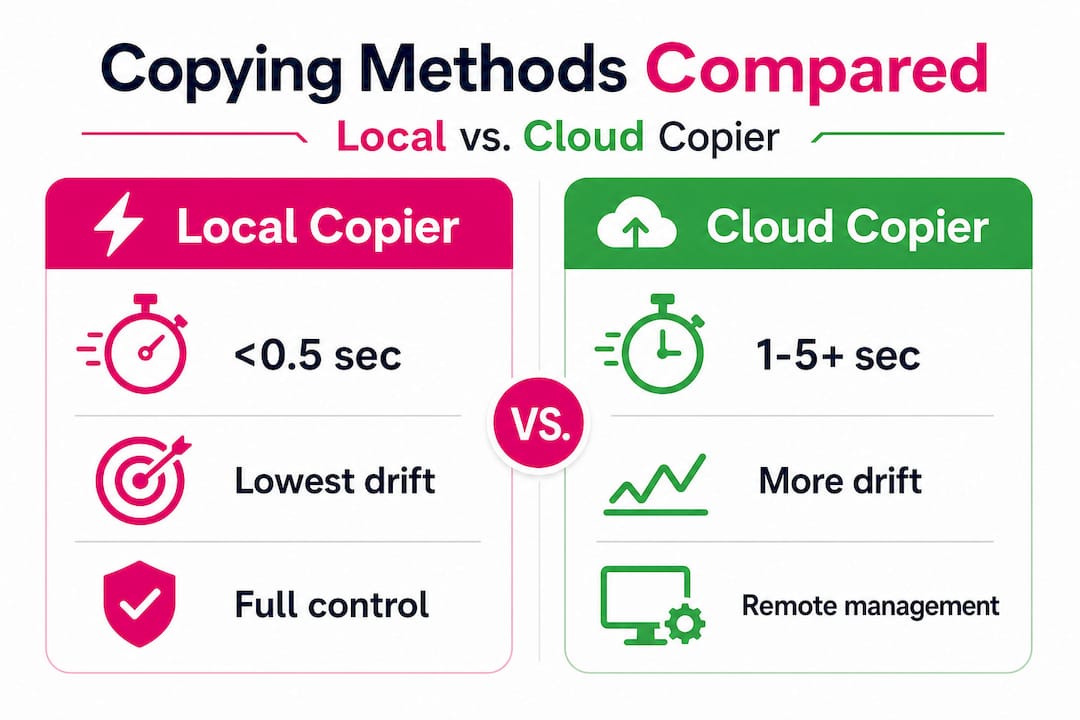
- Choose a local copier over a cloud relay. Local architectures execute orders orders of magnitude faster than cloud relays, with direct downstream impact on slippage across multiple fills.
- Test with staggered order bursts. Before going live, run a series of test trades in rapid succession. This reveals whether your setup handles burst traffic without dropping or delaying orders.
| Feature | Local copier | Cloud copier |
|---|---|---|
| Average latency | Under 0.5 seconds | 1 to 5+ seconds |
| Slippage risk | Low | Moderate to high |
| Data privacy | All on one machine | Routed through external servers |
| Prop firm IP risk | None | Potential flag from shared IPs |
| Setup complexity | Moderate | Low to moderate |
Pro Tip: Run a divergence audit after your first week of live copying. Compare master fills to follower fills across every trade. Even a well-configured setup can develop drift if one follower account’s broker execution is slower than expected.
To avoid follower execution drift, configure symbol mapping and suffix handling from the start and copy only the intended symbols using explicit filters. Refer to the guide on synchronizing MetaTrader and DXTrade copiers for platform-specific instructions, and the walkthrough on mirroring MT4 trades to DXTrade for the DXTrade-specific flow. For a broader view of securing trading automation, it is also worth reviewing best practices around access control and logging.
Troubleshooting: Common trade copying pitfalls and fixes
Even well-built setups run into problems. The key is catching them early before they compound into significant account divergence.
Common errors to watch for:
- Symbol mismatches where the follower broker does not recognize the instrument name sent by the copier
- Latency spikes caused by VPS overload, network interruptions, or broker server delays
- Skipped orders that fail silently because filters are set too restrictively
- Incorrect lot scaling when account balance updates are not reflected in real time
- Filter misconfigurations that exclude valid trades based on magic number or comment settings
“Avoid follower execution drift by configuring symbol mapping and suffix handling carefully, and copy only the intended symbols using explicit filters. This single step eliminates the most common source of multi-platform copying failures.”
Pro Tip: Build a simple health-check log inside your copier configuration. Many platforms let you write execution events to a text file. Review this log daily for the first two weeks, then weekly once the setup is stable. Alert thresholds for latency above 1 second or fill differences above 3 pips can save you from discovering a problem three weeks after it started.
Practical divergence auditing means comparing your master account’s trade history export against each follower’s history once a week. Look for trades that appear on the master but not on followers, as well as fill price differences of more than a few pips on liquid pairs during normal market hours. The trade copier demo video shows how this monitoring process works in a live environment and is a useful reference for new users.
Comparing copy trading and managed account structures
Automated trade copying is not the only way to manage multiple accounts. PAMM (Percent Allocation Management Module) and MAM (Multi-Account Manager) structures offer an alternative model, and understanding the difference helps you choose the right approach.
| Factor | Copy trading | PAMM / MAM |
|---|---|---|
| Execution model | Per-account replication | Single execution with allocation |
| Control per account | High | Limited |
| Setup complexity | Moderate to high | Lower for managers |
| Customization per follower | Full | Limited by allocation model |
| Scalability | Scales with copier performance | Scales natively at broker level |
Key trade-offs to consider:
- Copy trading gives you full account-level control, letting you set unique lot sizes, filters, and risk rules per follower
- PAMM and MAM structures execute trades once and allocate proportionally, which reduces replication overhead significantly
- Copy trading creates overhead because each follower account requires a separate execution event
- Managed structures work best when all clients accept the same strategy and risk profile without customization
The right choice depends on your client base. If your ten accounts all have different risk tolerances and you need to scale lots independently, copy trading with a well-configured local copier wins. If you are managing a pool of similar accounts under one strategy, a PAMM or MAM arrangement can reduce operational overhead. Browse automated trading exchanges for a broader view of where different execution models fit in today’s trading ecosystem.
Our perspective: The real levers of trading efficiency
Here is what most traders get wrong: they obsess over shaving milliseconds off latency while ignoring filter configuration errors that silently drop 15% of their intended trades. Speed matters. But correctness matters more.
We have worked with thousands of traders across more than 15 years, and the pattern is consistent. A trader sets up a local copier, sees it execute in under half a second, and feels confident. Then three weeks later, they notice that four trades on the master never appeared on two follower accounts. The cause is almost always a symbol suffix mismatch or a magic number filter set too narrowly.
The full efficiency playbook works in a specific order: first eliminate slippage via order-type controls and slippage caps, then engineer correctness through symbol mapping and lot thresholds, then optimize timing through low-latency local execution, and finally audit divergence continuously between master and follower fills. Skip any of these steps and the others lose their value.
The traders who genuinely outperform over the long run are the ones who build feedback loops. They check fill divergence weekly. They update symbol mappings when their broker adds or renames instruments. They review their filter settings whenever they add a new strategy or EA to the master account.
MT4-to-DXTrade integration is a good example of where correctness requirements are especially high. DXTrade uses different instrument naming conventions than MetaTrader, and without explicit mapping, orders simply do not cross. Getting this right once and then auditing it regularly is worth far more than any latency optimization you could make on top of a broken symbol map.
Pro Tip: Build a monthly review into your schedule. Spend 20 minutes comparing master fills to follower fills, checking your filter settings, and verifying that symbol mappings still match your current broker instrument list. This single habit prevents the slow drift that quietly erodes multi-account performance over time.
Next steps: Level up your trading efficiency
If this guide has made one thing clear, it is that automated trade copying is not just a convenience feature. For anyone managing more than two accounts, it is a core part of competitive trading operations. The configuration work upfront pays back every single session in saved time, reduced slippage, and eliminated input errors.
Local Trade Copier gives you sub-0.5-second local execution across MT4, MT5, and DXTrade accounts, with 18 lot sizing options, automatic balance-based scaling, and complete on-machine data routing. No cloud, no external servers, and no shared IP risk for prop firm accounts. Start with the detailed setup walkthroughs on syncing MetaTrader with DXTrade, explore the video guides, and use the 7-day free trial to test your configuration across real accounts before committing. With 3,000+ active users and a track record going back to 2010, the tools are proven. The next step is yours.
Frequently asked questions
How does trade copier latency affect my trading efficiency?
Higher latency increases the chance of slippage and reduces execution quality, especially when copying to multiple accounts. Local architectures execute significantly faster than cloud relays, which translates directly into tighter fills across all follower accounts.
What’s the best way to avoid mismatches between source and follower accounts?
Carefully configure symbol mapping and suffix filters to ensure all copied trades use the correct instruments on every account. Proper suffix handling is the single most effective step for preventing silent order failures across platforms.
Can I set risk filters or lot thresholds when copying trades?
Yes, advanced copiers let you define lot minimums, maximums, and various risk filters per account. The DXTrade copier user guide specifically covers options such as symbols to copy, trades below or above lot thresholds, and symbol suffix handling.
What’s the main benefit of using PAMM or MAM over retail trade copying?
PAMM and MAM structures centralize execution, reducing replication overhead and administrative complexity for the manager. Managed account models execute trades once and allocate proportionally, which scales more cleanly than per-account copying when all clients share the same strategy.
Do I need a VPS to run a fast and reliable local trade copier?
Running your copier on a VPS near your broker can greatly reduce latency and help maximize trade fill quality. Near-broker architectures consistently outperform setups where the copier machine is geographically distant from the broker’s execution servers.
Recommended
- Trade copying best practices for efficient forex management
- Prop trading best practices: Multi-account copying in 2026
- Why speed matters in trade copying: boost profits & cut risk
- The Definitive Guide to Forex Trade Copying
