
TL;DR:
- Effective multi-account forex automation requires platform-specific compliance and risk management layers.
- Risks include slippage, drawdown divergence, and platform disconnections; robust checks are essential.
- Local infrastructure provides lower latency and higher security, especially important for prop firm accounts.
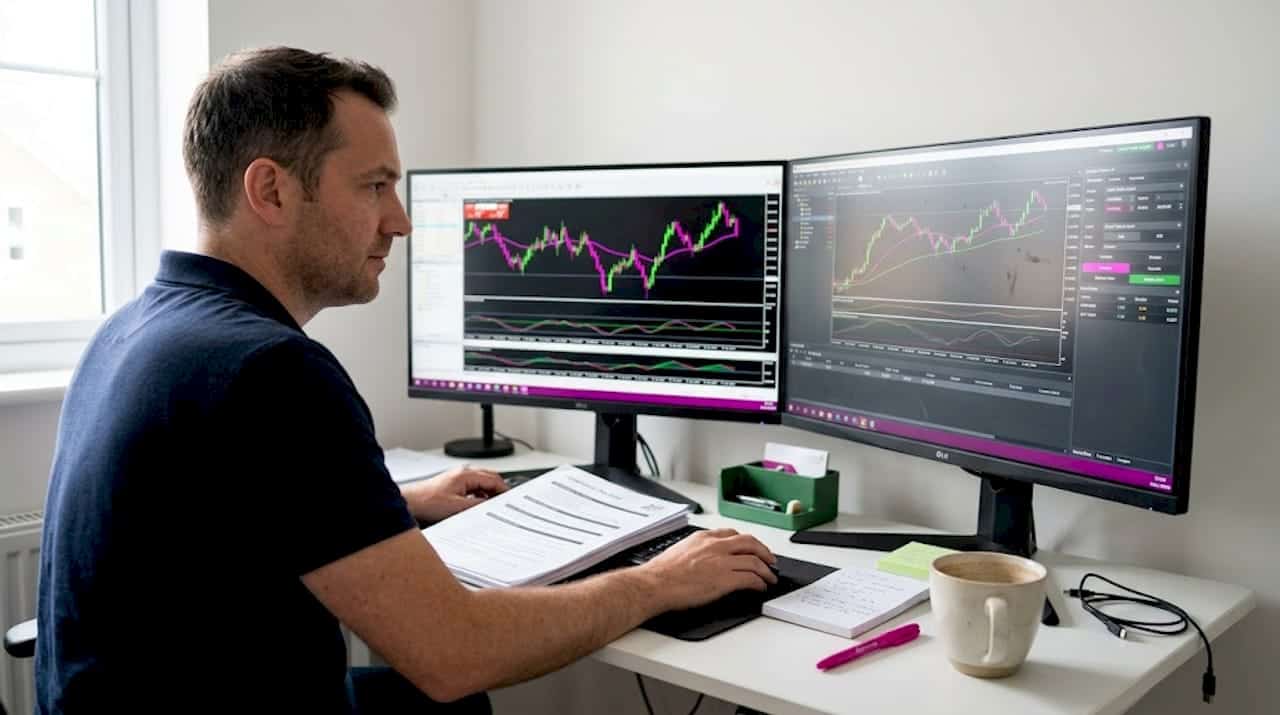
Most traders assume automating trade replication means pointing one account at another and letting the software handle everything. That assumption is costly. Real automation in multi-account forex trading must account for platform-specific execution rules, per-account drawdown limits, lot size constraints, and the compliance logic that keeps funded accounts alive. Without those layers built in, you are not running automation. You are running a rule-violation machine at high speed. This guide breaks down how robust, rule-aware automation actually works across MetaTrader 4, MetaTrader 5, and DXTrade so you can scale confidently.
Key Takeaways
| Point | Details |
|---|---|
| Automation ups efficiency | Automation allows you to manage multiple accounts faster and with fewer manual errors. |
| Compliance risks persist | Replicating trades can break account rules if your automation ignores individual risk controls. |
| Platform matters | The right automation approach varies for MT4, MT5, and DXTrade due to their different infrastructures. |
| Robust setup is critical | Safe automation relies on compliance logic, not just technical copy speed. |
Why automation matters in modern trade management
Trade management automation is the process of using software to monitor, replicate, size, and exit trades across one or more accounts without manual intervention after the initial setup. Done correctly, it handles far more than order copying. It manages lot scaling per account balance, tracks open positions across terminals, and enforces risk parameters specific to each account.
The practical value is enormous. Manual trade entry across several accounts introduces latency between the master and receiver accounts, creates sizing errors, and leaves you exposed during fast market moves. Automation eliminates all three problems simultaneously, providing the kind of real-time execution that is physically impossible to replicate by hand.
Here are the core advantages automation delivers when it is set up correctly:
- Consistency: Every client or sub-account receives the same trade signal at the same moment, removing human delay and emotional interference.
- Risk management: Lot sizes can be scaled automatically based on each account’s balance or equity, so no single account carries disproportionate exposure.
- Scaling: One master signal can feed dozens of receiver accounts without additional manual workload.
- Regulatory compliance: Rule-aware copiers can be configured to respect per-account trading hour limits, position size caps, and drawdown thresholds.
- Audit trail: Automated systems log every trade action, giving you a complete record for performance review or dispute resolution.
Understanding what is a forex trade copier is the essential first step before building any multi-account workflow.
“Exact mirroring can violate prop-firm or risk rules; robust systems must handle risk-state divergence, execution divergence, and rule-compliance edge cases rather than only copying order tickets.”
Pro Tip: Automation can actively hurt your accounts if it mirrors trades before compliance logic is applied. Always configure risk and rule checks first, then enable replication.
When choosing trade copier software, prioritize tools that treat compliance as a first-class feature rather than an afterthought buried in the settings menu.
Core challenges in real-time trade replication
Knowing why automation matters is one thing. Understanding why it fails is where most traders get caught out. The core problem is that accounts are not interchangeable. Each prop firm account, each funded challenge account, and each personal account carries its own ruleset, and those rulesets do not care that your master account passed the same trade legally.
A trade that is compliant on the master account can violate rules on the receiving account because each prop account enforces its own drawdown thresholds, consistency requirements, position size caps, and permitted trading hours. A trade opened just before a news event cutoff on your master might land on a receiver account that prohibits news trading entirely.
Here is a breakdown of the key risks in real-time replication and what each one can cost you:
| Risk factor | What causes it | Potential consequence |
|---|---|---|
| Slippage divergence | Price fills differ between accounts at execution | Receiver accounts enter at worse prices, skewing risk/reward |
| Drawdown desynchronization | Different balance levels mean identical lot sizes carry unequal risk | Receiver account breaches daily drawdown limit |
| Position size violations | Master uses a lot size that exceeds receiver’s account cap | Immediate rule breach on funded account |
| Trading hour restrictions | Master trades outside permitted windows for one receiver | Disqualification from prop firm challenge |
| Platform disconnections | Terminal loses connection mid-trade | Open positions on receiver with no exit signal arriving |
| Consistency rule violations | Win/loss ratio or daily gain skews beyond permitted range | Account flagged or revoked by prop firm |
The technical differences between platforms such as MT4, MT5, and DXTrade add another layer of complexity, since each platform handles order types, execution modes, and position accounting differently.
Here are the steps that robust automation must take to avoid these pitfalls:
- Pre-execution compliance check: Verify that the incoming trade signal meets every rule on the receiver account before placing the order.
- Dynamic lot calculation: Scale lot size to the receiver account’s current balance or equity, not a fixed ratio from the master.
- Connection monitoring: Continuously monitor terminal connectivity and alert the trader if a disconnect occurs during an active position.
- Drawdown tracking: Compare the receiver account’s current drawdown state against its limit before executing any new trade.
- Execution logging: Record every action with a timestamp so you can audit discrepancies after the fact.
- Manual override readiness: Maintain the ability to pause or stop copying for a specific receiver at any moment without affecting others.
Trader oversight remains non-negotiable even with the best automation in place. Software handles the speed and the logic. You handle the accountability.
Comparing automation solutions for MT4, MT5, and DXTrade
Not all automation tools are built the same, and the platform combinations you need to support will heavily influence which solution actually works for you. The two primary delivery models are cloud-based copiers and local or VPS-installed copiers.

Cloud-based copiers route your trade data through an external server before it reaches the receiving terminal. They are easy to set up and require no local infrastructure. However, removing VPS or local infrastructure may increase latency or create gaps in platform coverage, which matters significantly when you are copying to funded accounts where timing and IP consistency can affect your standing with a prop firm.
Local copiers run entirely on your Windows machine or VPS. All data stays on one machine, one IP address, with no external routing. For prop firm traders, this removes the cloud IP detection risk entirely. For everyone else, it provides the fastest possible execution path between master and receiver.
Here is a feature comparison across typical automation setups:
| Feature | Cloud copier | Local/VPS copier (e.g., Local Trade Copier) |
|---|---|---|
| Execution latency | 100ms to 500ms+ depending on server | Sub-0.5 seconds, often under 100ms |
| MT4 support | Varies by provider | Full support |
| MT5 support | Varies by provider | Full support |
| DXTrade support | Rare | Supported with dedicated component |
| IP consistency for prop firms | One shared cloud IP | Your own machine IP |
| Compliance logic options | Limited in most tools | Up to 18 lot size and risk options |
| Data privacy | Trade data leaves your machine | All data stays local |
| Pricing model | Often per-account or per-trade | Flat subscription, all platforms included |
When evaluating tools, prioritize based on your specific trading configuration:
- For prop firm traders: Local execution is essential. Cloud routing introduces IP inconsistency that some prop firms flag as suspicious.
- For account managers: Lot scaling per client account balance is a must-have, not a nice-to-have.
- For EA users: The copier must function as a transparent relay without interfering with the EA’s position management logic.
- For cross-platform copying: Confirm actual DXTrade support, not just MT4/MT5. Many tools claim broad compatibility but lack a tested DXTrade component.
Understanding trade syncing between MT4 and DXTrade is especially important because DXTrade handles position management differently from MetaTrader. You also need to confirm that automating with MetaTrader bots to DXTrade is handled without order translation errors, since the platforms use different internal identifiers for trade tickets.
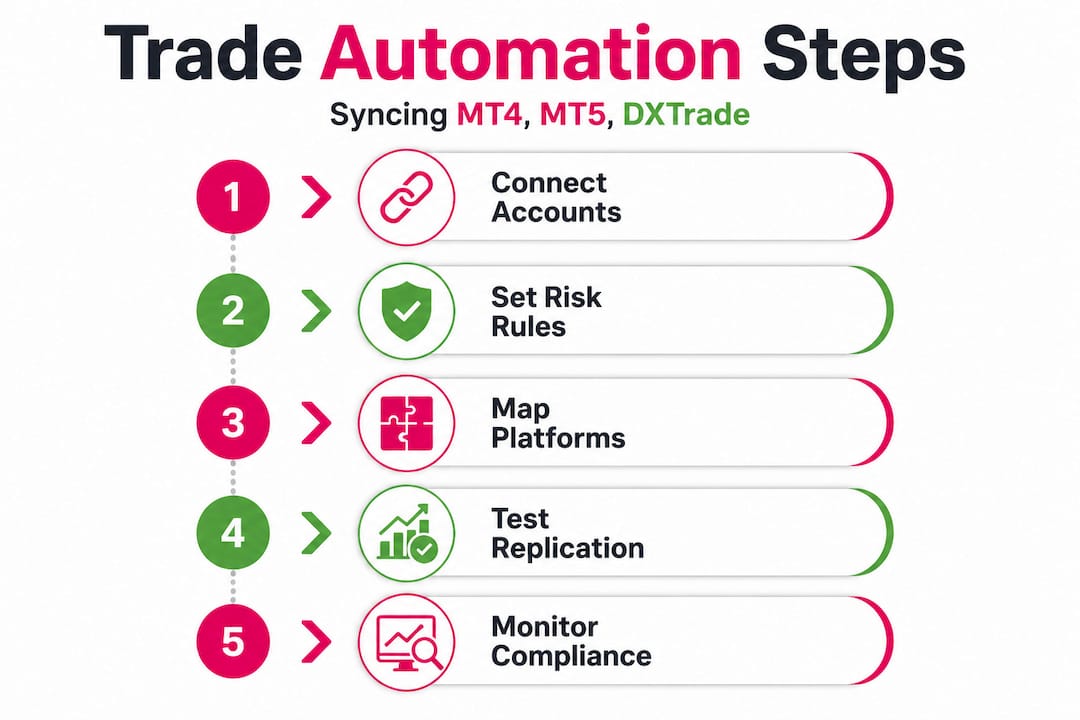
Cross-platform compatibility solutions that handle MT4, MT5, and DXTrade under one subscription simplify management enormously. You install once, configure once, and all three platforms operate in sync.
Pro Tip: Despite aggressive marketing from cloud-only providers, low-latency trading almost always benefits from local infrastructure. If milliseconds matter to your strategy, keep execution on-machine.
Implementing automation safely: Best practices and tips
Selecting the right tool is only half the work. Configuration and ongoing monitoring determine whether that tool actually protects your accounts or quietly exposes them to risk. Here is how to implement automation that holds up under real trading conditions.
Steps for a safe automation setup:
- Define receiver account rules before connecting anything. Document the drawdown limits, maximum lot sizes, permitted trading hours, and consistency requirements for every receiver account. Do this before you configure a single setting.
- Set lot sizing logic per receiver, not globally. A global lot multiplier is a shortcut that punishes accounts with different balance levels. Use per-account scaling tied to equity.
- Enable connection monitoring and alerts. Configure your copier to notify you immediately if a terminal disconnects. An open position with no exit signal is one of the most dangerous failure states in automated trading.
- Run a dry test on a demo account first. Replicate your full setup on demo versions of all receiver accounts before going live. Verify that every trade is copied correctly, sized correctly, and timed correctly.
- Build a compliance check routine into your weekly workflow. Review the trade log every week to confirm that no receiver account received a trade that violated its rules, even if the violation went unnoticed by the broker.
- Keep your installation best practices documentation current. Platforms update. Your setup needs to be reviewed every time a terminal update drops.
Common pitfalls to avoid:
- Using generic default settings without adjusting for each receiver account’s specific constraints. Defaults are built for the average case, which is not your case.
- Ignoring prop firm rule updates. Prop firms change their trading rules without much notice. A setting that was compliant three months ago may not be today.
- Skipping the audit trail. If you cannot review exactly what happened on a specific trade on a specific account, you cannot diagnose problems or defend your record.
- Treating automation as a set-and-forget solution. Markets change, platforms update, and account rules evolve. Automation requires active oversight, not passive observation.
“Robust systems must handle risk-state divergence, execution divergence, and rule-compliance edge cases rather than only copying order tickets.”
The traders who get the most from automation are the ones who remain engaged with their setup. They review logs, adjust parameters, and catch edge cases before those edge cases become account violations.
Automation is powerful—but only as smart as your setup
Here is the reality that most automation guides will not tell you directly: the technology is the easy part. Local Trade Copier has been running since 2010, with over 3,000 users, and the most common issue we encounter is not a software bug. It is a configuration that worked for one account being applied uncritically to a second account with different rules.
The “automation equals freedom” idea is seductive but misleading. Automation equals consistency, which is only valuable if what you are being consistent about is correct. Copying a rule-violating trade instantly is strictly worse than copying it slowly, because the violation still happens and you have less time to catch and stop it.
What genuinely separates successful multi-account traders from those who burn through funded accounts is compliance culture. They understand every rule on every account before they automate anything. They treat the configuration process as the critical work, not a prerequisite to get through quickly.
What works on one platform will not automatically translate to another. MT4, MT5, and DXTrade each handle position accounting, partial closes, and order modification differently. A copier that handles one platform well may introduce errors on another if it was not specifically built and tested for cross-platform behavior.
Prop firm copying best practices are not just about technical setup. They are about building the discipline to review your automation regularly, audit your results honestly, and update your configuration when conditions change. The traders who do that consistently are the ones who keep their funded accounts.
Ready to transform your trade management automation?
Compliant automation is not about copying faster. It is about copying smarter, with risk logic and platform-specific rules built into every trade decision. Understanding that distinction is what this guide was built around.
Local Trade Copier gives you sub-0.5-second local execution, 18 lot size and risk management options, and native support for MT4, MT5, and DXTrade under a single subscription. All trade data stays on your machine with no cloud routing risk for prop firm accounts. You can follow the trade copier installation guide to get your setup running correctly from day one, and review trade copier security tips to protect your accounts from unauthorized access. Start your 7-day free trial at mt4copier.com and put what you have learned here into practice.
Frequently asked questions
Does automation in trade management guarantee account compliance?
No. Automation can introduce compliance risks when rules are not built into the logic, since a trade that is safe on the master account can violate drawdown, consistency, size, or hour limits on the receiver account.
How can I safely automate trades across MT4, MT5, and DXTrade?
Choose software that supports account-specific compliance checks, manages execution latency, and is tested for all three platforms. Always audit trade logs regularly and configure risk-state divergence handling rather than relying on blanket mirroring.
Should I use a cloud-based or VPS/local automation solution?
Cloud solutions are easier to deploy but may increase latency or create platform coverage gaps compared to local setups. For prop firm traders especially, local execution keeps your IP consistent and your trade data off external servers.
What is the biggest risk when automating trade management?
The most critical risks are rule violations and platform disconnections causing unmanaged positions when exit signals fail to arrive on receiver accounts during a connectivity gap.
Recommended
- MetaTrader Trade Copier Syncs With DXTrade | MT4Copier
- Were You Forced to Switch to DXTrade? | MT4 Copier
- Cross-Platform Trading Enhanced: Local Trade Copier Now Supports DXTrade with MT4/MT5 Compatibility | Trade Copier for MT4 & MT5
- MetaTrader Trade Copier: Effortlessly Mirror Your MT4 Success to DXTrade
- Automated trading exchanges
