
What is the difference between Signal_Provider_ID and the FilterMasterAccounts? (on Local Trade Copier version 2.9.6 and older).
IMPORTANT! This applies to Local Trade Copier version 2.9.6 and older. In version 2.9.7, parameter FilterMasterAccounts has been replaced with new two parameters, “Copy From These Master Accounts” and “List of Specific Master Accounts“.
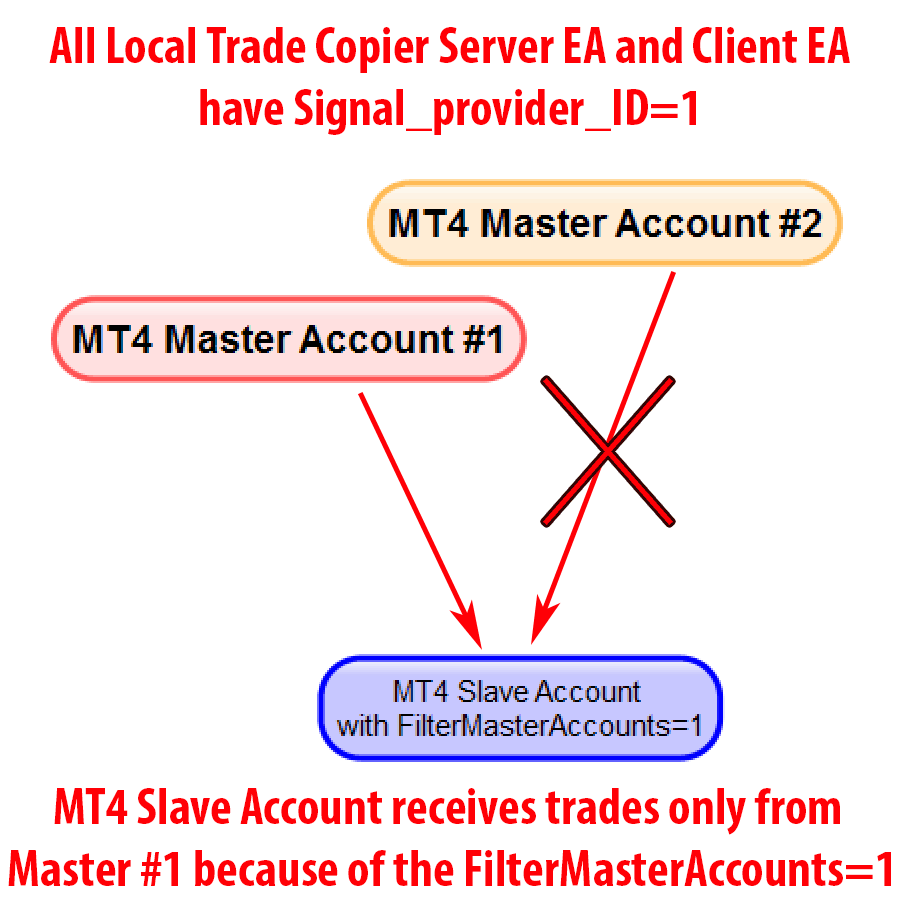
Here’s a simple example of how you can use the FilterMasterAccounts option.
Say you have Master #1 and Master #2. If you enter FilterMasterAccounts=1 on the Client EA, then you will receive trades only from #1 master. All master and slave Signal_Provider_IDs must match.
But if you want to have separate groups of trade copying campaigns you need to use the Signal_Provider_ID option.
Say we add one more master account to our previous example. So we add Master #3 and want to copy this to Slave #9 (or some completely another group of slaves) and do not want to mix the trades.
So you simply use Signal_Provider_ID=2 on the master #3 and slave #9. Otherwise, if you use Signal_Provider_ID=1 on slave #9 it will receive trades from all masters #1, #2, and #3. In this case, you will need to use FilterMasterAccounts to separate trades.
But remember, if master #3 is a completely different trade copying campaign (like another strategy) and you just do not want to mix those trades then you can separate them with Signal_Provider_ID=2. Then you do not need to mess with FilterMasterAccounts.
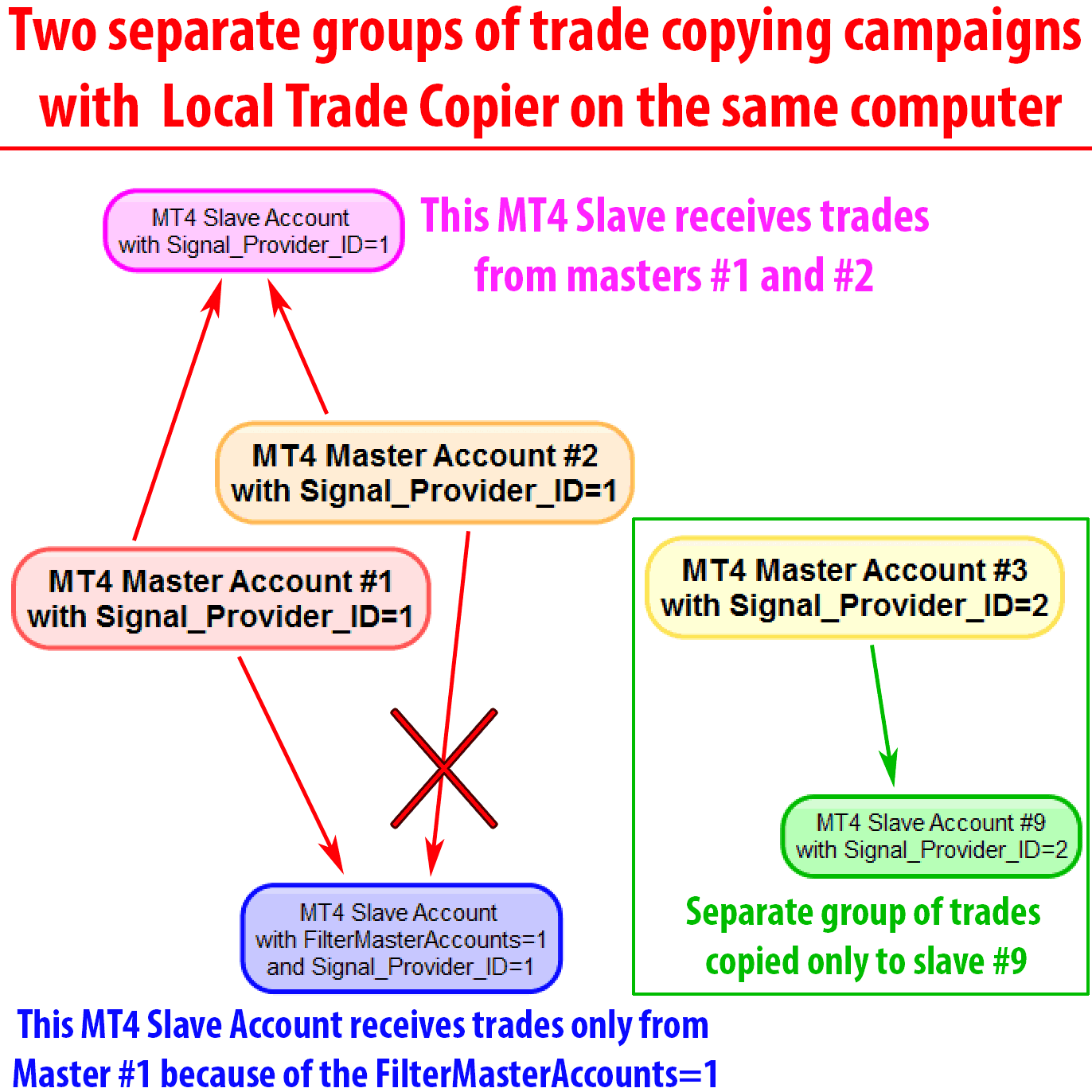
So once again. If you have master #1, #2 and #3 and all of these trades should be copied to a different set of slave accounts, it is just easier to use Signal_Provider_ID to separate them into groups instead of using FilterMasterAccounts option for each Client EA.
I hope that helps, and please share this information with someone who needs it.
You may also want to check The Definitive Guide to Forex Trade Copying to learn more about how to use the Local Trade Copier and copy trades between multiple MetaTrader 4 accounts.

Hi Rimantas
Another feature explained well and is there no end to these additional features development?
Yours are the best and most reliable EA’s out there so thanks again for the pro-active support and explanations.
Garry, thank you for supporting my work. I have a long list of videos to shoot here 😉
“FilterMasterAccounts” does not exist anywhere in the personal LTC please help.
Please note the notification in orange at the top of this tutorial.
FilterMasterAccounts applies to Local Trade Copier version 2.9.6 and older. In version 2.9.7, the parameter FilterMasterAccounts has been replaced with new two parameters, “Copy From These Master Accounts” and “List of Specific Master Accounts“.