

The phrase “instant vs market mapping” blends two separate settings that decide whether a copied trade lands. Execution mode (instant or market) controls how your broker fills an order. Symbol mapping controls whether the order is sent for an instrument the broker recognizes. Get either wrong and a copier can place trades at a different price than you expected, or place nothing at all.
This guide covers both, shows how they interact when you copy between MetaTrader 4 and MetaTrader 5 accounts, and gives you a checklist you can run before going live. It is about how trades are replicated, not about how to trade. Past results do not guarantee future performance.
TL;DR
- Instant execution fills at the price you requested, or asks for a new price (a requote). Market execution fills at the next available price with no negotiation.
- Neither mode is better. They trade price certainty against fill certainty.
- Symbol mapping is a separate problem: brokers name the same instrument differently (EURUSD, EURUSD.m, EURUSDpro), and a mismatch can fail silently.
- When you copy between accounts, check both settings on every receiving account, then test on a demo or a small lot size.
- Slippage should be judged over a large sample of trades, not one fill.
What instant and market execution actually mean
Execution mode is a property of the symbol on your broker’s server. You do not choose it freely in most cases. The broker sets it, and your terminal follows.
According to the MetaTrader 5 help on executing trades, in instant execution the platform attaches the current prices to your order. If the broker accepts those prices, the deal is made. If the price has moved, the broker can offer a new one for you to accept or decline. That second case is the requote.
Market execution drops the negotiation. The order is filled at the next available price in the market. You get the fill, and the price is whatever it turns out to be.
| Instant execution | Market execution | |
|---|---|---|
| Price you get | The requested price, or a requote | The next available price |
| Main risk | Rejection or requote when price moves | Slippage from your expected price |
| Fill certainty | Lower | Higher |
| Price certainty | Higher | Lower |
| Typical question it raises | “Why was my order rejected?” | “Why was I filled away from my price?” |
One common assumption is that market execution is simply faster. It is not inherently faster. As SignalBots’ glossary explains in a related context, the perceived speed comes from the missing “confirm price” step, not from a quicker pipe. You lose the pause, and you also lose price control.
Analysts commonly describe the choice as a trade-off rather than a ranking. One broker-evaluation write-up frames instant execution as favoring price control at the risk of frequent rejections, and market execution as favoring the fill at the risk of slippage. Past results do not guarantee future performance.
Where deviation fits in
Most platforms let an order carry a maximum allowed deviation: how far from the requested price you will accept a fill. In instant execution this works as your tolerance before a requote or rejection. Our guide to forex slippage goes through the causes and types, and it is worth reading before you pick a deviation number for a copier.
Why execution mode matters more when you copy trades
When you click a button yourself, a requote is a visible event. You see the box and decide. A copier has no one to click, so the software has to decide in advance what to do when a price changes.
That creates three practical situations:
- The receiving account uses instant execution and the price moved. The order may be rejected or requoted. Depending on settings, the copier retries, skips the trade, or logs a failure. You can end up with a master position and no matching client position.
- The receiving account uses market execution. The trade nearly always opens, but possibly at a slightly different price than the master got. The difference is slippage on that account.
- Master and client run different modes. This is common when the accounts sit at different brokers. The same signal produces different entry prices, and that is normal, not a bug.
The forex-education site Forex MT4 Systems makes a useful point about measuring this. Slippage is a structural feature of a decentralized market, so it should be assessed over a large sample, typically 50 to 100 or more trades, rather than judged one trade at a time. Past results do not guarantee future performance.
What the regulator says about price changes
If you trade with a US-regulated retail forex dealer, price changes between submission and arrival are regulated. The National Futures Association’s forex regulatory guide notes that slippage can occur between the moment a customer submits an order and the moment it reaches the dealer’s system. NFA Compliance Rule 2-36 and its interpretive notice require dealers to disclose how they treat such differences and to apply them fairly. According to the NFA’s interpretive notice on forex price changes, its Business Conduct Committee has issued disciplinary complaints over this type of conduct.
The practical takeaway: read your broker’s execution policy. It tells you how requotes and slippage are handled on your account. Past results do not guarantee future performance.
What symbol mapping is, and why it fails quietly
Symbol mapping means translating an instrument name from the source account into the exact name your broker uses for the same thing. A symbol glossary defines it that way, and it is the heart of the problem.
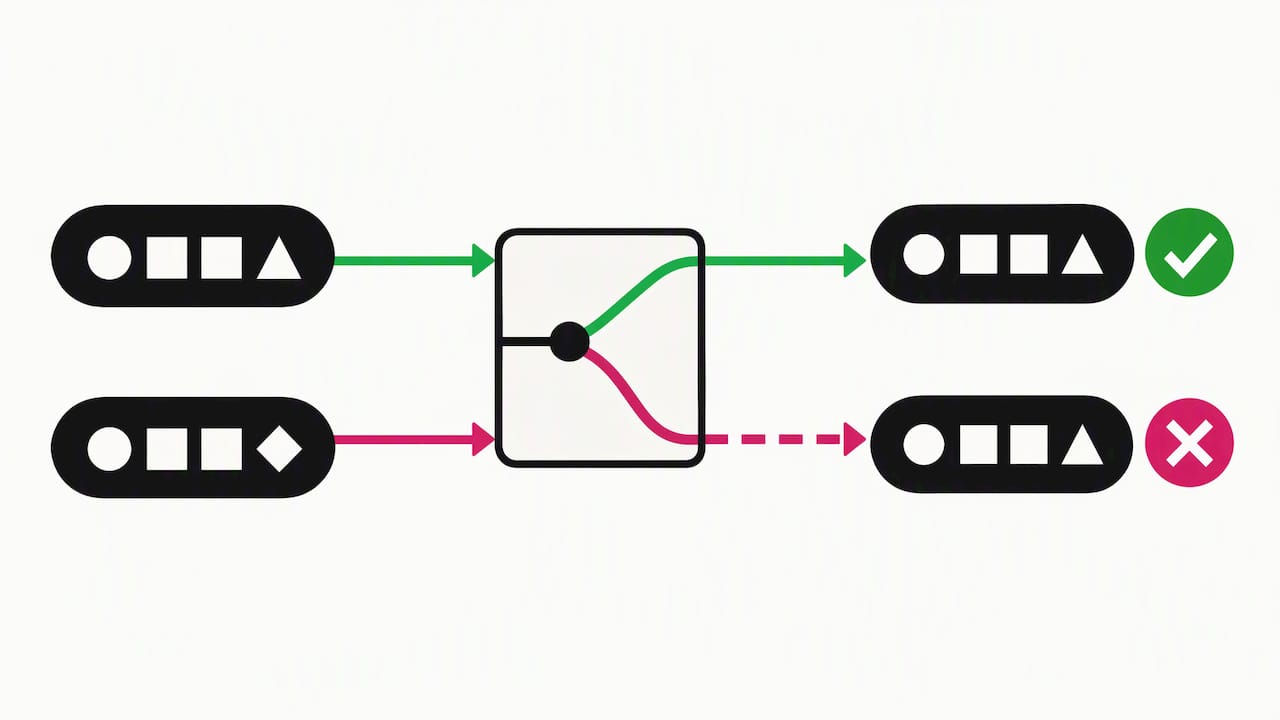
Brokers decorate names. The same market can appear as EURUSD, EURUSDm, EURUSD.fx, or a gold contract under several names. According to an MQL5 article on broker-agnostic symbol resolution, deploying one Expert Advisor across several brokers often fails not because of the trading logic but because instrument identifiers differ between terminals.
Suffixes such as .m, .pro, .r and .i often mark different spread models or account types. The assumption that software can simply guess the right one is a common misconception. The reliable method is to read the name straight from the Market Watch window of the receiving terminal.
The silent failure problem
A wrong symbol rarely produces a friendly message. The MQL5 article reports that on MetaTrader 5, an order for a non-existent symbol returns retcode 10013 (Invalid Request), not an error naming the bad string. If you debug these, log each failed request and compare it against the broker’s active symbol list.
Case is another trap. On some MT5 servers, EURUSD.m and EURUSD.M can be distinct instruments, so copy names exactly as shown in Market Watch rather than typing them.
How instant, market and mapping interact
The two settings fail in different ways, which helps when you diagnose a missing copy.
| Symptom on the client account | Likely cause | Where to look |
|---|---|---|
| No trade, no obvious error | Symbol not mapped or misspelled | Market Watch names, copier symbol settings |
| Trade rejected or requoted | Instant execution and price moved | Deviation setting, broker execution policy |
| Trade opens at a different price | Market execution slippage | Sample of fills over time |
| Trade opens only some of the time | Case mismatch or inconsistent suffix | Exact string comparison |
| Wrong instrument traded | A mapping pointed to the wrong symbol | Mapping table, one symbol at a time |
Notice that only the second and third rows involve execution mode. Many people blame execution when the real issue is a naming mismatch.
Setting both up in a trade copier: a pre-flight checklist
Work through this on every receiving account, in order. Do it on a demo or a minimal lot size first.
- Open Market Watch on the receiving terminal and show all symbols. Note the exact name for each instrument you plan to copy.
- Compare against the master. List every symbol the master trades and its counterpart on each client.
- Map explicitly where names differ. Our guides on copying trades with different symbols and symbol mapping in MT5 walk through the process. The MT5 page is written in German, so use your browser’s translation if needed.
- Restrict what each account copies. If a client account lacks a symbol entirely, set per-account symbol filters so the copier does not attempt it.
- Check the execution mode of each symbol in the symbol specification of the receiving terminal. Write it down.
- Set a deviation you can live with. A tight value gives price control and more rejections on instant symbols. A loose value gives more fills and potentially more slippage.
- Send a test trade on each mapped symbol, then confirm it appears on every client with the right instrument, size and direction.
- Audit after a few dozen trades. Compare fill prices across accounts rather than reacting to a single outlier.
If a copy does not appear, our page on what to do when the copier does not copy trades covers the usual causes in order.
Our perspective
We have built Local Trade Copier since 2010, and the pattern we see in support is consistent: people ask about speed and execution, and the cause is usually a symbol name. A trade that never opens looks like a slow copier. It is almost always a suffix.
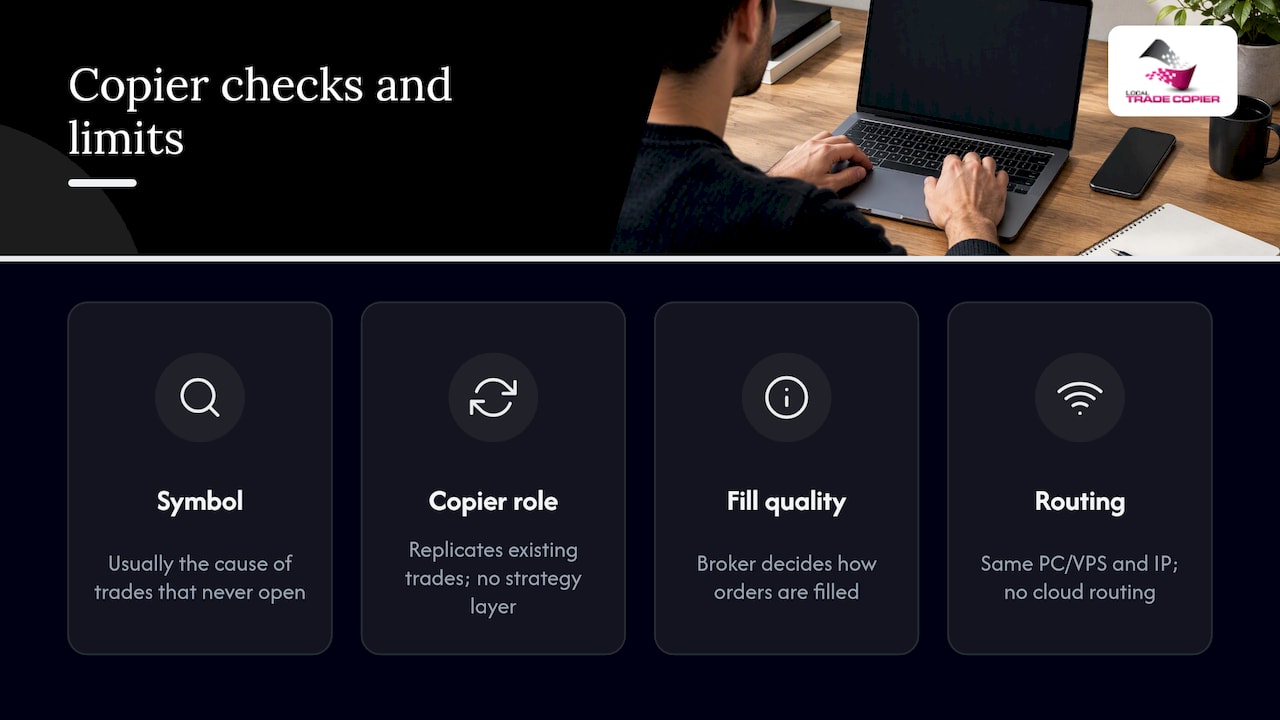
We also want to be plain about what a copier is. It replicates trades that already exist. It has no market logic, no strategy layer, and it does not influence outcomes. That is why the execution mode on the receiving account matters so much: the copier reproduces the order, and your broker decides how to fill it.
Because Local Trade Copier runs on your own Windows PC or VPS, the order is sent from the same machine and the same IP address as your terminals, with no cloud routing in between. That removes one source of delay, but it does not change how your broker’s server handles instant or market fills. Our advice is to treat the two as separate checks: first, make sure every symbol resolves correctly. Then look at fill quality over a meaningful sample. Past results do not guarantee future performance.
— Rimantas
Trade copying on prop firm accounts
Some prop firm accounts do not allow EA trading. For individual traders in that position, we built a manual-like execution mode so that copied trades look as if they were placed by hand. Always read your firm’s rules first, because what is permitted varies by firm and you are responsible for compliance.
Execution mode still applies here. The copier places the order, and the broker fills it under the symbol’s mode. Mapping errors on funded accounts are especially annoying, since a missed copy leaves the accounts out of sync. Test on a demo first.
Try it on your own accounts
Local Trade Copier includes the MT4 and MT5 copier components under one plan, with a 7-day free trial. Plans on the pricing page are PERSONAL at 29 € per month (290 € per year), MANAGER at 89 € per month (890 € per year), and VIP at 199 € per month (1990 € per year). A Windows PC or VPS is required. If you would like to see the workflow first, watch the demo video, or follow the installation guide to set up a test on two demo accounts.
Common mistakes to avoid
- Typing symbols from memory. Copy them from Market Watch instead.
- Assuming market execution means no problems. It removes requotes, not price differences.
- Judging a broker by one fill. Use a sample of 50 to 100 or more trades before drawing conclusions.
- Mapping everything when you only need a few instruments. A narrow, tested list is easier to audit.
- Skipping the test trade. A one-lot-minimum test on each symbol catches most naming problems in minutes.
- Ignoring the broker’s execution policy. It explains how price changes are treated on your account.
FAQ
What is the difference between instant and market execution?
Instant execution fills your order at the price you requested, or sends a requote if that price is gone. Market execution fills at the next available price without asking you. The first favors price certainty, the second favors getting filled, per the MetaTrader 5 documentation.
Does market execution fill faster than instant execution?
Not inherently. Market execution skips the price-confirmation step, so there is no pause for a requote. That is where the sense of speed comes from. You gain the fill and give up control of the price.
Why did my copied trade not open on the client account?
The most common reason is a symbol name that does not match the broker’s instrument, such as a missing suffix or a case difference. The next most common is a rejection under instant execution after the price moved. Check the exact symbol in Market Watch first, then the deviation setting.
Do I need symbol mapping if both accounts are at the same broker?
Often not, since the names are usually identical. Check anyway, because different account types at the same broker can use different suffixes. Cross-broker and MT4-to-MT5 setups are where mapping matters most.
Sources
- Executing Trades, MetaTrader 5 Help
- Forex Transactions: Regulatory Guide, NFA
- Forex Price Changes, Interpretive Notice to NFA Compliance Rule 2-36
- Instant Execution vs Market Execution: Real Difference, Forex MT4 Systems
- Evaluating factors driving MT5 broker choice, FXTime
- Building a Broker-Agnostic Symbol Resolution Layer in MQL5, MQL5 Articles
