

Per-account risk settings are the limits you set separately on each account that receives copied trades: how big the lots are, how much exposure is allowed, and when copying should stop. One master and five followers should never share one set of numbers, because the five accounts are never really identical. Below we walk through which settings matter, how to choose values, and how to check each account before you go live.
This is about controlling exposure on trades you already take. It is not a way to improve results, and nothing here promises any. Past results do not guarantee future performance.
TL;DR
- Set risk on each follower account, not once for the group. Balances, leverage, rules and distance to a drawdown limit all differ.
- Start with a clear risk-per-trade ceiling. A widely cited conservative baseline is 2% of account equity at most on any one trade. Many traders go lower.
- Pick a lot-sizing method per account (fixed, balance-scaled or multiplied), then add caps for maximum lot size and total exposure.
- Prop firm accounts need their own daily loss and drawdown buffers, set tighter than the firm’s published limits.
- Test on a demo or small account first, and recheck settings whenever the balance or the rules change.
Why one set of risk numbers fails across accounts
Imagine a master account with $50,000 and three followers: a $10,000 personal account, a $100,000 funded account, and a $25,000 account with a different broker. If every follower mirrors the master’s lot size one for one, the $10,000 account carries five times the relative exposure of the master. The $100,000 account carries half.
That is the basic problem. Even when balances match, other things do not:
- One account may already be down for the day while another is flat.
- One may sit near a trailing drawdown threshold after an earlier profit.
- Brokers differ in contract size, minimum lot, lot step and maximum order size.
- Account currencies can differ, which changes how a dollar of risk translates.
Published guidance on multi-account copying makes the same point: a group-level limit is not enough when each account has its own history and its own distance to a threshold, so risk has to be checked on each follower individually. That is the principle behind everything below.
The settings that matter, in order
Not every setting deserves equal attention. Work through them in this order, because each one builds on the last.
1. Risk per trade
Start with a number you can live with if several trades in a row go against you. The CME Group’s education material describes the 2% rule as never putting more than 2% of account equity into a single trade. Investopedia’s forex risk guide suggests a similar starting point, noting that risk per trade should be a small percentage of your capital. Many traders pick 1% or less, especially on funded accounts with tight drawdown rules. If you want the reasoning behind a 1% ceiling, this write-up on the one percent rule explains it from a trader’s point of view.
What counts is that the number is decided per account. A copier does not know your stop distance logic or your tolerance. It replicates what the master does, scaled the way you tell it to. So the percentage you choose, and the lot size that results from it, is your decision. Past results do not guarantee future performance, and a small percentage reduces the size of any single loss without removing the possibility of loss.
2. Lot-sizing method
There are three common approaches, and the right one can differ account by account.
| Method | How it works | Good fit | Watch out for |
|---|---|---|---|
| Fixed lot | Every copied trade uses the same lot size on the follower | Small, stable accounts; strict rule sets | Risk drifts as the balance grows or shrinks |
| Balance-scaled | Lot size follows the follower’s balance relative to the master | Accounts of very different sizes | Rounding on small accounts; large master swings |
| Multiplier | Master lot times a factor you choose | Followers you want to run lighter or heavier than the master | Easy to forget when the master changes size |
Local Trade Copier supports configurable lot sizing per account and automatic lot scaling by account balance. If you have started with fixed lots and find the risk drifting, our guide on moving from fixed lot copying to a hybrid setup shows how to fix that in a few minutes.
3. Maximum lot size per account
A cap protects you from the one trade that is much larger than normal. It also keeps you inside broker limits: some brokers reject orders above a set size, and a scaled lot can easily exceed it. We cover this in detail in avoiding 50-lot rejections with a max lot per account.
Set the cap at a value that fits the account’s own risk ceiling, not the master’s. If your risk-per-trade limit says a follower should never open more than 0.5 lots on a typical stop, the cap should say so too.
4. Lot rounding
Scaling produces odd numbers. A calculation might return 0.037 lots, and the broker’s lot step is 0.01. How that gets rounded decides whether a small account trades slightly lighter or slightly heavier than intended. On small accounts the effect is large in relative terms. Our lot rounding rules for MT4, MT5 and DXTrade walk through six steps for keeping that rounding on the safe side.
5. Drawdown and loss limits
This is where per-account settings matter most. A daily loss limit works as an automated circuit breaker. In the platform context, Tradovate describes an enabled limit as one that liquidates and locks the account when the loss limit is reached, then unlocks at the end of the session. Your MetaTrader accounts may not offer that exact mechanism at the broker level, so decide what your own rule is: stop copying to this account, close positions, or both.
The reason a hard rule beats a reminder is behavioral. Prop trading risk guidance points out that after a loss, the temptation to chase it is strongest, which is when an alert is easiest to ignore. A rule that acts without you has no mood.
We go deeper on this in our practical guide to drawdown control.
6. Margin safeguards
A follower with lower leverage or a smaller balance can run short of free margin on a trade the master handled easily. Check what happens when a copied order would not fit. Our five checks to prevent margin call copies cover MT4, MT5 and DXTrade.
A worked example: one master, three followers
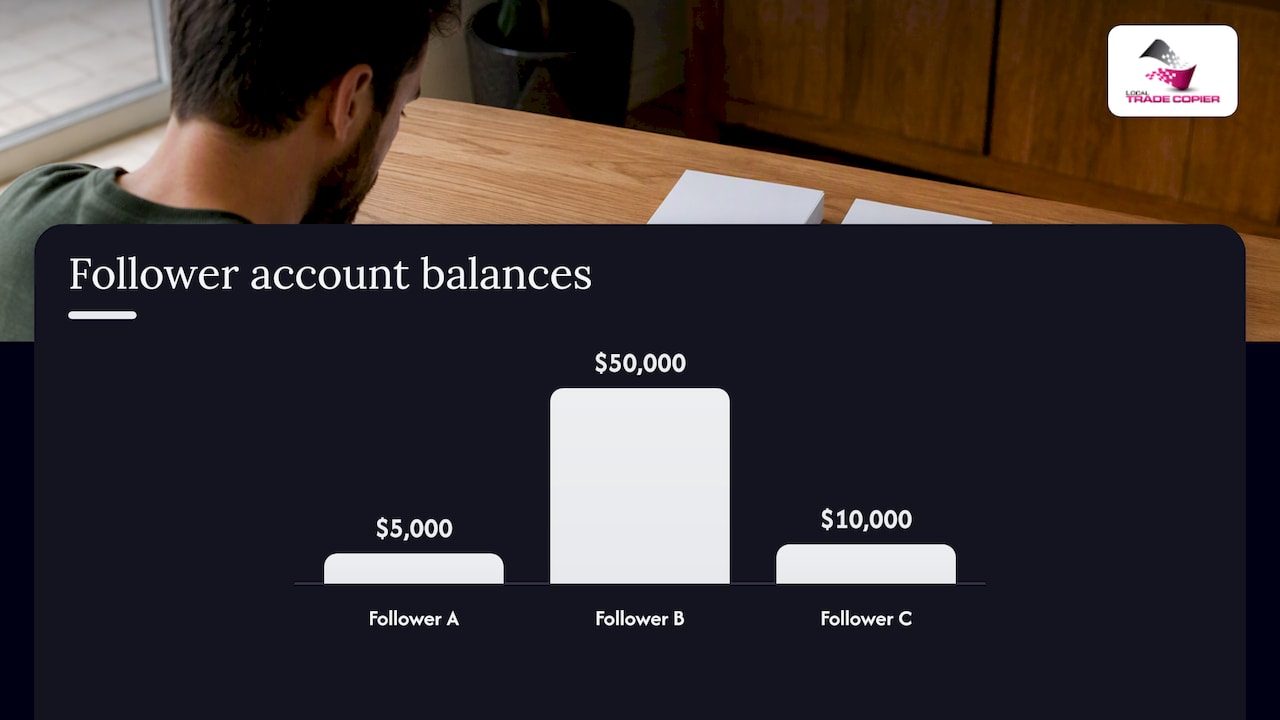
Here is a hypothetical setup. The numbers are illustrations, not recommendations, and they say nothing about expected outcomes. Past results do not guarantee future performance.
Master: $20,000 balance, trades 1.0 lot on a typical setup.
| Account | Balance | Role | Sizing | Max lot cap | Daily stop rule |
|---|---|---|---|---|---|
| Follower A | $5,000 | Personal, same broker | Balance-scaled (0.25x) | 0.30 | Stop copying after a 2% daily loss |
| Follower B | $50,000 | Funded evaluation | Balance-scaled, then reduced by a multiplier of 0.8 | 1.50 | Stop copying well before the firm’s daily limit |
| Follower C | $10,000 | Personal, different broker | Fixed 0.20 lots | 0.20 | Stop copying after a 3% daily loss |
A few things to notice.
- Follower B is deliberately lighter than pure balance scaling would make it. The firm’s rules, not the account size, set the ceiling there.
- Follower C uses a fixed lot because the broker’s lot step is coarse and the owner prefers predictability.
- Each account has its own daily stop. None of them depends on the master’s state.
If you want to see how to wire one MT4 master to several clients, our walkthrough on copying one MT4 master into three MT4 clients covers the setup.
Prop firm accounts need their own buffer
Funded and evaluation accounts usually have a daily loss limit and a maximum drawdown, and breaching either can end the account. Every firm defines these differently (balance-based or equity-based, static or trailing), so the first step is reading the rulebook for the specific account. The guidance on prop trading risk makes the same point: each firm sets its own thresholds, and those decide how you size and when you stop.
Practical points for copying into these accounts:
- Set your internal limit tighter than the firm’s. If the firm allows a given daily loss, your stop should trigger well before it, so slippage or a gap does not carry you over.
- Treat each funded account separately. Two accounts at the same firm can be at different points in their drawdown.
- Check the firm’s policy on automation. Some firms do not allow EA trading. Local Trade Copier has a manual-like execution mode that makes copied trades appear as if placed by hand, which is designed for accounts that do not allow EA trading. Read the manual-like execution mode page, and always confirm the firm’s current rules yourself, because they change.
- Mind the IP question. Because the copier runs locally on one Windows PC or VPS, all trade activity comes from one machine and one IP address, with no cloud routing. Our article on local trading server advantages explains the reasoning.
Some exit tools also reduce reversal risk. For example, an automatic breakeven move shifts the stop to your entry once a trade reaches a profit trigger, as described for NinjaTrader. It is a stop management idea, not a promise that a trade will not reverse. Past results do not guarantee future performance.
Perspective: what we see from the copier side
We built Local Trade Copier in 2010, and the most common support question over the years has not been about speed. It has been some version of “why did this follower take a trade that was too big?” Almost every time, the answer was a setting that made sense for one account and was quietly wrong for another.
Our view is simple. A copier is plumbing. It carries a trade from one terminal to another, and it should carry it the way you instructed, per account, every time. It has no market logic and no strategy layer, and we do not want it to have any. That is why the controls that matter are boring ones: lot method, caps, rounding, loss rules, and which account gets what.
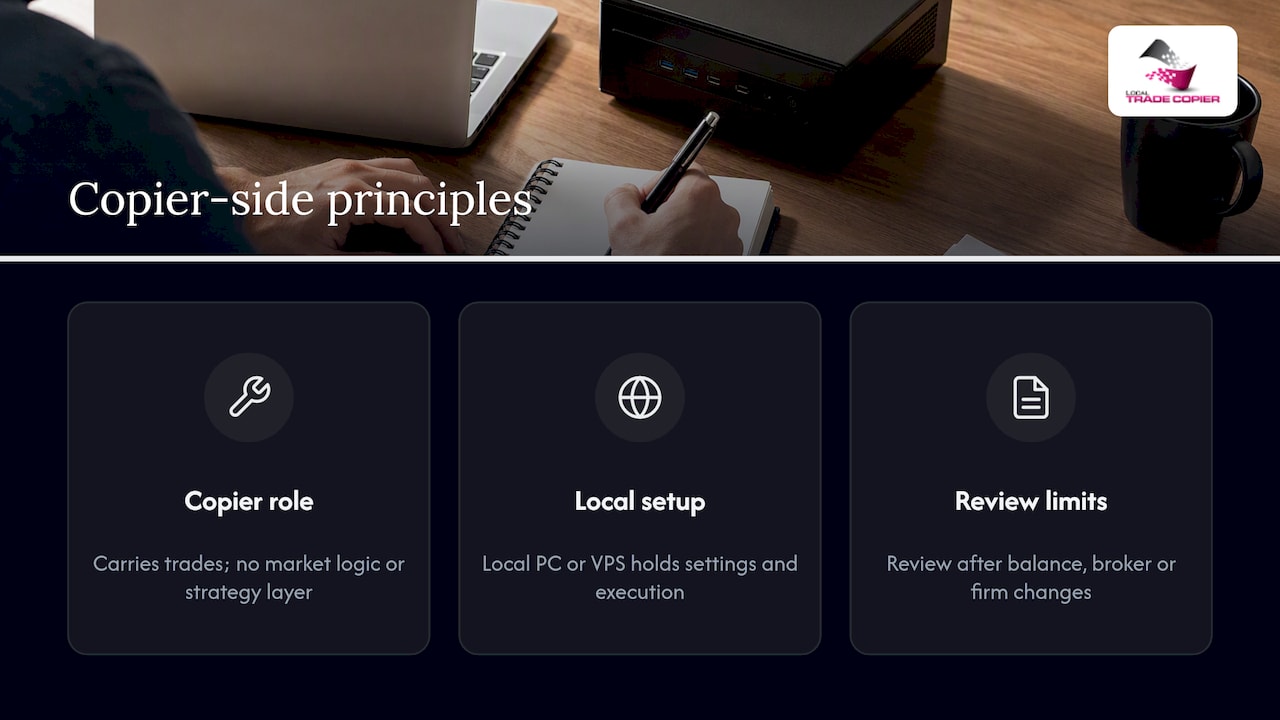
We also think local execution suits this kind of control. When the copier runs on your own Windows machine or VPS, the settings, the trade data and the execution all sit in one place you can inspect. There is no third-party server in between to wonder about.
One habit we would encourage: write down each account’s limits in a short note, one line per account, and review it whenever you change the balance, the broker or the firm. Most risk drift starts as a forgotten change.
— Rimantas
A pre-launch checklist for every follower account
Run through this before a new account receives its first live copied trade.
- Write the account’s risk ceiling as a percentage and as a dollar figure.
- Check broker specs: minimum lot, lot step, maximum lot, contract size and symbol suffixes.
- Choose the sizing method and confirm the resulting lot on a sample trade.
- Set the max lot cap below the point where a single trade would breach your ceiling.
- Define the loss rule: what happens at your daily and overall limits, and who or what acts.
- Check the currency. If the account currency differs from the master’s, confirm how the sizing treats it. See copying trades between different account currencies.
- Run on demo or a very small live size and compare master and follower trades line by line.
- Secure the machine. A strong password and a VPS setup reduce the chance of someone tampering with your settings. Our security guide covers it.
If the accounts sit with different brokers, the cross-broker copying guide covers the differences worth checking, and the MT4 to MT5 replication guide handles mixed platforms.
What to review and how often
Settings are not set-and-forget. Put these on a calendar:
- After any deposit or withdrawal, especially with fixed lots, since the same lot is now a different percentage of the account.
- After a broker change, such as new spreads, new lot limits or new symbol names.
- When a prop firm updates its rules, or when you move from an evaluation to a funded stage.
- When the master changes style, for instance by using wider stops or more concurrent positions.
- Monthly, as a short read-through of the one-line note per account.
If you run robots or signals with no built-in risk layer, our piece on adding missing risk management to a forex robot or signal shows how follower-side limits can fill the gap. For a broader comparison of approaches, see our guide to risk management platforms for multi-account traders.
Trying these settings in Local Trade Copier
Local Trade Copier copies trades between MT4 and MT5 accounts (and DXTrade) from your own Windows PC or VPS, with per-account lot sizing, automatic scaling by balance and a set of risk and lot management options for each client account. It includes both the MT4 and MT5 copier components in one plan, and every plan starts with a 7-day free trial.
Plans on the pricing page are:
| Plan | Monthly | Yearly |
|---|---|---|
| PERSONAL | €29 per month | €290 per year |
| MANAGER | €89 per month | €890 per year |
| VIP | €199 per month | €1,990 per year |
If you want to see the install steps first, start with the installation guide. Remember that the software only replicates trades. It does not choose them, and it does not change the odds of any trade. Past results do not guarantee future performance.
FAQ
How much should a trader risk per trade?
There is no single correct figure. A commonly cited conservative baseline is no more than 2% of account equity on one trade, and many traders use 1% or less, especially on funded accounts. Choose a level you can tolerate through a losing streak. Past results do not guarantee future performance.
Should every copied account use the same lot size?
Usually not. Accounts differ in balance, broker limits and rules, so identical lots produce different relative risk. Balance-scaled or multiplied lots with a per-account cap keep exposure closer to what each account can bear.
Do I need separate daily loss limits for each prop firm account?
Yes, in practice. Each account has its own daily result and its own distance to the firm’s thresholds, and firms define those thresholds differently. Set an internal limit per account that triggers before the firm’s published one, and check the firm’s current rulebook.
Can a copier protect me from losses?
No. A copier replicates trades and can apply sizing rules and caps you configure, but it has no market logic and cannot prevent a trade from losing. Limits reduce the size of exposure you accept. They do not remove risk. Past results do not guarantee future performance.
Sources
- The 2% Rule, CME Group
- Master Forex Risk Management, Investopedia
- Daily loss limit, Tradovate
- Prop Trading Risk Management: Rules & Limits, Tradovate Prop
- How Prop Traders Can Use NinjaTrader’s Auto Breakeven Feature
