

The fastest way to reduce copy slippage is to stack three fixes: run your copier on a low-latency VPS or co-located host near your broker, trade through an ECN/STP broker with published execution stats, and use an event-driven copier instead of one that polls for changes. Do all three and slippage becomes a manageable, predictable cost. It won’t hit zero. No architecture, broker, or piece of software eliminates it entirely, and treating that as the goal sets you up for disappointment.
TL;DR:
- Running a trade copier on a near-broker VPS significantly reduces latency and slippage, but cannot eliminate it entirely.
- Switching from polling to event-driven execution and favoring ECN or STP brokers improves fill speed and minimizes unpredictable price movements.
- Accurate measurement, including logging trade timings and prices over multiple trades, is essential to identify specific bottlenecks and assess slippage levels.
- Ensuring master and follower accounts are on the same broker server and matching instrument settings prevents systematic fill differences.
- Controlling position size, avoiding low-liquidity hours, and timing trades during stable conditions further limits market impact and slippage.
What Causes Copy Slippage?
Copy slippage starts the moment your master account fires an order and ends the moment your follower account gets a fill. Every millisecond between those two events is where price can move against you, and the path has more failure points than most traders assume.
The chain runs roughly like this: signal detection on the master terminal, transmission to the copier engine, order construction on the follower account, and submission to the broker’s server for execution. A slow link at any point adds delay, and delay is what turns a normal fill into a slipped one.
Broker execution type matters more than most people realize. A market-maker broker internalizes your order and can requote or widen spreads during volatility. An ECN or STP broker routes orders directly to liquidity providers, which usually means faster, more consistent fills. That distinction shows up constantly in ECN broker guidance, which notes that during high volatility, slippage is often unavoidable but is best contained by favoring ECN execution and event-driven signal processing over slower polling methods.
Beyond latency and broker type, a few other root causes show up repeatedly:
- Instrument and contract mismatches. Different brokers use different tick sizes, contract sizes, and symbol suffixes, and a copier that doesn’t map these correctly produces small, systematic fill differences that compound over hundreds of trades.
- Volatility and news events. Wide, fast price swings around news releases mean the price at signal time and the price at fill time can differ meaningfully, even with a fast setup.
- Thin order books. Off-hours sessions or exotic pairs have less depth, so even modest order sizes can move the visible price before your fill completes.
- Server and account desynchronization. A master and follower on different broker servers, even within the same brokerage, can see slightly different quote streams.
Infrastructure and Copier Architecture Fixes
Once you understand where the milliseconds leak out, the fix list gets short. Infrastructure is the highest-leverage lever you have, and it’s the one practitioner guides mention most consistently.
VPS and co-location. Running your copier on a Windows machine sitting on residential Wi-Fi, three hops from your router, is the single most common cause of avoidable slippage. Moving that same setup to a VPS physically located near your broker’s data center cuts round-trip time dramatically. Practitioner writeups on reducing trade copier slippage consistently flag low-latency, co-located hosting as a major improvement available to retail traders. Cloud-based copiers can sometimes hit low latency in well-configured setups, versus significantly higher latency on a poorly configured PC, according to Copygram’s breakdown of slippage and latency — though the same source is clear that no architecture guarantees zero slippage, since actual performance still depends on your specific broker connection.
Event-driven dispatch versus polling. A polling copier checks the master account for new trades at fixed intervals, say every 100 to 500 milliseconds. An event-driven copier reacts the instant a trade event fires, with no waiting window at all. If your copier’s documentation mentions a “check interval” or “scan frequency” setting, you’re running on polling, and that setting is itself a slippage source you can partially tune but never fully remove.
Network-level checks worth running monthly:
- Confirm the VPS uses a wired connection to its host’s backbone, not a virtualized network layer with unpredictable jitter.
- Monitor ping and jitter to your broker’s server address over a full trading week, not just a quiet afternoon.
- Check CPU and memory load on the VPS during high-volume news windows. A network latency deep dive notes that noisy-neighbor resource contention on shared VPS plans can spike execution timestamps unpredictably, even when ping looks fine.
- Re-run your latency test after any host or plan change to confirm the improvement actually happened, rather than assuming it did.
Pro Tip: Don’t trust a single ping test taken at 3 a.m. Run latency checks during your actual trading hours, including news windows, since that’s when contention and congestion are worse.
Broker and Execution Settings That Cap Slippage
Infrastructure gets you speed. Broker choice and order settings get you control over what happens when speed alone isn’t enough.
Favor an ECN or STP broker and ask directly for execution statistics: average fill time, requote frequency, and slippage distribution on comparable order sizes. Brokers with genuine ECN routing are generally more willing to share this data than market makers, and that willingness is itself a useful signal. The same ECN broker overview covers what execution transparency should look like in practice.
Order type choice matters just as much as broker selection:
- Stop-limit orders with conservative offsets cap your worst-case fill price, at the cost of occasionally missing a fill entirely during fast moves. Professional traders often use multiple-tick offsets rather than single-tick, according to guidance on reducing slippage, tailoring the exact offset to the instrument’s normal volatility.
- Market orders guarantee the fill but not the price, which is fine for liquid majors and risky for thin instruments during news.
- Limit offsets on copied entries should be set wide enough to avoid rejected orders but tight enough to actually protect against outsized slippage. Too tight and you’ll miss legitimate fills constantly.
Matching the broker and server between master and follower accounts removes an entire category of mismatch. If your master runs on Broker A’s New York server and your follower sits on Broker A’s London server, you’re comparing two different quote streams even though the broker name is identical. Test this by comparing timestamped quotes on both accounts for the same instrument over a session, side by side, before assuming your setup is clean. Feed quality differences between providers explain why the price you see on a chart and the price you can actually execute at aren’t always the same number, even under normal conditions.
Position Sizing, Instrument Choice, and Timing
Not every slippage fix is technical. Some of it comes down to what you trade, when you trade it, and how much size you push through thin liquidity.
Scaling down position size in thinner markets reduces the market impact of your own order, since a smaller order needs less depth to fill at the price you expect. This matters most for account managers copying to several follower accounts simultaneously, where the combined order size across all accounts can be large enough to move a shallow order book on its own.
A few sizing and timing rules worth building into your process:
- Prefer liquid major pairs for copied strategies, and treat exotic or thinly traded instruments as higher-risk for slippage regardless of how good your infrastructure is.
- Be cautious copying scalp-heavy strategies unless follower latency is genuinely negligible. A strategy built for millisecond entries punishes any copier delay disproportionately.
- Avoid copying through major news releases and the lowest-liquidity hours (typically the New York close into the Asian open) unless your strategy specifically requires it.
- Verify tick size, contract size, and decimal precision match between your signal provider and follower accounts. Mismatches here, covered in more detail in how to copy trades from selected master accounts, create small systematic differences that add up over hundreds of trades.
Pro Tip: If you manage multiple follower accounts off one master, stagger position sizing by account balance rather than copying identical lot sizes everywhere. It reduces your combined market footprint without changing your strategy’s logic.
How to Measure and Audit Slippage
You can’t fix what you haven’t measured, and slippage is one of those problems that feels worse (or better) than it actually is until you put numbers on it.
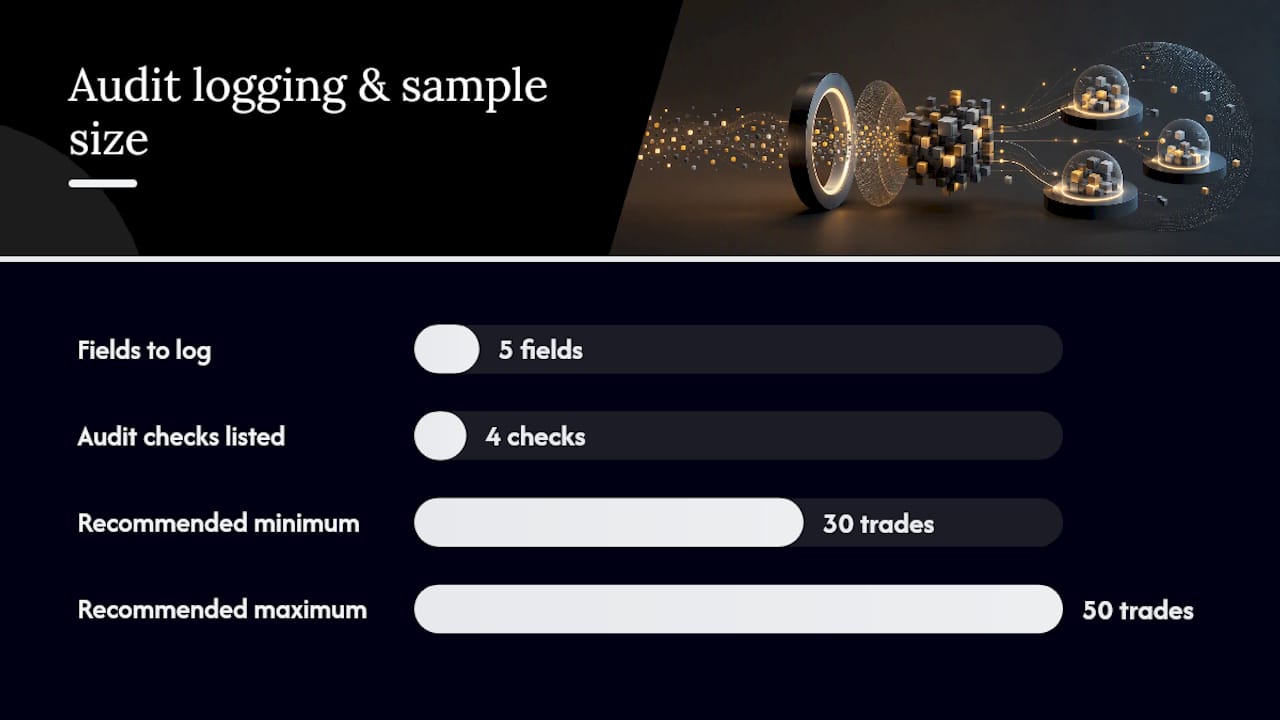
Start logging five fields for every trade: execution timestamp on the master, fill timestamp on the follower, the provider’s price, your actual fill price, and the spread at the moment of execution, along with which broker and server handled it. Practitioner audit workflows recommend sampling 30 to 50 trades minimum before drawing conclusions, since a handful of trades can be skewed by one bad news event, per the audit method described in trade copier latency reduction guidance.
The audit itself follows a simple sequence:
- Calculate the average pip or tick slippage across your full sample, not just the worst outliers.
- Check the distribution, not just the average. A tight cluster around a small number is healthy; a wide spread with occasional large outliers points to a specific bottleneck.
- Segment by time of day and instrument to isolate whether the problem is systemic or tied to specific sessions.
- Compare against your broker’s own published execution stats, where available, to see if you’re within normal range.
If your logs show broker-side latency consistently above what your broker’s own stats promise, that’s your trigger to test VPS co-location or switch providers. Past results do not guarantee future performance and slippage patterns from one sample period won’t necessarily hold during a different volatility regime, so re-audit periodically rather than treating one measurement as final.
How Local Trade Copier’s Architecture Addresses Slippage
Mt4copier built Local Trade Copier around the same principles this guide covers, because they’re the ones that actually move the needle on execution speed.
The software runs entirely on your local Windows machine or VPS with sub-0.5-second local execution, which removes the external network hop that cloud-routed copiers introduce between your terminal and a third-party server. Local execution means one IP address and no cloud routing risk, a detail prop firm traders in particular care about.
A few features map directly to the fixes covered above:
- 18 lot size and risk management options, including automatic lot scaling per client account balance, give you the position-sizing control needed to limit market impact across multiple follower accounts.
- Cross-platform copying across MT4, MT5, and DXTrade with proper instrument mapping helps prevent the contract and tick-size mismatches that cause systematic fill differences.
- A 7-day free trial lets you test configuration changes like server matching or lot scaling on your own accounts before committing.
None of this makes Local Trade Copier a profit tool. It’s trade replication software, not a strategy layer, and it has no influence on market outcomes. Past results do not guarantee future performance.
An Operator’s Checklist for Copy Slippage
Five checks separate a clean copy setup from a leaky one: confirm your VPS location relative to your broker’s server, verify master and follower sit on the same broker server, sample latency across a full week rather than one quiet session, pull spread data during your actual trading hours, and log enough trades (30 plus) before trusting any conclusion about your slippage.
The traps are almost always the same three. Traders assume identical broker names mean identical servers, they trust a three-trade sample because it happened to look clean, and they set stop-limit offsets once and never revisit them as instrument volatility shifts. Instrument mismatches are the quietest killer, since a half-pip difference in tick size looks like nothing until it’s multiplied across a thousand trades.
None of this requires guesswork. It requires logs, a stopwatch, and the discipline to re-test after every infrastructure change rather than assuming last month’s setup still holds.
— Rimantas
Try Local Trade Copier to Put These Fixes Into Practice
Local Trade Copier is built specifically for the architecture fixes this guide walks through: local sub-0.5-second execution instead of cloud routing, per-account lot scaling to control market impact, and cross-platform instrument mapping across MT4, MT5, and DXTrade to avoid contract mismatches.

If you manage stop losses or take-profits across follower accounts, the wait-for-SL/TP feature handles exit timing without manual intervention on every terminal. And if you’re running scalp-style strategies where every millisecond counts, the fast trade copier page covers the throughput numbers in more detail. Every plan includes a 7-day free trial, so you can test server matching, lot scaling, and latency on your own accounts before paying for anything. Start the trial and run your own audit against your current setup within the first week. Past results do not guarantee future performance.
Sources
- What causes trade copier slippage and how to reduce it (TopTrades)
- Understanding slippage, latency and copy trading (Copygram blog)
Recommended
- Must-Have Tools for Account Managers: MT4/MT5 Copy Toolkit
- Copy trading pitfalls every account manager must avoid
- Prop Firm Account Manager Copier Setup Guide
- Prop Firm Account Management Tips: Maximize Efficiency
