
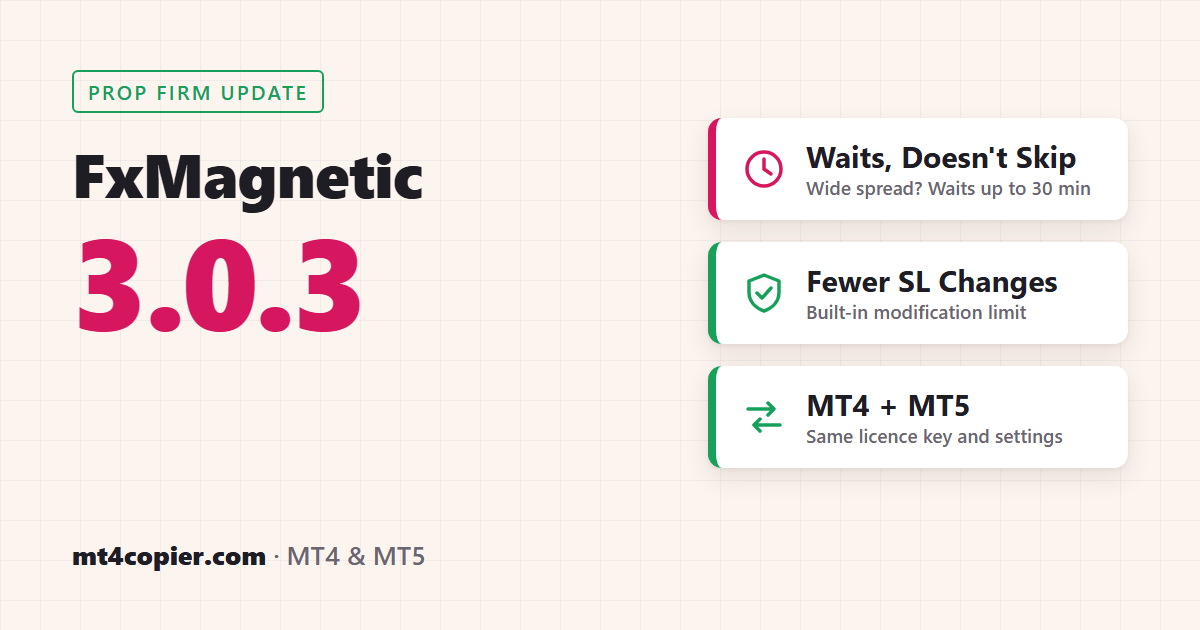
Dubai, UAE – November 23, 2026 – Algonexis Technologies, the developer of Local Trade Copier, has released FxMagnetic 3.0.3, a new version of its strategy scanner and Autotrader for MetaTrader. Much of the update targets traders on prop firm challenges and funded accounts. The Autotrader now waits for a normal spread instead of skipping a signal at the midnight rollover, keeps stop-loss changes few and far apart, and shows on the chart which trading limits are active. Optimize also runs about 10 times faster, with exactly the same results. Every FxMagnetic app also runs on MetaTrader 5 now, the platform many prop firms offer instead of MT4. Version 3.0.3 is available now to FxMagnetic customers in the Download Center. The full overview is in What’s New in FxMagnetic on fxmagnetic.com.
FxMagnetic turns trading methods such as candlestick patterns, RSI, Bollinger Bands, breakouts and fair value gaps into strategies that traders backtest on their own broker’s price history, right on the MetaTrader chart. The optional Autotrader, an Expert Advisor (EA), then places the trades.
Built around prop firm rules
Prop firm accounts come with more rules than personal accounts: loss limits, minimum lot sizes, and limits on how often orders may be changed. FxMagnetic 3.0.3 changes how the Autotrader behaves in exactly those situations:
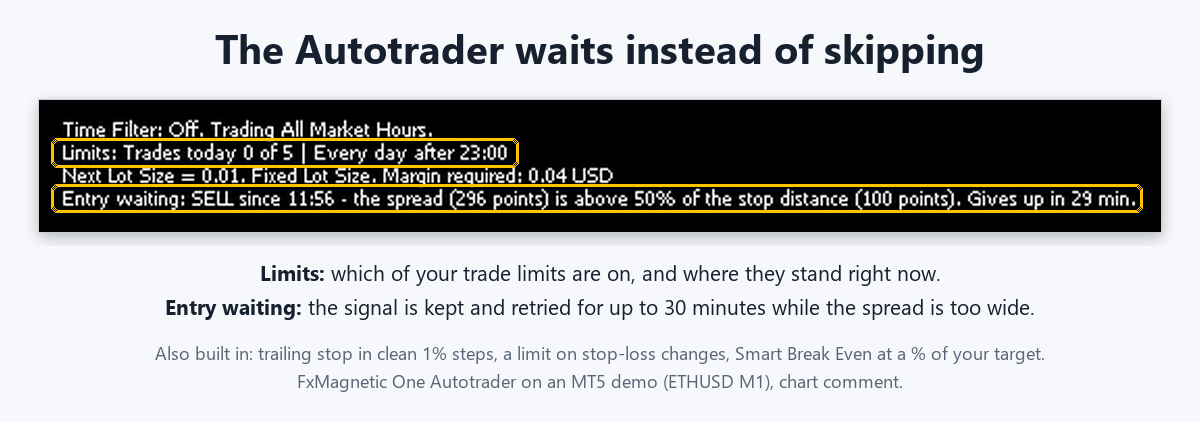
- No more skipped midnight signals. When the market is closed or the spread is too wide, as it often is around the daily rollover, the Autotrader keeps the signal and retries for up to 30 minutes. The setting is called “Market Closed / Wide Spread: Retry Entry For X Minutes”, and the chart comment shows “Entry waiting” with the reason.
- Fewer order modifications. The trailing stop trails from the best price reached and moves in steps of at least 1%, and a built-in limit keeps stop-loss changes few and far apart. Many prop firms and brokers limit how often orders may be changed, and some suspend accounts that send too many modifications.
- Never long and short at once. When an opposite signal closes a trade, the close is retried until it goes through, so a buy and a sell are never open at the same time.
- Limits on the chart. A “Limits:” line shows each active limit, such as trades today, the equity floor, the win rate, consecutive losses or a time pause, and where it stands now.
- No weekend holds by mistake. The Daily Exit Time is checked on every tick. When the market closes for the weekend or a daily break before the exit time, open trades are closed 10 minutes before the close.
- Minimum lot protection. When the broker’s minimum lot would risk more than twice the risk setting, the Autotrader skips the signal and explains why. With a fixed lot, it trades the minimum and notes it.
- Several Autotraders on the same terminal. Two Autotraders of the same app on different charts no longer block each other’s trades. A Magic Number of 0, which MetaTrader uses for manual trades, now triggers a warning.
Traders who copy trades from a master account to their prop accounts get a similar safeguard in Local Trade Copier: it changes a copied trade’s stop loss and take profit at most once every 5 seconds, so a trailing stop on the master can’t flood the copies with modifications.
MetaTrader 5, with the same licence key
All FxMagnetic Scanners and Autotraders, the trade filters SR Levels, Hull Shield, Daily Compass and Trend, and the Equity Simulator now run on MT5 as well as MT4. A single download per app contains both versions. The licence key stays the same, and a strategy found on MT4 uses the same settings on MT5. Results can differ slightly, because a broker’s MT4 and MT5 servers build slightly different price bars.
On MT5, FxMagnetic adds timeframes such as M2, M10, H2, H3 and H6, and works on the stock, index, gold, oil and crypto CFDs the broker offers. The Autotrader needs an MT5 hedging account; on a netting account only the Scanner runs. MT5 is included in FxMagnetic’s monthly and yearly plans, and owners of a lifetime licence can add it with a separate MT5 upgrade. Every other improvement in 3.0.3 comes to the MT4 version too.
Trading hours that follow New York or London
Session traders often think in exchange time, such as the first hour after the New York open. Broker servers usually run on a different clock, and the US and Europe change their clocks on different dates. In 3.0.3, the trading hours and the daily exit time can be set in New York, London, Frankfurt, Tokyo, Sydney, Hong Kong / Singapore, UTC or broker time. Daylight saving is followed automatically on any broker, and the panel shows both clocks. The New York Opening Range Breakout, the London Breakout and the SR Levels sessions read the broker’s clock from the price history, so backtests use the right hours too.
Optimize about 10 times faster
Finding a strategy means running Optimize many times, and each run could take minutes. In 3.0.3, Optimize is about 10 times faster, with exactly the same results. On the same laptop, chart and 700 simulations, version 1.9.1 needed 2 min 47 s and version 3.0.3 needs 15.7 s, and all 700 results match, combination for combination.
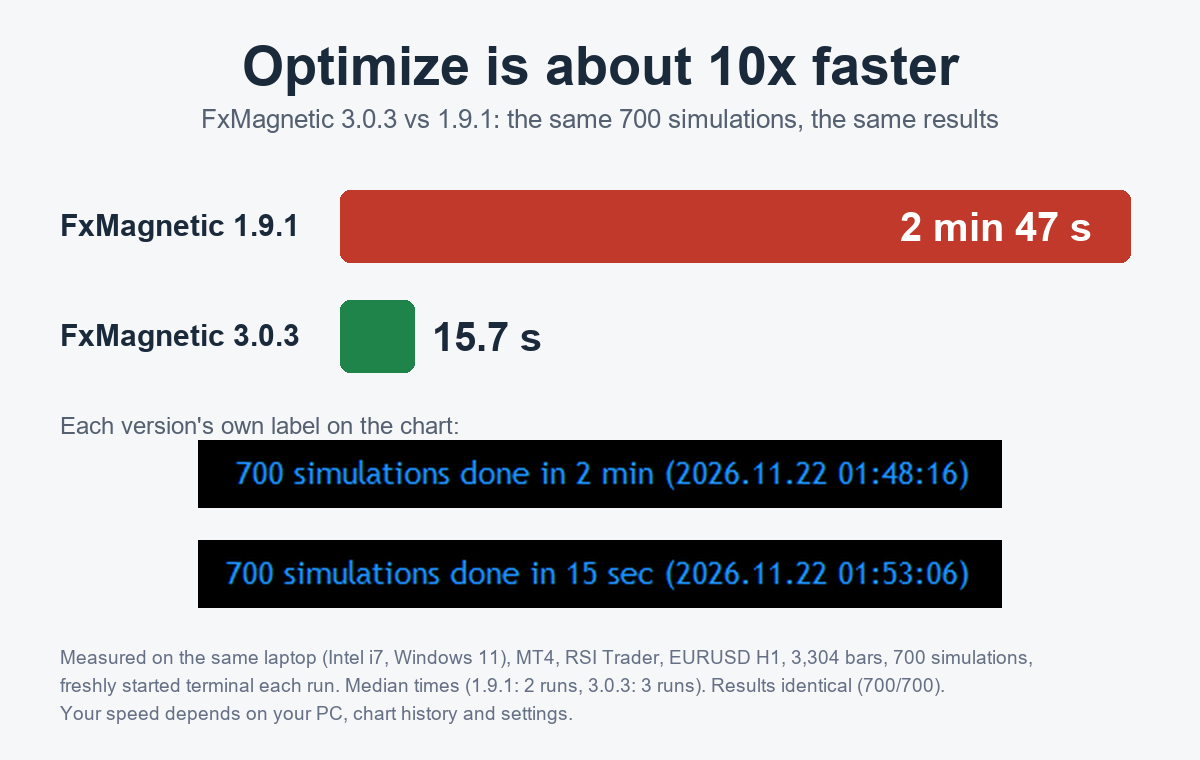
Measured on the same laptop (Intel i7, Windows 11), MT4, RSI Trader, EURUSD H1, 3,304 bars, 700 simulations, freshly started terminal each run; median times. Speed depends on the PC, chart history and settings.
Also new in 3.0.3
- Tab, Shift+Tab and Shift+Enter set up a strategy in the Scanner panel without the mouse.
- The Scanner downloads missing price history by itself before it shows the statistics.
- Every app can backtest on the last 10, 25, 50, 100 or 200 signals.
- Optimize handles up to 10,000 simulations per run on any PC, with a correct count and time left.
- 56 new tooltips explain the statistics and panel fields.
- Every app has the Strict/Flexible setting, and Strict has new, tighter rules for RSI, Bollinger Bands, Stochastic and several candlestick patterns.
- On laptops at 125% or 150% Windows display scaling, the MT4 panel now grows with the screen, as it already did on MT5.
- Stricter statistics: a break-even trade no longer counts as a win, and a stop hit through a weekend gap counts its real loss in R.
Availability
FxMagnetic 3.0.3 is available now for MT4 and MT5. Existing customers download it from My Downloads in the Download Center. The 3.0.3 files have new names, so traders save their settings on the Inputs tab, attach the 3.0.3 Scanner and Autotrader, and load the settings again. The licence key stays the same. The update steps, with screenshots, are in What’s New in FxMagnetic (and How to Update).
Every strategy should be tested on a demo account first. Backtests don’t guarantee future results, and trading forex and CFDs carries a high risk of loss.
About FxMagnetic
FxMagnetic by Algonexis Technologies is trading software for MetaTrader 4 and MetaTrader 5, available at fxmagnetic.com. It turns popular trading methods into strategies that traders backtest, optimize and automate without coding, and more than 5,000 copies have been sold. Rimantas Petrauskas created FxMagnetic and Local Trade Copier (LTC), which copies trades locally between MT4 and MT5 accounts on a trader’s own PC or VPS. Algonexis Technologies is based in Dubai, UAE.
Media contact: Rimantas Petrauskas, founder of FxMagnetic and Local Trade Copier, Algonexis Technologies – fxmagnetic.com/contact-us
