

Partial fills copying means replicating partial executions so follower accounts keep the correct remaining position size after every partial close. A locally-installed copier handles this reliably only if it tracks ticket-level state and recognizes repeated partial closes on the same position. Local execution shrinks latency, but it cannot force identical fill prices across brokers. The attributes worth checking before you trust a copier: ticket-state tracking, correct handling of repeated partial closes, and lot-scaling options that match how you size positions.
TL;DR:
- Partial fills are best copied when the software tracks ticket-level state and recognizes repeated partial closes to prevent over-closing.
- Latency differences between brokers can cause slight price discrepancies, making identical fill prices across accounts impossible in independent markets.
- Proper configuration includes enabling ticket-level logging, running a full resync before live copying, and testing lot scaling and slippage settings carefully.
- Verifying partial fill copying requires deliberate partial closes on demo accounts and checking logs for accurate remaining volume after each event.
- The goal of a copier is to replicate trade intent and correct remaining size rather than exact fill prices, which cannot be guaranteed across different brokers.
How MT4, MT5, and DXTrade Report Partial Fills
A partial close is not a new trade. It is a reduction of an existing ticket. Every platform reports that reduction differently. In MT4, a partial close on a ticket typically closes part of the volume and leaves the remainder open under the same ticket number, though the platform can also generate a linked deal entry depending on the broker’s bridge. MT5 separates orders, deals, and positions into distinct records, so a partial close shows up as a new deal tied to the original position ID rather than a brand-new position. DXTrade tracks fills at the order level with its own execution reports, which means a copier bridging DXTrade to MT4 or MT5 has to translate between two different data models in real time.
What actually matters for a copier is not any single event. It is the cumulative remaining volume on that ticket after each partial close. Local Trade Copier’s documentation on partial close replication walks through exactly how these transactions get parsed and pushed to client accounts, including the repeated-close scenario where a trader scales out of a position three or four separate times.
A few things a copier needs to get right at this layer:
- Recognize the ticket ID (or position ID on MT5) as the anchor for state, not the individual close event.
- Read remaining volume after each partial close, not just the volume that was closed.
- Distinguish netting accounts, where positions aggregate by symbol, from hedging accounts, where each ticket stays independent.
- Preserve state across restarts, so a terminal reboot doesn’t lose track of how much volume is actually left open.
Cumulative tracking beats event-by-event replication because a copier that only reacts to “a partial close happened” has no way to know if that’s the first, second, or fifth reduction on that position.
Why Partial Fill Copying Breaks: The Usual Suspects
Most partial-fill errors trace back to four causes, and they compound each other more often than traders expect.
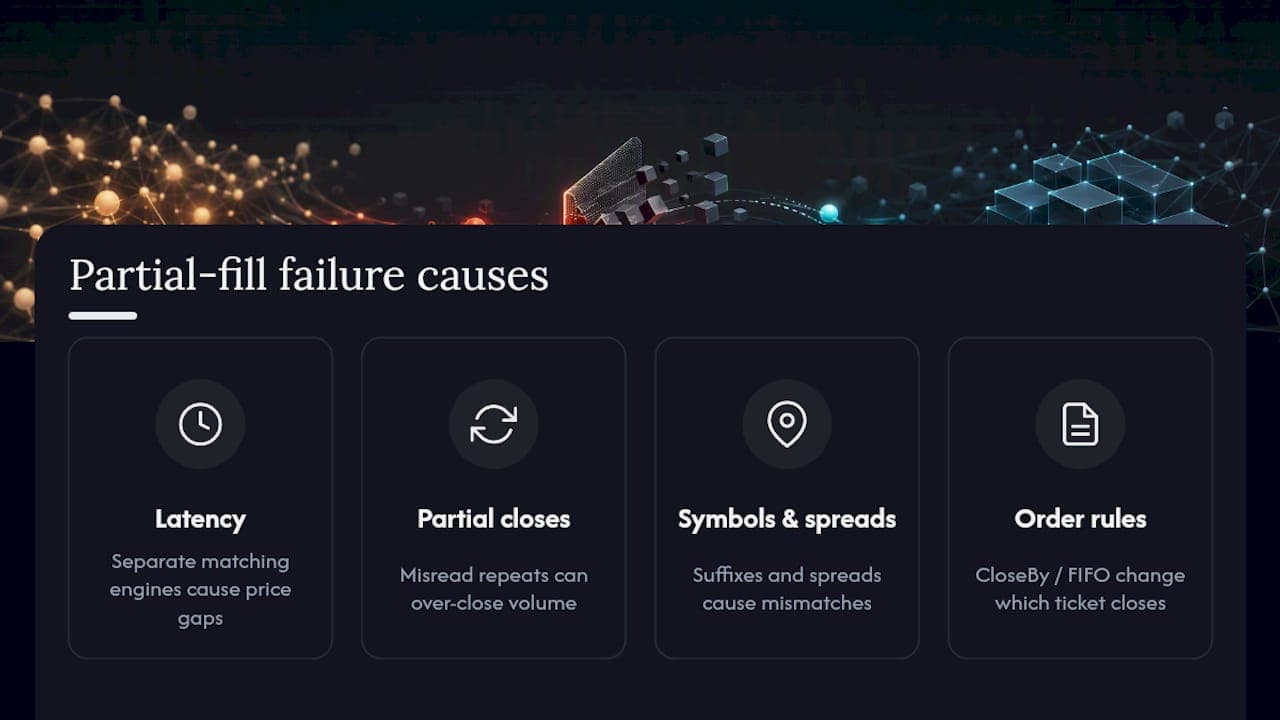
Latency and independent matching engines top the list. Local installation gets your reaction time down, since the trade signal never leaves the machine or VPS running the software. But your master account and each client account still sit on separate broker matching engines, and each one prices independently. That means even a fast copier will occasionally see a follower fill at a slightly different price than the master, especially in fast markets. No software eliminates that gap entirely.
Over-closing from misread repeated partial closes is the second most common failure. If a copier treats every partial close as an isolated, one-time event instead of checking remaining volume first, it can submit a follower close for more volume than is actually left open. Some platforms will auto-close the entire remaining position if the requested close exceeds what’s left, which silently zeroes out a follower position the trader never intended to fully close.
Symbol mismatches and spread differences between brokers cause volume and price inconsistencies, particularly on cross-broker setups where one broker uses “EURUSD” and another uses “EURUSD.a” or a different suffix entirely. Cross-broker symbol mapping and spread-difference guidance addresses this directly.
Special order types like CloseBy transactions or Close & Stop profit-taking behave differently from a standard partial close, and a copier that doesn’t explicitly support them can misfire on volume calculations. FIFO account rules add another layer, since netting and FIFO restrictions change which ticket gets closed first when multiple positions exist on the same symbol.
Pro Tip: Before going live, deliberately trigger a repeated partial close on a demo master account: close 30% of a position, wait, close another 30%, then close the rest. Watch whether the follower account’s remaining volume matches at each step.
Configuring a Local Copier for Reliable Partial Fill Handling
Getting partial-fill replication right is mostly a configuration problem, not a coding problem, if you’re using software built for it. Here’s the order to work through:
- Turn on ticket-level tracking and persistent logging. You want a record that survives a restart and shows remaining volume after every event, not just closed volume.
- Set lot scaling per client balance and test it against partial closes specifically. A 0.5 lot partial close on a master with a 2 lot scaling ratio to one client and a 0.3 ratio to another needs to produce correct proportional closes on both, not just correct proportional opens.
- Set maximum slippage and a price-correction policy. Decide up front how much price divergence is acceptable before a follower order gets rejected or flagged.
- Deploy on a low-latency Windows VPS rather than a home connection. Installation on a dedicated Windows or VPS environment keeps execution paths consistent and avoids the latency spikes that come from a residential internet connection dropping packets.
- Configure accept/ignore filters for trade types you don’t want mirrored. If you trade manually on the master account alongside an EA, or you occasionally place trades from a mobile app, accept/ignore settings keep those out of the copy stream.
| Setting | What to check | Why it matters for partial fills |
|---|---|---|
| Ticket-level logging | Logs show remaining volume, not just closed volume | Prevents over-closing on repeated partial closes |
| Lot scaling | Test with partial closes, not just full opens | Scaling errors compound across multiple partial events |
| Max slippage | Defined threshold, not left blank | Controls how much price divergence triggers a rejection |
| Deployment | Windows VPS, not a home PC | Reduces latency variance during fast partial-close sequences |
| Trade filters | Accept/ignore rules set before going live | Keeps unwanted manual or mobile trades out of the copy stream |
Past results do not guarantee future performance, and none of these settings change market outcomes. They only affect how faithfully a follower account mirrors the master’s position size.
How to Verify Partial Fill Copying Is Working
Trust the logs, not your assumptions. Here’s a working sequence:
- Trigger a controlled partial close on a demo master account. Close a known percentage of a position and note the exact remaining volume.
- Check the follower log for a matching ticket ID and remaining volume. The timestamp gap between master event and follower execution tells you your real-world latency.
- Repeat the partial close two or three more times on the same ticket. This is where over-closing bugs usually surface, since the first partial close often works fine and the second or third one is where state tracking fails.
- Read the diagnostic log for reject or error codes. Most mismatches trace back to a rejected order that never got flagged to the trader, not a silent calculation error.
- If sizes drift, run a resync rather than manually adjusting positions. The copy open trades function resets follower state to match the master’s actual current positions, which is safer than guessing at a manual correction.
- Before contacting support, gather your ticket IDs, timestamps, and log excerpts from both master and follower. That’s what turns a “it’s not working” ticket into a five-minute diagnosis.
What Local Trade Copier Does With Partial Fills
Some locally-installed trade copier software runs entirely on a Windows machine or VPS, with no cloud routing between master and client accounts. This local-only architecture can reduce execution time below 0.5 seconds, since the trade signal does not need to travel to an external server. Such platforms may include multiple lot size and risk management options and automatic lot scaling based on each client account’s balance, which matters directly for partial closes: scaling has to recalculate correctly at every partial event, not just at the initial open.
Three documentation pages cover the mechanics discussed above in more depth: the partial close transaction guide for repeated partial closes, the copy open trades page for resyncing after a mismatch, and the fast trade copier page, which documents copying ten orders in one second. Local Trade Copier has been active since 2010 and has gathered a community of users and multiple Trustpilot reviews.
Test It Yourself Before You Trust It
Local Trade Copier offers a 7-day free trial that includes the full MT4, MT5, and DXTrade components, so you can run the exact partial-close sequence described above before committing to anything.

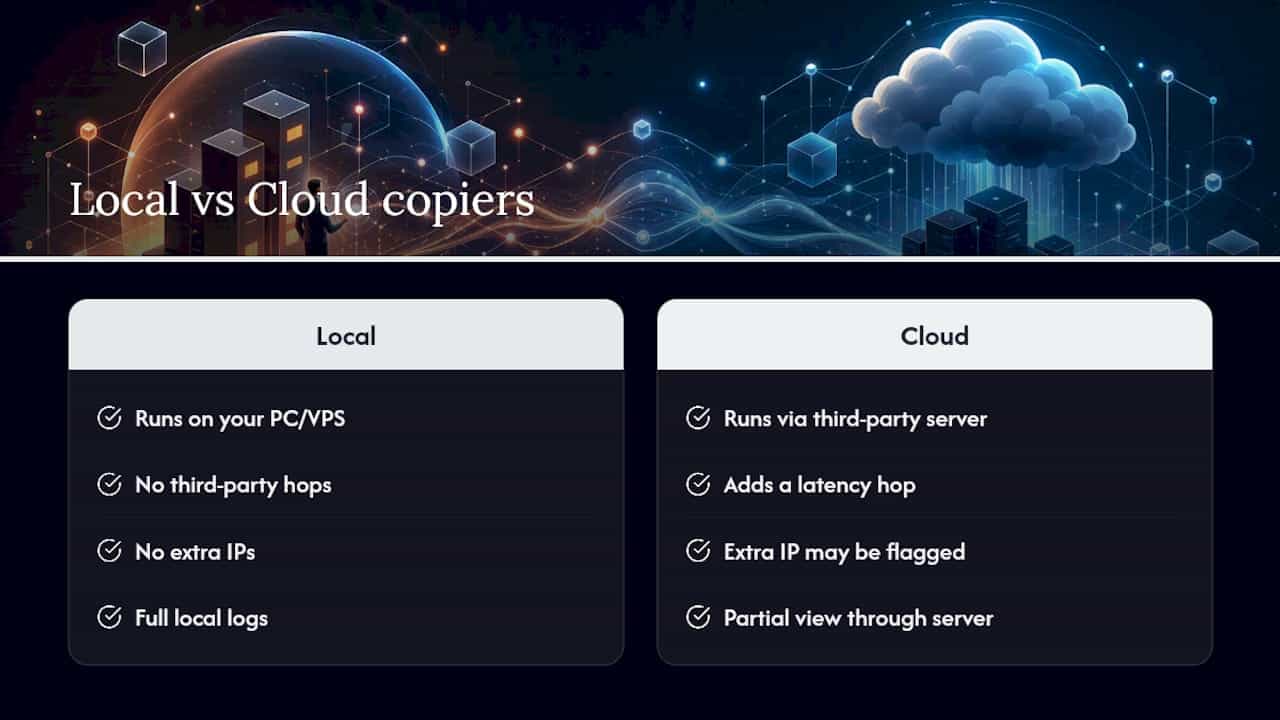
Cloud-based copiers route your trade data through a third-party server, which adds a latency hop and, for prop-firm accounts, an extra IP address in the chain that some firms flag during compliance checks. Local Trade Copier runs entirely on the machine or VPS you control, so trade data never leaves your own execution path. That’s the concrete difference for a trader running partial-close tests: what you see in your local logs is the whole picture, not a partial view filtered through someone else’s server.
Start with the installation guide on a Windows PC or VPS, then use the copy open trades feature to sync your demo accounts before running a scripted partial-close test. If the behavior matches what you need, the Personal, Manager, and VIP plans are all available on the same 7-day trial, and you can pick the tier that matches how many client accounts you’re actually running.
A Note on Expecting the Right Thing From a Copier
The mistake I see traders make constantly is expecting identical fills across accounts. That’s the wrong target. What a copier should replicate is trade intent and correct remaining size, not an exact price match that no software can guarantee across independent matching engines.
Run a staged rollout: demo tests with deliberate repeated partial closes, then small live sizes, then full deployment. Use the free trial to break things on purpose before you trust it with real size. If something drifts, pull your logs before you touch a position manually.
— Rimantas
FAQ
What Does Partial Fills Copying Mean in a Trade Copier?
It means replicating a partial close, where only part of a position is closed, so the follower account’s remaining volume matches the master’s remaining volume. A copier does this correctly by tracking cumulative state on the ticket, not by reacting to each close event in isolation, as covered in Local Trade Copier’s partial close documentation.
Can a Trade Copier Guarantee the Same Fill Price as the Master?
No. Each broker runs its own matching engine, so even a fast local copier will sometimes see a slightly different fill price on the follower account. Past results do not guarantee future performance, and price divergence is a structural feature of independent execution venues, not a software defect.
Why Does My Follower Account Over-Close After a Partial Close?
This usually happens when the copier treats a second or third partial close on the same ticket as a fresh, isolated event instead of checking remaining volume first. Some platforms auto-close the full remaining position if a requested close exceeds what’s left open, which is why persistent, ticket-level logging matters.
How Do I Fix a Position Size Mismatch Between Master and Follower?
Run a resync using a copy open trades feature rather than manually adjusting the follower position, since a resync pulls the master’s actual current state instead of relying on a guess. Gather ticket IDs and timestamps from both accounts first if the mismatch keeps recurring.
What Does Local Trade Copier Cost?
Local Trade Copier offers a Personal Plan, Manager Plan, and VIP Plan, each available monthly or annually, with exact current pricing listed on the pricing page. A 7-day free trial covers all plan tiers before you commit.
Recommended
- How “Close & Stop” profit taking feature works in MT4 Copier
- How to Set Trade Copier to NOT close or Touch Certain Trades
- Prevent Margin Call Copies: 5 Checks for Copier Ops on MT4/5 & DXtrade
