

TL;DR:
- Algorithmic systems account for a significant and growing share of forex and CFD trading volume, yet most retail traders still manage positions manually.
- CFD automation includes algorithmic trading, trading bots, and trade copiers for multi-account management.
- Effective automation requires proper setup, risk controls, and ongoing oversight to avoid losses.
Algorithmic systems now account for a significant and growing share of forex and CFD trading volume, yet most retail traders still manually enter every position across their accounts. That gap between institutional efficiency and retail practice is where real money gets left on the table. CFD trading automation is not just about robots picking trades. It covers everything from Expert Advisors executing strategies on MetaTrader to trade copiers replicating your best account across dozens of others in under a second. This guide breaks down what automation actually means, how the mechanics work, and how it transforms multi-account management for retail traders and account managers.
Key Takeaways
| Point | Details |
|---|---|
| Automation simplifies multi-account trading | Trade copiers and algorithmic tools let you replicate trades across many accounts without manual effort. |
| Choose tools with proven features | Look for trade copying software with fast syncing, risk controls, and robust platform support. |
| Automation doesn’t guarantee profits | While automation removes emotion and scales operations, platform, leader quality, and oversight still decide profitability. |
| Risk management is essential | Smart settings like drawdown stops and diverse leader selection help protect against unexpected losses. |
What is CFD trading automation?
At its core, CFD trading automation means using software to execute, manage, or replicate trades without manual input. For retail forex and CFD traders, this plays out in three main forms: algorithmic trading, trading bots, and trade copiers.
Algorithmic trading uses pre-programmed rules to enter and exit positions based on technical signals, price levels, or market conditions. On MetaTrader 4 and MetaTrader 5, these algorithms run as Expert Advisors (EAs). An EA monitors the market continuously and fires orders the moment its conditions are met, with no human click required.
Trading bots work similarly but are often associated with webhook-based or API-connected systems outside the native platform. They respond to external signals and push orders into your broker account.
Trade copiers are a different category entirely. They do not generate signals. Instead, they replicate trades from one master account to one or more client accounts in real time. If you open a buy on EUR/USD in your master terminal, the copier mirrors that trade across every connected account within milliseconds. This is especially valuable for multi-account trading and for anyone managing client funds.
Understanding signal copying basics helps clarify why these tools exist: manual re-entry across multiple accounts is slow, error-prone, and simply not scalable beyond two or three accounts.
Here is how the three approaches compare:
| Feature | EAs and bots | Trade copiers | Manual trading |
|---|---|---|---|
| Signal generation | Yes | No | Trader decides |
| Multi-account support | Limited | Core function | Not scalable |
| Execution speed | Fast | Sub-second | Slow |
| Risk per account control | Basic | Granular | Full manual |
| Requires strategy coding | Yes | No | No |
As CFD automation tools show, the real power for retail traders comes from combining these approaches: an EA generates trades on the master, and a copier distributes them instantly.
Key benefits of automation:
- Eliminates manual re-entry errors across accounts
- Enables round-the-clock execution without screen time
- Scales a single strategy across many accounts simultaneously
- Applies consistent risk rules per account automatically
Common pitfalls to watch:
- Over-optimized EAs that fail in live conditions
- Copiers with high latency causing slippage differences
- No drawdown controls leading to large synchronized losses
- Blind trust in automation without ongoing oversight
How CFD trading automation works: core mechanics
Knowing the tools is one thing. Understanding how they function together is where traders gain a real edge.
The typical automation workflow starts with backtesting. Before any live capital is involved, a strategy is tested against historical price data to evaluate its statistical edge. This step filters out ideas that look good on paper but fall apart under real market conditions.
Next comes deployment. An EA is attached to a chart in MetaTrader, or a bot is connected via API or webhook. The system begins monitoring live price feeds and fires orders when its conditions are triggered. For copying trades between MT5 accounts, a trade copier runs alongside the EA on the same machine, watching the master account for any new positions.
The mechanics of multi-account automation include proportional lot sizing, stop-loss scaling per account balance, and the ability to manage 100 or more accounts simultaneously. This is not a theoretical ceiling. Properly configured systems handle it in production.
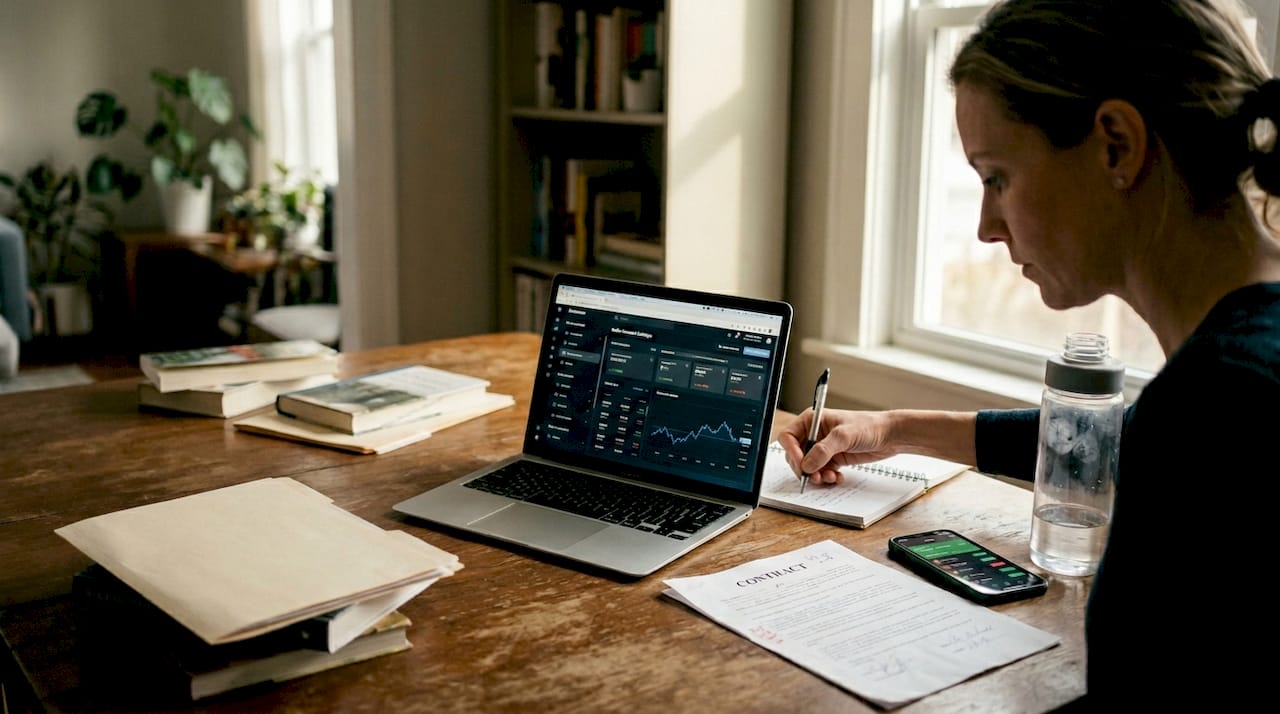
Trader adjusting multi-account automation at home
Here is a quick-reference table for a typical multi-account setup:
| Component | Function | Example setting |
|---|---|---|
| Master account | Source of all trades | 1 standard lot per signal |
| Lot scaling method | Adjusts size per client | Proportional to balance |
| Execution latency | Speed of replication | 1 second or faster (normal conditions) |
| Risk filter | Limits exposure | Max 2% per trade |
| Account count | Clients receiving trades | 10 to 100+ |
Setting up a trade copier for the first time follows a predictable sequence:
- Install the copier EA on your master MetaTrader terminal
- Install the receiver EA on each client terminal
- Configure lot sizing rules for each client account
- Set risk limits including max drawdown and stop-loss scaling
- Run a test trade to confirm replication is working correctly
- Monitor the first live session before going fully hands-off
For a detailed walkthrough of MT4 master to client copying, the process is straightforward once the terminals are on the same machine or VPS.
Pro Tip: Local execution on a Windows VPS keeps all trade data on one IP address, which matters for prop firm accounts where cloud routing can trigger compliance flags.
Choosing and deploying trade copying solutions
Not all trade copiers are built for the same use case. Choosing the right one depends on your account structure, platform mix, and risk requirements.
Platforms like TradeSyncer, PFACopySuite, and CrossTrade serve account managers who need stealth mode for prop compliance, auto-sync intervals as fast as every 3 seconds, and instrument filtering to exclude certain pairs from replication. These are real production features, not marketing claims.
When evaluating any copier solution, these five features are non-negotiable:
- Execution speed: Look for sub-second or sub-100ms latency to minimize slippage differences between master and client accounts
- Lot sizing flexibility: A good copier offers multiple scaling methods, from fixed lots to balance-proportional to equity-based
- Account capacity: Confirm the platform supports your current and projected account count without performance degradation
- Risk controls: Hard drawdown stops, maximum lot caps, and per-account risk limits protect clients from synchronized losses
- Platform compatibility: Verify support for MT4, MT5, and any other platforms your clients use
Some platforms auto-sync every 3 seconds and support 100+ accounts, which is the baseline expectation for serious account managers in 2026.
For trade copier best practices, the most important principle is that configuration time upfront saves disaster later. Rushed setups with default settings often result in mismatched lot sizes or missing risk filters.
For account cloning and forex replication, the setup process is simpler than most traders expect, especially when everything runs locally on one machine.
Pro Tip: Low-latency copiers combined with drawdown controls give you the best defense against volatile market conditions wiping out multiple accounts simultaneously.
Pros, cons, and real performance: what traders should know
Automation sounds compelling in theory. The empirical picture is more nuanced.
Research on copy trading outcomes shows wide variance in results. Win rates and strategy-level profitability depend heavily on the platform, market conditions, and how risk is configured. No universal figure applies across all contexts. Past performance of any copied strategy does not indicate future results.
That spread tells an important story. Strategy-level profitability and follower-level profitability are not the same thing. Slippage, timing differences, and poor risk configuration erode returns between master and client.
Benefits of automation:
- Removes emotional decision-making from execution
- Enables 24-hour market coverage without manual monitoring
- Scales a single profitable strategy across many accounts
- Applies consistent risk rules that human traders often override
Risks that matter:
- Black-box failures where the system acts unexpectedly during news events
- Performance decay as market conditions shift away from backtest environments
- Leader dependency where a single strategy provider’s drawdown hits all followers
- Synchronized losses when all accounts mirror the same losing trade simultaneously
The broader CFD trading reality is sobering: regulated broker disclosures consistently show that 70% to 80% of retail CFD traders lose money, even with automation. The tools reduce friction and remove emotion, but they do not replace a sound strategy or active risk management.
Past performance of any strategy or copied trader does not indicate future results. All trading involves risk of loss.
For forex management benefits, the strongest case for automation is not returns. It is time efficiency and consistency. Traders who previously managed three accounts manually can now manage thirty with the same effort, provided the underlying strategy is solid.
Beyond the hype: our take on CFD automation for retail traders
After working with 3,000+ users across MT4, MT5, and DXTrade since 2010, we have seen a consistent pattern. Traders who succeed with automation treat it as a labor-saving tool, not a money-making machine. Those who fail almost always made the same mistake: they set it up and walked away.
Automation does not remove the need for judgment. It removes the need for repetitive manual execution. That distinction matters enormously. The best account managers we have seen use trade copiers to free up time for strategy review, risk analysis, and provider due diligence, not to go hands-off entirely.
Blind copying is the single biggest risk in this space. Copying a provider because their last 30-day return looks impressive, without verifying their drawdown history or understanding their position sizing, is how accounts get wiped in a single news event.
Practical steps that separate disciplined automation from reckless automation: verify provider PnL with platform-audited statements, set hard drawdown stops before you go live, and always backtest any EA in current market conditions, not just historical data. If you want to cut unnecessary trade copier costs while maintaining performance, start with a lean setup and add complexity only when the basics are working reliably.
AI-driven risk filters and drawdown controls are more important now than they were five years ago. Volatility spikes are faster and more frequent. Passive following without automated guardrails is a liability.
Take automation further with advanced trade copier tools
If this guide has moved you from theory toward action, the next step is finding tools built specifically for retail account managers, not institutional desks with six-figure software budgets.
](https://mt4copier.com)](https://mt4copier.com)](https://mt4copier.com)](https://csuxjmfbwmkxiegfpljm.supabase.co/storage/v1/object/public/blog-images/organization-20479/1773294400737_mt4copier.jpg)
Local Trade Copier runs entirely on your Windows machine or VPS, with execution in 1 second or faster under normal market conditions, eight money management modes, and cross-platform support for MT4, MT5, and DXTrade under one subscription. Easy MT4/MT5 installation means you can be copying trades within minutes of setup. Features like SL/TP wait controls give you precise replication even on fast-moving instruments. With a 7-day free trial and no cloud routing involved, it is the most straightforward way to bring real automation discipline to your multi-account workflow. Check out current automation deals to get started.
Frequently asked questions
What is a trade copier and how does it work in CFD trading?
A trade copier automatically replicates trades from a master account onto multiple client accounts, ensuring uniform execution without manual entry. It runs as software on your local machine or VPS, watching the master terminal and mirroring every position to connected client accounts in real time.
Are automated trade copiers profitable for retail traders?
Profitability depends on the underlying strategy, platform quality, and how risk is configured. Studies show that copy trading outcomes vary significantly by platform, market conditions, and how risk is configured. The copier itself is neutral; the underlying strategy and risk setup drive outcomes.
What are the main risks of using automated CFD trading tools?
The main risks include black-box failures during volatile events, performance decay over time, and synchronized losses across all copied accounts. As retail CFD broker disclosures consistently show, 70% to 80% of retail CFD traders lose money, automation does not eliminate risk without active oversight.
Can automation help retail account managers handle 100+ client accounts?
Yes. Advanced trade copying systems with multi-account support handle syncing, lot scaling, and risk controls for hundreds of accounts simultaneously, provided the infrastructure runs on a reliable low-latency machine or VPS.
Recommended
- What is forex account management: optimize multi-account trading
- Benefits of Forex Account Management | Local Trade Copier
- Why professional traders rely on automation: 92% of Forex
- FX Account Cloning™ Setup: Trade Forex On Many Accounts
