

For MetaTrader users who want local control, a locally installed trade copier is one option for handling expert advisor copying: it runs on your own machine. The other routes are broker or social copy services and simple EA scripts. Below we compare all three, walk through setup, settings, prop-firm execution and testing.
TL;DR:
- Install a separate MT4 or MT5 terminal for each account, map every client to its master, and keep accounts in separate folders.
- Choose fixed, mirrored, or equity based sizing, then set lot caps and symbol or magic number filters before testing rounding and partial closes on demo.
- A local setup keeps terminals on the same IP, but prop firm rules differ; confirm EA and server restrictions before choosing a VPS or home PC.
- Use the free trial for seven days on demo accounts, verify copied stop losses, take profits, lot sizes, and partial closes, then review logs regularly.
Which methods can copy EA trades between accounts?
Several approaches cover common use cases, and they differ mostly in who controls execution.
- Local trade copier: software that runs on your PC or VPS, reads trades from a master terminal and places them on client terminals, all on one machine.
- Broker or social copy services: platform features where you follow signal providers and trades replicate through the broker’s infrastructure. Pepperstone’s copy trading is one example, with adjustable sizing rules such as proportional by equity, mirror master size or fixed size.
- Lightweight EA scripts: small community programs for simple one-to-one copying, fine for a hobby setup but thin on filters and sizing.
The trade-off is control versus convenience. Server-side services are easy to start but route your activity through someone else’s systems. A local copier keeps everything private and on a single IP address, which matters for prop firms.
Pricing patterns differ too. According to AlgoTradingSpace, free community EAs exist on the MQL5 marketplace, commercial local copiers typically run on a subscription, and broker-integrated services may charge indirectly through spreads and commissions. Past results do not guarantee future performance.
If you are comparing software side by side, our guide to forex trade copying software goes deeper.
What is an Expert Advisor, and what does copying it involve?
Expert Advisors are automated trading programs written in MQL4 or MQL5 that can analyze charts, generate signals and execute trades without you watching the terminal. Copying an EA’s trades means taking the orders it opens on one account and reproducing them on others.
That distinction matters. A copier is a mechanical utility: it mirrors orders and holds no strategy logic. As MonoVM explains, outcomes depend on the master account’s strategy and the receiver accounts’ risk settings. Past results do not guarantee future performance.
Creating an EA from scratch is a separate task. You use MetaEditor and the Expert Creation Wizard, then compile the file. MetaTrader’s help pages describe saving the source in the /EXPERTS folder and compiling to produce the executable, which appears in the Navigator once the build succeeds. An compiled expert shows grey and cannot be used, per the creation guide.
How do you install and link master and client terminals?
Follow these steps in order, and keep a demo account handy for the last one.
- Prepare the environment. Decide between a local Windows PC and a VPS. Install a separate MT4 or MT5 terminal for each account you plan to use.
- Install the master EA. Load the copier’s master component on the terminal holding the trades you want to copy. Our installation documentation covers MT4 and MT5 specifics.
- Install the client EA. Attach the receiver component on each client terminal. Our client EA setup guide shows this for mixed MT4 and MT5 accounts.
- Map master to receivers. Link each client to the master account so signals reach the right terminals.
- Enable automated trading. Switch on the algo trading button, confirm server and login details, and check that the EA icon on each chart shows as active.
- Dry-run on demo. Open and close a few test trades. Verify stop loss, take profit, lot sizes and filters before going live.
Pro Tip: Run each account in its own terminal folder. Sharing one installation across accounts is a common source of confusing login and mapping errors.
Adding another master later is straightforward with our checklist for existing setups.
Which settings control lot size and risk?
Configuration decides how a master trade becomes a client trade, so spend your time here.
Common lot-sizing modes include:
- Fixed lot: every copied trade uses the same size, regardless of balance.
- Mirror master size: the client opens the same volume as the master.
- Proportional by equity: size scales with the client’s equity relative to the master’s.
- Automatic scaling per account balance: our copier adjusts lots for each client based on its balance.
Risk controls worth checking before going live:
- Maximum lot caps to stop an oversized trade from copying.
- Reverse copying, which opens the opposite direction on a client.
- Symbol and magic-number filters to copy only the trades you intend.
Also watch rounding and minimum-lot constraints. A client with a small balance may round a proportional size up or down to the broker’s lot step, and partial closes on the master need to map sensibly to the client’s smaller position. Test these cases on demo.
The copier replicates orders and nothing more. It does not alter strategy logic or influence outcomes. Past results do not guarantee future performance.
Why do latency, single-IP execution and VPS choice matter?
Tight entries and exits depend on timing; using a programmable trading keypad can help manual traders execute orders rapidly with low-latency control. If a copied order arrives late, price may have moved, and the fill differs from the master’s. Local execution on one machine removes the extra hop to an outside server, though execution timing can vary.
Single-IP execution is the other half. When every terminal runs on one machine, all activity comes from one address, with no cloud routing between accounts. Some prop firms restrict EAs or external servers, so many traders prefer this setup. Our write-up on local trading server advantages explains the reasoning. For firms that disallow EA trading, our manual-like execution mode makes copied entries look as if a person placed them. Always confirm your firm’s rules yourself, since they vary.
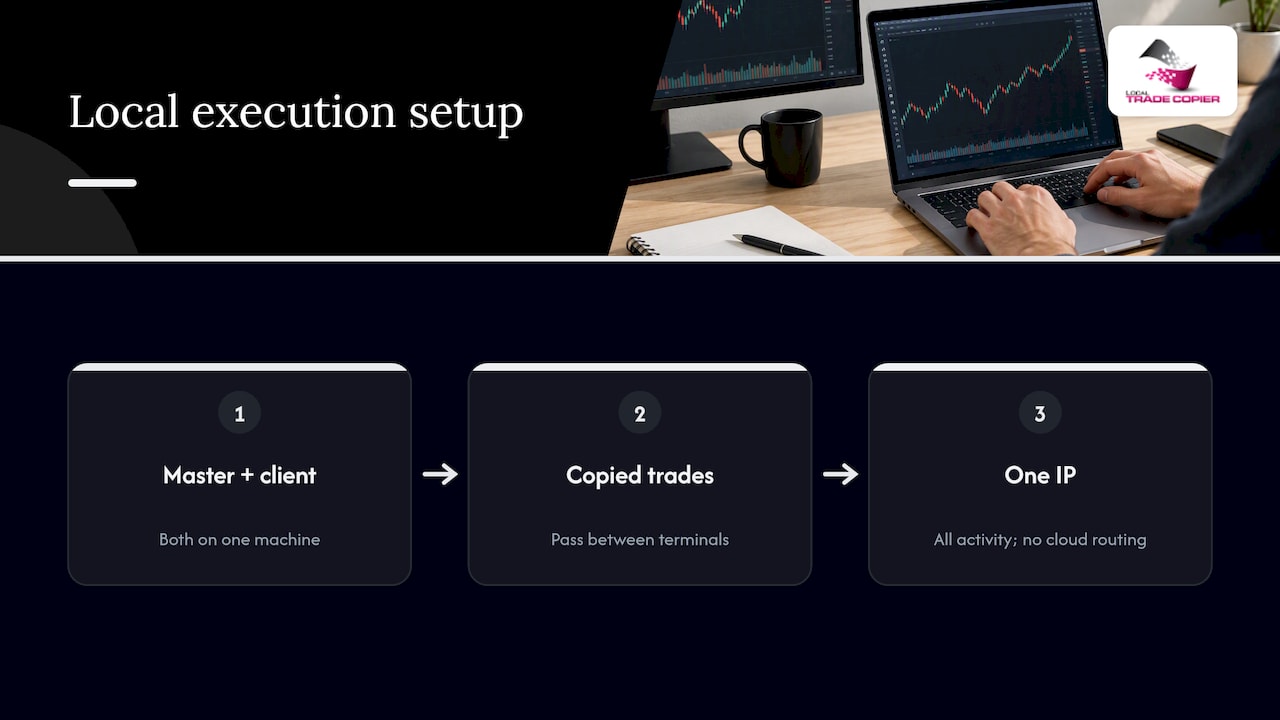
VPS versus home PC comes down to uptime and network. A VPS stays online through power cuts and restarts, while a home PC offers a familiar environment but depends on your connection. Either works if it stays powered and connected.
Pro Tip: Keep the terminal journal open and review it daily. Rejected orders and requotes show up there first, long before you notice a missing trade.
Security matters here too: strong passwords and a locked-down VPS are covered in our security guidance.
How do you test and monitor copied trades?
Verify on demo first, then keep watching after launch.
- Open trades on the master and confirm each one appears on every client terminal.
- Check that stop loss and take profit values match the master’s.
- Compare lot sizes against your sizing mode, including rounding on small accounts.
- Close part of a position on the master and confirm the client’s partial close behaves as expected.
- Review the logs for missed trades, rejections or size mismatches.
- Adjust settings and retest until the behavior matches what you intended.
Once live, reconcile the master and client histories regularly. A small mismatch caught early may be less costly than one discovered later.
Why a local copier is my pick for multi-account work
I keep coming back to the same conclusion: if you run several accounts, or trade with a prop firm, control beats convenience. A local copier lets you see exactly where trades come from, how they are sized and why one failed to copy. Server-side services are easy, but you trade some visibility for that ease.
My advice is to test on demo, read the installation documentation, and use the free trial before committing real accounts. Compare it against the alternatives in our guides, and judge on your own workflow rather than on marketing. The setups that last are the boring, well-tested ones.
— Rimantas
Where can you try a local trade copier with a free trial?
We offer Local Trade Copier, a locally installed copier for MT4 and MT5 with configurable lot sizing, local execution and a 7-day free trial. Prefer to see the cost first? Our pricing page lists the PERSONAL, MANAGER and VIP plans, and the installation page walks through setup. Test on demo accounts before connecting anything live. If you manage several accounts or trade with a prop firm, check compatibility during the trial. Start with the trial and see how it fits your workflow.

This article is general information, not a substitute for advice from a qualified financial advisor. Consult a qualified financial professional about your own circumstances before acting on anything here.
FAQ
What are EAs in trading?
Expert Advisors are automated programs for MetaTrader written in MQL4 or MQL5. They can analyze markets, generate signals and place trades without manual input, as JustMarkets describes. Past results do not guarantee future performance.
How do you create your own Expert Advisor in MT5?
You build it in MetaEditor, using the Expert Creation Wizard to set the name and inputs, then compile it. The MetaTrader creation guide explains compiling with File, then Compile, or F5, which produces the file you can attach to a chart.
Does a trade copier change my strategy?
No. A copier mirrors orders mechanically and has no strategy logic of its own. Results depend on the master account’s strategy and each receiver’s risk settings. Past results do not guarantee future performance.
Is copy trading software free?
It varies. Free community EAs exist, commercial local copiers typically use subscriptions, and broker services may charge through spreads and commissions, according to AlgoTradingSpace. Ask us about the free trial for our copier.
Sources
Recommended
- Subsecond Local Execution: Single IP Trade Copying for Prop Firm Traders
- Cross-broker trade copying: efficient forex replication guide
- Sub 0.5s Low Latency Copying Setup for Scalpers, Funded Traders
- Fast Trade Copier on MetaTrader 4 (10 orders in 1 second)
