

Exit-only copying is a trade copier setup in which the client account stops opening new positions but keeps following the master account’s closes and modifications on trades that are already open. You use it to wind an account down, pause a strategy, or end a copying relationship cleanly, without leaving orphaned trades behind. This guide explains how it works, the situations where it fits, the traps with netting and hedging accounts, and a checklist for setting it up.
One point first: a copier is replication software. It copies trades that already exist. It has no market logic and no way to improve results, and exit-only mode does not change that.
TL;DR
- Exit-only copying blocks new entries on the client account while still copying closes, stop loss and take profit changes, and manual exits from the master.
- In one published copier manual, the approach is to turn off copying of openings and leave copying of closings on. Parameter names differ between products.
- Check your account type first. Netting and hedging accounts treat positions differently, and a wrong setup can create positions you did not want.
- Test on a demo account, then watch the first real close before you leave it unattended.
- Trading carries real risk, and about two out of three retail forex traders lose money each quarter. Past results do not guarantee future performance.
What exit-only copying actually does
A normal trade copier watches the master account for three kinds of events: a new position opens, an existing position is modified (stop loss, take profit, pending order price), and a position closes. It repeats each event on every client account.
Exit-only copying keeps the second and third events and drops the first. The client account will:
- ignore any new market or pending order placed on the master;
- follow stop loss and take profit changes on trades it already holds;
- close a trade when the master closes its matching trade;
- close a trade when the master’s stop loss or take profit is hit.
The result is that exposure on the client account can only shrink. Each open trade finishes according to what the master does, and then the client account is flat.
The mirror image also exists. In the same manual, a different function stops copying the closing of orders and positions while still copying openings. That is a separate mode with different risks, because trades can be left open with nobody managing them. Do not confuse the two.
When traders use it
Winding down an account
Say you copy one master to three personal accounts and you want to retire one of them. If you simply switch the copier off, any open trades on that account stop following the master. You then have to manage them by hand. With exit-only mode the open trades finish with the master, and the account ends flat with no new entries.
Account managers handing off or pausing a client
Independent account managers often need to stop adding risk to a client account while that client’s existing positions close in line with the master. The general idea, as one copier guide describes it, is that automating the exit avoids manual re-entry mistakes and keeps new, unwanted exposure out of the account during the closing phase. If you manage accounts for others, our overview of the role of account managers covers the wider workflow.
Switching master accounts or strategies
When you move a client account from one master to another, you want the old master’s trades to finish on their own terms before the new master’s trades begin. Exit-only mode on the old link does that, and then you switch the link.
Reducing exposure around a risky period
Some traders stop entering new copied trades ahead of a period they do not want to trade, such as a major data release or a holiday with thin liquidity, while letting current trades play out. This is a risk-control choice on your side. It is not a prediction about price.
Prop firm accounts nearing a limit
If you copy to a funded or evaluation account and you are close to a rule such as a daily loss limit, you may prefer to take no further entries and let existing trades close. Read the firm’s own rules first, because they vary and they decide what is allowed. Our notes on prop firm account management cover the general habits that keep multi-account setups tidy.
How to set it up: a practical sequence
The exact setting names depend on your copier, so treat the sequence below as the logic to follow. In Local Trade Copier, the controls for what the client account accepts or ignores for open, modify and close events are explained on our page about how to set the copier to accept or ignore open, modify and close.
- Let the copier finish its current work. Do not change settings in the middle of a burst of activity. If the master is mid-trade, wait until the copier has synced.
- Stop copying opens on the client side. Set the client to ignore opening events. This is the heart of exit-only mode.
- Keep closes and modifications on. If these are off, you no longer have exit-only copying. You have a copier that does nothing.
- Decide what to do with pending orders. A pending order that triggers later is an entry. If you want no new entries, cancel pending orders on the client account or confirm that your copier ignores them.
- Test on a demo account. Open a trade on a demo master, let it copy, switch to exit-only, open a second trade, and confirm it does not appear on the client. Then close the first and confirm it closes. Our setup guide for copying MT4 to MT5 has a section on testing without risk.
- Watch the first live close. Confirm the client account behaves as expected before leaving it unattended.
- Return to normal mode on purpose. When you want entries back, switch the opening setting on again and check it. Forgetting that exit-only is active is a common reason people think a copier has stopped working.
If you ever see unexpected duplicates while changing modes, our guide to safe retry handling for failed orders explains how to avoid doubled fills.
Netting vs. hedging: the account type trap
Exit-only copying behaves differently depending on how your broker’s account handles positions. According to the copier manual we reviewed:
- In a netting system, only one common position per symbol exists, which makes exit-only modes straightforward.
- In a hedging system, several separate positions can exist on the same symbol. You must make sure the copier closes the specific matching trades. Trying to net out exposure instead could open positions you never intended.
The same manual adds two cautions for netting accounts: copying pending orders is generally unsupported and risky, and when the client is at a different broker from the master, copying stop loss and take profit levels can cause early or out-of-sync execution because of Ask/Bid price differences. In that case it is safer to copy only the opening and closing actions.
MetaTrader 4 accounts under US rules add another wrinkle. Many US brokers apply FIFO rules, which restrict how you can hold and close positions in the same symbol. We have written about this directly: see limitations of the MT4 copier with netting on FIFO accounts and how to use the copier in netting mode on MT4 FIFO accounts. Read both before you rely on any close-only workflow on a FIFO account.
For background on how MetaTrader itself treats orders and positions, the platform’s own Basic Principles help page is a reliable reference.
Quick comparison: three ways to stop adding risk
| Approach | New entries | Closes copied | Best for |
|---|---|---|---|
| Exit-only copying | Blocked | Yes | Winding down, handoffs, pausing entries |
| Switching the copier off | Blocked | No | Full stop where you manage trades by hand |
| Closing everything now | Blocked | Done manually | Urgent exit when you will not wait for the master |
Exit-only mode is the middle path. It gives up entries but keeps the discipline of having the client follow the master through to the finish.
If you want certain trades to stay untouched while the rest follow the master, that is a different need. See how to set the copier not to close or touch certain trades.
Mistakes to avoid
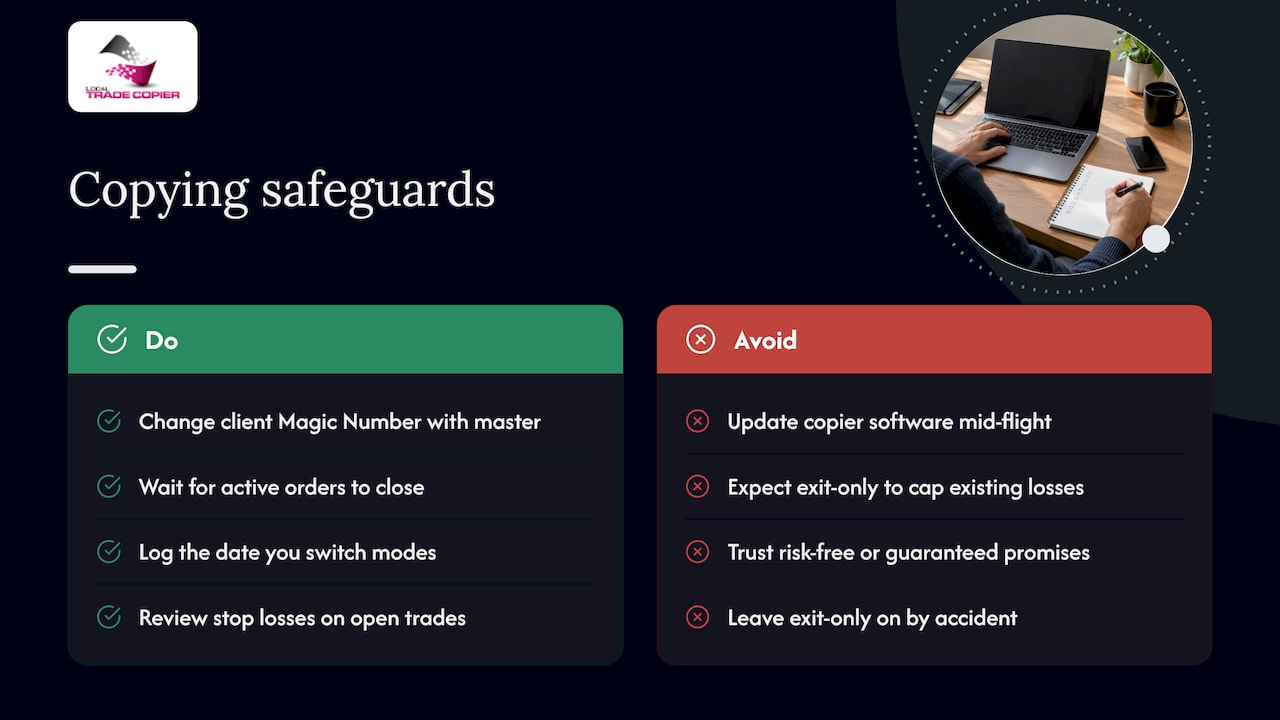
Stale trades after switching masters. When you change the master account, change the Magic Number on the client side as well. The manual warns that if the new number matches the old one, the software may try to manage or close stale trades from the previous master.
Updating mid-flight. If you update copier software, wait for all active orders to close first, and make sure master and client terminals run the same copier version. Otherwise the two sides can fall out of sync.
Leaving exit-only on by accident. Put a note in your trading log with the date you switched modes.
Expecting it to be a risk fix. Exit-only copying stops new entries. It does not cap loss on trades already open. Review stop losses on those trades separately. Our article on adding risk management to a forex robot or signal covers lot sizing and protection options.
Trusting promises. Be skeptical of any copier or signal service that promises risk-free or guaranteed results. The CFTC says most people who trade forex lose money, and it points out that you might lose less by copying someone else’s moves but are still unlikely to make money. Past results do not guarantee future performance. Before you follow any adviser, check registration with the National Futures Association or your state securities regulator.
Our perspective on exit-only copying
We have built locally installed copier software since 2010, and one pattern repeats in the questions we get: people discover they need exit-only behavior at the moment they want to stop. That is the worst time to learn how a copier handles an open trade.

Our view is simple. Decide before you start copying how you will stop. Know which events your client accounts accept and which they ignore, and test that on a demo account once. Because Local Trade Copier runs on your own Windows PC or VPS, all trade data stays on one machine. You can see what is happening, and nothing is routed through an outside server. That makes it easier to reason about what the copier will do when you change a setting.
We also keep the product honest about its role. It is replication software only. It does not choose trades, it has no strategy layer, and it cannot make a trade better than the one on the master. What it can do is make your account behave the way you intended, including when the intention is to stop opening trades and finish the ones you have.
Using Local Trade Copier for this
Local Trade Copier supports MetaTrader 4 and MetaTrader 5 (and DXTrade) in one subscription, with configurable handling of open, modify and close events per account. Plans are:
- PERSONAL: €29 per month or €290 per year
- MANAGER: €89 per month or €890 per year
- VIP: €199 per month or €1990 per year
Every plan starts with a 7-day free trial, which is enough time to test exit-only behavior on a demo account before touching a live one. See the pricing page to compare plans, or read the installation guide if you want to get set up first.
FAQ
What is exit-only copying in a trade copier?
It is a configuration where the client account does not open new trades from the master but still follows closes and modifications on trades it already holds. Exposure can only go down. Settings are named differently from one copier to the next.
Is exit-only copying the same as pausing the copier?
No. Pausing or switching off the copier stops all copying, including closes, so open trades on the client account no longer follow the master. In exit-only mode those trades still follow the master until they are closed.
Does exit-only copying reduce my risk?
It stops you adding new positions, but trades already open keep their market risk until they close. Check stop losses on those trades yourself. Forex trading carries a high chance of loss, and past results do not guarantee future performance.
Can I use exit-only mode on a US FIFO account?
Possibly, but FIFO rules limit how positions can be held and closed, so read our pages on netting and FIFO limitations first. Test on a demo account that follows the same rules as your live broker.
Sources
- Trade copier user manual, MQL5 Traders’ Blogs
- Forex Frauds, CFTC
- Customer Advisory: There’s Nothing to Like About Scammers on Social Media, CFTC
- Basic Principles, Trading Operations, MetaTrader 5 Help
